Compare commits
| Author | SHA1 | Date | |
|---|---|---|---|
 Blake Blackshear Blake Blackshear
|
53ccc903da | ||
|
Blake Blackshear
|
9d1f9f35e5 | ||
|
Blake Blackshear
|
c1f522ff54 | ||
|
mattheysandBlake Blackshear
|
b345571a63 | ||
|
Blake Blackshear
|
f29ee6165f | ||
|
Blake Blackshear
|
ec6432cc5f | ||
|
walthowdandBlake Blackshear
|
8c917667b6 | ||
|
walthowdandBlake Blackshear
|
941434b8d8 | ||
|
walthowdandBlake Blackshear
|
2d0632adf8 | ||
|
walthowdandBlake Blackshear
|
f1afaf641a | ||
|
Blake Blackshear
|
743116a733 | ||
|
Blake Blackshear
|
8e77cf25d9 | ||
|
Blake Blackshear
|
7d33e03943 | ||
|
Blake Blackshear
|
0c44666c89 | ||
|
Blake Blackshear
|
ddaa746807 | ||
|
Blake Blackshear
|
760e1ffe1d | ||
|
Blake Blackshear
|
15b4024715 | ||
|
Blake BlackshearandBlake Blackshear
|
918112a793 | ||
|
Blake Blackshear
|
4ee200a81c | ||
|
Blake Blackshear
|
e37eba49ff | ||
|
Blake Blackshear
|
6de8e3bd1f | ||
|
Blake Blackshear
|
3a9781c4f8 | ||
|
Blake Blackshear
|
a60b9211d2 | ||
|
Blake Blackshear
|
777fb1d5d1 | ||
|
Blake Blackshear
|
8e9110f42e | ||
|
Blake Blackshear
|
c80137e059 | ||
|
Blake Blackshear
|
2768e1dadb | ||
|
Blake Blackshear
|
2fbba01577 | ||
|
Blake Blackshear
|
e7c536ea31 | ||
|
Blake Blackshear
|
1734c0569a | ||
|
Blake Blackshear
|
a5bef89123 | ||
|
Blake Blackshear
|
d8aa73d26e | ||
|
Blake Blackshear
|
791409d5e5 | ||
|
Blake Blackshear
|
01bf89907d | ||
|
Blake Blackshear
|
8e73c7e95e | ||
|
Blake Blackshear
|
088bd18adb | ||
|
Blake Blackshear
|
2e8c7ec225 | ||
|
Blake Blackshear
|
9340a74371 | ||
|
Blake Blackshear
|
5998de610b | ||
|
Blake Blackshear
|
dfabff3846 | ||
|
Blake Blackshear
|
76a7a3bad5 | ||
|
Blake Blackshear
|
a3fa97dd52 | ||
|
Blake Blackshear
|
1d2a41129c | ||
|
Blake Blackshear
|
956298128d | ||
|
Blake Blackshear
|
e6892d66b8 | ||
|
Blake Blackshear
|
6ef22cf578 | ||
|
Blake Blackshear
|
3e6f6edf7e | ||
|
Blake Blackshear
|
81c5b96ed7 | ||
|
Blake Blackshear
|
6f6d202c99 | ||
|
Blake Blackshear
|
2fc389c3ad | ||
|
Blake Blackshear
|
05951aa7da | ||
|
Blake Blackshear
|
bb8e4621f5 | ||
|
Blake Blackshear
|
04e9ab5ce4 | ||
|
Blake Blackshear
|
1089a40943 | ||
|
Blake Blackshear
|
68c3a069ba | ||
|
Blake Blackshear
|
80b9652f7a | ||
|
Blake Blackshear
|
569e07949f | ||
|
Blake Blackshear
|
ffa9534549 | ||
|
Blake Blackshear
|
c539993387 | ||
|
Blake Blackshear
|
8a572f96d5 | ||
|
Blake Blackshear
|
24cb3508e8 | ||
|
Blake Blackshear
|
3f34c57e31 | ||
|
Blake Blackshear
|
4c618daa90 | ||
|
Blake Blackshear
|
cd057370e1 | ||
|
Blake Blackshear
|
6263912655 | ||
|
Blake Blackshear
|
af247275cf | ||
|
Blake Blackshear
|
1198c29dac | ||
|
Blake Blackshear
|
169603d3ff | ||
|
Blake Blackshear
|
dc7eecebc6 | ||
|
Blake Blackshear
|
0dd4087d5d | ||
|
Blake Blackshear
|
6ecf87fc60 | ||
|
Blake Blackshear
|
ebcf1482f8 | ||
|
Blake Blackshear
|
50bcf60893 | ||
|
Blake Blackshear
|
38efbd63ea | ||
|
Blake Blackshear
|
50bcad8b77 | ||
|
Blake Blackshear
|
cfffb219ae | ||
|
Blake Blackshear
|
382d7be50a | ||
|
Blake Blackshear
|
f43dc36a37 | ||
|
Blake Blackshear
|
38e7fa07d2 | ||
|
Blake Blackshear
|
e261c20819 | ||
|
Blake Blackshear
|
3a66e672d3 | ||
|
Blake Blackshear
|
2aada930e3 | ||
|
Blake Blackshear
|
d87f4407a0 | ||
|
Blake Blackshear
|
be5a114f6a | ||
|
Blake Blackshear
|
32b212c7b6 | ||
|
Blake Blackshear
|
76c8e3a12f | ||
|
Blake Blackshear
|
16f7a361c3 | ||
|
Blake Blackshear
|
634b87307f | ||
|
Blake Blackshear
|
1d4fbbdba3 | ||
|
Blake Blackshear
|
65579e9cbf | ||
|
Blake Blackshear
|
49dc029c43 | ||
|
Blake Blackshear
|
08174d8db2 | ||
|
Blake Blackshear
|
5199242a68 | ||
|
Blake Blackshear
|
725dd3220c | ||
|
Blake Blackshear
|
10dc56f6ea | ||
|
Blake Blackshear
|
cc2abe93a6 | ||
|
Blake Blackshear
|
0c6717090c | ||
|
Blake Blackshear
|
f5a2252b29 | ||
|
Blake Blackshear
|
02efb6f415 | ||
|
Blake Blackshear
|
5b4c6e50bc | ||
|
Blake Blackshear
|
9cc46a71cb | ||
|
Blake Blackshear
|
be1673b00a | ||
|
Blake Blackshear
|
b6130e77ff | ||
|
Blake Blackshear
|
4180c710cd | ||
|
Blake Blackshear
|
ab3e70b4db | ||
|
Blake Blackshear
|
d90e408d50 | ||
|
Blake Blackshear
|
6c87ce0879 | ||
|
Blake Blackshear
|
b7b4e38f62 | ||
|
Blake Blackshear
|
480175d70f | ||
|
Blake Blackshear
|
bee99ca6ff | ||
|
Blake BlackshearandGitHub
|
5c01720567 | ||
|
Blake BlackshearandGitHub
|
262f45c8bc | ||
|
tubalainenandBlake Blackshear
|
22bb17b2fd | ||
|
Blake Blackshear
|
3a3afe14bf | ||
|
Blake Blackshear
|
01f058a482 | ||
|
Blake Blackshear
|
d899ef158e | ||
|
Blake Blackshear
|
39d64f7ba7 | ||
|
Blake Blackshear
|
f148eb5a7b | ||
|
Blake Blackshear
|
297e2f1c0c | ||
|
Blake Blackshear
|
e818744d81 | ||
|
Blake Blackshear
|
ceedfae993 | ||
|
Blake Blackshear
|
e13563770d | ||
|
Blake Blackshear
|
a659019d1a | ||
|
blakeblackshear
|
ba71927d53 | ||
|
blakeblackshear
|
04fed31eac | ||
|
blakeblackshear
|
ebaa8fac01 | ||
|
blakeblackshear
|
2ec45cd1b6 | ||
|
blakeblackshear
|
700bd1e3ef | ||
|
Alexis BirkillandBlake Blackshear
|
c9e9f7a735 | ||
|
blakeblackshear
|
aea4dc8724 | ||
|
blakeblackshear
|
12d5007b90 | ||
|
blakeblackshear
|
8970e73f75 | ||
|
blakeblackshear
|
1ba006b24f | ||
|
blakeblackshear
|
4a58f16637 | ||
|
blakeblackshear
|
436b876b24 | ||
|
blakeblackshear
|
a770ab7f69 | ||
|
blakeblackshear
|
806acaf445 | ||
|
Kyle NiewiadaandBlake Blackshear
|
c653567cc1 | ||
|
blakeblackshear
|
8fee8f86a2 | ||
|
blakeblackshear
|
59a4b0e650 | ||
|
blakeblackshear
|
834a3df0bc | ||
|
blakeblackshear
|
c41b104997 | ||
|
blakeblackshear
|
7028b05856 | ||
|
blakeblackshear
|
2d22a04391 | ||
|
blakeblackshear
|
baa587028b | ||
|
blakeblackshear
|
2b51dc3e5b | ||
|
blakeblackshear
|
9f8278ea8f | ||
|
Blake BlackshearandGitHub
|
56b9c754f5 | ||
|
Blake BlackshearandGitHub
|
5c4f5ef3f0 | ||
|
Blake BlackshearandGitHub
|
8c924896c5 | ||
|
Mike WilkinsonandGitHub
|
2c2f0044b9 | ||
|
Mike WilkinsonandGitHub
|
874e9085a7 | ||
|
Blake BlackshearandGitHub
|
e791d6646b | ||
|
blakeblackshear
|
3019b0218c | ||
|
blakeblackshear
|
6900e140d5 | ||
|
Blake BlackshearandGitHub
|
911c1b2bfa | ||
|
Blake BlackshearandGitHub
|
f4587462cf | ||
|
tubalainenandGitHub
|
cac1faa8ac | ||
|
tubalainenandGitHub
|
9525bae5a3 | ||
|
blakeblackshear
|
dbcfd109f6 | ||
|
Blake BlackshearandGitHub
|
f95d8b6210 | ||
|
blakeblackshear
|
4dacf02ef9 | ||
|
Blake BlackshearandGitHub
|
3e803b6a03 | ||
|
blakeblackshear
|
7a7f507781 | ||
|
blakeblackshear
|
e0b9b616ce | ||
|
blakeblackshear
|
4476bd8a13 | ||
|
blakeblackshear
|
5aa3775c77 | ||
|
blakeblackshear
|
edf0cd36df | ||
|
blakeblackshear
|
0279121d77 | ||
|
blakeblackshear
|
8774e537dc | ||
|
blakeblackshear
|
0514eeac03 | ||
|
blakeblackshear
|
a074945394 | ||
|
blakeblackshear
|
a26d2217d4 | ||
|
blakeblackshear
|
200d769003 | ||
|
blakeblackshear
|
48aa245914 | ||
|
blakeblackshear
|
ada8ffccf9 | ||
|
blakeblackshear
|
bca4e78e9a | ||
|
blakeblackshear
|
7d3027e056 | ||
|
blakeblackshear
|
c406fda288 | ||
|
blakeblackshear
|
8ff9a982b6 | ||
|
blakeblackshear
|
f2c205be99 | ||
|
blakeblackshear
|
862aa2d3f0 | ||
|
blakeblackshear
|
8bae05cfe2 | ||
|
blakeblackshear
|
de9c3f4d74 | ||
|
blakeblackshear
|
c12e19349e | ||
|
blakeblackshear
|
afb70f11a8 | ||
|
blakeblackshear
|
85259ca00c | ||
|
blakeblackshear
|
1a55008cd5 | ||
|
blakeblackshear
|
2bf4820dc6 | ||
|
blakeblackshear
|
e597a08a66 | ||
|
blakeblackshear
|
5dc76803d6 | ||
|
blakeblackshear
|
80f7e998ae | ||
|
blakeblackshear
|
df7b90e367 | ||
|
blakeblackshear
|
2e3c9da650 | ||
|
blakeblackshear
|
89c03c4455 | ||
|
blakeblackshear
|
c5e4bc275c | ||
|
blakeblackshear
|
86f5d8128d | ||
|
blakeblackshear
|
9186634c60 | ||
|
blakeblackshear
|
039782ad2e | ||
|
blakeblackshear
|
bf6d6c3796 | ||
|
blakeblackshear
|
b4e5c812ce | ||
|
blakeblackshear
|
122a1666ca | ||
|
blakeblackshear
|
5258803cd7 | ||
|
blakeblackshear
|
9486a321c6 | ||
|
blakeblackshear
|
bff1826bf5 | ||
|
blakeblackshear
|
19323ac957 | ||
|
blakeblackshear
|
aeece7b98c | ||
|
blakeblackshear
|
a73760989c | ||
|
Blake BlackshearandGitHub
|
eded4d172f | ||
|
blakeblackshear
|
496b96b4f7 | ||
|
blakeblackshear
|
f54fa2e56c | ||
|
Blake BlackshearandGitHub
|
2929773c10 | ||
|
blakeblackshear
|
c43d83be20 | ||
|
blakeblackshear
|
b6547de82c | ||
|
blakeblackshear
|
290150603e | ||
|
blakeblackshear
|
03c57bf67d | ||
|
blakeblackshear
|
42ff739cea | ||
|
blakeblackshear
|
92e1833def | ||
|
blakeblackshear
|
957bd2adeb | ||
|
blakeblackshear
|
8525f05f29 | ||
|
blakeblackshear
|
b67f323215 | ||
|
blakeblackshear
|
284a96d5c7 | ||
|
blakeblackshear
|
a84f88c5a5 | ||
|
blakeblackshear
|
2b0ebfa354 | ||
|
blakeblackshear
|
d9d3937a0f | ||
|
blakeblackshear
|
7d4cfe43ad | ||
|
blakeblackshear
|
f7c8b742e8 | ||
|
blakeblackshear
|
861539e8b5 | ||
|
blakeblackshear
|
225f434718 | ||
|
blakeblackshear
|
6bdacffa2e | ||
|
blakeblackshear
|
a3c5dd91a1 | ||
|
blakeblackshear
|
d43c17238c | ||
|
blakeblackshear
|
f3376a83d6 | ||
|
Blake BlackshearandGitHub
|
30c223711d | ||
|
blakeblackshear
|
ab1fda3a0e | ||
|
blakeblackshear
|
83c9b8fb7a | ||
|
Blake BlackshearandGitHub
|
e997591e70 | ||
|
blakeblackshear
|
ebd15489b0 | ||
|
blakeblackshear
|
51e8a8300f | ||
|
blakeblackshear
|
80dbed8055 | ||
|
blakeblackshear
|
53c9a7368d | ||
|
blakeblackshear
|
5d894f006a | ||
|
blakeblackshear
|
d8f27658f8 | ||
|
Blake BlackshearandGitHub
|
6e8409d203 | ||
|
blakeblackshear
|
3e4256602f | ||
|
blakeblackshear
|
071fcf6ea2 | ||
|
blakeblackshear
|
4a77046c7c | ||
|
blakeblackshear
|
0359e2d2a1 | ||
|
blakeblackshear
|
623a3044fb | ||
|
blakeblackshear
|
072997736c | ||
|
blakeblackshear
|
b91c24bf8f | ||
|
blakeblackshear
|
11af9bb953 | ||
|
blakeblackshear
|
a976403edc | ||
|
blakeblackshear
|
98ce5a4a59 | ||
|
blakeblackshear
|
7e3d2f6611 | ||
|
blakeblackshear
|
72393be6d6 |
@@ -0,0 +1,6 @@
|
||||
README.md
|
||||
diagram.png
|
||||
.gitignore
|
||||
debug
|
||||
config/
|
||||
*.pyc
|
||||
@@ -0,0 +1 @@
|
||||
github: blakeblackshear
|
||||
@@ -0,0 +1,4 @@
|
||||
*.pyc
|
||||
debug
|
||||
.vscode
|
||||
config/config.yml
|
||||
@@ -1,5 +0,0 @@
|
||||
/*!
|
||||
Copyright (c) 2017 Jed Watson.
|
||||
Licensed under the MIT License (MIT), see
|
||||
http://jedwatson.github.io/classnames
|
||||
*/
|
||||
@@ -1 +0,0 @@
|
||||
/*! algoliasearch-lite.umd.js | 4.8.4 | © Algolia, inc. | https://github.com/algolia/algoliasearch-client-javascript */
|
||||
@@ -1 +0,0 @@
|
||||
(window.webpackJsonp=window.webpackJsonp||[]).push([[30],{179:function(n,i,o){"use strict";o.r(i);var r=o(55);for(var t in r)["default"].indexOf(t)<0&&function(n){o.d(i,n,(function(){return r[n]}))}(t)}}]);
|
||||
@@ -1 +0,0 @@
|
||||
(window.webpackJsonp=window.webpackJsonp||[]).push([[31],{117:function(e,t,a){"use strict";a.r(t);var n=a(0),o=a.n(n),l=a(110);t.default=function(){return o.a.createElement(l.a,{title:"Page Not Found"},o.a.createElement("main",{className:"container margin-vert--xl"},o.a.createElement("div",{className:"row"},o.a.createElement("div",{className:"col col--6 col--offset-3"},o.a.createElement("h1",{className:"hero__title"},"Page Not Found"),o.a.createElement("p",null,"We could not find what you were looking for."),o.a.createElement("p",null,"Please contact the owner of the site that linked you to the original URL and let them know their link is broken.")))))}}}]);
|
||||
@@ -1 +0,0 @@
|
||||
(window.webpackJsonp=window.webpackJsonp||[]).push([[6],{75:function(e,t,r){"use strict";r.r(t),r.d(t,"frontMatter",(function(){return i})),r.d(t,"metadata",(function(){return c})),r.d(t,"toc",(function(){return u})),r.d(t,"default",(function(){return s}));var n=r(3),a=r(7),o=(r(0),r(99)),i={id:"web",title:"Web Interface"},c={unversionedId:"usage/web",id:"usage/web",isDocsHomePage:!1,title:"Web Interface",description:"Frigate comes bundled with a simple web ui that supports the following:",source:"@site/docs/usage/web.md",slug:"/usage/web",permalink:"/frigate/usage/web",editUrl:"https://github.com/blakeblackshear/frigate/edit/master/docs/docs/usage/web.md",version:"current",sidebar:"docs",previous:{title:"Integration with Home Assistant",permalink:"/frigate/usage/home-assistant"},next:{title:"HTTP API",permalink:"/frigate/usage/api"}},u=[],l={toc:u};function s(e){var t=e.components,r=Object(a.a)(e,["components"]);return Object(o.b)("wrapper",Object(n.a)({},l,r,{components:t,mdxType:"MDXLayout"}),Object(o.b)("p",null,"Frigate comes bundled with a simple web ui that supports the following:"),Object(o.b)("ul",null,Object(o.b)("li",{parentName:"ul"},"Show cameras"),Object(o.b)("li",{parentName:"ul"},"Browse events"),Object(o.b)("li",{parentName:"ul"},"Mask helper")))}s.isMDXComponent=!0},99:function(e,t,r){"use strict";r.d(t,"a",(function(){return p})),r.d(t,"b",(function(){return m}));var n=r(0),a=r.n(n);function o(e,t,r){return t in e?Object.defineProperty(e,t,{value:r,enumerable:!0,configurable:!0,writable:!0}):e[t]=r,e}function i(e,t){var r=Object.keys(e);if(Object.getOwnPropertySymbols){var n=Object.getOwnPropertySymbols(e);t&&(n=n.filter((function(t){return Object.getOwnPropertyDescriptor(e,t).enumerable}))),r.push.apply(r,n)}return r}function c(e){for(var t=1;t<arguments.length;t++){var r=null!=arguments[t]?arguments[t]:{};t%2?i(Object(r),!0).forEach((function(t){o(e,t,r[t])})):Object.getOwnPropertyDescriptors?Object.defineProperties(e,Object.getOwnPropertyDescriptors(r)):i(Object(r)).forEach((function(t){Object.defineProperty(e,t,Object.getOwnPropertyDescriptor(r,t))}))}return e}function u(e,t){if(null==e)return{};var r,n,a=function(e,t){if(null==e)return{};var r,n,a={},o=Object.keys(e);for(n=0;n<o.length;n++)r=o[n],t.indexOf(r)>=0||(a[r]=e[r]);return a}(e,t);if(Object.getOwnPropertySymbols){var o=Object.getOwnPropertySymbols(e);for(n=0;n<o.length;n++)r=o[n],t.indexOf(r)>=0||Object.prototype.propertyIsEnumerable.call(e,r)&&(a[r]=e[r])}return a}var l=a.a.createContext({}),s=function(e){var t=a.a.useContext(l),r=t;return e&&(r="function"==typeof e?e(t):c(c({},t),e)),r},p=function(e){var t=s(e.components);return a.a.createElement(l.Provider,{value:t},e.children)},b={inlineCode:"code",wrapper:function(e){var t=e.children;return a.a.createElement(a.a.Fragment,{},t)}},f=a.a.forwardRef((function(e,t){var r=e.components,n=e.mdxType,o=e.originalType,i=e.parentName,l=u(e,["components","mdxType","originalType","parentName"]),p=s(r),f=n,m=p["".concat(i,".").concat(f)]||p[f]||b[f]||o;return r?a.a.createElement(m,c(c({ref:t},l),{},{components:r})):a.a.createElement(m,c({ref:t},l))}));function m(e,t){var r=arguments,n=t&&t.mdxType;if("string"==typeof e||n){var o=r.length,i=new Array(o);i[0]=f;var c={};for(var u in t)hasOwnProperty.call(t,u)&&(c[u]=t[u]);c.originalType=e,c.mdxType="string"==typeof e?e:n,i[1]=c;for(var l=2;l<o;l++)i[l]=r[l];return a.a.createElement.apply(null,i)}return a.a.createElement.apply(null,r)}f.displayName="MDXCreateElement"}}]);
|
||||
@@ -1,31 +0,0 @@
|
||||
<!doctype html>
|
||||
<html lang="en">
|
||||
<head>
|
||||
<meta charset="UTF-8">
|
||||
<meta name="viewport" content="width=device-width,initial-scale=1">
|
||||
<meta name="generator" content="Docusaurus v2.0.0-alpha.70">
|
||||
<link rel="alternate" type="application/rss+xml" href="/frigate/blog/rss.xml" title="Frigate Blog RSS Feed">
|
||||
<link rel="alternate" type="application/atom+xml" href="/frigate/blog/atom.xml" title="Frigate Blog Atom Feed">
|
||||
<link rel="search" type="application/opensearchdescription+xml" title="Frigate" href="/frigate/opensearch.xml"><title data-react-helmet="true">Page Not Found | Frigate</title><meta data-react-helmet="true" property="og:title" content="Page Not Found | Frigate"><meta data-react-helmet="true" name="twitter:card" content="summary_large_image"><meta data-react-helmet="true" name="docsearch:language" content="en"><meta data-react-helmet="true" name="docsearch:docusaurus_tag" content="default"><link data-react-helmet="true" rel="shortcut icon" href="/frigate/img/favicon.ico"><link data-react-helmet="true" rel="preconnect" href="https://BH4D9OD16A-dsn.algolia.net" crossorigin="anonymous"><link rel="stylesheet" href="/frigate/styles.4dd8d972.css">
|
||||
<link rel="preload" href="/frigate/styles.0df63e1c.js" as="script">
|
||||
<link rel="preload" href="/frigate/runtime~main.85a22073.js" as="script">
|
||||
<link rel="preload" href="/frigate/main.b6b2d1f0.js" as="script">
|
||||
<link rel="preload" href="/frigate/1.d4a988ac.js" as="script">
|
||||
<link rel="preload" href="/frigate/2.cbe00df1.js" as="script">
|
||||
<link rel="preload" href="/frigate/28.fabd8c68.js" as="script">
|
||||
<link rel="preload" href="/frigate/31.3f82c6fa.js" as="script">
|
||||
<link rel="preload" href="/frigate/935f2afb.06dae20f.js" as="script">
|
||||
</head>
|
||||
<body>
|
||||
<script>!function(){function t(t){document.documentElement.setAttribute("data-theme",t)}var e=function(){var t=null;try{t=localStorage.getItem("theme")}catch(t){}return t}();t(null!==e?e:"light")}()</script><div id="__docusaurus">
|
||||
<nav aria-label="Skip navigation links"><button type="button" tabindex="0" class="skipToContent_11B0">Skip to main content</button></nav><nav class="navbar navbar--fixed-top"><div class="navbar__inner"><div class="navbar__items"><div aria-label="Navigation bar toggle" class="navbar__toggle" role="button" tabindex="0"><svg aria-label="Menu" width="30" height="30" viewBox="0 0 30 30" role="img" focusable="false"><title>Menu</title><path stroke="currentColor" stroke-linecap="round" stroke-miterlimit="10" stroke-width="2" d="M4 7h22M4 15h22M4 23h22"></path></svg></div><a class="navbar__brand" href="/frigate/"><img src="/frigate/img/logo.svg" alt="Frigate" class="themedImage_YANc themedImage--light_3CMI navbar__logo"><img src="/frigate/img/logo-dark.svg" alt="Frigate" class="themedImage_YANc themedImage--dark_3ARp navbar__logo"><strong class="navbar__title">Frigate</strong></a><a class="navbar__item navbar__link" href="/frigate/">Docs</a></div><div class="navbar__items navbar__items--right"><a href="https://github.com/blakeblackshear/frigate" target="_blank" rel="noopener noreferrer" class="navbar__item navbar__link">GitHub</a><div class="react-toggle react-toggle--disabled displayOnlyInLargeViewport_2N3Q"><div class="react-toggle-track"><div class="react-toggle-track-check"><span class="toggle_3NWk">🌜</span></div><div class="react-toggle-track-x"><span class="toggle_3NWk">🌞</span></div></div><div class="react-toggle-thumb"></div><input type="checkbox" disabled="" aria-label="Dark mode toggle" class="react-toggle-screenreader-only"></div><button type="button" class="DocSearch DocSearch-Button" aria-label="Search"><div class="DocSearch-Button-Container"><svg width="20" height="20" class="DocSearch-Search-Icon" viewBox="0 0 20 20"><path d="M14.386 14.386l4.0877 4.0877-4.0877-4.0877c-2.9418 2.9419-7.7115 2.9419-10.6533 0-2.9419-2.9418-2.9419-7.7115 0-10.6533 2.9418-2.9419 7.7115-2.9419 10.6533 0 2.9419 2.9418 2.9419 7.7115 0 10.6533z" stroke="currentColor" fill="none" fill-rule="evenodd" stroke-linecap="round" stroke-linejoin="round"></path></svg><span class="DocSearch-Button-Placeholder">Search</span></div></button></div></div><div role="presentation" class="navbar-sidebar__backdrop"></div><div class="navbar-sidebar"><div class="navbar-sidebar__brand"><a class="navbar__brand" href="/frigate/"><img src="/frigate/img/logo.svg" alt="Frigate" class="themedImage_YANc themedImage--light_3CMI navbar__logo"><img src="/frigate/img/logo-dark.svg" alt="Frigate" class="themedImage_YANc themedImage--dark_3ARp navbar__logo"><strong class="navbar__title">Frigate</strong></a></div><div class="navbar-sidebar__items"><div class="menu"><ul class="menu__list"><li class="menu__list-item"><a class="menu__link" href="/frigate/">Docs</a></li><li class="menu__list-item"><a href="https://github.com/blakeblackshear/frigate" target="_blank" rel="noopener noreferrer" class="menu__link">GitHub</a></li></ul></div></div></div></nav><div class="main-wrapper"><main class="container margin-vert--xl"><div class="row"><div class="col col--6 col--offset-3"><h1 class="hero__title">Page Not Found</h1><p>We could not find what you were looking for.</p><p>Please contact the owner of the site that linked you to the original URL and let them know their link is broken.</p></div></div></main></div><footer class="footer footer--dark"><div class="container"><div class="row footer__links"><div class="col footer__col"><h4 class="footer__title">Community</h4><ul class="footer__items"><li class="footer__item"><a href="https://github.com/blakeblackshear/frigate" target="_blank" rel="noopener noreferrer" class="footer__link-item">GitHub</a></li><li class="footer__item"><a href="https://github.com/blakeblackshear/frigate/discussions" target="_blank" rel="noopener noreferrer" class="footer__link-item">Discussions</a></li></ul></div></div><div class="footer__bottom text--center"><div class="footer__copyright">Copyright © 2021 Blake Blackshear</div></div></div></footer></div>
|
||||
<script src="/frigate/styles.0df63e1c.js"></script>
|
||||
<script src="/frigate/runtime~main.85a22073.js"></script>
|
||||
<script src="/frigate/main.b6b2d1f0.js"></script>
|
||||
<script src="/frigate/1.d4a988ac.js"></script>
|
||||
<script src="/frigate/2.cbe00df1.js"></script>
|
||||
<script src="/frigate/28.fabd8c68.js"></script>
|
||||
<script src="/frigate/31.3f82c6fa.js"></script>
|
||||
<script src="/frigate/935f2afb.06dae20f.js"></script>
|
||||
</body>
|
||||
</html>
|
||||
@@ -1 +0,0 @@
|
||||
(window.webpackJsonp=window.webpackJsonp||[]).push([[12],{159:function(e,t,r){"use strict";r.r(t),t.default=r.p+"assets/images/diagram-3101f1674015822e176773924caae31a.png"},81:function(e,t,r){"use strict";r.r(t),r.d(t,"frontMatter",(function(){return i})),r.d(t,"metadata",(function(){return c})),r.d(t,"toc",(function(){return s})),r.d(t,"default",(function(){return u}));var n=r(3),o=r(7),a=(r(0),r(99)),i={id:"how-it-works",title:"How Frigate Works",sidebar_label:"How it works"},c={unversionedId:"how-it-works",id:"how-it-works",isDocsHomePage:!1,title:"How Frigate Works",description:"Frigate is designed to minimize resource and maximize performance by only looking for objects when and where it is necessary",source:"@site/docs/how-it-works.md",slug:"/how-it-works",permalink:"/frigate/how-it-works",editUrl:"https://github.com/blakeblackshear/frigate/edit/master/docs/docs/how-it-works.md",version:"current",sidebar_label:"How it works",sidebar:"docs",previous:{title:"Frigate",permalink:"/frigate/"},next:{title:"Recommended hardware",permalink:"/frigate/hardware"}},s=[],l={toc:s};function u(e){var t=e.components,i=Object(o.a)(e,["components"]);return Object(a.b)("wrapper",Object(n.a)({},l,i,{components:t,mdxType:"MDXLayout"}),Object(a.b)("p",null,"Frigate is designed to minimize resource and maximize performance by only looking for objects when and where it is necessary"),Object(a.b)("p",null,Object(a.b)("img",{alt:"Diagram",src:r(159).default})),Object(a.b)("ol",null,Object(a.b)("li",{parentName:"ol"},"Look for Motion"),Object(a.b)("li",{parentName:"ol"},"Calculate Detection Regions"),Object(a.b)("li",{parentName:"ol"},"Run Object Detection")))}u.isMDXComponent=!0},99:function(e,t,r){"use strict";r.d(t,"a",(function(){return p})),r.d(t,"b",(function(){return m}));var n=r(0),o=r.n(n);function a(e,t,r){return t in e?Object.defineProperty(e,t,{value:r,enumerable:!0,configurable:!0,writable:!0}):e[t]=r,e}function i(e,t){var r=Object.keys(e);if(Object.getOwnPropertySymbols){var n=Object.getOwnPropertySymbols(e);t&&(n=n.filter((function(t){return Object.getOwnPropertyDescriptor(e,t).enumerable}))),r.push.apply(r,n)}return r}function c(e){for(var t=1;t<arguments.length;t++){var r=null!=arguments[t]?arguments[t]:{};t%2?i(Object(r),!0).forEach((function(t){a(e,t,r[t])})):Object.getOwnPropertyDescriptors?Object.defineProperties(e,Object.getOwnPropertyDescriptors(r)):i(Object(r)).forEach((function(t){Object.defineProperty(e,t,Object.getOwnPropertyDescriptor(r,t))}))}return e}function s(e,t){if(null==e)return{};var r,n,o=function(e,t){if(null==e)return{};var r,n,o={},a=Object.keys(e);for(n=0;n<a.length;n++)r=a[n],t.indexOf(r)>=0||(o[r]=e[r]);return o}(e,t);if(Object.getOwnPropertySymbols){var a=Object.getOwnPropertySymbols(e);for(n=0;n<a.length;n++)r=a[n],t.indexOf(r)>=0||Object.prototype.propertyIsEnumerable.call(e,r)&&(o[r]=e[r])}return o}var l=o.a.createContext({}),u=function(e){var t=o.a.useContext(l),r=t;return e&&(r="function"==typeof e?e(t):c(c({},t),e)),r},p=function(e){var t=u(e.components);return o.a.createElement(l.Provider,{value:t},e.children)},f={inlineCode:"code",wrapper:function(e){var t=e.children;return o.a.createElement(o.a.Fragment,{},t)}},b=o.a.forwardRef((function(e,t){var r=e.components,n=e.mdxType,a=e.originalType,i=e.parentName,l=s(e,["components","mdxType","originalType","parentName"]),p=u(r),b=n,m=p["".concat(i,".").concat(b)]||p[b]||f[b]||a;return r?o.a.createElement(m,c(c({ref:t},l),{},{components:r})):o.a.createElement(m,c({ref:t},l))}));function m(e,t){var r=arguments,n=t&&t.mdxType;if("string"==typeof e||n){var a=r.length,i=new Array(a);i[0]=b;var c={};for(var s in t)hasOwnProperty.call(t,s)&&(c[s]=t[s]);c.originalType=e,c.mdxType="string"==typeof e?e:n,i[1]=c;for(var l=2;l<a;l++)i[l]=r[l];return o.a.createElement.apply(null,i)}return o.a.createElement.apply(null,r)}b.displayName="MDXCreateElement"}}]);
|
||||
@@ -1 +0,0 @@
|
||||
(window.webpackJsonp=window.webpackJsonp||[]).push([[13],{84:function(e){e.exports=JSON.parse('{"pluginId":"default","version":"current","label":"Next","isLast":true,"docsSidebars":{"docs":[{"collapsed":true,"type":"category","label":"Frigate","items":[{"type":"link","label":"Features","href":"/frigate/"},{"type":"link","label":"How it works","href":"/frigate/how-it-works"},{"type":"link","label":"Recommended hardware","href":"/frigate/hardware"},{"type":"link","label":"Installation","href":"/frigate/installation"},{"type":"link","label":"Troubleshooting and FAQ","href":"/frigate/troubleshooting"}]},{"collapsed":true,"type":"category","label":"Configuration","items":[{"type":"link","label":"Configuration","href":"/frigate/configuration/index"},{"type":"link","label":"Cameras","href":"/frigate/configuration/cameras"},{"type":"link","label":"Optimizing performance","href":"/frigate/configuration/optimizing"},{"type":"link","label":"Detectors","href":"/frigate/configuration/detectors"},{"type":"link","label":"Reducing false positives","href":"/frigate/configuration/false_positives"},{"type":"link","label":"Available objects","href":"/frigate/configuration/objects"},{"type":"link","label":"Advanced","href":"/frigate/configuration/advanced"}]},{"collapsed":true,"type":"category","label":"Usage","items":[{"type":"link","label":"Home Assistant","href":"/frigate/usage/home-assistant"},{"type":"link","label":"Web Interface","href":"/frigate/usage/web"},{"type":"link","label":"HTTP API","href":"/frigate/usage/api"},{"type":"link","label":"MQTT","href":"/frigate/usage/mqtt"}]},{"collapsed":true,"type":"category","label":"Development","items":[{"type":"link","label":"Contributing","href":"/frigate/contributing"}]}]},"permalinkToSidebar":{"/frigate/configuration/advanced":"docs","/frigate/configuration/cameras":"docs","/frigate/configuration/detectors":"docs","/frigate/configuration/false_positives":"docs","/frigate/configuration/index":"docs","/frigate/configuration/objects":"docs","/frigate/configuration/optimizing":"docs","/frigate/contributing":"docs","/frigate/hardware":"docs","/frigate/how-it-works":"docs","/frigate/":"docs","/frigate/installation":"docs","/frigate/troubleshooting":"docs","/frigate/usage/api":"docs","/frigate/usage/home-assistant":"docs","/frigate/usage/mqtt":"docs","/frigate/usage/web":"docs"}}')}}]);
|
||||
@@ -0,0 +1,57 @@
|
||||
FROM ubuntu:18.04
|
||||
LABEL maintainer "blakeb@blakeshome.com"
|
||||
|
||||
ENV DEBIAN_FRONTEND=noninteractive
|
||||
# Install packages for apt repo
|
||||
RUN apt -qq update && apt -qq install --no-install-recommends -y \
|
||||
software-properties-common \
|
||||
# apt-transport-https ca-certificates \
|
||||
build-essential \
|
||||
gnupg wget unzip tzdata \
|
||||
# libcap-dev \
|
||||
&& add-apt-repository ppa:deadsnakes/ppa -y \
|
||||
&& apt -qq install --no-install-recommends -y \
|
||||
python3.7 \
|
||||
python3.7-dev \
|
||||
python3-pip \
|
||||
ffmpeg \
|
||||
# VAAPI drivers for Intel hardware accel
|
||||
libva-drm2 libva2 i965-va-driver vainfo \
|
||||
&& python3.7 -m pip install -U wheel setuptools \
|
||||
&& python3.7 -m pip install -U \
|
||||
opencv-python-headless \
|
||||
# python-prctl \
|
||||
numpy \
|
||||
imutils \
|
||||
scipy \
|
||||
&& python3.7 -m pip install -U \
|
||||
Flask \
|
||||
paho-mqtt \
|
||||
PyYAML \
|
||||
matplotlib \
|
||||
pyarrow \
|
||||
&& echo "deb https://packages.cloud.google.com/apt coral-edgetpu-stable main" > /etc/apt/sources.list.d/coral-edgetpu.list \
|
||||
&& wget -q -O - https://packages.cloud.google.com/apt/doc/apt-key.gpg | apt-key add - \
|
||||
&& apt -qq update \
|
||||
&& echo "libedgetpu1-max libedgetpu/accepted-eula boolean true" | debconf-set-selections \
|
||||
&& apt -qq install --no-install-recommends -y \
|
||||
libedgetpu1-max \
|
||||
## Tensorflow lite (python 3.7 only)
|
||||
&& wget -q https://dl.google.com/coral/python/tflite_runtime-2.1.0.post1-cp37-cp37m-linux_x86_64.whl \
|
||||
&& python3.7 -m pip install tflite_runtime-2.1.0.post1-cp37-cp37m-linux_x86_64.whl \
|
||||
&& rm tflite_runtime-2.1.0.post1-cp37-cp37m-linux_x86_64.whl \
|
||||
&& rm -rf /var/lib/apt/lists/* \
|
||||
&& (apt-get autoremove -y; apt-get autoclean -y)
|
||||
|
||||
# get model and labels
|
||||
RUN wget -q https://github.com/google-coral/edgetpu/raw/master/test_data/ssd_mobilenet_v2_coco_quant_postprocess_edgetpu.tflite -O /edgetpu_model.tflite --trust-server-names
|
||||
RUN wget -q https://dl.google.com/coral/canned_models/coco_labels.txt -O /labelmap.txt --trust-server-names
|
||||
RUN wget -q https://github.com/google-coral/edgetpu/raw/master/test_data/ssd_mobilenet_v2_coco_quant_postprocess.tflite -O /cpu_model.tflite
|
||||
|
||||
|
||||
WORKDIR /opt/frigate/
|
||||
ADD frigate frigate/
|
||||
COPY detect_objects.py .
|
||||
COPY benchmark.py .
|
||||
|
||||
CMD ["python3.7", "-u", "detect_objects.py"]
|
||||
@@ -0,0 +1,21 @@
|
||||
The MIT License
|
||||
|
||||
Copyright (c) 2020 Blake Blackshear
|
||||
|
||||
Permission is hereby granted, free of charge, to any person obtaining a copy
|
||||
of this software and associated documentation files (the "Software"), to deal
|
||||
in the Software without restriction, including without limitation the rights
|
||||
to use, copy, modify, merge, publish, distribute, sublicense, and/or sell
|
||||
copies of the Software, and to permit persons to whom the Software is
|
||||
furnished to do so, subject to the following conditions:
|
||||
|
||||
The above copyright notice and this permission notice shall be included in all
|
||||
copies or substantial portions of the Software.
|
||||
|
||||
THE SOFTWARE IS PROVIDED "AS IS", WITHOUT WARRANTY OF ANY KIND, EXPRESS OR
|
||||
IMPLIED, INCLUDING BUT NOT LIMITED TO THE WARRANTIES OF MERCHANTABILITY,
|
||||
FITNESS FOR A PARTICULAR PURPOSE AND NONINFRINGEMENT. IN NO EVENT SHALL THE
|
||||
AUTHORS OR COPYRIGHT HOLDERS BE LIABLE FOR ANY CLAIM, DAMAGES OR OTHER
|
||||
LIABILITY, WHETHER IN AN ACTION OF CONTRACT, TORT OR OTHERWISE, ARISING FROM,
|
||||
OUT OF OR IN CONNECTION WITH THE SOFTWARE OR THE USE OR OTHER DEALINGS IN THE
|
||||
SOFTWARE.
|
||||
@@ -0,0 +1,168 @@
|
||||
# Frigate - Realtime Object Detection for IP Cameras
|
||||
Uses OpenCV and Tensorflow to perform realtime object detection locally for IP cameras. Designed for integration with HomeAssistant or others via MQTT.
|
||||
|
||||
Use of a [Google Coral USB Accelerator](https://coral.withgoogle.com/products/accelerator/) is optional, but highly recommended. On my Intel i7 processor, I can process 2-3 FPS with the CPU. The Coral can process 100+ FPS with very low CPU load.
|
||||
|
||||
- Leverages multiprocessing heavily with an emphasis on realtime over processing every frame
|
||||
- Uses a very low overhead motion detection to determine where to run object detection
|
||||
- Object detection with Tensorflow runs in a separate process
|
||||
- Object info is published over MQTT for integration into HomeAssistant as a binary sensor
|
||||
- An endpoint is available to view an MJPEG stream for debugging, but should not be used continuously
|
||||
|
||||

|
||||
|
||||
## Example video (from older version)
|
||||
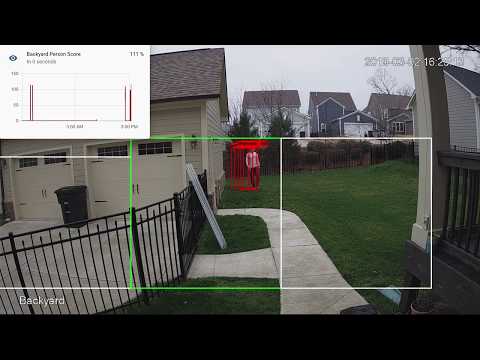
You see multiple bounding boxes because it draws bounding boxes from all frames in the past 1 second where a person was detected. Not all of the bounding boxes were from the current frame.
|
||||
[](http://www.youtube.com/watch?v=nqHbCtyo4dY "Frigate")
|
||||
|
||||
## Getting Started
|
||||
Run the container with
|
||||
```bash
|
||||
docker run --rm \
|
||||
-name frigate \
|
||||
--privileged \
|
||||
--shm-size=512m \ # should work for a 2-3 cameras
|
||||
-v /dev/bus/usb:/dev/bus/usb \
|
||||
-v <path_to_config_dir>:/config:ro \
|
||||
-v /etc/localtime:/etc/localtime:ro \
|
||||
-p 5000:5000 \
|
||||
-e FRIGATE_RTSP_PASSWORD='password' \
|
||||
blakeblackshear/frigate:stable
|
||||
```
|
||||
|
||||
Example docker-compose:
|
||||
```yaml
|
||||
frigate:
|
||||
container_name: frigate
|
||||
restart: unless-stopped
|
||||
privileged: true
|
||||
shm_size: '1g' # should work for 5-7 cameras
|
||||
image: blakeblackshear/frigate:stable
|
||||
volumes:
|
||||
- /dev/bus/usb:/dev/bus/usb
|
||||
- /etc/localtime:/etc/localtime:ro
|
||||
- <path_to_config>:/config
|
||||
ports:
|
||||
- "5000:5000"
|
||||
environment:
|
||||
FRIGATE_RTSP_PASSWORD: "password"
|
||||
```
|
||||
|
||||
A `config.yml` file must exist in the `config` directory. See example [here](config/config.example.yml) and device specific info can be found [here](docs/DEVICES.md).
|
||||
|
||||
## Recommended Hardware
|
||||
|Name|Inference Speed|Notes|
|
||||
|----|---------------|-----|
|
||||
|Atomic Pi|16ms|Best option for a dedicated low power board with a small number of cameras.|
|
||||
|Intel NUC NUC7i3BNK|8-10ms|Best possible performance. Can handle 7+ cameras at 5fps depending on typical amounts of motion.|
|
||||
|BMAX B2 Plus|10-12ms|Good balance of performance and cost. Also capable of running many other services at the same time as frigate.
|
||||
|
||||
ARM boards are not officially supported at the moment due to some python dependencies that require modification to work on ARM devices. The Raspberry Pi4 gets about 16ms inference speeds, but the hardware acceleration for ffmpeg does not work for converting yuv420 to rgb24. The Atomic Pi is x86 and much more efficient.
|
||||
|
||||
Users have reported varying success in getting frigate to run in a VM. In some cases, the virtualization layer introduces a significant delay in communication with the Coral. If running virtualized in Proxmox, pass the USB card/interface to the virtual machine not the USB ID for faster inference speed.
|
||||
|
||||
## Integration with HomeAssistant
|
||||
|
||||
Setup a the camera, binary_sensor, sensor and optionally automation as shown for each camera you define in frigate. Replace <camera_name> with the camera name as defined in the frigate `config.yml` (The `frigate_coral_fps` and `frigate_coral_inference` sensors only need to be defined once)
|
||||
|
||||
```
|
||||
camera:
|
||||
- name: <camera_name> Last Person
|
||||
platform: mqtt
|
||||
topic: frigate/<camera_name>/person/snapshot
|
||||
- name: <camera_name> Last Car
|
||||
platform: mqtt
|
||||
topic: frigate/<camera_name>/car/snapshot
|
||||
|
||||
binary_sensor:
|
||||
- name: <camera_name> Person
|
||||
platform: mqtt
|
||||
state_topic: "frigate/<camera_name>/person"
|
||||
device_class: motion
|
||||
availability_topic: "frigate/available"
|
||||
|
||||
sensor:
|
||||
- platform: rest
|
||||
name: Frigate Debug
|
||||
resource: http://localhost:5000/debug/stats
|
||||
scan_interval: 5
|
||||
json_attributes:
|
||||
- <camera_name>
|
||||
- coral
|
||||
value_template: 'OK'
|
||||
- platform: template
|
||||
sensors:
|
||||
<camera_name>_fps:
|
||||
value_template: '{{ states.sensor.frigate_debug.attributes["<camera_name>"]["fps"] }}'
|
||||
unit_of_measurement: 'FPS'
|
||||
<camera_name>_skipped_fps:
|
||||
value_template: '{{ states.sensor.frigate_debug.attributes["<camera_name>"]["skipped_fps"] }}'
|
||||
unit_of_measurement: 'FPS'
|
||||
<camera_name>_detection_fps:
|
||||
value_template: '{{ states.sensor.frigate_debug.attributes["<camera_name>"]["detection_fps"] }}'
|
||||
unit_of_measurement: 'FPS'
|
||||
frigate_coral_fps:
|
||||
value_template: '{{ states.sensor.frigate_debug.attributes["coral"]["fps"] }}'
|
||||
unit_of_measurement: 'FPS'
|
||||
frigate_coral_inference:
|
||||
value_template: '{{ states.sensor.frigate_debug.attributes["coral"]["inference_speed"] }}'
|
||||
unit_of_measurement: 'ms'
|
||||
|
||||
automation:
|
||||
- alias: Alert me if a person is detected while armed away
|
||||
trigger:
|
||||
platform: state
|
||||
entity_id: binary_sensor.camera_person
|
||||
from: 'off'
|
||||
to: 'on'
|
||||
condition:
|
||||
- condition: state
|
||||
entity_id: alarm_control_panel.home_alarm
|
||||
state: armed_away
|
||||
action:
|
||||
- service: notify.user_telegram
|
||||
data:
|
||||
message: "A person was detected."
|
||||
data:
|
||||
photo:
|
||||
- url: http://<ip>:5000/<camera_name>/person/best.jpg
|
||||
caption: A person was detected.
|
||||
```
|
||||
## Debugging Endpoint
|
||||
|
||||
Keep in mind the MJPEG endpoint is for debugging only, but should not be used continuously as it will put additional load on the system.
|
||||
|
||||
Access the mjpeg stream at `http://localhost:5000/<camera_name>` and the best snapshot for any object type with at `http://localhost:5000/<camera_name>/<object_name>/best.jpg`
|
||||
|
||||
You can access a higher resolution mjpeg stream by appending `h=height-in-pixels` to the endpoint. For example `http://localhost:5000/back?h=1080`. You can also increase the FPS by appending `fps=frame-rate` to the URL such as `http://localhost:5000/back?fps=10` or both with `?fps=10&h=1000`
|
||||
|
||||
Debug info is available at `http://localhost:5000/debug/stats`
|
||||
|
||||
|
||||
## Using a custom model
|
||||
Models for both CPU and EdgeTPU (Coral) are bundled in the image. You can use your own models with volume mounts:
|
||||
- CPU Model: `/cpu_model.tflite`
|
||||
- EdgeTPU Model: `/edgetpu_model.tflite`
|
||||
- Labels: `/labelmap.txt`
|
||||
|
||||
## Masks and limiting detection to a certain area
|
||||
You can create a *bitmap (bmp)* file the same aspect ratio as your camera feed to limit detection to certain areas. The mask works by looking at the bottom center of any bounding box (first image, red dot below) and comparing that to your mask. If that red dot falls on an area of your mask that is black, the detection (and motion) will be ignored. The mask in the second image would limit detection on this camera to only objects that are in the front yard and not the street.
|
||||
|
||||
<a href="docs/example-mask-check-point.png"><img src="docs/example-mask-check-point.png" height="300"></a>
|
||||
<a href="docs/example-mask.bmp"><img src="docs/example-mask.bmp" height="300"></a>
|
||||
<a href="docs/example-mask-overlay.png"><img src="docs/example-mask-overlay.png" height="300"></a>
|
||||
|
||||
## Tips
|
||||
- Lower the framerate of the video feed on the camera to reduce the CPU usage for capturing the feed. Not as effective, but you can also modify the `take_frame` [configuration](config/config.example.yml) for each camera to only analyze every other frame, or every third frame, etc.
|
||||
- Hard code the resolution of each camera in your config if you are having difficulty starting frigate or if the initial ffprobe for camerea resolution fails or returns incorrect info. Example:
|
||||
```
|
||||
cameras:
|
||||
back:
|
||||
ffmpeg:
|
||||
input: rtsp://<camera>
|
||||
height: 1080
|
||||
width: 1920
|
||||
```
|
||||
- Additional logging is available in the docker container - You can view the logs by running `docker logs -t frigate`
|
||||
- Object configuration - Tracked objects types, sizes and thresholds can be defined globally and/or on a per camera basis. The global and camera object configuration is *merged*. For example, if you defined tracking person, car, and truck globally but modified your backyard camera to only track person, the global config would merge making the effective list for the backyard camera still contain person, car and truck. If you want precise object tracking per camera, best practice to put a minimal list of objects at the global level and expand objects on a per camera basis. Object threshold and area configuration will be used first from the camera object config (if defined) and then from the global config. See the [example config](config/config.example.yml) for more information.
|
||||
|
||||

|
Before Width: | Height: | Size: 132 KiB |

|
Before Width: | Height: | Size: 1.1 MiB |

|
Before Width: | Height: | Size: 781 KiB |

|
Before Width: | Height: | Size: 64 KiB |

|
Before Width: | Height: | Size: 1.5 MiB |
@@ -0,0 +1,79 @@
|
||||
import os
|
||||
from statistics import mean
|
||||
import multiprocessing as mp
|
||||
import numpy as np
|
||||
import datetime
|
||||
from frigate.edgetpu import ObjectDetector, EdgeTPUProcess, RemoteObjectDetector, load_labels
|
||||
|
||||
my_frame = np.expand_dims(np.full((300,300,3), 1, np.uint8), axis=0)
|
||||
labels = load_labels('/labelmap.txt')
|
||||
|
||||
######
|
||||
# Minimal same process runner
|
||||
######
|
||||
# object_detector = ObjectDetector()
|
||||
# tensor_input = np.expand_dims(np.full((300,300,3), 0, np.uint8), axis=0)
|
||||
|
||||
# start = datetime.datetime.now().timestamp()
|
||||
|
||||
# frame_times = []
|
||||
# for x in range(0, 1000):
|
||||
# start_frame = datetime.datetime.now().timestamp()
|
||||
|
||||
# tensor_input[:] = my_frame
|
||||
# detections = object_detector.detect_raw(tensor_input)
|
||||
# parsed_detections = []
|
||||
# for d in detections:
|
||||
# if d[1] < 0.4:
|
||||
# break
|
||||
# parsed_detections.append((
|
||||
# labels[int(d[0])],
|
||||
# float(d[1]),
|
||||
# (d[2], d[3], d[4], d[5])
|
||||
# ))
|
||||
# frame_times.append(datetime.datetime.now().timestamp()-start_frame)
|
||||
|
||||
# duration = datetime.datetime.now().timestamp()-start
|
||||
# print(f"Processed for {duration:.2f} seconds.")
|
||||
# print(f"Average frame processing time: {mean(frame_times)*1000:.2f}ms")
|
||||
|
||||
######
|
||||
# Separate process runner
|
||||
######
|
||||
def start(id, num_detections, detection_queue):
|
||||
object_detector = RemoteObjectDetector(str(id), '/labelmap.txt', detection_queue)
|
||||
start = datetime.datetime.now().timestamp()
|
||||
|
||||
frame_times = []
|
||||
for x in range(0, num_detections):
|
||||
start_frame = datetime.datetime.now().timestamp()
|
||||
detections = object_detector.detect(my_frame)
|
||||
frame_times.append(datetime.datetime.now().timestamp()-start_frame)
|
||||
|
||||
duration = datetime.datetime.now().timestamp()-start
|
||||
print(f"{id} - Processed for {duration:.2f} seconds.")
|
||||
print(f"{id} - Average frame processing time: {mean(frame_times)*1000:.2f}ms")
|
||||
|
||||
edgetpu_process = EdgeTPUProcess()
|
||||
|
||||
# start(1, 1000, edgetpu_process.detect_lock, edgetpu_process.detect_ready, edgetpu_process.frame_ready)
|
||||
|
||||
####
|
||||
# Multiple camera processes
|
||||
####
|
||||
camera_processes = []
|
||||
for x in range(0, 10):
|
||||
camera_process = mp.Process(target=start, args=(x, 100, edgetpu_process.detection_queue))
|
||||
camera_process.daemon = True
|
||||
camera_processes.append(camera_process)
|
||||
|
||||
start = datetime.datetime.now().timestamp()
|
||||
|
||||
for p in camera_processes:
|
||||
p.start()
|
||||
|
||||
for p in camera_processes:
|
||||
p.join()
|
||||
|
||||
duration = datetime.datetime.now().timestamp()-start
|
||||
print(f"Total - Processed for {duration:.2f} seconds.")
|
||||
@@ -1,10 +0,0 @@
|
||||
<?xml version="1.0" encoding="utf-8"?>
|
||||
<feed xmlns="http://www.w3.org/2005/Atom">
|
||||
<id>https://blakeblackshear.github.io/blog</id>
|
||||
<title>Frigate Blog</title>
|
||||
<updated>2015-10-25T23:29:00.000Z</updated>
|
||||
<generator>https://github.com/jpmonette/feed</generator>
|
||||
<link rel="alternate" href="https://blakeblackshear.github.io/blog"/>
|
||||
<subtitle>Frigate Blog</subtitle>
|
||||
<icon>https://blakeblackshear.github.io/img/favicon.ico</icon>
|
||||
</feed>
|
||||
@@ -1,11 +0,0 @@
|
||||
<?xml version="1.0" encoding="utf-8"?>
|
||||
<rss version="2.0">
|
||||
<channel>
|
||||
<title>Frigate Blog</title>
|
||||
<link>https://blakeblackshear.github.io/blog</link>
|
||||
<description>Frigate Blog</description>
|
||||
<lastBuildDate>Sun, 25 Oct 2015 23:29:00 GMT</lastBuildDate>
|
||||
<docs>https://validator.w3.org/feed/docs/rss2.html</docs>
|
||||
<generator>https://github.com/jpmonette/feed</generator>
|
||||
</channel>
|
||||
</rss>
|
||||
@@ -1 +0,0 @@
|
||||
(window.webpackJsonp=window.webpackJsonp||[]).push([[21],{92:function(e,t,r){"use strict";r.r(t),r.d(t,"frontMatter",(function(){return c})),r.d(t,"metadata",(function(){return i})),r.d(t,"toc",(function(){return u})),r.d(t,"Highlight",(function(){return p})),r.d(t,"default",(function(){return d}));var n=r(3),o=r(7),a=(r(0),r(99)),c={id:"mdx",title:"Powered by MDX"},i={unversionedId:"mdx",id:"mdx",isDocsHomePage:!1,title:"Powered by MDX",description:"You can write JSX and use React components within your Markdown thanks to MDX.",source:"@site/docs/mdx.md",slug:"/mdx",permalink:"/frigate/mdx",editUrl:"https://github.com/blakeblackshear/frigate/edit/master/docs/docs/mdx.md",version:"current"},u=[],p=function(e){var t=e.children,r=e.color;return Object(a.b)("span",{style:{backgroundColor:r,borderRadius:"2px",color:"#fff",padding:"0.2rem"}},t)},l={toc:u,Highlight:p};function d(e){var t=e.components,r=Object(o.a)(e,["components"]);return Object(a.b)("wrapper",Object(n.a)({},l,r,{components:t,mdxType:"MDXLayout"}),Object(a.b)("p",null,"You can write JSX and use React components within your Markdown thanks to ",Object(a.b)("a",Object(n.a)({parentName:"p"},{href:"https://mdxjs.com/"}),"MDX"),"."),Object(a.b)(p,{color:"#25c2a0",mdxType:"Highlight"},"Docusaurus green")," and ",Object(a.b)(p,{color:"#1877F2",mdxType:"Highlight"},"Facebook blue")," are my favorite colors.",Object(a.b)("p",null,"I can write ",Object(a.b)("strong",{parentName:"p"},"Markdown")," alongside my ",Object(a.b)("em",{parentName:"p"},"JSX"),"!"))}d.isMDXComponent=!0},99:function(e,t,r){"use strict";r.d(t,"a",(function(){return d})),r.d(t,"b",(function(){return b}));var n=r(0),o=r.n(n);function a(e,t,r){return t in e?Object.defineProperty(e,t,{value:r,enumerable:!0,configurable:!0,writable:!0}):e[t]=r,e}function c(e,t){var r=Object.keys(e);if(Object.getOwnPropertySymbols){var n=Object.getOwnPropertySymbols(e);t&&(n=n.filter((function(t){return Object.getOwnPropertyDescriptor(e,t).enumerable}))),r.push.apply(r,n)}return r}function i(e){for(var t=1;t<arguments.length;t++){var r=null!=arguments[t]?arguments[t]:{};t%2?c(Object(r),!0).forEach((function(t){a(e,t,r[t])})):Object.getOwnPropertyDescriptors?Object.defineProperties(e,Object.getOwnPropertyDescriptors(r)):c(Object(r)).forEach((function(t){Object.defineProperty(e,t,Object.getOwnPropertyDescriptor(r,t))}))}return e}function u(e,t){if(null==e)return{};var r,n,o=function(e,t){if(null==e)return{};var r,n,o={},a=Object.keys(e);for(n=0;n<a.length;n++)r=a[n],t.indexOf(r)>=0||(o[r]=e[r]);return o}(e,t);if(Object.getOwnPropertySymbols){var a=Object.getOwnPropertySymbols(e);for(n=0;n<a.length;n++)r=a[n],t.indexOf(r)>=0||Object.prototype.propertyIsEnumerable.call(e,r)&&(o[r]=e[r])}return o}var p=o.a.createContext({}),l=function(e){var t=o.a.useContext(p),r=t;return e&&(r="function"==typeof e?e(t):i(i({},t),e)),r},d=function(e){var t=l(e.components);return o.a.createElement(p.Provider,{value:t},e.children)},s={inlineCode:"code",wrapper:function(e){var t=e.children;return o.a.createElement(o.a.Fragment,{},t)}},f=o.a.forwardRef((function(e,t){var r=e.components,n=e.mdxType,a=e.originalType,c=e.parentName,p=u(e,["components","mdxType","originalType","parentName"]),d=l(r),f=n,b=d["".concat(c,".").concat(f)]||d[f]||s[f]||a;return r?o.a.createElement(b,i(i({ref:t},p),{},{components:r})):o.a.createElement(b,i({ref:t},p))}));function b(e,t){var r=arguments,n=t&&t.mdxType;if("string"==typeof e||n){var a=r.length,c=new Array(a);c[0]=f;var i={};for(var u in t)hasOwnProperty.call(t,u)&&(i[u]=t[u]);i.originalType=e,i.mdxType="string"==typeof e?e:n,c[1]=i;for(var p=2;p<a;p++)c[p]=r[p];return o.a.createElement.apply(null,c)}return o.a.createElement.apply(null,r)}f.displayName="MDXCreateElement"}}]);
|
||||
@@ -1 +0,0 @@
|
||||
(window.webpackJsonp=window.webpackJsonp||[]).push([[22],{93:function(e,t,r){"use strict";r.r(t),r.d(t,"frontMatter",(function(){return i})),r.d(t,"metadata",(function(){return c})),r.d(t,"toc",(function(){return u})),r.d(t,"default",(function(){return l}));var n=r(3),o=r(7),a=(r(0),r(99)),i={id:"howtos",title:"Community Guides",sidebar_label:"Community Guides"},c={unversionedId:"usage/howtos",id:"usage/howtos",isDocsHomePage:!1,title:"Community Guides",description:"Communitiy Guides/How-To's",source:"@site/docs/usage/howtos.md",slug:"/usage/howtos",permalink:"/frigate/usage/howtos",editUrl:"https://github.com/blakeblackshear/frigate/edit/master/docs/docs/usage/howtos.md",version:"current",sidebar_label:"Community Guides"},u=[{value:"Communitiy Guides/How-To's",id:"communitiy-guideshow-tos",children:[]}],s={toc:u};function l(e){var t=e.components,r=Object(o.a)(e,["components"]);return Object(a.b)("wrapper",Object(n.a)({},s,r,{components:t,mdxType:"MDXLayout"}),Object(a.b)("h2",{id:"communitiy-guideshow-tos"},"Communitiy Guides/How-To's"),Object(a.b)("ul",null,Object(a.b)("li",{parentName:"ul"},"Best Camera AI Person & Object Detection - How to Setup Frigate w/ Home Assistant - digiblurDIY ",Object(a.b)("a",Object(n.a)({parentName:"li"},{href:"https://youtu.be/V8vGdoYO6-Y"}),"YouTube")," - ",Object(a.b)("a",Object(n.a)({parentName:"li"},{href:"https://www.digiblur.com/2021/05/how-to-setup-frigate-home-assistant.html"}),"Article")),Object(a.b)("li",{parentName:"ul"},"Even More Free Local Object Detection with Home Assistant - Frigate Install - Everything Smart Home ",Object(a.b)("a",Object(n.a)({parentName:"li"},{href:"https://youtu.be/pqDCEZSVeRk"}),"YouTube")),Object(a.b)("li",{parentName:"ul"},"Home Assistant Frigate integration for local image recognition - KPeyanski ",Object(a.b)("a",Object(n.a)({parentName:"li"},{href:"https://youtu.be/Q2UT78lFQpo"}),"YouTube")," - ",Object(a.b)("a",Object(n.a)({parentName:"li"},{href:"https://peyanski.com/home-assistant-frigate-integration/"}),"Article"))))}l.isMDXComponent=!0},99:function(e,t,r){"use strict";r.d(t,"a",(function(){return p})),r.d(t,"b",(function(){return f}));var n=r(0),o=r.n(n);function a(e,t,r){return t in e?Object.defineProperty(e,t,{value:r,enumerable:!0,configurable:!0,writable:!0}):e[t]=r,e}function i(e,t){var r=Object.keys(e);if(Object.getOwnPropertySymbols){var n=Object.getOwnPropertySymbols(e);t&&(n=n.filter((function(t){return Object.getOwnPropertyDescriptor(e,t).enumerable}))),r.push.apply(r,n)}return r}function c(e){for(var t=1;t<arguments.length;t++){var r=null!=arguments[t]?arguments[t]:{};t%2?i(Object(r),!0).forEach((function(t){a(e,t,r[t])})):Object.getOwnPropertyDescriptors?Object.defineProperties(e,Object.getOwnPropertyDescriptors(r)):i(Object(r)).forEach((function(t){Object.defineProperty(e,t,Object.getOwnPropertyDescriptor(r,t))}))}return e}function u(e,t){if(null==e)return{};var r,n,o=function(e,t){if(null==e)return{};var r,n,o={},a=Object.keys(e);for(n=0;n<a.length;n++)r=a[n],t.indexOf(r)>=0||(o[r]=e[r]);return o}(e,t);if(Object.getOwnPropertySymbols){var a=Object.getOwnPropertySymbols(e);for(n=0;n<a.length;n++)r=a[n],t.indexOf(r)>=0||Object.prototype.propertyIsEnumerable.call(e,r)&&(o[r]=e[r])}return o}var s=o.a.createContext({}),l=function(e){var t=o.a.useContext(s),r=t;return e&&(r="function"==typeof e?e(t):c(c({},t),e)),r},p=function(e){var t=l(e.components);return o.a.createElement(s.Provider,{value:t},e.children)},m={inlineCode:"code",wrapper:function(e){var t=e.children;return o.a.createElement(o.a.Fragment,{},t)}},b=o.a.forwardRef((function(e,t){var r=e.components,n=e.mdxType,a=e.originalType,i=e.parentName,s=u(e,["components","mdxType","originalType","parentName"]),p=l(r),b=n,f=p["".concat(i,".").concat(b)]||p[b]||m[b]||a;return r?o.a.createElement(f,c(c({ref:t},s),{},{components:r})):o.a.createElement(f,c({ref:t},s))}));function f(e,t){var r=arguments,n=t&&t.mdxType;if("string"==typeof e||n){var a=r.length,i=new Array(a);i[0]=b;var c={};for(var u in t)hasOwnProperty.call(t,u)&&(c[u]=t[u]);c.originalType=e,c.mdxType="string"==typeof e?e:n,i[1]=c;for(var s=2;s<a;s++)i[s]=r[s];return o.a.createElement.apply(null,i)}return o.a.createElement.apply(null,r)}b.displayName="MDXCreateElement"}}]);
|
||||

|
After Width: | Height: | Size: 1.8 MiB |
@@ -0,0 +1,129 @@
|
||||
web_port: 5000
|
||||
|
||||
mqtt:
|
||||
host: mqtt.server.com
|
||||
topic_prefix: frigate
|
||||
# client_id: frigate # Optional -- set to override default client id of 'frigate' if running multiple instances
|
||||
# user: username # Optional
|
||||
#################
|
||||
## Environment variables that begin with 'FRIGATE_' may be referenced in {}.
|
||||
## password: '{FRIGATE_MQTT_PASSWORD}'
|
||||
#################
|
||||
# password: password # Optional
|
||||
|
||||
#################
|
||||
# Default ffmpeg args. Optional and can be overwritten per camera.
|
||||
# Should work with most RTSP cameras that send h264 video
|
||||
# Built from the properties below with:
|
||||
# "ffmpeg" + global_args + input_args + "-i" + input + output_args
|
||||
#################
|
||||
# ffmpeg:
|
||||
# global_args:
|
||||
# - -hide_banner
|
||||
# - -loglevel
|
||||
# - panic
|
||||
# hwaccel_args: []
|
||||
# input_args:
|
||||
# - -avoid_negative_ts
|
||||
# - make_zero
|
||||
# - -fflags
|
||||
# - nobuffer
|
||||
# - -flags
|
||||
# - low_delay
|
||||
# - -strict
|
||||
# - experimental
|
||||
# - -fflags
|
||||
# - +genpts+discardcorrupt
|
||||
# - -vsync
|
||||
# - drop
|
||||
# - -rtsp_transport
|
||||
# - tcp
|
||||
# - -stimeout
|
||||
# - '5000000'
|
||||
# - -use_wallclock_as_timestamps
|
||||
# - '1'
|
||||
# output_args:
|
||||
# - -f
|
||||
# - rawvideo
|
||||
# - -pix_fmt
|
||||
# - rgb24
|
||||
|
||||
####################
|
||||
# Global object configuration. Applies to all cameras
|
||||
# unless overridden at the camera levels.
|
||||
# Keys must be valid labels. By default, the model uses coco (https://dl.google.com/coral/canned_models/coco_labels.txt).
|
||||
# All labels from the model are reported over MQTT. These values are used to filter out false positives.
|
||||
# min_area (optional): minimum width*height of the bounding box for the detected person
|
||||
# max_area (optional): maximum width*height of the bounding box for the detected person
|
||||
# threshold (optional): The minimum decimal percentage (50% hit = 0.5) for the confidence from tensorflow
|
||||
####################
|
||||
objects:
|
||||
track:
|
||||
- person
|
||||
- car
|
||||
- truck
|
||||
filters:
|
||||
person:
|
||||
min_area: 5000
|
||||
max_area: 100000
|
||||
threshold: 0.5
|
||||
|
||||
cameras:
|
||||
back:
|
||||
ffmpeg:
|
||||
################
|
||||
# Source passed to ffmpeg after the -i parameter. Supports anything compatible with OpenCV and FFmpeg.
|
||||
# Environment variables that begin with 'FRIGATE_' may be referenced in {}
|
||||
################
|
||||
input: rtsp://viewer:{FRIGATE_RTSP_PASSWORD}@10.0.10.10:554/cam/realmonitor?channel=1&subtype=2
|
||||
#################
|
||||
# These values will override default values for just this camera
|
||||
#################
|
||||
# global_args: []
|
||||
# hwaccel_args: []
|
||||
# input_args: []
|
||||
# output_args: []
|
||||
|
||||
################
|
||||
## Optionally specify the resolution of the video feed. Frigate will try to auto detect if not specified
|
||||
################
|
||||
# height: 1280
|
||||
# width: 720
|
||||
|
||||
################
|
||||
## Optional mask. Must be the same aspect ratio as your video feed.
|
||||
##
|
||||
## The mask works by looking at the bottom center of the bounding box for the detected
|
||||
## person in the image. If that pixel in the mask is a black pixel, it ignores it as a
|
||||
## false positive. In my mask, the grass and driveway visible from my backdoor camera
|
||||
## are white. The garage doors, sky, and trees (anywhere it would be impossible for a
|
||||
## person to stand) are black.
|
||||
##
|
||||
## Masked areas are also ignored for motion detection.
|
||||
################
|
||||
# mask: back-mask.bmp
|
||||
|
||||
################
|
||||
# Allows you to limit the framerate within frigate for cameras that do not support
|
||||
# custom framerates. A value of 1 tells frigate to look at every frame, 2 every 2nd frame,
|
||||
# 3 every 3rd frame, etc.
|
||||
################
|
||||
take_frame: 1
|
||||
|
||||
################
|
||||
# Configuration for the snapshots in the debug view and mqtt
|
||||
################
|
||||
snapshots:
|
||||
show_timestamp: True
|
||||
|
||||
################
|
||||
# Camera level object config. This config is merged with the global config above.
|
||||
################
|
||||
objects:
|
||||
track:
|
||||
- person
|
||||
filters:
|
||||
person:
|
||||
min_area: 5000
|
||||
max_area: 100000
|
||||
threshold: 0.5
|
||||
@@ -1,48 +0,0 @@
|
||||
<!doctype html>
|
||||
<html lang="en">
|
||||
<head>
|
||||
<meta charset="UTF-8">
|
||||
<meta name="viewport" content="width=device-width,initial-scale=1">
|
||||
<meta name="generator" content="Docusaurus v2.0.0-alpha.70">
|
||||
<link rel="alternate" type="application/rss+xml" href="/frigate/blog/rss.xml" title="Frigate Blog RSS Feed">
|
||||
<link rel="alternate" type="application/atom+xml" href="/frigate/blog/atom.xml" title="Frigate Blog Atom Feed">
|
||||
<link rel="search" type="application/opensearchdescription+xml" title="Frigate" href="/frigate/opensearch.xml"><title data-react-helmet="true">nVidia hardware decoder | Frigate</title><meta data-react-helmet="true" name="twitter:card" content="summary_large_image"><meta data-react-helmet="true" name="docsearch:language" content="en"><meta data-react-helmet="true" name="docsearch:version" content="current"><meta data-react-helmet="true" name="docsearch:docusaurus_tag" content="docs-default-current"><meta data-react-helmet="true" property="og:title" content="nVidia hardware decoder | Frigate"><meta data-react-helmet="true" name="description" content="Certain nvidia cards include a hardware decoder, which can greatly improve the"><meta data-react-helmet="true" property="og:description" content="Certain nvidia cards include a hardware decoder, which can greatly improve the"><meta data-react-helmet="true" property="og:url" content="https://blakeblackshear.github.io/frigate/configuration/nvdec"><link data-react-helmet="true" rel="shortcut icon" href="/frigate/img/favicon.ico"><link data-react-helmet="true" rel="preconnect" href="https://BH4D9OD16A-dsn.algolia.net" crossorigin="anonymous"><link data-react-helmet="true" rel="canonical" href="https://blakeblackshear.github.io/frigate/configuration/nvdec"><link rel="stylesheet" href="/frigate/styles.4dd8d972.css">
|
||||
<link rel="preload" href="/frigate/styles.0df63e1c.js" as="script">
|
||||
<link rel="preload" href="/frigate/runtime~main.85a22073.js" as="script">
|
||||
<link rel="preload" href="/frigate/main.b6b2d1f0.js" as="script">
|
||||
<link rel="preload" href="/frigate/1.d4a988ac.js" as="script">
|
||||
<link rel="preload" href="/frigate/2.cbe00df1.js" as="script">
|
||||
<link rel="preload" href="/frigate/28.fabd8c68.js" as="script">
|
||||
<link rel="preload" href="/frigate/31.3f82c6fa.js" as="script">
|
||||
<link rel="preload" href="/frigate/935f2afb.06dae20f.js" as="script">
|
||||
<link rel="preload" href="/frigate/17896441.da8a454f.js" as="script">
|
||||
<link rel="preload" href="/frigate/57316f1e.8b05c337.js" as="script">
|
||||
</head>
|
||||
<body>
|
||||
<script>!function(){function t(t){document.documentElement.setAttribute("data-theme",t)}var e=function(){var t=null;try{t=localStorage.getItem("theme")}catch(t){}return t}();t(null!==e?e:"light")}()</script><div id="__docusaurus">
|
||||
<nav aria-label="Skip navigation links"><button type="button" tabindex="0" class="skipToContent_11B0">Skip to main content</button></nav><nav class="navbar navbar--fixed-top"><div class="navbar__inner"><div class="navbar__items"><div aria-label="Navigation bar toggle" class="navbar__toggle" role="button" tabindex="0"><svg aria-label="Menu" width="30" height="30" viewBox="0 0 30 30" role="img" focusable="false"><title>Menu</title><path stroke="currentColor" stroke-linecap="round" stroke-miterlimit="10" stroke-width="2" d="M4 7h22M4 15h22M4 23h22"></path></svg></div><a class="navbar__brand" href="/frigate/"><img src="/frigate/img/logo.svg" alt="Frigate" class="themedImage_YANc themedImage--light_3CMI navbar__logo"><img src="/frigate/img/logo-dark.svg" alt="Frigate" class="themedImage_YANc themedImage--dark_3ARp navbar__logo"><strong class="navbar__title">Frigate</strong></a><a class="navbar__item navbar__link" href="/frigate/">Docs</a></div><div class="navbar__items navbar__items--right"><a href="https://github.com/blakeblackshear/frigate" target="_blank" rel="noopener noreferrer" class="navbar__item navbar__link">GitHub</a><div class="react-toggle react-toggle--disabled displayOnlyInLargeViewport_2N3Q"><div class="react-toggle-track"><div class="react-toggle-track-check"><span class="toggle_3NWk">🌜</span></div><div class="react-toggle-track-x"><span class="toggle_3NWk">🌞</span></div></div><div class="react-toggle-thumb"></div><input type="checkbox" disabled="" aria-label="Dark mode toggle" class="react-toggle-screenreader-only"></div><button type="button" class="DocSearch DocSearch-Button" aria-label="Search"><div class="DocSearch-Button-Container"><svg width="20" height="20" class="DocSearch-Search-Icon" viewBox="0 0 20 20"><path d="M14.386 14.386l4.0877 4.0877-4.0877-4.0877c-2.9418 2.9419-7.7115 2.9419-10.6533 0-2.9419-2.9418-2.9419-7.7115 0-10.6533 2.9418-2.9419 7.7115-2.9419 10.6533 0 2.9419 2.9418 2.9419 7.7115 0 10.6533z" stroke="currentColor" fill="none" fill-rule="evenodd" stroke-linecap="round" stroke-linejoin="round"></path></svg><span class="DocSearch-Button-Placeholder">Search</span></div></button></div></div><div role="presentation" class="navbar-sidebar__backdrop"></div><div class="navbar-sidebar"><div class="navbar-sidebar__brand"><a class="navbar__brand" href="/frigate/"><img src="/frigate/img/logo.svg" alt="Frigate" class="themedImage_YANc themedImage--light_3CMI navbar__logo"><img src="/frigate/img/logo-dark.svg" alt="Frigate" class="themedImage_YANc themedImage--dark_3ARp navbar__logo"><strong class="navbar__title">Frigate</strong></a></div><div class="navbar-sidebar__items"><div class="menu"><ul class="menu__list"><li class="menu__list-item"><a class="menu__link" href="/frigate/">Docs</a></li><li class="menu__list-item"><a href="https://github.com/blakeblackshear/frigate" target="_blank" rel="noopener noreferrer" class="menu__link">GitHub</a></li></ul></div></div></div></nav><div class="main-wrapper"><div class="docPage_vMrn"><main class="docMainContainer_2iGs"><div class="container padding-vert--lg docItemWrapper_1bxp"><div class="row"><div class="col docItemCol_U38p"><div class="docItemContainer_a7m4"><article><header><h1 class="docTitle_Oumm">nVidia hardware decoder</h1></header><div class="markdown"><p>Certain nvidia cards include a hardware decoder, which can greatly improve the
|
||||
performance of video decoding. In order to use NVDEC, a special build of
|
||||
ffmpeg with NVDEC support is required. The special docker architecture 'amd64nvidia'
|
||||
includes this support for amd64 platforms. An aarch64 for the Jetson, which
|
||||
also includes NVDEC may be added in the future.</p><h2><a aria-hidden="true" tabindex="-1" class="anchor enhancedAnchor_prK2" id="docker-setup"></a>Docker setup<a class="hash-link" href="#docker-setup" title="Direct link to heading">#</a></h2><h3><a aria-hidden="true" tabindex="-1" class="anchor enhancedAnchor_prK2" id="requirements"></a>Requirements<a class="hash-link" href="#requirements" title="Direct link to heading">#</a></h3><p><a href="https://www.nvidia.com/en-us/drivers/unix/" target="_blank" rel="noopener noreferrer">nVidia closed source driver</a> required to access NVDEC.
|
||||
<a href="https://github.com/NVIDIA/nvidia-docker" target="_blank" rel="noopener noreferrer">nvidia-docker</a> required to pass NVDEC to docker.</p><h3><a aria-hidden="true" tabindex="-1" class="anchor enhancedAnchor_prK2" id="setting-up-docker-compose"></a>Setting up docker-compose<a class="hash-link" href="#setting-up-docker-compose" title="Direct link to heading">#</a></h3><p>In order to pass NVDEC, the docker engine must be set to <code>nvidia</code> and the environment variables
|
||||
<code>NVIDIA_VISIBLE_DEVICES=all</code> and <code>NVIDIA_DRIVER_CAPABILITIES=compute,utility,video</code> must be set.</p><p>In a docker compose file, these lines need to be set:</p><div class="mdxCodeBlock_1zKU"><div class="codeBlockContent_actS"><div tabindex="0" class="prism-code language-undefined codeBlock_tuNs thin-scrollbar"><div class="codeBlockLines_3uvA" style="color:#bfc7d5;background-color:#292d3e"><div class="token-line" style="color:#bfc7d5"><span class="token plain">services:</span></div><div class="token-line" style="color:#bfc7d5"><span class="token plain"> frigate:</span></div><div class="token-line" style="color:#bfc7d5"><span class="token plain"> ...</span></div><div class="token-line" style="color:#bfc7d5"><span class="token plain"> image: blakeblackshear/frigate:stable-amd64nvidia</span></div><div class="token-line" style="color:#bfc7d5"><span class="token plain"> runtime: nvidia</span></div><div class="token-line" style="color:#bfc7d5"><span class="token plain"> environment:</span></div><div class="token-line" style="color:#bfc7d5"><span class="token plain"> - NVIDIA_VISIBLE_DEVICES=all</span></div><div class="token-line" style="color:#bfc7d5"><span class="token plain"> - NVIDIA_DRIVER_CAPABILITIES=compute,utility,video</span></div></div></div><button type="button" aria-label="Copy code to clipboard" class="copyButton_2GIj">Copy</button></div></div><h3><a aria-hidden="true" tabindex="-1" class="anchor enhancedAnchor_prK2" id="setting-up-the-configuration-file"></a>Setting up the configuration file<a class="hash-link" href="#setting-up-the-configuration-file" title="Direct link to heading">#</a></h3><p>In your frigate config.yml, you'll need to set ffmpeg to use the hardware decoder.
|
||||
The decoder you choose will depend on the input video.</p><p>A list of supported codecs (you can use <code>ffmpeg -decoders | grep cuvid</code> in the container to get a list)</p><div class="mdxCodeBlock_1zKU"><div class="codeBlockContent_actS"><div tabindex="0" class="prism-code language-undefined codeBlock_tuNs thin-scrollbar"><div class="codeBlockLines_3uvA" style="color:#bfc7d5;background-color:#292d3e"><div class="token-line" style="color:#bfc7d5"><span class="token plain"> V..... h263_cuvid Nvidia CUVID H263 decoder (codec h263)</span></div><div class="token-line" style="color:#bfc7d5"><span class="token plain"> V..... h264_cuvid Nvidia CUVID H264 decoder (codec h264)</span></div><div class="token-line" style="color:#bfc7d5"><span class="token plain"> V..... hevc_cuvid Nvidia CUVID HEVC decoder (codec hevc)</span></div><div class="token-line" style="color:#bfc7d5"><span class="token plain"> V..... mjpeg_cuvid Nvidia CUVID MJPEG decoder (codec mjpeg)</span></div><div class="token-line" style="color:#bfc7d5"><span class="token plain"> V..... mpeg1_cuvid Nvidia CUVID MPEG1VIDEO decoder (codec mpeg1video)</span></div><div class="token-line" style="color:#bfc7d5"><span class="token plain"> V..... mpeg2_cuvid Nvidia CUVID MPEG2VIDEO decoder (codec mpeg2video)</span></div><div class="token-line" style="color:#bfc7d5"><span class="token plain"> V..... mpeg4_cuvid Nvidia CUVID MPEG4 decoder (codec mpeg4)</span></div><div class="token-line" style="color:#bfc7d5"><span class="token plain"> V..... vc1_cuvid Nvidia CUVID VC1 decoder (codec vc1)</span></div><div class="token-line" style="color:#bfc7d5"><span class="token plain"> V..... vp8_cuvid Nvidia CUVID VP8 decoder (codec vp8)</span></div><div class="token-line" style="color:#bfc7d5"><span class="token plain"> V..... vp9_cuvid Nvidia CUVID VP9 decoder (codec vp9)</span></div></div></div><button type="button" aria-label="Copy code to clipboard" class="copyButton_2GIj">Copy</button></div></div><p>For example, for H265 video (hevc), you'll select <code>hevc_cuvid</code>. Add
|
||||
<code>-c:v hevc_cuvid</code> to your ffmpeg input arguments:</p><div class="mdxCodeBlock_1zKU"><div class="codeBlockContent_actS"><div tabindex="0" class="prism-code language-undefined codeBlock_tuNs thin-scrollbar"><div class="codeBlockLines_3uvA" style="color:#bfc7d5;background-color:#292d3e"><div class="token-line" style="color:#bfc7d5"><span class="token plain">ffmpeg:</span></div><div class="token-line" style="color:#bfc7d5"><span class="token plain"> input_args:</span></div><div class="token-line" style="color:#bfc7d5"><span class="token plain"> ...</span></div><div class="token-line" style="color:#bfc7d5"><span class="token plain"> - -c:v</span></div><div class="token-line" style="color:#bfc7d5"><span class="token plain"> - hevc_cuvid</span></div></div></div><button type="button" aria-label="Copy code to clipboard" class="copyButton_2GIj">Copy</button></div></div><p>If everything is working correctly, you should see a significant improvement in performance.
|
||||
Verify that hardware decoding is working by running <code>nvidia-smi</code>, which should show the ffmpeg
|
||||
processes:</p><div class="mdxCodeBlock_1zKU"><div class="codeBlockContent_actS"><div tabindex="0" class="prism-code language-undefined codeBlock_tuNs thin-scrollbar"><div class="codeBlockLines_3uvA" style="color:#bfc7d5;background-color:#292d3e"><div class="token-line" style="color:#bfc7d5"><span class="token plain">+-----------------------------------------------------------------------------+</span></div><div class="token-line" style="color:#bfc7d5"><span class="token plain">| NVIDIA-SMI 455.38 Driver Version: 455.38 CUDA Version: 11.1 |</span></div><div class="token-line" style="color:#bfc7d5"><span class="token plain">|-------------------------------+----------------------+----------------------+</span></div><div class="token-line" style="color:#bfc7d5"><span class="token plain">| GPU Name Persistence-M| Bus-Id Disp.A | Volatile Uncorr. ECC |</span></div><div class="token-line" style="color:#bfc7d5"><span class="token plain">| Fan Temp Perf Pwr:Usage/Cap| Memory-Usage | GPU-Util Compute M. |</span></div><div class="token-line" style="color:#bfc7d5"><span class="token plain">| | | MIG M. |</span></div><div class="token-line" style="color:#bfc7d5"><span class="token plain">|===============================+======================+======================|</span></div><div class="token-line" style="color:#bfc7d5"><span class="token plain">| 0 GeForce GTX 166... Off | 00000000:03:00.0 Off | N/A |</span></div><div class="token-line" style="color:#bfc7d5"><span class="token plain">| 38% 41C P2 36W / 125W | 2082MiB / 5942MiB | 5% Default |</span></div><div class="token-line" style="color:#bfc7d5"><span class="token plain">| | | N/A |</span></div><div class="token-line" style="color:#bfc7d5"><span class="token plain">+-------------------------------+----------------------+----------------------+</span></div><div class="token-line" style="color:#bfc7d5"><span class="token plain" style="display:inline-block">
|
||||
</span></div><div class="token-line" style="color:#bfc7d5"><span class="token plain">+-----------------------------------------------------------------------------+</span></div><div class="token-line" style="color:#bfc7d5"><span class="token plain">| Processes: |</span></div><div class="token-line" style="color:#bfc7d5"><span class="token plain">| GPU GI CI PID Type Process name GPU Memory |</span></div><div class="token-line" style="color:#bfc7d5"><span class="token plain">| ID ID Usage |</span></div><div class="token-line" style="color:#bfc7d5"><span class="token plain">|=============================================================================|</span></div><div class="token-line" style="color:#bfc7d5"><span class="token plain">| 0 N/A N/A 12737 C ffmpeg 249MiB |</span></div><div class="token-line" style="color:#bfc7d5"><span class="token plain">| 0 N/A N/A 12751 C ffmpeg 249MiB |</span></div><div class="token-line" style="color:#bfc7d5"><span class="token plain">| 0 N/A N/A 12772 C ffmpeg 249MiB |</span></div><div class="token-line" style="color:#bfc7d5"><span class="token plain">| 0 N/A N/A 12775 C ffmpeg 249MiB |</span></div><div class="token-line" style="color:#bfc7d5"><span class="token plain">| 0 N/A N/A 12800 C ffmpeg 249MiB |</span></div><div class="token-line" style="color:#bfc7d5"><span class="token plain">| 0 N/A N/A 12811 C ffmpeg 417MiB |</span></div><div class="token-line" style="color:#bfc7d5"><span class="token plain">| 0 N/A N/A 12827 C ffmpeg 417MiB |</span></div><div class="token-line" style="color:#bfc7d5"><span class="token plain">+-----------------------------------------------------------------------------+</span></div></div></div><button type="button" aria-label="Copy code to clipboard" class="copyButton_2GIj">Copy</button></div></div><p>To further improve performance, you can set ffmpeg to skip frames in the output,
|
||||
using the fps filter:</p><div class="mdxCodeBlock_1zKU"><div class="codeBlockContent_actS"><div tabindex="0" class="prism-code language-undefined codeBlock_tuNs thin-scrollbar"><div class="codeBlockLines_3uvA" style="color:#bfc7d5;background-color:#292d3e"><div class="token-line" style="color:#bfc7d5"><span class="token plain"> output_args:</span></div><div class="token-line" style="color:#bfc7d5"><span class="token plain"> - -filter:v</span></div><div class="token-line" style="color:#bfc7d5"><span class="token plain"> - fps=fps=5</span></div></div></div><button type="button" aria-label="Copy code to clipboard" class="copyButton_2GIj">Copy</button></div></div><p>This setting, for example, allows Frigate to consume my 10-15fps camera streams on
|
||||
my relatively low powered Haswell machine with relatively low cpu usage.</p></div></article><div class="margin-vert--xl"><div class="row"><div class="col"><a href="https://github.com/blakeblackshear/frigate/edit/master/docs/docs/configuration/nvdec.md" target="_blank" rel="noreferrer noopener"><svg fill="currentColor" height="1.2em" width="1.2em" preserveAspectRatio="xMidYMid meet" role="img" viewBox="0 0 40 40" class="iconEdit_2LL7"><g><path d="m34.5 11.7l-3 3.1-6.3-6.3 3.1-3q0.5-0.5 1.2-0.5t1.1 0.5l3.9 3.9q0.5 0.4 0.5 1.1t-0.5 1.2z m-29.5 17.1l18.4-18.5 6.3 6.3-18.4 18.4h-6.3v-6.2z"></path></g></svg>Edit this page</a></div></div></div><div class="margin-vert--lg"><nav class="pagination-nav" aria-label="Blog list page navigation"><div class="pagination-nav__item"></div><div class="pagination-nav__item pagination-nav__item--next"></div></nav></div></div></div><div class="col col--3"><div class="tableOfContents_2xL- thin-scrollbar"><ul class="table-of-contents table-of-contents__left-border"><li><a href="#docker-setup" class="table-of-contents__link">Docker setup</a><ul><li><a href="#requirements" class="table-of-contents__link">Requirements</a></li><li><a href="#setting-up-docker-compose" class="table-of-contents__link">Setting up docker-compose</a></li><li><a href="#setting-up-the-configuration-file" class="table-of-contents__link">Setting up the configuration file</a></li></ul></li></ul></div></div></div></div></main></div></div><footer class="footer footer--dark"><div class="container"><div class="row footer__links"><div class="col footer__col"><h4 class="footer__title">Community</h4><ul class="footer__items"><li class="footer__item"><a href="https://github.com/blakeblackshear/frigate" target="_blank" rel="noopener noreferrer" class="footer__link-item">GitHub</a></li><li class="footer__item"><a href="https://github.com/blakeblackshear/frigate/discussions" target="_blank" rel="noopener noreferrer" class="footer__link-item">Discussions</a></li></ul></div></div><div class="footer__bottom text--center"><div class="footer__copyright">Copyright © 2021 Blake Blackshear</div></div></div></footer></div>
|
||||
<script src="/frigate/styles.0df63e1c.js"></script>
|
||||
<script src="/frigate/runtime~main.85a22073.js"></script>
|
||||
<script src="/frigate/main.b6b2d1f0.js"></script>
|
||||
<script src="/frigate/1.d4a988ac.js"></script>
|
||||
<script src="/frigate/2.cbe00df1.js"></script>
|
||||
<script src="/frigate/28.fabd8c68.js"></script>
|
||||
<script src="/frigate/31.3f82c6fa.js"></script>
|
||||
<script src="/frigate/935f2afb.06dae20f.js"></script>
|
||||
<script src="/frigate/17896441.da8a454f.js"></script>
|
||||
<script src="/frigate/57316f1e.8b05c337.js"></script>
|
||||
</body>
|
||||
</html>
|
||||
@@ -0,0 +1,361 @@
|
||||
import os
|
||||
import sys
|
||||
import traceback
|
||||
import signal
|
||||
import cv2
|
||||
import time
|
||||
import datetime
|
||||
import queue
|
||||
import yaml
|
||||
import threading
|
||||
import multiprocessing as mp
|
||||
import subprocess as sp
|
||||
import numpy as np
|
||||
import logging
|
||||
from flask import Flask, Response, make_response, jsonify, request
|
||||
import paho.mqtt.client as mqtt
|
||||
|
||||
from frigate.video import track_camera, get_ffmpeg_input, get_frame_shape, CameraCapture, start_or_restart_ffmpeg
|
||||
from frigate.object_processing import TrackedObjectProcessor
|
||||
from frigate.util import EventsPerSecond
|
||||
from frigate.edgetpu import EdgeTPUProcess
|
||||
|
||||
FRIGATE_VARS = {k: v for k, v in os.environ.items() if k.startswith('FRIGATE_')}
|
||||
|
||||
with open('/config/config.yml') as f:
|
||||
CONFIG = yaml.safe_load(f)
|
||||
|
||||
MQTT_HOST = CONFIG['mqtt']['host']
|
||||
MQTT_PORT = CONFIG.get('mqtt', {}).get('port', 1883)
|
||||
MQTT_TOPIC_PREFIX = CONFIG.get('mqtt', {}).get('topic_prefix', 'frigate')
|
||||
MQTT_USER = CONFIG.get('mqtt', {}).get('user')
|
||||
MQTT_PASS = CONFIG.get('mqtt', {}).get('password')
|
||||
if not MQTT_PASS is None:
|
||||
MQTT_PASS = MQTT_PASS.format(**FRIGATE_VARS)
|
||||
MQTT_CLIENT_ID = CONFIG.get('mqtt', {}).get('client_id', 'frigate')
|
||||
|
||||
# Set the default FFmpeg config
|
||||
FFMPEG_CONFIG = CONFIG.get('ffmpeg', {})
|
||||
FFMPEG_DEFAULT_CONFIG = {
|
||||
'global_args': FFMPEG_CONFIG.get('global_args',
|
||||
['-hide_banner','-loglevel','panic']),
|
||||
'hwaccel_args': FFMPEG_CONFIG.get('hwaccel_args',
|
||||
[]),
|
||||
'input_args': FFMPEG_CONFIG.get('input_args',
|
||||
['-avoid_negative_ts', 'make_zero',
|
||||
'-fflags', 'nobuffer',
|
||||
'-flags', 'low_delay',
|
||||
'-strict', 'experimental',
|
||||
'-fflags', '+genpts+discardcorrupt',
|
||||
'-vsync', 'drop',
|
||||
'-rtsp_transport', 'tcp',
|
||||
'-stimeout', '5000000',
|
||||
'-use_wallclock_as_timestamps', '1']),
|
||||
'output_args': FFMPEG_CONFIG.get('output_args',
|
||||
['-f', 'rawvideo',
|
||||
'-pix_fmt', 'rgb24'])
|
||||
}
|
||||
|
||||
GLOBAL_OBJECT_CONFIG = CONFIG.get('objects', {})
|
||||
|
||||
WEB_PORT = CONFIG.get('web_port', 5000)
|
||||
DEBUG = (CONFIG.get('debug', '0') == '1')
|
||||
|
||||
def start_plasma_store():
|
||||
plasma_cmd = ['plasma_store', '-m', '400000000', '-s', '/tmp/plasma']
|
||||
plasma_process = sp.Popen(plasma_cmd, stdout=sp.DEVNULL, stderr=sp.DEVNULL)
|
||||
time.sleep(1)
|
||||
rc = plasma_process.poll()
|
||||
if rc is not None:
|
||||
return None
|
||||
return plasma_process
|
||||
|
||||
class CameraWatchdog(threading.Thread):
|
||||
def __init__(self, camera_processes, config, tflite_process, tracked_objects_queue, plasma_process):
|
||||
threading.Thread.__init__(self)
|
||||
self.camera_processes = camera_processes
|
||||
self.config = config
|
||||
self.tflite_process = tflite_process
|
||||
self.tracked_objects_queue = tracked_objects_queue
|
||||
self.plasma_process = plasma_process
|
||||
|
||||
def run(self):
|
||||
time.sleep(10)
|
||||
while True:
|
||||
# wait a bit before checking
|
||||
time.sleep(10)
|
||||
|
||||
now = datetime.datetime.now().timestamp()
|
||||
|
||||
# check the plasma process
|
||||
rc = self.plasma_process.poll()
|
||||
if rc != None:
|
||||
print(f"plasma_process exited unexpectedly with {rc}")
|
||||
self.plasma_process = start_plasma_store()
|
||||
|
||||
# check the detection process
|
||||
detection_start = self.tflite_process.detection_start.value
|
||||
if (detection_start > 0.0 and
|
||||
now - detection_start > 10):
|
||||
print("Detection appears to be stuck. Restarting detection process")
|
||||
self.tflite_process.start_or_restart()
|
||||
elif not self.tflite_process.detect_process.is_alive():
|
||||
print("Detection appears to have stopped. Restarting detection process")
|
||||
self.tflite_process.start_or_restart()
|
||||
|
||||
# check the camera processes
|
||||
for name, camera_process in self.camera_processes.items():
|
||||
process = camera_process['process']
|
||||
if not process.is_alive():
|
||||
print(f"Track process for {name} is not alive. Starting again...")
|
||||
camera_process['process_fps'].value = 0.0
|
||||
camera_process['detection_fps'].value = 0.0
|
||||
camera_process['read_start'].value = 0.0
|
||||
process = mp.Process(target=track_camera, args=(name, self.config[name], GLOBAL_OBJECT_CONFIG, camera_process['frame_queue'],
|
||||
camera_process['frame_shape'], self.tflite_process.detection_queue, self.tracked_objects_queue,
|
||||
camera_process['process_fps'], camera_process['detection_fps'],
|
||||
camera_process['read_start'], camera_process['detection_frame']))
|
||||
process.daemon = True
|
||||
camera_process['process'] = process
|
||||
process.start()
|
||||
print(f"Track process started for {name}: {process.pid}")
|
||||
|
||||
if not camera_process['capture_thread'].is_alive():
|
||||
frame_shape = camera_process['frame_shape']
|
||||
frame_size = frame_shape[0] * frame_shape[1] * frame_shape[2]
|
||||
ffmpeg_process = start_or_restart_ffmpeg(camera_process['ffmpeg_cmd'], frame_size)
|
||||
camera_capture = CameraCapture(name, ffmpeg_process, frame_shape, camera_process['frame_queue'],
|
||||
camera_process['take_frame'], camera_process['camera_fps'], camera_process['detection_frame'])
|
||||
camera_capture.start()
|
||||
camera_process['ffmpeg_process'] = ffmpeg_process
|
||||
camera_process['capture_thread'] = camera_capture
|
||||
elif now - camera_process['capture_thread'].current_frame > 5:
|
||||
print(f"No frames received from {name} in 5 seconds. Exiting ffmpeg...")
|
||||
ffmpeg_process = camera_process['ffmpeg_process']
|
||||
ffmpeg_process.terminate()
|
||||
try:
|
||||
print("Waiting for ffmpeg to exit gracefully...")
|
||||
ffmpeg_process.communicate(timeout=30)
|
||||
except sp.TimeoutExpired:
|
||||
print("FFmpeg didnt exit. Force killing...")
|
||||
ffmpeg_process.kill()
|
||||
ffmpeg_process.communicate()
|
||||
|
||||
def main():
|
||||
# connect to mqtt and setup last will
|
||||
def on_connect(client, userdata, flags, rc):
|
||||
print("On connect called")
|
||||
if rc != 0:
|
||||
if rc == 3:
|
||||
print ("MQTT Server unavailable")
|
||||
elif rc == 4:
|
||||
print ("MQTT Bad username or password")
|
||||
elif rc == 5:
|
||||
print ("MQTT Not authorized")
|
||||
else:
|
||||
print ("Unable to connect to MQTT: Connection refused. Error code: " + str(rc))
|
||||
# publish a message to signal that the service is running
|
||||
client.publish(MQTT_TOPIC_PREFIX+'/available', 'online', retain=True)
|
||||
client = mqtt.Client(client_id=MQTT_CLIENT_ID)
|
||||
client.on_connect = on_connect
|
||||
client.will_set(MQTT_TOPIC_PREFIX+'/available', payload='offline', qos=1, retain=True)
|
||||
if not MQTT_USER is None:
|
||||
client.username_pw_set(MQTT_USER, password=MQTT_PASS)
|
||||
client.connect(MQTT_HOST, MQTT_PORT, 60)
|
||||
client.loop_start()
|
||||
|
||||
plasma_process = start_plasma_store()
|
||||
|
||||
##
|
||||
# Setup config defaults for cameras
|
||||
##
|
||||
for name, config in CONFIG['cameras'].items():
|
||||
config['snapshots'] = {
|
||||
'show_timestamp': config.get('snapshots', {}).get('show_timestamp', True)
|
||||
}
|
||||
|
||||
# Queue for cameras to push tracked objects to
|
||||
tracked_objects_queue = mp.SimpleQueue()
|
||||
|
||||
# Start the shared tflite process
|
||||
tflite_process = EdgeTPUProcess()
|
||||
|
||||
# start the camera processes
|
||||
camera_processes = {}
|
||||
for name, config in CONFIG['cameras'].items():
|
||||
# Merge the ffmpeg config with the global config
|
||||
ffmpeg = config.get('ffmpeg', {})
|
||||
ffmpeg_input = get_ffmpeg_input(ffmpeg['input'])
|
||||
ffmpeg_global_args = ffmpeg.get('global_args', FFMPEG_DEFAULT_CONFIG['global_args'])
|
||||
ffmpeg_hwaccel_args = ffmpeg.get('hwaccel_args', FFMPEG_DEFAULT_CONFIG['hwaccel_args'])
|
||||
ffmpeg_input_args = ffmpeg.get('input_args', FFMPEG_DEFAULT_CONFIG['input_args'])
|
||||
ffmpeg_output_args = ffmpeg.get('output_args', FFMPEG_DEFAULT_CONFIG['output_args'])
|
||||
ffmpeg_cmd = (['ffmpeg'] +
|
||||
ffmpeg_global_args +
|
||||
ffmpeg_hwaccel_args +
|
||||
ffmpeg_input_args +
|
||||
['-i', ffmpeg_input] +
|
||||
ffmpeg_output_args +
|
||||
['pipe:'])
|
||||
|
||||
if 'width' in config and 'height' in config:
|
||||
frame_shape = (config['height'], config['width'], 3)
|
||||
else:
|
||||
frame_shape = get_frame_shape(ffmpeg_input)
|
||||
|
||||
frame_size = frame_shape[0] * frame_shape[1] * frame_shape[2]
|
||||
take_frame = config.get('take_frame', 1)
|
||||
|
||||
detection_frame = mp.Value('d', 0.0)
|
||||
|
||||
ffmpeg_process = start_or_restart_ffmpeg(ffmpeg_cmd, frame_size)
|
||||
frame_queue = mp.SimpleQueue()
|
||||
camera_fps = EventsPerSecond()
|
||||
camera_fps.start()
|
||||
camera_capture = CameraCapture(name, ffmpeg_process, frame_shape, frame_queue, take_frame, camera_fps, detection_frame)
|
||||
camera_capture.start()
|
||||
|
||||
camera_processes[name] = {
|
||||
'camera_fps': camera_fps,
|
||||
'take_frame': take_frame,
|
||||
'process_fps': mp.Value('d', 0.0),
|
||||
'detection_fps': mp.Value('d', 0.0),
|
||||
'detection_frame': detection_frame,
|
||||
'read_start': mp.Value('d', 0.0),
|
||||
'ffmpeg_process': ffmpeg_process,
|
||||
'ffmpeg_cmd': ffmpeg_cmd,
|
||||
'frame_queue': frame_queue,
|
||||
'frame_shape': frame_shape,
|
||||
'capture_thread': camera_capture
|
||||
}
|
||||
|
||||
camera_process = mp.Process(target=track_camera, args=(name, config, GLOBAL_OBJECT_CONFIG, frame_queue, frame_shape,
|
||||
tflite_process.detection_queue, tracked_objects_queue, camera_processes[name]['process_fps'],
|
||||
camera_processes[name]['detection_fps'],
|
||||
camera_processes[name]['read_start'], camera_processes[name]['detection_frame']))
|
||||
camera_process.daemon = True
|
||||
camera_processes[name]['process'] = camera_process
|
||||
|
||||
for name, camera_process in camera_processes.items():
|
||||
camera_process['process'].start()
|
||||
print(f"Camera_process started for {name}: {camera_process['process'].pid}")
|
||||
|
||||
object_processor = TrackedObjectProcessor(CONFIG['cameras'], client, MQTT_TOPIC_PREFIX, tracked_objects_queue)
|
||||
object_processor.start()
|
||||
|
||||
camera_watchdog = CameraWatchdog(camera_processes, CONFIG['cameras'], tflite_process, tracked_objects_queue, plasma_process)
|
||||
camera_watchdog.start()
|
||||
|
||||
# create a flask app that encodes frames a mjpeg on demand
|
||||
app = Flask(__name__)
|
||||
log = logging.getLogger('werkzeug')
|
||||
log.setLevel(logging.ERROR)
|
||||
|
||||
@app.route('/')
|
||||
def ishealthy():
|
||||
# return a healh
|
||||
return "Frigate is running. Alive and healthy!"
|
||||
|
||||
@app.route('/debug/stack')
|
||||
def processor_stack():
|
||||
frame = sys._current_frames().get(object_processor.ident, None)
|
||||
if frame:
|
||||
return "<br>".join(traceback.format_stack(frame)), 200
|
||||
else:
|
||||
return "no frame found", 200
|
||||
|
||||
@app.route('/debug/print_stack')
|
||||
def print_stack():
|
||||
pid = int(request.args.get('pid', 0))
|
||||
if pid == 0:
|
||||
return "missing pid", 200
|
||||
else:
|
||||
os.kill(pid, signal.SIGUSR1)
|
||||
return "check logs", 200
|
||||
|
||||
@app.route('/debug/stats')
|
||||
def stats():
|
||||
stats = {}
|
||||
|
||||
total_detection_fps = 0
|
||||
|
||||
for name, camera_stats in camera_processes.items():
|
||||
total_detection_fps += camera_stats['detection_fps'].value
|
||||
capture_thread = camera_stats['capture_thread']
|
||||
stats[name] = {
|
||||
'camera_fps': round(capture_thread.fps.eps(), 2),
|
||||
'process_fps': round(camera_stats['process_fps'].value, 2),
|
||||
'skipped_fps': round(capture_thread.skipped_fps.eps(), 2),
|
||||
'detection_fps': round(camera_stats['detection_fps'].value, 2),
|
||||
'read_start': camera_stats['read_start'].value,
|
||||
'pid': camera_stats['process'].pid,
|
||||
'ffmpeg_pid': camera_stats['ffmpeg_process'].pid,
|
||||
'frame_info': {
|
||||
'read': capture_thread.current_frame,
|
||||
'detect': camera_stats['detection_frame'].value,
|
||||
'process': object_processor.camera_data[name]['current_frame_time']
|
||||
}
|
||||
}
|
||||
|
||||
stats['coral'] = {
|
||||
'fps': round(total_detection_fps, 2),
|
||||
'inference_speed': round(tflite_process.avg_inference_speed.value*1000, 2),
|
||||
'detection_start': tflite_process.detection_start.value,
|
||||
'pid': tflite_process.detect_process.pid
|
||||
}
|
||||
|
||||
rc = camera_watchdog.plasma_process.poll()
|
||||
stats['plasma_store_rc'] = rc
|
||||
|
||||
return jsonify(stats)
|
||||
|
||||
@app.route('/<camera_name>/<label>/best.jpg')
|
||||
def best(camera_name, label):
|
||||
if camera_name in CONFIG['cameras']:
|
||||
best_frame = object_processor.get_best(camera_name, label)
|
||||
if best_frame is None:
|
||||
best_frame = np.zeros((720,1280,3), np.uint8)
|
||||
best_frame = cv2.cvtColor(best_frame, cv2.COLOR_RGB2BGR)
|
||||
ret, jpg = cv2.imencode('.jpg', best_frame)
|
||||
response = make_response(jpg.tobytes())
|
||||
response.headers['Content-Type'] = 'image/jpg'
|
||||
return response
|
||||
else:
|
||||
return "Camera named {} not found".format(camera_name), 404
|
||||
|
||||
@app.route('/<camera_name>')
|
||||
def mjpeg_feed(camera_name):
|
||||
fps = int(request.args.get('fps', '3'))
|
||||
height = int(request.args.get('h', '360'))
|
||||
if camera_name in CONFIG['cameras']:
|
||||
# return a multipart response
|
||||
return Response(imagestream(camera_name, fps, height),
|
||||
mimetype='multipart/x-mixed-replace; boundary=frame')
|
||||
else:
|
||||
return "Camera named {} not found".format(camera_name), 404
|
||||
|
||||
def imagestream(camera_name, fps, height):
|
||||
while True:
|
||||
# max out at specified FPS
|
||||
time.sleep(1/fps)
|
||||
frame = object_processor.get_current_frame(camera_name)
|
||||
if frame is None:
|
||||
frame = np.zeros((height,int(height*16/9),3), np.uint8)
|
||||
|
||||
width = int(height*frame.shape[1]/frame.shape[0])
|
||||
|
||||
frame = cv2.resize(frame, dsize=(width, height), interpolation=cv2.INTER_LINEAR)
|
||||
frame = cv2.cvtColor(frame, cv2.COLOR_RGB2BGR)
|
||||
|
||||
ret, jpg = cv2.imencode('.jpg', frame)
|
||||
yield (b'--frame\r\n'
|
||||
b'Content-Type: image/jpeg\r\n\r\n' + jpg.tobytes() + b'\r\n\r\n')
|
||||
|
||||
app.run(host='0.0.0.0', port=WEB_PORT, debug=False)
|
||||
|
||||
object_processor.join()
|
||||
|
||||
plasma_process.terminate()
|
||||
|
||||
if __name__ == '__main__':
|
||||
main()
|
||||

|
Before Width: | Height: | Size: 132 KiB After Width: | Height: | Size: 132 KiB |
@@ -0,0 +1,74 @@
|
||||
# Configuration Examples
|
||||
|
||||
### Default (most RTSP cameras)
|
||||
This is the default ffmpeg command and should work with most RTSP cameras that send h264 video
|
||||
```yaml
|
||||
ffmpeg:
|
||||
global_args:
|
||||
- -hide_banner
|
||||
- -loglevel
|
||||
- panic
|
||||
hwaccel_args: []
|
||||
input_args:
|
||||
- -avoid_negative_ts
|
||||
- make_zero
|
||||
- -fflags
|
||||
- nobuffer
|
||||
- -flags
|
||||
- low_delay
|
||||
- -strict
|
||||
- experimental
|
||||
- -fflags
|
||||
- +genpts+discardcorrupt
|
||||
- -vsync
|
||||
- drop
|
||||
- -rtsp_transport
|
||||
- tcp
|
||||
- -stimeout
|
||||
- '5000000'
|
||||
- -use_wallclock_as_timestamps
|
||||
- '1'
|
||||
output_args:
|
||||
- -vf
|
||||
- mpdecimate
|
||||
- -f
|
||||
- rawvideo
|
||||
- -pix_fmt
|
||||
- rgb24
|
||||
```
|
||||
|
||||
### RTMP Cameras
|
||||
The input parameters need to be adjusted for RTMP cameras
|
||||
```yaml
|
||||
ffmpeg:
|
||||
input_args:
|
||||
- -avoid_negative_ts
|
||||
- make_zero
|
||||
- -fflags
|
||||
- nobuffer
|
||||
- -flags
|
||||
- low_delay
|
||||
- -strict
|
||||
- experimental
|
||||
- -fflags
|
||||
- +genpts+discardcorrupt
|
||||
- -vsync
|
||||
- drop
|
||||
- -use_wallclock_as_timestamps
|
||||
- '1'
|
||||
```
|
||||
|
||||
|
||||
### Hardware Acceleration
|
||||
|
||||
Intel Quicksync
|
||||
```yaml
|
||||
ffmpeg:
|
||||
hwaccel_args:
|
||||
- -hwaccel
|
||||
- vaapi
|
||||
- -hwaccel_device
|
||||
- /dev/dri/renderD128
|
||||
- -hwaccel_output_format
|
||||
- yuv420p
|
||||
```
|
||||

|
After Width: | Height: | Size: 2.2 MiB |

|
After Width: | Height: | Size: 2.1 MiB |

|
After Width: | Height: | Size: 6.0 MiB |
@@ -0,0 +1,142 @@
|
||||
import os
|
||||
import datetime
|
||||
import hashlib
|
||||
import multiprocessing as mp
|
||||
import numpy as np
|
||||
import pyarrow.plasma as plasma
|
||||
import tflite_runtime.interpreter as tflite
|
||||
from tflite_runtime.interpreter import load_delegate
|
||||
from frigate.util import EventsPerSecond, listen
|
||||
|
||||
def load_labels(path, encoding='utf-8'):
|
||||
"""Loads labels from file (with or without index numbers).
|
||||
Args:
|
||||
path: path to label file.
|
||||
encoding: label file encoding.
|
||||
Returns:
|
||||
Dictionary mapping indices to labels.
|
||||
"""
|
||||
with open(path, 'r', encoding=encoding) as f:
|
||||
lines = f.readlines()
|
||||
if not lines:
|
||||
return {}
|
||||
|
||||
if lines[0].split(' ', maxsplit=1)[0].isdigit():
|
||||
pairs = [line.split(' ', maxsplit=1) for line in lines]
|
||||
return {int(index): label.strip() for index, label in pairs}
|
||||
else:
|
||||
return {index: line.strip() for index, line in enumerate(lines)}
|
||||
|
||||
class ObjectDetector():
|
||||
def __init__(self):
|
||||
edge_tpu_delegate = None
|
||||
try:
|
||||
edge_tpu_delegate = load_delegate('libedgetpu.so.1.0')
|
||||
except ValueError:
|
||||
print("No EdgeTPU detected. Falling back to CPU.")
|
||||
|
||||
if edge_tpu_delegate is None:
|
||||
self.interpreter = tflite.Interpreter(
|
||||
model_path='/cpu_model.tflite')
|
||||
else:
|
||||
self.interpreter = tflite.Interpreter(
|
||||
model_path='/edgetpu_model.tflite',
|
||||
experimental_delegates=[edge_tpu_delegate])
|
||||
|
||||
self.interpreter.allocate_tensors()
|
||||
|
||||
self.tensor_input_details = self.interpreter.get_input_details()
|
||||
self.tensor_output_details = self.interpreter.get_output_details()
|
||||
|
||||
def detect_raw(self, tensor_input):
|
||||
self.interpreter.set_tensor(self.tensor_input_details[0]['index'], tensor_input)
|
||||
self.interpreter.invoke()
|
||||
boxes = np.squeeze(self.interpreter.get_tensor(self.tensor_output_details[0]['index']))
|
||||
label_codes = np.squeeze(self.interpreter.get_tensor(self.tensor_output_details[1]['index']))
|
||||
scores = np.squeeze(self.interpreter.get_tensor(self.tensor_output_details[2]['index']))
|
||||
|
||||
detections = np.zeros((20,6), np.float32)
|
||||
for i, score in enumerate(scores):
|
||||
detections[i] = [label_codes[i], score, boxes[i][0], boxes[i][1], boxes[i][2], boxes[i][3]]
|
||||
|
||||
return detections
|
||||
|
||||
def run_detector(detection_queue, avg_speed, start):
|
||||
print(f"Starting detection process: {os.getpid()}")
|
||||
listen()
|
||||
plasma_client = plasma.connect("/tmp/plasma")
|
||||
object_detector = ObjectDetector()
|
||||
|
||||
while True:
|
||||
object_id_str = detection_queue.get()
|
||||
object_id_hash = hashlib.sha1(str.encode(object_id_str))
|
||||
object_id = plasma.ObjectID(object_id_hash.digest())
|
||||
object_id_out = plasma.ObjectID(hashlib.sha1(str.encode(f"out-{object_id_str}")).digest())
|
||||
input_frame = plasma_client.get(object_id, timeout_ms=0)
|
||||
|
||||
if input_frame is plasma.ObjectNotAvailable:
|
||||
continue
|
||||
|
||||
# detect and put the output in the plasma store
|
||||
start.value = datetime.datetime.now().timestamp()
|
||||
plasma_client.put(object_detector.detect_raw(input_frame), object_id_out)
|
||||
duration = datetime.datetime.now().timestamp()-start.value
|
||||
start.value = 0.0
|
||||
|
||||
avg_speed.value = (avg_speed.value*9 + duration)/10
|
||||
|
||||
class EdgeTPUProcess():
|
||||
def __init__(self):
|
||||
self.detection_queue = mp.SimpleQueue()
|
||||
self.avg_inference_speed = mp.Value('d', 0.01)
|
||||
self.detection_start = mp.Value('d', 0.0)
|
||||
self.detect_process = None
|
||||
self.start_or_restart()
|
||||
|
||||
def start_or_restart(self):
|
||||
self.detection_start.value = 0.0
|
||||
if (not self.detect_process is None) and self.detect_process.is_alive():
|
||||
self.detect_process.terminate()
|
||||
print("Waiting for detection process to exit gracefully...")
|
||||
self.detect_process.join(timeout=30)
|
||||
if self.detect_process.exitcode is None:
|
||||
print("Detection process didnt exit. Force killing...")
|
||||
self.detect_process.kill()
|
||||
self.detect_process.join()
|
||||
self.detect_process = mp.Process(target=run_detector, args=(self.detection_queue, self.avg_inference_speed, self.detection_start))
|
||||
self.detect_process.daemon = True
|
||||
self.detect_process.start()
|
||||
|
||||
class RemoteObjectDetector():
|
||||
def __init__(self, name, labels, detection_queue):
|
||||
self.labels = load_labels(labels)
|
||||
self.name = name
|
||||
self.fps = EventsPerSecond()
|
||||
self.plasma_client = plasma.connect("/tmp/plasma")
|
||||
self.detection_queue = detection_queue
|
||||
|
||||
def detect(self, tensor_input, threshold=.4):
|
||||
detections = []
|
||||
|
||||
now = f"{self.name}-{str(datetime.datetime.now().timestamp())}"
|
||||
object_id_frame = plasma.ObjectID(hashlib.sha1(str.encode(now)).digest())
|
||||
object_id_detections = plasma.ObjectID(hashlib.sha1(str.encode(f"out-{now}")).digest())
|
||||
self.plasma_client.put(tensor_input, object_id_frame)
|
||||
self.detection_queue.put(now)
|
||||
raw_detections = self.plasma_client.get(object_id_detections, timeout_ms=10000)
|
||||
|
||||
if raw_detections is plasma.ObjectNotAvailable:
|
||||
self.plasma_client.delete([object_id_frame])
|
||||
return detections
|
||||
|
||||
for d in raw_detections:
|
||||
if d[1] < threshold:
|
||||
break
|
||||
detections.append((
|
||||
self.labels[int(d[0])],
|
||||
float(d[1]),
|
||||
(d[2], d[3], d[4], d[5])
|
||||
))
|
||||
self.plasma_client.delete([object_id_frame, object_id_detections])
|
||||
self.fps.update()
|
||||
return detections
|
||||
@@ -0,0 +1,79 @@
|
||||
import cv2
|
||||
import imutils
|
||||
import numpy as np
|
||||
|
||||
class MotionDetector():
|
||||
def __init__(self, frame_shape, mask, resize_factor=4):
|
||||
self.resize_factor = resize_factor
|
||||
self.motion_frame_size = (int(frame_shape[0]/resize_factor), int(frame_shape[1]/resize_factor))
|
||||
self.avg_frame = np.zeros(self.motion_frame_size, np.float)
|
||||
self.avg_delta = np.zeros(self.motion_frame_size, np.float)
|
||||
self.motion_frame_count = 0
|
||||
self.frame_counter = 0
|
||||
resized_mask = cv2.resize(mask, dsize=(self.motion_frame_size[1], self.motion_frame_size[0]), interpolation=cv2.INTER_LINEAR)
|
||||
self.mask = np.where(resized_mask==[0])
|
||||
|
||||
def detect(self, frame):
|
||||
motion_boxes = []
|
||||
|
||||
# resize frame
|
||||
resized_frame = cv2.resize(frame, dsize=(self.motion_frame_size[1], self.motion_frame_size[0]), interpolation=cv2.INTER_LINEAR)
|
||||
|
||||
# convert to grayscale
|
||||
gray = cv2.cvtColor(resized_frame, cv2.COLOR_BGR2GRAY)
|
||||
|
||||
# mask frame
|
||||
gray[self.mask] = [255]
|
||||
|
||||
# it takes ~30 frames to establish a baseline
|
||||
# dont bother looking for motion
|
||||
if self.frame_counter < 30:
|
||||
self.frame_counter += 1
|
||||
else:
|
||||
# compare to average
|
||||
frameDelta = cv2.absdiff(gray, cv2.convertScaleAbs(self.avg_frame))
|
||||
|
||||
# compute the average delta over the past few frames
|
||||
# the alpha value can be modified to configure how sensitive the motion detection is.
|
||||
# higher values mean the current frame impacts the delta a lot, and a single raindrop may
|
||||
# register as motion, too low and a fast moving person wont be detected as motion
|
||||
# this also assumes that a person is in the same location across more than a single frame
|
||||
cv2.accumulateWeighted(frameDelta, self.avg_delta, 0.2)
|
||||
|
||||
# compute the threshold image for the current frame
|
||||
current_thresh = cv2.threshold(frameDelta, 25, 255, cv2.THRESH_BINARY)[1]
|
||||
|
||||
# black out everything in the avg_delta where there isnt motion in the current frame
|
||||
avg_delta_image = cv2.convertScaleAbs(self.avg_delta)
|
||||
avg_delta_image[np.where(current_thresh==[0])] = [0]
|
||||
|
||||
# then look for deltas above the threshold, but only in areas where there is a delta
|
||||
# in the current frame. this prevents deltas from previous frames from being included
|
||||
thresh = cv2.threshold(avg_delta_image, 25, 255, cv2.THRESH_BINARY)[1]
|
||||
|
||||
# dilate the thresholded image to fill in holes, then find contours
|
||||
# on thresholded image
|
||||
thresh = cv2.dilate(thresh, None, iterations=2)
|
||||
cnts = cv2.findContours(thresh, cv2.RETR_EXTERNAL, cv2.CHAIN_APPROX_SIMPLE)
|
||||
cnts = imutils.grab_contours(cnts)
|
||||
|
||||
# loop over the contours
|
||||
for c in cnts:
|
||||
# if the contour is big enough, count it as motion
|
||||
contour_area = cv2.contourArea(c)
|
||||
if contour_area > 100:
|
||||
x, y, w, h = cv2.boundingRect(c)
|
||||
motion_boxes.append((x*self.resize_factor, y*self.resize_factor, (x+w)*self.resize_factor, (y+h)*self.resize_factor))
|
||||
|
||||
if len(motion_boxes) > 0:
|
||||
self.motion_frame_count += 1
|
||||
# TODO: this really depends on FPS
|
||||
if self.motion_frame_count >= 10:
|
||||
# only average in the current frame if the difference persists for at least 3 frames
|
||||
cv2.accumulateWeighted(gray, self.avg_frame, 0.2)
|
||||
else:
|
||||
# when no motion, just keep averaging the frames together
|
||||
cv2.accumulateWeighted(gray, self.avg_frame, 0.2)
|
||||
self.motion_frame_count = 0
|
||||
|
||||
return motion_boxes
|
||||
@@ -0,0 +1,147 @@
|
||||
import json
|
||||
import hashlib
|
||||
import datetime
|
||||
import time
|
||||
import copy
|
||||
import cv2
|
||||
import threading
|
||||
import numpy as np
|
||||
from collections import Counter, defaultdict
|
||||
import itertools
|
||||
import pyarrow.plasma as plasma
|
||||
import matplotlib.pyplot as plt
|
||||
from frigate.util import draw_box_with_label, PlasmaManager
|
||||
from frigate.edgetpu import load_labels
|
||||
|
||||
PATH_TO_LABELS = '/labelmap.txt'
|
||||
|
||||
LABELS = load_labels(PATH_TO_LABELS)
|
||||
cmap = plt.cm.get_cmap('tab10', len(LABELS.keys()))
|
||||
|
||||
COLOR_MAP = {}
|
||||
for key, val in LABELS.items():
|
||||
COLOR_MAP[val] = tuple(int(round(255 * c)) for c in cmap(key)[:3])
|
||||
|
||||
class TrackedObjectProcessor(threading.Thread):
|
||||
def __init__(self, config, client, topic_prefix, tracked_objects_queue):
|
||||
threading.Thread.__init__(self)
|
||||
self.config = config
|
||||
self.client = client
|
||||
self.topic_prefix = topic_prefix
|
||||
self.tracked_objects_queue = tracked_objects_queue
|
||||
self.camera_data = defaultdict(lambda: {
|
||||
'best_objects': {},
|
||||
'object_status': defaultdict(lambda: defaultdict(lambda: 'OFF')),
|
||||
'tracked_objects': {},
|
||||
'current_frame': np.zeros((720,1280,3), np.uint8),
|
||||
'current_frame_time': 0.0,
|
||||
'object_id': None
|
||||
})
|
||||
self.plasma_client = PlasmaManager()
|
||||
|
||||
def get_best(self, camera, label):
|
||||
if label in self.camera_data[camera]['best_objects']:
|
||||
return self.camera_data[camera]['best_objects'][label]['frame']
|
||||
else:
|
||||
return None
|
||||
|
||||
def get_current_frame(self, camera):
|
||||
return self.camera_data[camera]['current_frame']
|
||||
|
||||
def run(self):
|
||||
while True:
|
||||
camera, frame_time, tracked_objects = self.tracked_objects_queue.get()
|
||||
|
||||
config = self.config[camera]
|
||||
best_objects = self.camera_data[camera]['best_objects']
|
||||
current_object_status = self.camera_data[camera]['object_status']
|
||||
self.camera_data[camera]['tracked_objects'] = tracked_objects
|
||||
self.camera_data[camera]['current_frame_time'] = frame_time
|
||||
|
||||
###
|
||||
# Draw tracked objects on the frame
|
||||
###
|
||||
current_frame = self.plasma_client.get(f"{camera}{frame_time}")
|
||||
|
||||
if not current_frame is plasma.ObjectNotAvailable:
|
||||
# draw the bounding boxes on the frame
|
||||
for obj in tracked_objects.values():
|
||||
thickness = 2
|
||||
color = COLOR_MAP[obj['label']]
|
||||
|
||||
if obj['frame_time'] != frame_time:
|
||||
thickness = 1
|
||||
color = (255,0,0)
|
||||
|
||||
# draw the bounding boxes on the frame
|
||||
box = obj['box']
|
||||
draw_box_with_label(current_frame, box[0], box[1], box[2], box[3], obj['label'], f"{int(obj['score']*100)}% {int(obj['area'])}", thickness=thickness, color=color)
|
||||
# draw the regions on the frame
|
||||
region = obj['region']
|
||||
cv2.rectangle(current_frame, (region[0], region[1]), (region[2], region[3]), (0,255,0), 1)
|
||||
|
||||
if config['snapshots']['show_timestamp']:
|
||||
time_to_show = datetime.datetime.fromtimestamp(frame_time).strftime("%m/%d/%Y %H:%M:%S")
|
||||
cv2.putText(current_frame, time_to_show, (10, 30), cv2.FONT_HERSHEY_SIMPLEX, fontScale=.8, color=(255, 255, 255), thickness=2)
|
||||
|
||||
###
|
||||
# Set the current frame
|
||||
###
|
||||
self.camera_data[camera]['current_frame'] = current_frame
|
||||
|
||||
# delete the previous frame from the plasma store and update the object id
|
||||
if not self.camera_data[camera]['object_id'] is None:
|
||||
self.plasma_client.delete(self.camera_data[camera]['object_id'])
|
||||
self.camera_data[camera]['object_id'] = f"{camera}{frame_time}"
|
||||
|
||||
###
|
||||
# Maintain the highest scoring recent object and frame for each label
|
||||
###
|
||||
for obj in tracked_objects.values():
|
||||
# if the object wasn't seen on the current frame, skip it
|
||||
if obj['frame_time'] != frame_time:
|
||||
continue
|
||||
if obj['label'] in best_objects:
|
||||
now = datetime.datetime.now().timestamp()
|
||||
# if the object is a higher score than the current best score
|
||||
# or the current object is more than 1 minute old, use the new object
|
||||
if obj['score'] > best_objects[obj['label']]['score'] or (now - best_objects[obj['label']]['frame_time']) > 60:
|
||||
obj['frame'] = np.copy(self.camera_data[camera]['current_frame'])
|
||||
best_objects[obj['label']] = obj
|
||||
else:
|
||||
obj['frame'] = np.copy(self.camera_data[camera]['current_frame'])
|
||||
best_objects[obj['label']] = obj
|
||||
|
||||
###
|
||||
# Report over MQTT
|
||||
###
|
||||
# count objects with more than 2 entries in history by type
|
||||
obj_counter = Counter()
|
||||
for obj in tracked_objects.values():
|
||||
if len(obj['history']) > 1:
|
||||
obj_counter[obj['label']] += 1
|
||||
|
||||
# report on detected objects
|
||||
for obj_name, count in obj_counter.items():
|
||||
new_status = 'ON' if count > 0 else 'OFF'
|
||||
if new_status != current_object_status[obj_name]:
|
||||
current_object_status[obj_name] = new_status
|
||||
self.client.publish(f"{self.topic_prefix}/{camera}/{obj_name}", new_status, retain=False)
|
||||
# send the best snapshot over mqtt
|
||||
best_frame = cv2.cvtColor(best_objects[obj_name]['frame'], cv2.COLOR_RGB2BGR)
|
||||
ret, jpg = cv2.imencode('.jpg', best_frame)
|
||||
if ret:
|
||||
jpg_bytes = jpg.tobytes()
|
||||
self.client.publish(f"{self.topic_prefix}/{camera}/{obj_name}/snapshot", jpg_bytes, retain=True)
|
||||
|
||||
# expire any objects that are ON and no longer detected
|
||||
expired_objects = [obj_name for obj_name, status in current_object_status.items() if status == 'ON' and not obj_name in obj_counter]
|
||||
for obj_name in expired_objects:
|
||||
current_object_status[obj_name] = 'OFF'
|
||||
self.client.publish(f"{self.topic_prefix}/{camera}/{obj_name}", 'OFF', retain=False)
|
||||
# send updated snapshot over mqtt
|
||||
best_frame = cv2.cvtColor(best_objects[obj_name]['frame'], cv2.COLOR_RGB2BGR)
|
||||
ret, jpg = cv2.imencode('.jpg', best_frame)
|
||||
if ret:
|
||||
jpg_bytes = jpg.tobytes()
|
||||
self.client.publish(f"{self.topic_prefix}/{camera}/{obj_name}/snapshot", jpg_bytes, retain=True)
|
||||
@@ -0,0 +1,159 @@
|
||||
import time
|
||||
import datetime
|
||||
import threading
|
||||
import cv2
|
||||
import itertools
|
||||
import copy
|
||||
import numpy as np
|
||||
import multiprocessing as mp
|
||||
from collections import defaultdict
|
||||
from scipy.spatial import distance as dist
|
||||
from frigate.util import draw_box_with_label, calculate_region
|
||||
|
||||
class ObjectTracker():
|
||||
def __init__(self, max_disappeared):
|
||||
self.tracked_objects = {}
|
||||
self.disappeared = {}
|
||||
self.max_disappeared = max_disappeared
|
||||
|
||||
def register(self, index, obj):
|
||||
id = f"{obj['frame_time']}-{index}"
|
||||
obj['id'] = id
|
||||
obj['top_score'] = obj['score']
|
||||
self.add_history(obj)
|
||||
self.tracked_objects[id] = obj
|
||||
self.disappeared[id] = 0
|
||||
|
||||
def deregister(self, id):
|
||||
del self.tracked_objects[id]
|
||||
del self.disappeared[id]
|
||||
|
||||
def update(self, id, new_obj):
|
||||
self.disappeared[id] = 0
|
||||
self.tracked_objects[id].update(new_obj)
|
||||
self.add_history(self.tracked_objects[id])
|
||||
if self.tracked_objects[id]['score'] > self.tracked_objects[id]['top_score']:
|
||||
self.tracked_objects[id]['top_score'] = self.tracked_objects[id]['score']
|
||||
|
||||
def add_history(self, obj):
|
||||
entry = {
|
||||
'score': obj['score'],
|
||||
'box': obj['box'],
|
||||
'region': obj['region'],
|
||||
'centroid': obj['centroid'],
|
||||
'frame_time': obj['frame_time']
|
||||
}
|
||||
if 'history' in obj:
|
||||
obj['history'].append(entry)
|
||||
else:
|
||||
obj['history'] = [entry]
|
||||
|
||||
def match_and_update(self, frame_time, new_objects):
|
||||
# group by name
|
||||
new_object_groups = defaultdict(lambda: [])
|
||||
for obj in new_objects:
|
||||
new_object_groups[obj[0]].append({
|
||||
'label': obj[0],
|
||||
'score': obj[1],
|
||||
'box': obj[2],
|
||||
'area': obj[3],
|
||||
'region': obj[4],
|
||||
'frame_time': frame_time
|
||||
})
|
||||
|
||||
# update any tracked objects with labels that are not
|
||||
# seen in the current objects and deregister if needed
|
||||
for obj in list(self.tracked_objects.values()):
|
||||
if not obj['label'] in new_object_groups:
|
||||
if self.disappeared[obj['id']] >= self.max_disappeared:
|
||||
self.deregister(obj['id'])
|
||||
else:
|
||||
self.disappeared[obj['id']] += 1
|
||||
|
||||
if len(new_objects) == 0:
|
||||
return
|
||||
|
||||
# track objects for each label type
|
||||
for label, group in new_object_groups.items():
|
||||
current_objects = [o for o in self.tracked_objects.values() if o['label'] == label]
|
||||
current_ids = [o['id'] for o in current_objects]
|
||||
current_centroids = np.array([o['centroid'] for o in current_objects])
|
||||
|
||||
# compute centroids of new objects
|
||||
for obj in group:
|
||||
centroid_x = int((obj['box'][0]+obj['box'][2]) / 2.0)
|
||||
centroid_y = int((obj['box'][1]+obj['box'][3]) / 2.0)
|
||||
obj['centroid'] = (centroid_x, centroid_y)
|
||||
|
||||
if len(current_objects) == 0:
|
||||
for index, obj in enumerate(group):
|
||||
self.register(index, obj)
|
||||
return
|
||||
|
||||
new_centroids = np.array([o['centroid'] for o in group])
|
||||
|
||||
# compute the distance between each pair of tracked
|
||||
# centroids and new centroids, respectively -- our
|
||||
# goal will be to match each new centroid to an existing
|
||||
# object centroid
|
||||
D = dist.cdist(current_centroids, new_centroids)
|
||||
|
||||
# in order to perform this matching we must (1) find the
|
||||
# smallest value in each row and then (2) sort the row
|
||||
# indexes based on their minimum values so that the row
|
||||
# with the smallest value is at the *front* of the index
|
||||
# list
|
||||
rows = D.min(axis=1).argsort()
|
||||
|
||||
# next, we perform a similar process on the columns by
|
||||
# finding the smallest value in each column and then
|
||||
# sorting using the previously computed row index list
|
||||
cols = D.argmin(axis=1)[rows]
|
||||
|
||||
# in order to determine if we need to update, register,
|
||||
# or deregister an object we need to keep track of which
|
||||
# of the rows and column indexes we have already examined
|
||||
usedRows = set()
|
||||
usedCols = set()
|
||||
|
||||
# loop over the combination of the (row, column) index
|
||||
# tuples
|
||||
for (row, col) in zip(rows, cols):
|
||||
# if we have already examined either the row or
|
||||
# column value before, ignore it
|
||||
if row in usedRows or col in usedCols:
|
||||
continue
|
||||
|
||||
# otherwise, grab the object ID for the current row,
|
||||
# set its new centroid, and reset the disappeared
|
||||
# counter
|
||||
objectID = current_ids[row]
|
||||
self.update(objectID, group[col])
|
||||
|
||||
# indicate that we have examined each of the row and
|
||||
# column indexes, respectively
|
||||
usedRows.add(row)
|
||||
usedCols.add(col)
|
||||
|
||||
# compute the column index we have NOT yet examined
|
||||
unusedRows = set(range(0, D.shape[0])).difference(usedRows)
|
||||
unusedCols = set(range(0, D.shape[1])).difference(usedCols)
|
||||
|
||||
# in the event that the number of object centroids is
|
||||
# equal or greater than the number of input centroids
|
||||
# we need to check and see if some of these objects have
|
||||
# potentially disappeared
|
||||
if D.shape[0] >= D.shape[1]:
|
||||
for row in unusedRows:
|
||||
id = current_ids[row]
|
||||
|
||||
if self.disappeared[id] >= self.max_disappeared:
|
||||
self.deregister(id)
|
||||
else:
|
||||
self.disappeared[id] += 1
|
||||
# if the number of input centroids is greater
|
||||
# than the number of existing object centroids we need to
|
||||
# register each new input centroid as a trackable object
|
||||
else:
|
||||
for col in unusedCols:
|
||||
self.register(col, group[col])
|
||||
@@ -0,0 +1,183 @@
|
||||
import datetime
|
||||
import time
|
||||
import signal
|
||||
import traceback
|
||||
import collections
|
||||
import numpy as np
|
||||
import cv2
|
||||
import threading
|
||||
import matplotlib.pyplot as plt
|
||||
import hashlib
|
||||
import pyarrow.plasma as plasma
|
||||
|
||||
def draw_box_with_label(frame, x_min, y_min, x_max, y_max, label, info, thickness=2, color=None, position='ul'):
|
||||
if color is None:
|
||||
color = (0,0,255)
|
||||
display_text = "{}: {}".format(label, info)
|
||||
cv2.rectangle(frame, (x_min, y_min), (x_max, y_max), color, thickness)
|
||||
font_scale = 0.5
|
||||
font = cv2.FONT_HERSHEY_SIMPLEX
|
||||
# get the width and height of the text box
|
||||
size = cv2.getTextSize(display_text, font, fontScale=font_scale, thickness=2)
|
||||
text_width = size[0][0]
|
||||
text_height = size[0][1]
|
||||
line_height = text_height + size[1]
|
||||
# set the text start position
|
||||
if position == 'ul':
|
||||
text_offset_x = x_min
|
||||
text_offset_y = 0 if y_min < line_height else y_min - (line_height+8)
|
||||
elif position == 'ur':
|
||||
text_offset_x = x_max - (text_width+8)
|
||||
text_offset_y = 0 if y_min < line_height else y_min - (line_height+8)
|
||||
elif position == 'bl':
|
||||
text_offset_x = x_min
|
||||
text_offset_y = y_max
|
||||
elif position == 'br':
|
||||
text_offset_x = x_max - (text_width+8)
|
||||
text_offset_y = y_max
|
||||
# make the coords of the box with a small padding of two pixels
|
||||
textbox_coords = ((text_offset_x, text_offset_y), (text_offset_x + text_width + 2, text_offset_y + line_height))
|
||||
cv2.rectangle(frame, textbox_coords[0], textbox_coords[1], color, cv2.FILLED)
|
||||
cv2.putText(frame, display_text, (text_offset_x, text_offset_y + line_height - 3), font, fontScale=font_scale, color=(0, 0, 0), thickness=2)
|
||||
|
||||
def calculate_region(frame_shape, xmin, ymin, xmax, ymax, multiplier=2):
|
||||
# size is larger than longest edge
|
||||
size = int(max(xmax-xmin, ymax-ymin)*multiplier)
|
||||
# if the size is too big to fit in the frame
|
||||
if size > min(frame_shape[0], frame_shape[1]):
|
||||
size = min(frame_shape[0], frame_shape[1])
|
||||
|
||||
# x_offset is midpoint of bounding box minus half the size
|
||||
x_offset = int((xmax-xmin)/2.0+xmin-size/2.0)
|
||||
# if outside the image
|
||||
if x_offset < 0:
|
||||
x_offset = 0
|
||||
elif x_offset > (frame_shape[1]-size):
|
||||
x_offset = (frame_shape[1]-size)
|
||||
|
||||
# y_offset is midpoint of bounding box minus half the size
|
||||
y_offset = int((ymax-ymin)/2.0+ymin-size/2.0)
|
||||
# if outside the image
|
||||
if y_offset < 0:
|
||||
y_offset = 0
|
||||
elif y_offset > (frame_shape[0]-size):
|
||||
y_offset = (frame_shape[0]-size)
|
||||
|
||||
return (x_offset, y_offset, x_offset+size, y_offset+size)
|
||||
|
||||
def intersection(box_a, box_b):
|
||||
return (
|
||||
max(box_a[0], box_b[0]),
|
||||
max(box_a[1], box_b[1]),
|
||||
min(box_a[2], box_b[2]),
|
||||
min(box_a[3], box_b[3])
|
||||
)
|
||||
|
||||
def area(box):
|
||||
return (box[2]-box[0] + 1)*(box[3]-box[1] + 1)
|
||||
|
||||
def intersection_over_union(box_a, box_b):
|
||||
# determine the (x, y)-coordinates of the intersection rectangle
|
||||
intersect = intersection(box_a, box_b)
|
||||
|
||||
# compute the area of intersection rectangle
|
||||
inter_area = max(0, intersect[2] - intersect[0] + 1) * max(0, intersect[3] - intersect[1] + 1)
|
||||
|
||||
if inter_area == 0:
|
||||
return 0.0
|
||||
|
||||
# compute the area of both the prediction and ground-truth
|
||||
# rectangles
|
||||
box_a_area = (box_a[2] - box_a[0] + 1) * (box_a[3] - box_a[1] + 1)
|
||||
box_b_area = (box_b[2] - box_b[0] + 1) * (box_b[3] - box_b[1] + 1)
|
||||
|
||||
# compute the intersection over union by taking the intersection
|
||||
# area and dividing it by the sum of prediction + ground-truth
|
||||
# areas - the interesection area
|
||||
iou = inter_area / float(box_a_area + box_b_area - inter_area)
|
||||
|
||||
# return the intersection over union value
|
||||
return iou
|
||||
|
||||
def clipped(obj, frame_shape):
|
||||
# if the object is within 5 pixels of the region border, and the region is not on the edge
|
||||
# consider the object to be clipped
|
||||
box = obj[2]
|
||||
region = obj[4]
|
||||
if ((region[0] > 5 and box[0]-region[0] <= 5) or
|
||||
(region[1] > 5 and box[1]-region[1] <= 5) or
|
||||
(frame_shape[1]-region[2] > 5 and region[2]-box[2] <= 5) or
|
||||
(frame_shape[0]-region[3] > 5 and region[3]-box[3] <= 5)):
|
||||
return True
|
||||
else:
|
||||
return False
|
||||
|
||||
class EventsPerSecond:
|
||||
def __init__(self, max_events=1000):
|
||||
self._start = None
|
||||
self._max_events = max_events
|
||||
self._timestamps = []
|
||||
|
||||
def start(self):
|
||||
self._start = datetime.datetime.now().timestamp()
|
||||
|
||||
def update(self):
|
||||
self._timestamps.append(datetime.datetime.now().timestamp())
|
||||
# truncate the list when it goes 100 over the max_size
|
||||
if len(self._timestamps) > self._max_events+100:
|
||||
self._timestamps = self._timestamps[(1-self._max_events):]
|
||||
|
||||
def eps(self, last_n_seconds=10):
|
||||
# compute the (approximate) events in the last n seconds
|
||||
now = datetime.datetime.now().timestamp()
|
||||
seconds = min(now-self._start, last_n_seconds)
|
||||
return len([t for t in self._timestamps if t > (now-last_n_seconds)]) / seconds
|
||||
|
||||
def print_stack(sig, frame):
|
||||
traceback.print_stack(frame)
|
||||
|
||||
def listen():
|
||||
signal.signal(signal.SIGUSR1, print_stack)
|
||||
|
||||
class PlasmaManager:
|
||||
def __init__(self):
|
||||
self.connect()
|
||||
|
||||
def connect(self):
|
||||
while True:
|
||||
try:
|
||||
self.plasma_client = plasma.connect("/tmp/plasma")
|
||||
return
|
||||
except:
|
||||
print(f"TrackedObjectProcessor: unable to connect plasma client")
|
||||
time.sleep(10)
|
||||
|
||||
def get(self, name, timeout_ms=0):
|
||||
object_id = plasma.ObjectID(hashlib.sha1(str.encode(name)).digest())
|
||||
while True:
|
||||
try:
|
||||
return self.plasma_client.get(object_id, timeout_ms=timeout_ms)
|
||||
except:
|
||||
self.connect()
|
||||
time.sleep(1)
|
||||
|
||||
def put(self, name, obj):
|
||||
object_id = plasma.ObjectID(hashlib.sha1(str.encode(name)).digest())
|
||||
while True:
|
||||
try:
|
||||
self.plasma_client.put(obj, object_id)
|
||||
return
|
||||
except Exception as e:
|
||||
print(f"Failed to put in plasma: {e}")
|
||||
self.connect()
|
||||
time.sleep(1)
|
||||
|
||||
def delete(self, name):
|
||||
object_id = plasma.ObjectID(hashlib.sha1(str.encode(name)).digest())
|
||||
while True:
|
||||
try:
|
||||
self.plasma_client.delete([object_id])
|
||||
return
|
||||
except:
|
||||
self.connect()
|
||||
time.sleep(1)
|
||||
@@ -0,0 +1,373 @@
|
||||
import os
|
||||
import time
|
||||
import datetime
|
||||
import cv2
|
||||
import queue
|
||||
import threading
|
||||
import ctypes
|
||||
import pyarrow.plasma as plasma
|
||||
import multiprocessing as mp
|
||||
import subprocess as sp
|
||||
import numpy as np
|
||||
import copy
|
||||
import itertools
|
||||
import json
|
||||
from collections import defaultdict
|
||||
from frigate.util import draw_box_with_label, area, calculate_region, clipped, intersection_over_union, intersection, EventsPerSecond, listen, PlasmaManager
|
||||
from frigate.objects import ObjectTracker
|
||||
from frigate.edgetpu import RemoteObjectDetector
|
||||
from frigate.motion import MotionDetector
|
||||
|
||||
def get_frame_shape(source):
|
||||
ffprobe_cmd = " ".join([
|
||||
'ffprobe',
|
||||
'-v',
|
||||
'panic',
|
||||
'-show_error',
|
||||
'-show_streams',
|
||||
'-of',
|
||||
'json',
|
||||
'"'+source+'"'
|
||||
])
|
||||
print(ffprobe_cmd)
|
||||
p = sp.Popen(ffprobe_cmd, stdout=sp.PIPE, shell=True)
|
||||
(output, err) = p.communicate()
|
||||
p_status = p.wait()
|
||||
info = json.loads(output)
|
||||
print(info)
|
||||
|
||||
video_info = [s for s in info['streams'] if s['codec_type'] == 'video'][0]
|
||||
|
||||
if video_info['height'] != 0 and video_info['width'] != 0:
|
||||
return (video_info['height'], video_info['width'], 3)
|
||||
|
||||
# fallback to using opencv if ffprobe didnt succeed
|
||||
video = cv2.VideoCapture(source)
|
||||
ret, frame = video.read()
|
||||
frame_shape = frame.shape
|
||||
video.release()
|
||||
return frame_shape
|
||||
|
||||
def get_ffmpeg_input(ffmpeg_input):
|
||||
frigate_vars = {k: v for k, v in os.environ.items() if k.startswith('FRIGATE_')}
|
||||
return ffmpeg_input.format(**frigate_vars)
|
||||
|
||||
def filtered(obj, objects_to_track, object_filters, mask):
|
||||
object_name = obj[0]
|
||||
|
||||
if not object_name in objects_to_track:
|
||||
return True
|
||||
|
||||
if object_name in object_filters:
|
||||
obj_settings = object_filters[object_name]
|
||||
|
||||
# if the min area is larger than the
|
||||
# detected object, don't add it to detected objects
|
||||
if obj_settings.get('min_area',-1) > obj[3]:
|
||||
return True
|
||||
|
||||
# if the detected object is larger than the
|
||||
# max area, don't add it to detected objects
|
||||
if obj_settings.get('max_area', 24000000) < obj[3]:
|
||||
return True
|
||||
|
||||
# if the score is lower than the threshold, skip
|
||||
if obj_settings.get('threshold', 0) > obj[1]:
|
||||
return True
|
||||
|
||||
# compute the coordinates of the object and make sure
|
||||
# the location isnt outside the bounds of the image (can happen from rounding)
|
||||
y_location = min(int(obj[2][3]), len(mask)-1)
|
||||
x_location = min(int((obj[2][2]-obj[2][0])/2.0)+obj[2][0], len(mask[0])-1)
|
||||
|
||||
# if the object is in a masked location, don't add it to detected objects
|
||||
if mask[y_location][x_location] == [0]:
|
||||
return True
|
||||
|
||||
return False
|
||||
|
||||
def create_tensor_input(frame, region):
|
||||
cropped_frame = frame[region[1]:region[3], region[0]:region[2]]
|
||||
|
||||
# Resize to 300x300 if needed
|
||||
if cropped_frame.shape != (300, 300, 3):
|
||||
cropped_frame = cv2.resize(cropped_frame, dsize=(300, 300), interpolation=cv2.INTER_LINEAR)
|
||||
|
||||
# Expand dimensions since the model expects images to have shape: [1, 300, 300, 3]
|
||||
return np.expand_dims(cropped_frame, axis=0)
|
||||
|
||||
def start_or_restart_ffmpeg(ffmpeg_cmd, frame_size, ffmpeg_process=None):
|
||||
if not ffmpeg_process is None:
|
||||
print("Terminating the existing ffmpeg process...")
|
||||
ffmpeg_process.terminate()
|
||||
try:
|
||||
print("Waiting for ffmpeg to exit gracefully...")
|
||||
ffmpeg_process.communicate(timeout=30)
|
||||
except sp.TimeoutExpired:
|
||||
print("FFmpeg didnt exit. Force killing...")
|
||||
ffmpeg_process.kill()
|
||||
ffmpeg_process.communicate()
|
||||
ffmpeg_process = None
|
||||
|
||||
print("Creating ffmpeg process...")
|
||||
print(" ".join(ffmpeg_cmd))
|
||||
process = sp.Popen(ffmpeg_cmd, stdout = sp.PIPE, stdin = sp.DEVNULL, bufsize=frame_size*10, start_new_session=True)
|
||||
return process
|
||||
|
||||
class CameraCapture(threading.Thread):
|
||||
def __init__(self, name, ffmpeg_process, frame_shape, frame_queue, take_frame, fps, detection_frame):
|
||||
threading.Thread.__init__(self)
|
||||
self.name = name
|
||||
self.frame_shape = frame_shape
|
||||
self.frame_size = frame_shape[0] * frame_shape[1] * frame_shape[2]
|
||||
self.frame_queue = frame_queue
|
||||
self.take_frame = take_frame
|
||||
self.fps = fps
|
||||
self.skipped_fps = EventsPerSecond()
|
||||
self.plasma_client = PlasmaManager()
|
||||
self.ffmpeg_process = ffmpeg_process
|
||||
self.current_frame = 0
|
||||
self.last_frame = 0
|
||||
self.detection_frame = detection_frame
|
||||
|
||||
def run(self):
|
||||
frame_num = 0
|
||||
self.skipped_fps.start()
|
||||
while True:
|
||||
if self.ffmpeg_process.poll() != None:
|
||||
print(f"{self.name}: ffmpeg process is not running. exiting capture thread...")
|
||||
break
|
||||
|
||||
frame_bytes = self.ffmpeg_process.stdout.read(self.frame_size)
|
||||
self.current_frame = datetime.datetime.now().timestamp()
|
||||
|
||||
if len(frame_bytes) == 0:
|
||||
print(f"{self.name}: ffmpeg didnt return a frame. something is wrong.")
|
||||
continue
|
||||
|
||||
self.fps.update()
|
||||
|
||||
frame_num += 1
|
||||
if (frame_num % self.take_frame) != 0:
|
||||
self.skipped_fps.update()
|
||||
continue
|
||||
|
||||
# if the detection process is more than 1 second behind, skip this frame
|
||||
if self.detection_frame.value > 0.0 and (self.last_frame - self.detection_frame.value) > 1:
|
||||
self.skipped_fps.update()
|
||||
continue
|
||||
|
||||
# put the frame in the plasma store
|
||||
self.plasma_client.put(f"{self.name}{self.current_frame}",
|
||||
np
|
||||
.frombuffer(frame_bytes, np.uint8)
|
||||
.reshape(self.frame_shape)
|
||||
)
|
||||
# add to the queue
|
||||
self.frame_queue.put(self.current_frame)
|
||||
self.last_frame = self.current_frame
|
||||
|
||||
def track_camera(name, config, global_objects_config, frame_queue, frame_shape, detection_queue, detected_objects_queue, fps, detection_fps, read_start, detection_frame):
|
||||
print(f"Starting process for {name}: {os.getpid()}")
|
||||
listen()
|
||||
|
||||
detection_frame.value = 0.0
|
||||
|
||||
# Merge the tracked object config with the global config
|
||||
camera_objects_config = config.get('objects', {})
|
||||
# combine tracked objects lists
|
||||
objects_to_track = set().union(global_objects_config.get('track', ['person', 'car', 'truck']), camera_objects_config.get('track', []))
|
||||
# merge object filters
|
||||
global_object_filters = global_objects_config.get('filters', {})
|
||||
camera_object_filters = camera_objects_config.get('filters', {})
|
||||
objects_with_config = set().union(global_object_filters.keys(), camera_object_filters.keys())
|
||||
object_filters = {}
|
||||
for obj in objects_with_config:
|
||||
object_filters[obj] = {**global_object_filters.get(obj, {}), **camera_object_filters.get(obj, {})}
|
||||
|
||||
frame = np.zeros(frame_shape, np.uint8)
|
||||
|
||||
# load in the mask for object detection
|
||||
if 'mask' in config:
|
||||
mask = cv2.imread("/config/{}".format(config['mask']), cv2.IMREAD_GRAYSCALE)
|
||||
else:
|
||||
mask = None
|
||||
|
||||
if mask is None:
|
||||
mask = np.zeros((frame_shape[0], frame_shape[1], 1), np.uint8)
|
||||
mask[:] = 255
|
||||
|
||||
motion_detector = MotionDetector(frame_shape, mask, resize_factor=6)
|
||||
object_detector = RemoteObjectDetector(name, '/labelmap.txt', detection_queue)
|
||||
|
||||
object_tracker = ObjectTracker(10)
|
||||
|
||||
plasma_client = PlasmaManager()
|
||||
avg_wait = 0.0
|
||||
fps_tracker = EventsPerSecond()
|
||||
fps_tracker.start()
|
||||
object_detector.fps.start()
|
||||
while True:
|
||||
read_start.value = datetime.datetime.now().timestamp()
|
||||
frame_time = frame_queue.get()
|
||||
duration = datetime.datetime.now().timestamp()-read_start.value
|
||||
read_start.value = 0.0
|
||||
avg_wait = (avg_wait*99+duration)/100
|
||||
detection_frame.value = frame_time
|
||||
|
||||
# Get frame from plasma store
|
||||
frame = plasma_client.get(f"{name}{frame_time}")
|
||||
|
||||
if frame is plasma.ObjectNotAvailable:
|
||||
continue
|
||||
|
||||
fps_tracker.update()
|
||||
fps.value = fps_tracker.eps()
|
||||
detection_fps.value = object_detector.fps.eps()
|
||||
|
||||
# look for motion
|
||||
motion_boxes = motion_detector.detect(frame)
|
||||
|
||||
tracked_objects = object_tracker.tracked_objects.values()
|
||||
|
||||
# merge areas of motion that intersect with a known tracked object into a single area to look at
|
||||
areas_of_interest = []
|
||||
used_motion_boxes = []
|
||||
for obj in tracked_objects:
|
||||
x_min, y_min, x_max, y_max = obj['box']
|
||||
for m_index, motion_box in enumerate(motion_boxes):
|
||||
if intersection_over_union(motion_box, obj['box']) > .2:
|
||||
used_motion_boxes.append(m_index)
|
||||
x_min = min(obj['box'][0], motion_box[0])
|
||||
y_min = min(obj['box'][1], motion_box[1])
|
||||
x_max = max(obj['box'][2], motion_box[2])
|
||||
y_max = max(obj['box'][3], motion_box[3])
|
||||
areas_of_interest.append((x_min, y_min, x_max, y_max))
|
||||
unused_motion_boxes = set(range(0, len(motion_boxes))).difference(used_motion_boxes)
|
||||
|
||||
# compute motion regions
|
||||
motion_regions = [calculate_region(frame_shape, motion_boxes[i][0], motion_boxes[i][1], motion_boxes[i][2], motion_boxes[i][3], 1.2)
|
||||
for i in unused_motion_boxes]
|
||||
|
||||
# compute tracked object regions
|
||||
object_regions = [calculate_region(frame_shape, a[0], a[1], a[2], a[3], 1.2)
|
||||
for a in areas_of_interest]
|
||||
|
||||
# merge regions with high IOU
|
||||
merged_regions = motion_regions+object_regions
|
||||
while True:
|
||||
max_iou = 0.0
|
||||
max_indices = None
|
||||
region_indices = range(len(merged_regions))
|
||||
for a, b in itertools.combinations(region_indices, 2):
|
||||
iou = intersection_over_union(merged_regions[a], merged_regions[b])
|
||||
if iou > max_iou:
|
||||
max_iou = iou
|
||||
max_indices = (a, b)
|
||||
if max_iou > 0.1:
|
||||
a = merged_regions[max_indices[0]]
|
||||
b = merged_regions[max_indices[1]]
|
||||
merged_regions.append(calculate_region(frame_shape,
|
||||
min(a[0], b[0]),
|
||||
min(a[1], b[1]),
|
||||
max(a[2], b[2]),
|
||||
max(a[3], b[3]),
|
||||
1
|
||||
))
|
||||
del merged_regions[max(max_indices[0], max_indices[1])]
|
||||
del merged_regions[min(max_indices[0], max_indices[1])]
|
||||
else:
|
||||
break
|
||||
|
||||
# resize regions and detect
|
||||
detections = []
|
||||
for region in merged_regions:
|
||||
|
||||
tensor_input = create_tensor_input(frame, region)
|
||||
|
||||
region_detections = object_detector.detect(tensor_input)
|
||||
|
||||
for d in region_detections:
|
||||
box = d[2]
|
||||
size = region[2]-region[0]
|
||||
x_min = int((box[1] * size) + region[0])
|
||||
y_min = int((box[0] * size) + region[1])
|
||||
x_max = int((box[3] * size) + region[0])
|
||||
y_max = int((box[2] * size) + region[1])
|
||||
det = (d[0],
|
||||
d[1],
|
||||
(x_min, y_min, x_max, y_max),
|
||||
(x_max-x_min)*(y_max-y_min),
|
||||
region)
|
||||
if filtered(det, objects_to_track, object_filters, mask):
|
||||
continue
|
||||
detections.append(det)
|
||||
|
||||
#########
|
||||
# merge objects, check for clipped objects and look again up to N times
|
||||
#########
|
||||
refining = True
|
||||
refine_count = 0
|
||||
while refining and refine_count < 4:
|
||||
refining = False
|
||||
|
||||
# group by name
|
||||
detected_object_groups = defaultdict(lambda: [])
|
||||
for detection in detections:
|
||||
detected_object_groups[detection[0]].append(detection)
|
||||
|
||||
selected_objects = []
|
||||
for group in detected_object_groups.values():
|
||||
|
||||
# apply non-maxima suppression to suppress weak, overlapping bounding boxes
|
||||
boxes = [(o[2][0], o[2][1], o[2][2]-o[2][0], o[2][3]-o[2][1])
|
||||
for o in group]
|
||||
confidences = [o[1] for o in group]
|
||||
idxs = cv2.dnn.NMSBoxes(boxes, confidences, 0.5, 0.4)
|
||||
|
||||
for index in idxs:
|
||||
obj = group[index[0]]
|
||||
if clipped(obj, frame_shape):
|
||||
box = obj[2]
|
||||
# calculate a new region that will hopefully get the entire object
|
||||
region = calculate_region(frame_shape,
|
||||
box[0], box[1],
|
||||
box[2], box[3])
|
||||
|
||||
tensor_input = create_tensor_input(frame, region)
|
||||
# run detection on new region
|
||||
refined_detections = object_detector.detect(tensor_input)
|
||||
for d in refined_detections:
|
||||
box = d[2]
|
||||
size = region[2]-region[0]
|
||||
x_min = int((box[1] * size) + region[0])
|
||||
y_min = int((box[0] * size) + region[1])
|
||||
x_max = int((box[3] * size) + region[0])
|
||||
y_max = int((box[2] * size) + region[1])
|
||||
det = (d[0],
|
||||
d[1],
|
||||
(x_min, y_min, x_max, y_max),
|
||||
(x_max-x_min)*(y_max-y_min),
|
||||
region)
|
||||
if filtered(det, objects_to_track, object_filters, mask):
|
||||
continue
|
||||
selected_objects.append(det)
|
||||
|
||||
refining = True
|
||||
else:
|
||||
selected_objects.append(obj)
|
||||
|
||||
# set the detections list to only include top, complete objects
|
||||
# and new detections
|
||||
detections = selected_objects
|
||||
|
||||
if refining:
|
||||
refine_count += 1
|
||||
|
||||
# now that we have refined our detections, we need to track objects
|
||||
object_tracker.match_and_update(frame_time, detections)
|
||||
|
||||
# add to the queue
|
||||
detected_objects_queue.put((name, frame_time, object_tracker.tracked_objects))
|
||||
|
||||
print(f"{name}: exiting subprocess")
|
||||

|
Before Width: | Height: | Size: 944 KiB |

|
Before Width: | Height: | Size: 132 KiB |

|
Before Width: | Height: | Size: 1.1 MiB |
|
Before Width: | Height: | Size: 15 KiB |

|
Before Width: | Height: | Size: 12 KiB |

|
Before Width: | Height: | Size: 2.2 MiB |

@@ -1,3 +0,0 @@
|
||||
<svg width="512" height="512" viewBox="0 0 512 512" fill="none" xmlns="http://www.w3.org/2000/svg">
|
||||
<path d="M130 446.5C131.6 459.3 145 468 137 470C129 472 94 406.5 86 378.5C78 350.5 73.5 319 75.4999 301C77.4999 283 181 255 181 247.5C181 240 147.5 247 146 241C144.5 235 171.3 238.6 178.5 229C189.75 214 204 216.5 213 208.5C222 200.5 233 170 235 157C237 144 215 129 209 119C203 109 222 102 268 83C314 64 460 22 462 27C464 32 414 53 379 66C344 79 287 104 287 111C287 118 290 123.5 288 139.5C286 155.5 285.76 162.971 282 173.5C279.5 180.5 277 197 282 212C286 224 299 233 305 235C310 235.333 323.8 235.8 339 235C358 234 385 236 385 241C385 246 344 243 344 250C344 257 386 249 385 256C384 263 350 260 332 260C317.6 260 296.333 259.333 287 256L285 263C281.667 263 274.7 265 267.5 265C258.5 265 258 268 241.5 268C225 268 230 267 215 266C200 265 144 308 134 322C124 336 130 370 130 385.5C130 399.428 128 430.5 130 446.5Z" fill="white"/>
|
||||
</svg>
|
||||
|
Before Width: | Height: | Size: 936 B |

@@ -1,3 +0,0 @@
|
||||
<svg width="512" height="512" viewBox="0 0 512 512" fill="none" xmlns="http://www.w3.org/2000/svg">
|
||||
<path d="M130 446.5C131.6 459.3 145 468 137 470C129 472 94 406.5 86 378.5C78 350.5 73.5 319 75.5 301C77.4999 283 181 255 181 247.5C181 240 147.5 247 146 241C144.5 235 171.3 238.6 178.5 229C189.75 214 204 216.5 213 208.5C222 200.5 233 170 235 157C237 144 215 129 209 119C203 109 222 102 268 83C314 64 460 22 462 27C464 32 414 53 379 66C344 79 287 104 287 111C287 118 290 123.5 288 139.5C286 155.5 285.76 162.971 282 173.5C279.5 180.5 277 197 282 212C286 224 299 233 305 235C310 235.333 323.8 235.8 339 235C358 234 385 236 385 241C385 246 344 243 344 250C344 257 386 249 385 256C384 263 350 260 332 260C317.6 260 296.333 259.333 287 256L285 263C281.667 263 274.7 265 267.5 265C258.5 265 258 268 241.5 268C225 268 230 267 215 266C200 265 144 308 134 322C124 336 130 370 130 385.5C130 399.428 128 430.5 130 446.5Z" fill="black"/>
|
||||
</svg>
|
||||
|
Before Width: | Height: | Size: 933 B |

|
Before Width: | Height: | Size: 781 KiB |

|
Before Width: | Height: | Size: 64 KiB |

|
Before Width: | Height: | Size: 1.5 MiB |
@@ -1,44 +0,0 @@
|
||||
/*
|
||||
object-assign
|
||||
(c) Sindre Sorhus
|
||||
@license MIT
|
||||
*/
|
||||
|
||||
/* NProgress, (c) 2013, 2014 Rico Sta. Cruz - http://ricostacruz.com/nprogress
|
||||
* @license MIT */
|
||||
|
||||
/** @license React v0.19.1
|
||||
* scheduler.production.min.js
|
||||
*
|
||||
* Copyright (c) Facebook, Inc. and its affiliates.
|
||||
*
|
||||
* This source code is licensed under the MIT license found in the
|
||||
* LICENSE file in the root directory of this source tree.
|
||||
*/
|
||||
|
||||
/** @license React v16.13.1
|
||||
* react-is.production.min.js
|
||||
*
|
||||
* Copyright (c) Facebook, Inc. and its affiliates.
|
||||
*
|
||||
* This source code is licensed under the MIT license found in the
|
||||
* LICENSE file in the root directory of this source tree.
|
||||
*/
|
||||
|
||||
/** @license React v16.14.0
|
||||
* react-dom.production.min.js
|
||||
*
|
||||
* Copyright (c) Facebook, Inc. and its affiliates.
|
||||
*
|
||||
* This source code is licensed under the MIT license found in the
|
||||
* LICENSE file in the root directory of this source tree.
|
||||
*/
|
||||
|
||||
/** @license React v16.14.0
|
||||
* react.production.min.js
|
||||
*
|
||||
* Copyright (c) Facebook, Inc. and its affiliates.
|
||||
*
|
||||
* This source code is licensed under the MIT license found in the
|
||||
* LICENSE file in the root directory of this source tree.
|
||||
*/
|
||||
@@ -1,11 +0,0 @@
|
||||
<?xml version="1.0" encoding="UTF-8"?>
|
||||
<OpenSearchDescription xmlns="http://a9.com/-/spec/opensearch/1.1/"
|
||||
xmlns:moz="http://www.mozilla.org/2006/browser/search/">
|
||||
<ShortName>Frigate</ShortName>
|
||||
<Description>Search Frigate</Description>
|
||||
<InputEncoding>UTF-8</InputEncoding>
|
||||
<Image width="16" height="16" type="image/x-icon">https://blakeblackshear.github.io/img/favicon.ico</Image>
|
||||
<Url type="text/html" method="get" template="https://blakeblackshear.github.io/search?q={searchTerms}"/>
|
||||
<Url type="application/opensearchdescription+xml" rel="self" template="https://blakeblackshear.github.io/opensearch.xml" />
|
||||
<moz:SearchForm>https://blakeblackshear.github.io</moz:SearchForm>
|
||||
</OpenSearchDescription>
|
||||
@@ -1 +0,0 @@
|
||||
!function(e){function r(r){for(var n,o,c=r[0],d=r[1],u=r[2],i=0,b=[];i<c.length;i++)o=c[i],Object.prototype.hasOwnProperty.call(f,o)&&f[o]&&b.push(f[o][0]),f[o]=0;for(n in d)Object.prototype.hasOwnProperty.call(d,n)&&(e[n]=d[n]);for(l&&l(r);b.length;)b.shift()();return a.push.apply(a,u||[]),t()}function t(){for(var e,r=0;r<a.length;r++){for(var t=a[r],n=!0,o=1;o<t.length;o++){var d=t[o];0!==f[d]&&(n=!1)}n&&(a.splice(r--,1),e=c(c.s=t[0]))}return e}var n={},f={26:0},a=[];function o(e){return c.p+""+({3:"064d4f6f",4:"17896441",5:"1c86fc29",6:"36572f8b",7:"3b8c55ea",8:"3e34525f",9:"4d54d076",10:"57316f1e",11:"72a19f07",12:"76183543",13:"935f2afb",14:"9901f42d",15:"9d9f8394",16:"a238e6ce",17:"a24c32bc",18:"a62f9e4d",19:"ad721137",20:"c377a04b",21:"ce3e42ad",22:"cecaf975",23:"d5f64db3",24:"f6d78023"}[e]||e)+"."+{1:"d4a988ac",2:"cbe00df1",3:"b39936e3",4:"da8a454f",5:"9ddf1dd6",6:"42de73d0",7:"9ba0be6d",8:"68f6dbde",9:"bd641069",10:"8b05c337",11:"84522059",12:"ace19d6a",13:"06dae20f",14:"f582a37c",15:"7964857a",16:"471c463b",17:"fdb51e18",18:"a5852371",19:"868d40c6",20:"6278ee99",21:"d26d6799",22:"0eb513bf",23:"40f5b7bf",24:"487f3fd8",27:"c9d23ccf",28:"fabd8c68",29:"8f32f272",30:"d830e073",31:"3f82c6fa"}[e]+".js"}function c(r){if(n[r])return n[r].exports;var t=n[r]={i:r,l:!1,exports:{}};return e[r].call(t.exports,t,t.exports,c),t.l=!0,t.exports}c.e=function(e){var r=[],t=f[e];if(0!==t)if(t)r.push(t[2]);else{var n=new Promise((function(r,n){t=f[e]=[r,n]}));r.push(t[2]=n);var a,d=document.createElement("script");d.charset="utf-8",d.timeout=120,c.nc&&d.setAttribute("nonce",c.nc),d.src=o(e);var u=new Error;a=function(r){d.onerror=d.onload=null,clearTimeout(i);var t=f[e];if(0!==t){if(t){var n=r&&("load"===r.type?"missing":r.type),a=r&&r.target&&r.target.src;u.message="Loading chunk "+e+" failed.\n("+n+": "+a+")",u.name="ChunkLoadError",u.type=n,u.request=a,t[1](u)}f[e]=void 0}};var i=setTimeout((function(){a({type:"timeout",target:d})}),12e4);d.onerror=d.onload=a,document.head.appendChild(d)}return Promise.all(r)},c.m=e,c.c=n,c.d=function(e,r,t){c.o(e,r)||Object.defineProperty(e,r,{enumerable:!0,get:t})},c.r=function(e){"undefined"!=typeof Symbol&&Symbol.toStringTag&&Object.defineProperty(e,Symbol.toStringTag,{value:"Module"}),Object.defineProperty(e,"__esModule",{value:!0})},c.t=function(e,r){if(1&r&&(e=c(e)),8&r)return e;if(4&r&&"object"==typeof e&&e&&e.__esModule)return e;var t=Object.create(null);if(c.r(t),Object.defineProperty(t,"default",{enumerable:!0,value:e}),2&r&&"string"!=typeof e)for(var n in e)c.d(t,n,function(r){return e[r]}.bind(null,n));return t},c.n=function(e){var r=e&&e.__esModule?function(){return e.default}:function(){return e};return c.d(r,"a",r),r},c.o=function(e,r){return Object.prototype.hasOwnProperty.call(e,r)},c.p="/frigate/",c.gca=function(e){return o(e={17896441:"4",76183543:"12","064d4f6f":"3","1c86fc29":"5","36572f8b":"6","3b8c55ea":"7","3e34525f":"8","4d54d076":"9","57316f1e":"10","72a19f07":"11","935f2afb":"13","9901f42d":"14","9d9f8394":"15",a238e6ce:"16",a24c32bc:"17",a62f9e4d:"18",ad721137:"19",c377a04b:"20",ce3e42ad:"21",cecaf975:"22",d5f64db3:"23",f6d78023:"24"}[e]||e)},c.oe=function(e){throw console.error(e),e};var d=window.webpackJsonp=window.webpackJsonp||[],u=d.push.bind(d);d.push=r,d=d.slice();for(var i=0;i<d.length;i++)r(d[i]);var l=u;t()}([]);
|
||||
@@ -1 +0,0 @@
|
||||
<?xml version="1.0" encoding="UTF-8"?><urlset xmlns="http://www.sitemaps.org/schemas/sitemap/0.9" xmlns:news="http://www.google.com/schemas/sitemap-news/0.9" xmlns:xhtml="http://www.w3.org/1999/xhtml" xmlns:mobile="http://www.google.com/schemas/sitemap-mobile/1.0" xmlns:image="http://www.google.com/schemas/sitemap-image/1.1" xmlns:video="http://www.google.com/schemas/sitemap-video/1.1"><url><loc>https://blakeblackshear.github.io/frigate/search</loc><changefreq>weekly</changefreq><priority>0.5</priority></url><url><loc>https://blakeblackshear.github.io/frigate/</loc><changefreq>weekly</changefreq><priority>0.5</priority></url><url><loc>https://blakeblackshear.github.io/frigate/configuration/advanced</loc><changefreq>weekly</changefreq><priority>0.5</priority></url><url><loc>https://blakeblackshear.github.io/frigate/configuration/cameras</loc><changefreq>weekly</changefreq><priority>0.5</priority></url><url><loc>https://blakeblackshear.github.io/frigate/configuration/detectors</loc><changefreq>weekly</changefreq><priority>0.5</priority></url><url><loc>https://blakeblackshear.github.io/frigate/configuration/false_positives</loc><changefreq>weekly</changefreq><priority>0.5</priority></url><url><loc>https://blakeblackshear.github.io/frigate/configuration/index</loc><changefreq>weekly</changefreq><priority>0.5</priority></url><url><loc>https://blakeblackshear.github.io/frigate/configuration/nvdec</loc><changefreq>weekly</changefreq><priority>0.5</priority></url><url><loc>https://blakeblackshear.github.io/frigate/configuration/objects</loc><changefreq>weekly</changefreq><priority>0.5</priority></url><url><loc>https://blakeblackshear.github.io/frigate/configuration/optimizing</loc><changefreq>weekly</changefreq><priority>0.5</priority></url><url><loc>https://blakeblackshear.github.io/frigate/contributing</loc><changefreq>weekly</changefreq><priority>0.5</priority></url><url><loc>https://blakeblackshear.github.io/frigate/hardware</loc><changefreq>weekly</changefreq><priority>0.5</priority></url><url><loc>https://blakeblackshear.github.io/frigate/how-it-works</loc><changefreq>weekly</changefreq><priority>0.5</priority></url><url><loc>https://blakeblackshear.github.io/frigate/installation</loc><changefreq>weekly</changefreq><priority>0.5</priority></url><url><loc>https://blakeblackshear.github.io/frigate/mdx</loc><changefreq>weekly</changefreq><priority>0.5</priority></url><url><loc>https://blakeblackshear.github.io/frigate/troubleshooting</loc><changefreq>weekly</changefreq><priority>0.5</priority></url><url><loc>https://blakeblackshear.github.io/frigate/usage/api</loc><changefreq>weekly</changefreq><priority>0.5</priority></url><url><loc>https://blakeblackshear.github.io/frigate/usage/home-assistant</loc><changefreq>weekly</changefreq><priority>0.5</priority></url><url><loc>https://blakeblackshear.github.io/frigate/usage/howtos</loc><changefreq>weekly</changefreq><priority>0.5</priority></url><url><loc>https://blakeblackshear.github.io/frigate/usage/mqtt</loc><changefreq>weekly</changefreq><priority>0.5</priority></url><url><loc>https://blakeblackshear.github.io/frigate/usage/web</loc><changefreq>weekly</changefreq><priority>0.5</priority></url></urlset>
|
||||
@@ -1 +0,0 @@
|
||||
(window.webpackJsonp=window.webpackJsonp||[]).push([[0],[,,,,,,,,,,,,,,,,,function(e,n,o){},,,,,,,,,,,,,,,,,,,,function(e,n,o){e.exports={baseUrlIssueBanner:"baseUrlIssueBanner_1-cE"}},,,,,,,,,,function(e,n,o){},,,,function(e,n,o){},function(e,n,o){},,,function(e,n,o){},function(e,n,o){e.exports={skipToContent:"skipToContent_11B0"}},function(e,n,o){e.exports={announcementBar:"announcementBar_1JSk",announcementBarClose:"announcementBarClose_1-Um",announcementBarContent:"announcementBarContent_2EqR",announcementBarCloseable:"announcementBarCloseable_3bpQ"}},function(e,n,o){e.exports={toggle:"toggle_3NWk"}},function(e,n,o){e.exports={themedImage:"themedImage_YANc","themedImage--light":"themedImage--light_3CMI","themedImage--dark":"themedImage--dark_3ARp"}},function(e,n,o){e.exports={displayOnlyInLargeViewport:"displayOnlyInLargeViewport_2N3Q",hideLogoText:"hideLogoText_2jLQ",navbarHideable:"navbarHideable_17Wu",navbarHidden:"navbarHidden_19ww"}},function(e,n,o){e.exports={footerLogoLink:"footerLogoLink_31Aa"}},function(e,n,o){},function(e,n,o){},,function(e,n,o){e.exports={tableOfContents:"tableOfContents_2xL-",docItemContainer:"docItemContainer_1Kik"}},function(e,n,o){e.exports={iconEdit:"iconEdit_2LL7"}},function(e,n,o){e.exports={docTitle:"docTitle_Oumm",docItemContainer:"docItemContainer_a7m4",docItemCol:"docItemCol_U38p",docLastUpdatedAt:"docLastUpdatedAt_1Qna"}},function(e,n,o){e.exports={sidebar:"sidebar_3gvy",sidebarWithHideableNavbar:"sidebarWithHideableNavbar_CROi",sidebarHidden:"sidebarHidden_3AzR",sidebarLogo:"sidebarLogo_xFc8",menu:"menu_1yIk",menuLinkText:"menuLinkText_yu3-",menuWithAnnouncementBar:"menuWithAnnouncementBar_3qTP",collapseSidebarButton:"collapseSidebarButton_2WRA",collapseSidebarButtonIcon:"collapseSidebarButtonIcon_CoMu",sidebarMenuIcon:"sidebarMenuIcon_1CUI",sidebarMenuCloseIcon:"sidebarMenuCloseIcon_ZwX-"}},function(e,n,o){e.exports={codeBlockContent:"codeBlockContent_actS",codeBlockTitle:"codeBlockTitle_2eSY",codeBlock:"codeBlock_tuNs",codeBlockWithTitle:"codeBlockWithTitle_1UkA",copyButton:"copyButton_2GIj",codeBlockLines:"codeBlockLines_3uvA"}},function(e,n,o){},function(e,n,o){e.exports={enhancedAnchor:"enhancedAnchor_prK2"}},function(e,n,o){e.exports={mdxCodeBlock:"mdxCodeBlock_1zKU"}},function(e,n,o){e.exports={docPage:"docPage_vMrn",docSidebarContainer:"docSidebarContainer_3Ak5",docSidebarContainerHidden:"docSidebarContainerHidden_27Ua",collapsedDocSidebar:"collapsedDocSidebar_2fQg",docMainContainer:"docMainContainer_2iGs",docItemWrapperEnhanced:"docItemWrapperEnhanced_1x_V",docItemWrapper:"docItemWrapper_1bxp"}},,,,,,,,,,function(e,n,o){e.exports={searchQueryInput:"searchQueryInput_OSZ_",searchVersionInput:"searchVersionInput_2EOA",searchResultsColumn:"searchResultsColumn_1STd",searchLogoColumn:"searchLogoColumn_Jk0a",algoliaLogo:"algoliaLogo_2MCX",algoliaLogoPathFill:"algoliaLogoPathFill_2KWz",searchResultItem:"searchResultItem_j4Nh",searchResultItemHeading:"searchResultItemHeading_3X-3",searchResultItemPath:"searchResultItemPath_2Nc_",searchResultItemPathSeparator:"searchResultItemPathSeparator_38X5",searchResultItemSummary:"searchResultItemSummary_3cn6",searchQueryColumn:"searchQueryColumn_1p7R",searchVersionColumn:"searchVersionColumn_AQ_O",loadingSpinner:"loadingSpinner_EBia",loadingspin:"loadingspin_1VA-",loader:"loader_285I"}},,,,,,,,,,,,,,,function(e,n,o){}]]);
|
||||