mirror of
https://github.com/blakeblackshear/frigate.git
synced 2025-12-07 22:05:44 +03:00
Compare commits
No commits in common. "dev" and "v0.6.0-rc1" have entirely different histories.
dev
...
v0.6.0-rc1
@ -1,319 +0,0 @@
|
|||||||
aarch
|
|
||||||
absdiff
|
|
||||||
airockchip
|
|
||||||
Alloc
|
|
||||||
alpr
|
|
||||||
Amcrest
|
|
||||||
amdgpu
|
|
||||||
analyzeduration
|
|
||||||
Annke
|
|
||||||
apexcharts
|
|
||||||
arange
|
|
||||||
argmax
|
|
||||||
argmin
|
|
||||||
argpartition
|
|
||||||
ascontiguousarray
|
|
||||||
astype
|
|
||||||
authelia
|
|
||||||
authentik
|
|
||||||
autodetected
|
|
||||||
automations
|
|
||||||
autotrack
|
|
||||||
autotracked
|
|
||||||
autotracker
|
|
||||||
autotracking
|
|
||||||
balena
|
|
||||||
Beelink
|
|
||||||
BGRA
|
|
||||||
BHWC
|
|
||||||
blackshear
|
|
||||||
blakeblackshear
|
|
||||||
bottombar
|
|
||||||
buildx
|
|
||||||
castable
|
|
||||||
cdist
|
|
||||||
Celeron
|
|
||||||
cgroups
|
|
||||||
chipset
|
|
||||||
chromadb
|
|
||||||
Chromecast
|
|
||||||
cmdline
|
|
||||||
codeowner
|
|
||||||
CODEOWNERS
|
|
||||||
codeproject
|
|
||||||
colormap
|
|
||||||
colorspace
|
|
||||||
comms
|
|
||||||
cooldown
|
|
||||||
coro
|
|
||||||
ctypeslib
|
|
||||||
CUDA
|
|
||||||
Cuvid
|
|
||||||
Dahua
|
|
||||||
datasheet
|
|
||||||
debconf
|
|
||||||
deci
|
|
||||||
deepstack
|
|
||||||
defragment
|
|
||||||
devcontainer
|
|
||||||
DEVICEMAP
|
|
||||||
discardcorrupt
|
|
||||||
dpkg
|
|
||||||
dsize
|
|
||||||
dtype
|
|
||||||
ECONNRESET
|
|
||||||
edgetpu
|
|
||||||
facenet
|
|
||||||
fastapi
|
|
||||||
faststart
|
|
||||||
fflags
|
|
||||||
ffprobe
|
|
||||||
fillna
|
|
||||||
flac
|
|
||||||
foscam
|
|
||||||
fourcc
|
|
||||||
framebuffer
|
|
||||||
fregate
|
|
||||||
frégate
|
|
||||||
fromarray
|
|
||||||
frombuffer
|
|
||||||
frontdoor
|
|
||||||
fstype
|
|
||||||
fullchain
|
|
||||||
fullscreen
|
|
||||||
genai
|
|
||||||
generativeai
|
|
||||||
genpts
|
|
||||||
getpid
|
|
||||||
gpuload
|
|
||||||
HACS
|
|
||||||
Hailo
|
|
||||||
hass
|
|
||||||
hconcat
|
|
||||||
healthcheck
|
|
||||||
hideable
|
|
||||||
Hikvision
|
|
||||||
homeassistant
|
|
||||||
homekit
|
|
||||||
homography
|
|
||||||
hsize
|
|
||||||
hstack
|
|
||||||
httpx
|
|
||||||
hwaccel
|
|
||||||
hwdownload
|
|
||||||
hwmap
|
|
||||||
hwupload
|
|
||||||
iloc
|
|
||||||
imagestream
|
|
||||||
imdecode
|
|
||||||
imencode
|
|
||||||
imread
|
|
||||||
imwrite
|
|
||||||
inpoint
|
|
||||||
interp
|
|
||||||
iostat
|
|
||||||
iotop
|
|
||||||
itemsize
|
|
||||||
Jellyfin
|
|
||||||
jetson
|
|
||||||
jetsons
|
|
||||||
jina
|
|
||||||
jinaai
|
|
||||||
joserfc
|
|
||||||
jsmpeg
|
|
||||||
jsonify
|
|
||||||
Kalman
|
|
||||||
keepalive
|
|
||||||
keepdims
|
|
||||||
labelmap
|
|
||||||
letsencrypt
|
|
||||||
levelname
|
|
||||||
LIBAVFORMAT
|
|
||||||
libedgetpu
|
|
||||||
libnvinfer
|
|
||||||
libva
|
|
||||||
libwebp
|
|
||||||
libx
|
|
||||||
libyolo
|
|
||||||
linalg
|
|
||||||
localzone
|
|
||||||
logpipe
|
|
||||||
Loryta
|
|
||||||
lstsq
|
|
||||||
lsusb
|
|
||||||
markupsafe
|
|
||||||
maxsplit
|
|
||||||
MEMHOSTALLOC
|
|
||||||
memlimit
|
|
||||||
meshgrid
|
|
||||||
metadatas
|
|
||||||
migraphx
|
|
||||||
minilm
|
|
||||||
mjpeg
|
|
||||||
mkfifo
|
|
||||||
mobiledet
|
|
||||||
mobilenet
|
|
||||||
modelpath
|
|
||||||
mosquitto
|
|
||||||
mountpoint
|
|
||||||
movflags
|
|
||||||
mpegts
|
|
||||||
mqtt
|
|
||||||
mse
|
|
||||||
msenc
|
|
||||||
namedtuples
|
|
||||||
nbytes
|
|
||||||
nchw
|
|
||||||
ndarray
|
|
||||||
ndimage
|
|
||||||
nethogs
|
|
||||||
newaxis
|
|
||||||
nhwc
|
|
||||||
NOBLOCK
|
|
||||||
nobuffer
|
|
||||||
nokey
|
|
||||||
NONBLOCK
|
|
||||||
noninteractive
|
|
||||||
noprint
|
|
||||||
Norfair
|
|
||||||
nptype
|
|
||||||
NTSC
|
|
||||||
numpy
|
|
||||||
nvenc
|
|
||||||
nvhost
|
|
||||||
nvml
|
|
||||||
nvmpi
|
|
||||||
ollama
|
|
||||||
onnx
|
|
||||||
onnxruntime
|
|
||||||
onvif
|
|
||||||
ONVIF
|
|
||||||
openai
|
|
||||||
opencv
|
|
||||||
openvino
|
|
||||||
overfitting
|
|
||||||
OWASP
|
|
||||||
paddleocr
|
|
||||||
paho
|
|
||||||
passwordless
|
|
||||||
popleft
|
|
||||||
posthog
|
|
||||||
postprocess
|
|
||||||
poweroff
|
|
||||||
preexec
|
|
||||||
probesize
|
|
||||||
protobuf
|
|
||||||
pstate
|
|
||||||
psutil
|
|
||||||
pubkey
|
|
||||||
putenv
|
|
||||||
pycache
|
|
||||||
pydantic
|
|
||||||
pyobj
|
|
||||||
pysqlite
|
|
||||||
pytz
|
|
||||||
pywebpush
|
|
||||||
qnap
|
|
||||||
quantisation
|
|
||||||
Radeon
|
|
||||||
radeonsi
|
|
||||||
radeontop
|
|
||||||
rawvideo
|
|
||||||
rcond
|
|
||||||
RDONLY
|
|
||||||
rebranded
|
|
||||||
referer
|
|
||||||
reindex
|
|
||||||
Reolink
|
|
||||||
restream
|
|
||||||
restreamed
|
|
||||||
restreaming
|
|
||||||
rkmpp
|
|
||||||
rknn
|
|
||||||
rkrga
|
|
||||||
rockchip
|
|
||||||
rocm
|
|
||||||
rocminfo
|
|
||||||
rootfs
|
|
||||||
rtmp
|
|
||||||
RTSP
|
|
||||||
ruamel
|
|
||||||
scroller
|
|
||||||
setproctitle
|
|
||||||
setpts
|
|
||||||
shms
|
|
||||||
SIGUSR
|
|
||||||
skylake
|
|
||||||
sleeptime
|
|
||||||
SNDMORE
|
|
||||||
socs
|
|
||||||
sqliteq
|
|
||||||
sqlitevecq
|
|
||||||
ssdlite
|
|
||||||
statm
|
|
||||||
stimeout
|
|
||||||
stylelint
|
|
||||||
subclassing
|
|
||||||
substream
|
|
||||||
superfast
|
|
||||||
surveillance
|
|
||||||
svscan
|
|
||||||
Swipeable
|
|
||||||
sysconf
|
|
||||||
tailscale
|
|
||||||
Tapo
|
|
||||||
tensorrt
|
|
||||||
tflite
|
|
||||||
thresholded
|
|
||||||
timelapse
|
|
||||||
titlecase
|
|
||||||
tmpfs
|
|
||||||
tobytes
|
|
||||||
toggleable
|
|
||||||
traefik
|
|
||||||
tzlocal
|
|
||||||
Ubiquiti
|
|
||||||
udev
|
|
||||||
udevadm
|
|
||||||
ultrafast
|
|
||||||
unichip
|
|
||||||
unidecode
|
|
||||||
Unifi
|
|
||||||
unixepoch
|
|
||||||
unraid
|
|
||||||
unreviewed
|
|
||||||
userdata
|
|
||||||
usermod
|
|
||||||
uvicorn
|
|
||||||
vaapi
|
|
||||||
vainfo
|
|
||||||
variations
|
|
||||||
vbios
|
|
||||||
vconcat
|
|
||||||
vitb
|
|
||||||
vstream
|
|
||||||
vsync
|
|
||||||
wallclock
|
|
||||||
webp
|
|
||||||
webpush
|
|
||||||
webrtc
|
|
||||||
websockets
|
|
||||||
webui
|
|
||||||
werkzeug
|
|
||||||
workdir
|
|
||||||
WRONLY
|
|
||||||
wsgirefserver
|
|
||||||
wsgiutils
|
|
||||||
wsize
|
|
||||||
xaddr
|
|
||||||
xmaxs
|
|
||||||
xmins
|
|
||||||
XPUB
|
|
||||||
XSUB
|
|
||||||
ymaxs
|
|
||||||
ymins
|
|
||||||
yolo
|
|
||||||
yolonas
|
|
||||||
yolox
|
|
||||||
zeep
|
|
||||||
zerolatency
|
|
||||||
@ -1,6 +0,0 @@
|
|||||||
---
|
|
||||||
globs: ["**/*.ts", "**/*.tsx"]
|
|
||||||
alwaysApply: false
|
|
||||||
---
|
|
||||||
|
|
||||||
Never write strings in the frontend directly, always write to and reference the relevant translations file.
|
|
||||||
@ -1,125 +0,0 @@
|
|||||||
{
|
|
||||||
"name": "Frigate Devcontainer",
|
|
||||||
"dockerComposeFile": "../docker-compose.yml",
|
|
||||||
"service": "devcontainer",
|
|
||||||
"workspaceFolder": "/workspace/frigate",
|
|
||||||
"initializeCommand": ".devcontainer/initialize.sh",
|
|
||||||
"postCreateCommand": ".devcontainer/post_create.sh",
|
|
||||||
"overrideCommand": false,
|
|
||||||
"remoteUser": "vscode",
|
|
||||||
"features": {
|
|
||||||
"ghcr.io/devcontainers/features/common-utils:2": {}
|
|
||||||
// Uncomment the following lines to use ONNX Runtime with CUDA support
|
|
||||||
// "ghcr.io/devcontainers/features/nvidia-cuda:1": {
|
|
||||||
// "installCudnn": true,
|
|
||||||
// "installNvtx": true,
|
|
||||||
// "installToolkit": true,
|
|
||||||
// "cudaVersion": "12.5",
|
|
||||||
// "cudnnVersion": "9.4.0.58"
|
|
||||||
// },
|
|
||||||
// "./features/onnxruntime-gpu": {}
|
|
||||||
},
|
|
||||||
"forwardPorts": [
|
|
||||||
8971,
|
|
||||||
5000,
|
|
||||||
5001,
|
|
||||||
5173,
|
|
||||||
8554,
|
|
||||||
8555
|
|
||||||
],
|
|
||||||
"portsAttributes": {
|
|
||||||
"8971": {
|
|
||||||
"label": "External NGINX",
|
|
||||||
"onAutoForward": "silent"
|
|
||||||
},
|
|
||||||
"5000": {
|
|
||||||
"label": "Internal NGINX",
|
|
||||||
"onAutoForward": "silent"
|
|
||||||
},
|
|
||||||
"5001": {
|
|
||||||
"label": "Frigate API",
|
|
||||||
"onAutoForward": "silent"
|
|
||||||
},
|
|
||||||
"5173": {
|
|
||||||
"label": "Vite Server",
|
|
||||||
"onAutoForward": "silent"
|
|
||||||
},
|
|
||||||
"8554": {
|
|
||||||
"label": "gortc RTSP",
|
|
||||||
"onAutoForward": "silent"
|
|
||||||
},
|
|
||||||
"8555": {
|
|
||||||
"label": "go2rtc WebRTC",
|
|
||||||
"onAutoForward": "silent"
|
|
||||||
}
|
|
||||||
},
|
|
||||||
"customizations": {
|
|
||||||
"vscode": {
|
|
||||||
"extensions": [
|
|
||||||
"ms-python.python",
|
|
||||||
"ms-python.vscode-pylance",
|
|
||||||
"visualstudioexptteam.vscodeintellicode",
|
|
||||||
"mhutchie.git-graph",
|
|
||||||
"ms-azuretools.vscode-docker",
|
|
||||||
"streetsidesoftware.code-spell-checker",
|
|
||||||
"esbenp.prettier-vscode",
|
|
||||||
"dbaeumer.vscode-eslint",
|
|
||||||
"mikestead.dotenv",
|
|
||||||
"csstools.postcss",
|
|
||||||
"blanu.vscode-styled-jsx",
|
|
||||||
"bradlc.vscode-tailwindcss",
|
|
||||||
"charliermarsh.ruff",
|
|
||||||
"eamodio.gitlens"
|
|
||||||
],
|
|
||||||
"settings": {
|
|
||||||
"remote.autoForwardPorts": false,
|
|
||||||
"python.formatting.provider": "none",
|
|
||||||
"python.languageServer": "Pylance",
|
|
||||||
"editor.formatOnPaste": false,
|
|
||||||
"editor.formatOnSave": true,
|
|
||||||
"editor.formatOnType": true,
|
|
||||||
"python.testing.pytestEnabled": false,
|
|
||||||
"python.testing.unittestEnabled": true,
|
|
||||||
"python.testing.unittestArgs": [
|
|
||||||
"-v",
|
|
||||||
"-s",
|
|
||||||
"./frigate/test"
|
|
||||||
],
|
|
||||||
"files.trimTrailingWhitespace": true,
|
|
||||||
"eslint.workingDirectories": [
|
|
||||||
"./web"
|
|
||||||
],
|
|
||||||
"isort.args": [
|
|
||||||
"--settings-path=./pyproject.toml"
|
|
||||||
],
|
|
||||||
"[python]": {
|
|
||||||
"editor.defaultFormatter": "charliermarsh.ruff",
|
|
||||||
"editor.formatOnSave": true,
|
|
||||||
"editor.codeActionsOnSave": {
|
|
||||||
"source.fixAll": true,
|
|
||||||
"source.organizeImports": true
|
|
||||||
}
|
|
||||||
},
|
|
||||||
"[json][jsonc]": {
|
|
||||||
"editor.defaultFormatter": "esbenp.prettier-vscode"
|
|
||||||
},
|
|
||||||
"[jsx][js][tsx][ts]": {
|
|
||||||
"editor.codeActionsOnSave": [
|
|
||||||
"source.addMissingImports",
|
|
||||||
"source.fixAll"
|
|
||||||
],
|
|
||||||
"editor.tabSize": 2
|
|
||||||
},
|
|
||||||
"cSpell.ignoreWords": [
|
|
||||||
"rtmp"
|
|
||||||
],
|
|
||||||
"cSpell.words": [
|
|
||||||
"preact",
|
|
||||||
"astype",
|
|
||||||
"hwaccel",
|
|
||||||
"mqtt"
|
|
||||||
]
|
|
||||||
}
|
|
||||||
}
|
|
||||||
}
|
|
||||||
}
|
|
||||||
@ -1,22 +0,0 @@
|
|||||||
{
|
|
||||||
"id": "onnxruntime-gpu",
|
|
||||||
"version": "0.0.1",
|
|
||||||
"name": "ONNX Runtime GPU (Nvidia)",
|
|
||||||
"description": "Installs ONNX Runtime for Nvidia GPUs.",
|
|
||||||
"documentationURL": "",
|
|
||||||
"options": {
|
|
||||||
"version": {
|
|
||||||
"type": "string",
|
|
||||||
"proposals": [
|
|
||||||
"latest",
|
|
||||||
"1.20.1",
|
|
||||||
"1.20.0"
|
|
||||||
],
|
|
||||||
"default": "latest",
|
|
||||||
"description": "Version of ONNX Runtime to install"
|
|
||||||
}
|
|
||||||
},
|
|
||||||
"installsAfter": [
|
|
||||||
"ghcr.io/devcontainers/features/nvidia-cuda"
|
|
||||||
]
|
|
||||||
}
|
|
||||||
@ -1,15 +0,0 @@
|
|||||||
#!/usr/bin/env bash
|
|
||||||
|
|
||||||
set -e
|
|
||||||
|
|
||||||
VERSION=${VERSION}
|
|
||||||
|
|
||||||
python3 -m pip config set global.break-system-packages true
|
|
||||||
# if VERSION == "latest" or VERSION is empty, install the latest version
|
|
||||||
if [ "$VERSION" == "latest" ] || [ -z "$VERSION" ]; then
|
|
||||||
python3 -m pip install onnxruntime-gpu
|
|
||||||
else
|
|
||||||
python3 -m pip install onnxruntime-gpu==$VERSION
|
|
||||||
fi
|
|
||||||
|
|
||||||
echo "Done!"
|
|
||||||
@ -1,13 +0,0 @@
|
|||||||
#!/bin/bash
|
|
||||||
|
|
||||||
set -euo pipefail
|
|
||||||
|
|
||||||
# These folders needs to be created and owned by the host user
|
|
||||||
mkdir -p debug web/dist
|
|
||||||
|
|
||||||
if [[ -f "config/config.yml" ]]; then
|
|
||||||
echo "config/config.yml already exists, skipping initialization" >&2
|
|
||||||
else
|
|
||||||
echo "initializing config/config.yml" >&2
|
|
||||||
cp -fv config/config.yml.example config/config.yml
|
|
||||||
fi
|
|
||||||
@ -1,30 +0,0 @@
|
|||||||
#!/bin/bash
|
|
||||||
|
|
||||||
set -euxo pipefail
|
|
||||||
|
|
||||||
# Cleanup the old github host key
|
|
||||||
if [[ -f ~/.ssh/known_hosts ]]; then
|
|
||||||
# Add new github host key
|
|
||||||
sed -i -e '/AAAAB3NzaC1yc2EAAAABIwAAAQEAq2A7hRGmdnm9tUDbO9IDSwBK6TbQa+PXYPCPy6rbTrTtw7PHkccKrpp0yVhp5HdEIcKr6pLlVDBfOLX9QUsyCOV0wzfjIJNlGEYsdlLJizHhbn2mUjvSAHQqZETYP81eFzLQNnPHt4EVVUh7VfDESU84KezmD5QlWpXLmvU31\/yMf+Se8xhHTvKSCZIFImWwoG6mbUoWf9nzpIoaSjB+weqqUUmpaaasXVal72J+UX2B+2RPW3RcT0eOzQgqlJL3RKrTJvdsjE3JEAvGq3lGHSZXy28G3skua2SmVi\/w4yCE6gbODqnTWlg7+wC604ydGXA8VJiS5ap43JXiUFFAaQ==/d' ~/.ssh/known_hosts
|
|
||||||
curl -L https://api.github.com/meta | jq -r '.ssh_keys | .[]' | \
|
|
||||||
sed -e 's/^/github.com /' >> ~/.ssh/known_hosts
|
|
||||||
fi
|
|
||||||
|
|
||||||
# Frigate normal container runs as root, so it have permission to create
|
|
||||||
# the folders. But the devcontainer runs as the host user, so we need to
|
|
||||||
# create the folders and give the host user permission to write to them.
|
|
||||||
sudo mkdir -p /media/frigate
|
|
||||||
sudo chown -R "$(id -u):$(id -g)" /media/frigate
|
|
||||||
|
|
||||||
# When started as a service, LIBAVFORMAT_VERSION_MAJOR is defined in the
|
|
||||||
# s6 service file. For dev, where frigate is started from an interactive
|
|
||||||
# shell, we define it in .bashrc instead.
|
|
||||||
echo 'export LIBAVFORMAT_VERSION_MAJOR=$("$(python3 /usr/local/ffmpeg/get_ffmpeg_path.py)" -version | grep -Po "libavformat\W+\K\d+")' >> "$HOME/.bashrc"
|
|
||||||
|
|
||||||
make version
|
|
||||||
|
|
||||||
cd web
|
|
||||||
|
|
||||||
npm install
|
|
||||||
|
|
||||||
npm run build
|
|
||||||
@ -1,16 +1,6 @@
|
|||||||
README.md
|
README.md
|
||||||
docs/
|
diagram.png
|
||||||
.gitignore
|
.gitignore
|
||||||
debug
|
debug
|
||||||
config/
|
config/
|
||||||
*.pyc
|
*.pyc
|
||||||
.git
|
|
||||||
core
|
|
||||||
*.mp4
|
|
||||||
*.jpg
|
|
||||||
*.db
|
|
||||||
*.ts
|
|
||||||
|
|
||||||
web/dist/
|
|
||||||
web/node_modules/
|
|
||||||
web/.npm
|
|
||||||
|
|||||||
138
.github/DISCUSSION_TEMPLATE/camera-support.yml
vendored
138
.github/DISCUSSION_TEMPLATE/camera-support.yml
vendored
@ -1,138 +0,0 @@
|
|||||||
title: "[Camera Support]: "
|
|
||||||
labels: ["support", "triage"]
|
|
||||||
body:
|
|
||||||
- type: markdown
|
|
||||||
attributes:
|
|
||||||
value: |
|
|
||||||
Use this form for support or questions for an issue with your cameras.
|
|
||||||
|
|
||||||
Before submitting your support request, please [search the discussions][discussions], read the [official Frigate documentation][docs], and read the [Frigate FAQ][faq] pinned at the Discussion page to see if your question has already been answered by the community.
|
|
||||||
|
|
||||||
[discussions]: https://www.github.com/blakeblackshear/frigate/discussions
|
|
||||||
[docs]: https://docs.frigate.video
|
|
||||||
[faq]: https://github.com/blakeblackshear/frigate/discussions/12724
|
|
||||||
- type: textarea
|
|
||||||
id: description
|
|
||||||
attributes:
|
|
||||||
label: Describe the problem you are having
|
|
||||||
validations:
|
|
||||||
required: true
|
|
||||||
- type: input
|
|
||||||
id: version
|
|
||||||
attributes:
|
|
||||||
label: Version
|
|
||||||
description: Visible on the System page in the Web UI. Please include the full version including the build identifier (eg. 0.14.0-ea36ds1)
|
|
||||||
validations:
|
|
||||||
required: true
|
|
||||||
- type: input
|
|
||||||
attributes:
|
|
||||||
label: What browser(s) are you using?
|
|
||||||
placeholder: Google Chrome 88.0.4324.150
|
|
||||||
description: >
|
|
||||||
Provide the full name and don't forget to add the version!
|
|
||||||
- type: textarea
|
|
||||||
id: config
|
|
||||||
attributes:
|
|
||||||
label: Frigate config file
|
|
||||||
description: This will be automatically formatted into code, so no need for backticks.
|
|
||||||
render: yaml
|
|
||||||
validations:
|
|
||||||
required: true
|
|
||||||
- type: textarea
|
|
||||||
id: frigatelogs
|
|
||||||
attributes:
|
|
||||||
label: Relevant Frigate log output
|
|
||||||
description: Please copy and paste any relevant Frigate log output. Include logs before and after your exact error when possible. This will be automatically formatted into code, so no need for backticks.
|
|
||||||
render: shell
|
|
||||||
validations:
|
|
||||||
required: true
|
|
||||||
- type: textarea
|
|
||||||
id: go2rtclogs
|
|
||||||
attributes:
|
|
||||||
label: Relevant go2rtc log output
|
|
||||||
description: Please copy and paste any relevant go2rtc log output. Include logs before and after your exact error when possible. Logs can be viewed via the Frigate UI, Docker, or the go2rtc dashboard. This will be automatically formatted into code, so no need for backticks.
|
|
||||||
render: shell
|
|
||||||
validations:
|
|
||||||
required: true
|
|
||||||
- type: textarea
|
|
||||||
id: ffprobe
|
|
||||||
attributes:
|
|
||||||
label: FFprobe output from your camera
|
|
||||||
description: Run `ffprobe <camera_url>` from within the Frigate container if possible, and provide output below
|
|
||||||
render: shell
|
|
||||||
validations:
|
|
||||||
required: true
|
|
||||||
- type: textarea
|
|
||||||
id: stats
|
|
||||||
attributes:
|
|
||||||
label: Frigate stats
|
|
||||||
description: Output from frigate's /api/stats endpoint
|
|
||||||
render: json
|
|
||||||
- type: dropdown
|
|
||||||
id: os
|
|
||||||
attributes:
|
|
||||||
label: Operating system
|
|
||||||
options:
|
|
||||||
- Home Assistant OS
|
|
||||||
- Debian
|
|
||||||
- Other Linux
|
|
||||||
- Proxmox
|
|
||||||
- UNRAID
|
|
||||||
- Windows
|
|
||||||
- Other
|
|
||||||
validations:
|
|
||||||
required: true
|
|
||||||
- type: dropdown
|
|
||||||
id: install-method
|
|
||||||
attributes:
|
|
||||||
label: Install method
|
|
||||||
options:
|
|
||||||
- Home Assistant Add-on
|
|
||||||
- Docker Compose
|
|
||||||
- Docker CLI
|
|
||||||
- Proxmox via Docker
|
|
||||||
- Proxmox via TTeck Script
|
|
||||||
- Windows WSL2
|
|
||||||
validations:
|
|
||||||
required: true
|
|
||||||
- type: dropdown
|
|
||||||
id: object-detector
|
|
||||||
attributes:
|
|
||||||
label: Object Detector
|
|
||||||
options:
|
|
||||||
- Coral
|
|
||||||
- OpenVino
|
|
||||||
- TensorRT
|
|
||||||
- RKNN
|
|
||||||
- Other
|
|
||||||
- CPU (no coral)
|
|
||||||
validations:
|
|
||||||
required: true
|
|
||||||
- type: dropdown
|
|
||||||
id: network
|
|
||||||
attributes:
|
|
||||||
label: Network connection
|
|
||||||
options:
|
|
||||||
- Wired
|
|
||||||
- Wireless
|
|
||||||
- Mixed
|
|
||||||
validations:
|
|
||||||
required: true
|
|
||||||
- type: input
|
|
||||||
id: camera
|
|
||||||
attributes:
|
|
||||||
label: Camera make and model
|
|
||||||
description: Dahua, hikvision, amcrest, reolink, etc and model number
|
|
||||||
validations:
|
|
||||||
required: true
|
|
||||||
- type: textarea
|
|
||||||
id: screenshots
|
|
||||||
attributes:
|
|
||||||
label: Screenshots of the Frigate UI's System metrics pages
|
|
||||||
description: Drag and drop for images is possible in this field. Please post screenshots of at least General and Cameras tabs.
|
|
||||||
validations:
|
|
||||||
required: true
|
|
||||||
- type: textarea
|
|
||||||
id: other
|
|
||||||
attributes:
|
|
||||||
label: Any other information that may be helpful
|
|
||||||
113
.github/DISCUSSION_TEMPLATE/config-support.yml
vendored
113
.github/DISCUSSION_TEMPLATE/config-support.yml
vendored
@ -1,113 +0,0 @@
|
|||||||
title: "[Config Support]: "
|
|
||||||
labels: ["support", "triage"]
|
|
||||||
body:
|
|
||||||
- type: markdown
|
|
||||||
attributes:
|
|
||||||
value: |
|
|
||||||
Use this form for support or questions related to Frigate's configuration and config file.
|
|
||||||
|
|
||||||
Before submitting your support request, please [search the discussions][discussions], read the [official Frigate documentation][docs], and read the [Frigate FAQ][faq] pinned at the Discussion page to see if your question has already been answered by the community.
|
|
||||||
|
|
||||||
[discussions]: https://www.github.com/blakeblackshear/frigate/discussions
|
|
||||||
[docs]: https://docs.frigate.video
|
|
||||||
[faq]: https://github.com/blakeblackshear/frigate/discussions/12724
|
|
||||||
- type: textarea
|
|
||||||
id: description
|
|
||||||
attributes:
|
|
||||||
label: Describe the problem you are having
|
|
||||||
validations:
|
|
||||||
required: true
|
|
||||||
- type: input
|
|
||||||
id: version
|
|
||||||
attributes:
|
|
||||||
label: Version
|
|
||||||
description: Visible on the System page in the Web UI. Please include the full version including the build identifier (eg. 0.14.0-ea36ds1)
|
|
||||||
validations:
|
|
||||||
required: true
|
|
||||||
- type: textarea
|
|
||||||
id: config
|
|
||||||
attributes:
|
|
||||||
label: Frigate config file
|
|
||||||
description: This will be automatically formatted into code, so no need for backticks.
|
|
||||||
render: yaml
|
|
||||||
validations:
|
|
||||||
required: true
|
|
||||||
- type: textarea
|
|
||||||
id: frigatelogs
|
|
||||||
attributes:
|
|
||||||
label: Relevant Frigate log output
|
|
||||||
description: Please copy and paste any relevant Frigate log output. Include logs before and after your exact error when possible. This will be automatically formatted into code, so no need for backticks.
|
|
||||||
render: shell
|
|
||||||
validations:
|
|
||||||
required: true
|
|
||||||
- type: textarea
|
|
||||||
id: go2rtclogs
|
|
||||||
attributes:
|
|
||||||
label: Relevant go2rtc log output
|
|
||||||
description: Please copy and paste any relevant go2rtc log output. Include logs before and after your exact error when possible. This will be automatically formatted into code, so no need for backticks.
|
|
||||||
render: shell
|
|
||||||
validations:
|
|
||||||
required: true
|
|
||||||
- type: textarea
|
|
||||||
id: stats
|
|
||||||
attributes:
|
|
||||||
label: Frigate stats
|
|
||||||
description: Output from frigate's /api/stats endpoint
|
|
||||||
render: json
|
|
||||||
- type: dropdown
|
|
||||||
id: os
|
|
||||||
attributes:
|
|
||||||
label: Operating system
|
|
||||||
options:
|
|
||||||
- Home Assistant OS
|
|
||||||
- Debian
|
|
||||||
- Other Linux
|
|
||||||
- Proxmox
|
|
||||||
- UNRAID
|
|
||||||
- Windows
|
|
||||||
- Other
|
|
||||||
validations:
|
|
||||||
required: true
|
|
||||||
- type: dropdown
|
|
||||||
id: install-method
|
|
||||||
attributes:
|
|
||||||
label: Install method
|
|
||||||
options:
|
|
||||||
- Home Assistant Add-on
|
|
||||||
- Docker Compose
|
|
||||||
- Docker CLI
|
|
||||||
- Proxmox via Docker
|
|
||||||
- Proxmox via TTeck Script
|
|
||||||
- Windows WSL2
|
|
||||||
validations:
|
|
||||||
required: true
|
|
||||||
- type: textarea
|
|
||||||
id: docker
|
|
||||||
attributes:
|
|
||||||
label: docker-compose file or Docker CLI command
|
|
||||||
description: This will be automatically formatted into code, so no need for backticks.
|
|
||||||
render: yaml
|
|
||||||
validations:
|
|
||||||
required: true
|
|
||||||
- type: dropdown
|
|
||||||
id: object-detector
|
|
||||||
attributes:
|
|
||||||
label: Object Detector
|
|
||||||
options:
|
|
||||||
- Coral
|
|
||||||
- OpenVino
|
|
||||||
- TensorRT
|
|
||||||
- RKNN
|
|
||||||
- Other
|
|
||||||
- CPU (no coral)
|
|
||||||
validations:
|
|
||||||
required: true
|
|
||||||
- type: textarea
|
|
||||||
id: screenshots
|
|
||||||
attributes:
|
|
||||||
label: Screenshots of the Frigate UI's System metrics pages
|
|
||||||
description: Drag and drop or simple cut/paste is possible in this field
|
|
||||||
- type: textarea
|
|
||||||
id: other
|
|
||||||
attributes:
|
|
||||||
label: Any other information that may be helpful
|
|
||||||
87
.github/DISCUSSION_TEMPLATE/detector-support.yml
vendored
87
.github/DISCUSSION_TEMPLATE/detector-support.yml
vendored
@ -1,87 +0,0 @@
|
|||||||
title: "[Detector Support]: "
|
|
||||||
labels: ["support", "triage"]
|
|
||||||
body:
|
|
||||||
- type: markdown
|
|
||||||
attributes:
|
|
||||||
value: |
|
|
||||||
Use this form for support or questions related to Frigate's object detectors.
|
|
||||||
|
|
||||||
Before submitting your support request, please [search the discussions][discussions], read the [official Frigate documentation][docs], and read the [Frigate FAQ][faq] pinned at the Discussion page to see if your question has already been answered by the community.
|
|
||||||
|
|
||||||
[discussions]: https://www.github.com/blakeblackshear/frigate/discussions
|
|
||||||
[docs]: https://docs.frigate.video
|
|
||||||
[faq]: https://github.com/blakeblackshear/frigate/discussions/12724
|
|
||||||
- type: textarea
|
|
||||||
id: description
|
|
||||||
attributes:
|
|
||||||
label: Describe the problem you are having
|
|
||||||
validations:
|
|
||||||
required: true
|
|
||||||
- type: input
|
|
||||||
id: version
|
|
||||||
attributes:
|
|
||||||
label: Version
|
|
||||||
description: Visible on the System page in the Web UI. Please include the full version including the build identifier (eg. 0.14.0-ea36ds1)
|
|
||||||
validations:
|
|
||||||
required: true
|
|
||||||
- type: textarea
|
|
||||||
id: config
|
|
||||||
attributes:
|
|
||||||
label: Frigate config file
|
|
||||||
description: This will be automatically formatted into code, so no need for backticks.
|
|
||||||
render: yaml
|
|
||||||
validations:
|
|
||||||
required: true
|
|
||||||
- type: textarea
|
|
||||||
id: docker
|
|
||||||
attributes:
|
|
||||||
label: docker-compose file or Docker CLI command
|
|
||||||
description: This will be automatically formatted into code, so no need for backticks.
|
|
||||||
render: yaml
|
|
||||||
validations:
|
|
||||||
required: true
|
|
||||||
- type: textarea
|
|
||||||
id: frigatelogs
|
|
||||||
attributes:
|
|
||||||
label: Relevant Frigate log output
|
|
||||||
description: Please copy and paste any relevant Frigate log output. Include logs before and after your exact error when possible. This will be automatically formatted into code, so no need for backticks.
|
|
||||||
render: shell
|
|
||||||
validations:
|
|
||||||
required: true
|
|
||||||
- type: dropdown
|
|
||||||
id: install-method
|
|
||||||
attributes:
|
|
||||||
label: Install method
|
|
||||||
options:
|
|
||||||
- Home Assistant Add-on
|
|
||||||
- Docker Compose
|
|
||||||
- Docker CLI
|
|
||||||
- Proxmox via Docker
|
|
||||||
- Proxmox via TTeck Script
|
|
||||||
- Windows WSL2
|
|
||||||
validations:
|
|
||||||
required: true
|
|
||||||
- type: dropdown
|
|
||||||
id: object-detector
|
|
||||||
attributes:
|
|
||||||
label: Object Detector
|
|
||||||
options:
|
|
||||||
- Coral
|
|
||||||
- OpenVino
|
|
||||||
- TensorRT
|
|
||||||
- RKNN
|
|
||||||
- Other
|
|
||||||
- CPU (no coral)
|
|
||||||
validations:
|
|
||||||
required: true
|
|
||||||
- type: textarea
|
|
||||||
id: screenshots
|
|
||||||
attributes:
|
|
||||||
label: Screenshots of the Frigate UI's System metrics pages
|
|
||||||
description: Drag and drop for images is possible in this field. Please post screenshots of at least General and Cameras tabs.
|
|
||||||
validations:
|
|
||||||
required: true
|
|
||||||
- type: textarea
|
|
||||||
id: other
|
|
||||||
attributes:
|
|
||||||
label: Any other information that may be helpful
|
|
||||||
130
.github/DISCUSSION_TEMPLATE/general-support.yml
vendored
130
.github/DISCUSSION_TEMPLATE/general-support.yml
vendored
@ -1,130 +0,0 @@
|
|||||||
title: "[Support]: "
|
|
||||||
labels: ["support", "triage"]
|
|
||||||
body:
|
|
||||||
- type: markdown
|
|
||||||
attributes:
|
|
||||||
value: |
|
|
||||||
Use this form for support for issues that don't fall into any specific category.
|
|
||||||
|
|
||||||
Before submitting your support request, please [search the discussions][discussions], read the [official Frigate documentation][docs], and read the [Frigate FAQ][faq] pinned at the Discussion page to see if your question has already been answered by the community.
|
|
||||||
|
|
||||||
[discussions]: https://www.github.com/blakeblackshear/frigate/discussions
|
|
||||||
[docs]: https://docs.frigate.video
|
|
||||||
[faq]: https://github.com/blakeblackshear/frigate/discussions/12724
|
|
||||||
- type: textarea
|
|
||||||
id: description
|
|
||||||
attributes:
|
|
||||||
label: Describe the problem you are having
|
|
||||||
validations:
|
|
||||||
required: true
|
|
||||||
- type: input
|
|
||||||
id: version
|
|
||||||
attributes:
|
|
||||||
label: Version
|
|
||||||
description: Visible on the System page in the Web UI. Please include the full version including the build identifier (eg. 0.14.0-ea36ds1)
|
|
||||||
validations:
|
|
||||||
required: true
|
|
||||||
- type: input
|
|
||||||
attributes:
|
|
||||||
label: What browser(s) are you using?
|
|
||||||
placeholder: Google Chrome 88.0.4324.150
|
|
||||||
description: >
|
|
||||||
Provide the full name and don't forget to add the version!
|
|
||||||
- type: textarea
|
|
||||||
id: config
|
|
||||||
attributes:
|
|
||||||
label: Frigate config file
|
|
||||||
description: This will be automatically formatted into code, so no need for backticks.
|
|
||||||
render: yaml
|
|
||||||
validations:
|
|
||||||
required: true
|
|
||||||
- type: textarea
|
|
||||||
id: frigatelogs
|
|
||||||
attributes:
|
|
||||||
label: Relevant Frigate log output
|
|
||||||
description: Please copy and paste any relevant Frigate log output. Include logs before and after your exact error when possible. This will be automatically formatted into code, so no need for backticks.
|
|
||||||
render: shell
|
|
||||||
validations:
|
|
||||||
required: true
|
|
||||||
- type: textarea
|
|
||||||
id: go2rtclogs
|
|
||||||
attributes:
|
|
||||||
label: Relevant go2rtc log output
|
|
||||||
description: Please copy and paste any relevant go2rtc log output. Include logs before and after your exact error when possible. Logs can be viewed via the Frigate UI, Docker, or the go2rtc dashboard. This will be automatically formatted into code, so no need for backticks.
|
|
||||||
render: shell
|
|
||||||
validations:
|
|
||||||
required: true
|
|
||||||
- type: textarea
|
|
||||||
id: ffprobe
|
|
||||||
attributes:
|
|
||||||
label: FFprobe output from your camera
|
|
||||||
description: Run `ffprobe <camera_url>` from within the Frigate container if possible, and provide output below
|
|
||||||
render: shell
|
|
||||||
validations:
|
|
||||||
required: true
|
|
||||||
- type: textarea
|
|
||||||
id: stats
|
|
||||||
attributes:
|
|
||||||
label: Frigate stats
|
|
||||||
description: Output from frigate's /api/stats endpoint
|
|
||||||
render: json
|
|
||||||
- type: dropdown
|
|
||||||
id: install-method
|
|
||||||
attributes:
|
|
||||||
label: Install method
|
|
||||||
options:
|
|
||||||
- Home Assistant Add-on
|
|
||||||
- Docker Compose
|
|
||||||
- Docker CLI
|
|
||||||
- Proxmox via Docker
|
|
||||||
- Proxmox via TTeck Script
|
|
||||||
- Windows WSL2
|
|
||||||
validations:
|
|
||||||
required: true
|
|
||||||
- type: textarea
|
|
||||||
id: docker
|
|
||||||
attributes:
|
|
||||||
label: docker-compose file or Docker CLI command
|
|
||||||
description: This will be automatically formatted into code, so no need for backticks.
|
|
||||||
render: yaml
|
|
||||||
validations:
|
|
||||||
required: true
|
|
||||||
- type: dropdown
|
|
||||||
id: object-detector
|
|
||||||
attributes:
|
|
||||||
label: Object Detector
|
|
||||||
options:
|
|
||||||
- Coral
|
|
||||||
- OpenVino
|
|
||||||
- TensorRT
|
|
||||||
- RKNN
|
|
||||||
- Other
|
|
||||||
- CPU (no coral)
|
|
||||||
validations:
|
|
||||||
required: true
|
|
||||||
- type: dropdown
|
|
||||||
id: network
|
|
||||||
attributes:
|
|
||||||
label: Network connection
|
|
||||||
options:
|
|
||||||
- Wired
|
|
||||||
- Wireless
|
|
||||||
- Mixed
|
|
||||||
validations:
|
|
||||||
required: true
|
|
||||||
- type: input
|
|
||||||
id: camera
|
|
||||||
attributes:
|
|
||||||
label: Camera make and model
|
|
||||||
description: Dahua, hikvision, amcrest, reolink, etc and model number
|
|
||||||
validations:
|
|
||||||
required: true
|
|
||||||
- type: textarea
|
|
||||||
id: screenshots
|
|
||||||
attributes:
|
|
||||||
label: Screenshots of the Frigate UI's System metrics pages
|
|
||||||
description: Drag and drop for images is possible in this field
|
|
||||||
- type: textarea
|
|
||||||
id: other
|
|
||||||
attributes:
|
|
||||||
label: Any other information that may be helpful
|
|
||||||
@ -1,120 +0,0 @@
|
|||||||
title: "[HW Accel Support]: "
|
|
||||||
labels: ["support", "triage"]
|
|
||||||
body:
|
|
||||||
- type: markdown
|
|
||||||
attributes:
|
|
||||||
value: |
|
|
||||||
Use this form to submit a support request for hardware acceleration issues.
|
|
||||||
|
|
||||||
Before submitting your support request, please [search the discussions][discussions], read the [official Frigate documentation][docs], and read the [Frigate FAQ][faq] pinned at the Discussion page to see if your question has already been answered by the community.
|
|
||||||
|
|
||||||
[discussions]: https://www.github.com/blakeblackshear/frigate/discussions
|
|
||||||
[docs]: https://docs.frigate.video
|
|
||||||
[faq]: https://github.com/blakeblackshear/frigate/discussions/12724
|
|
||||||
- type: textarea
|
|
||||||
id: description
|
|
||||||
attributes:
|
|
||||||
label: Describe the problem you are having
|
|
||||||
validations:
|
|
||||||
required: true
|
|
||||||
- type: input
|
|
||||||
id: version
|
|
||||||
attributes:
|
|
||||||
label: Version
|
|
||||||
description: Visible on the System page in the Web UI. Please include the full version including the build identifier (eg. 0.14.0-ea36ds1)
|
|
||||||
validations:
|
|
||||||
required: true
|
|
||||||
- type: textarea
|
|
||||||
id: config
|
|
||||||
attributes:
|
|
||||||
label: Frigate config file
|
|
||||||
description: This will be automatically formatted into code, so no need for backticks.
|
|
||||||
render: yaml
|
|
||||||
validations:
|
|
||||||
required: true
|
|
||||||
- type: textarea
|
|
||||||
id: docker
|
|
||||||
attributes:
|
|
||||||
label: docker-compose file or Docker CLI command
|
|
||||||
description: This will be automatically formatted into code, so no need for backticks.
|
|
||||||
render: yaml
|
|
||||||
validations:
|
|
||||||
required: true
|
|
||||||
- type: textarea
|
|
||||||
id: frigatelogs
|
|
||||||
attributes:
|
|
||||||
label: Relevant Frigate log output
|
|
||||||
description: Please copy and paste any relevant Frigate log output. Include logs before and after your exact error when possible. This will be automatically formatted into code, so no need for backticks.
|
|
||||||
render: shell
|
|
||||||
validations:
|
|
||||||
required: true
|
|
||||||
- type: textarea
|
|
||||||
id: go2rtclogs
|
|
||||||
attributes:
|
|
||||||
label: Relevant go2rtc log output
|
|
||||||
description: Please copy and paste any relevant go2rtc log output. Include logs before and after your exact error when possible. Logs can be viewed via the Frigate UI, Docker, or the go2rtc dashboard. This will be automatically formatted into code, so no need for backticks.
|
|
||||||
render: shell
|
|
||||||
validations:
|
|
||||||
required: true
|
|
||||||
- type: textarea
|
|
||||||
id: ffprobe
|
|
||||||
attributes:
|
|
||||||
label: FFprobe output from your camera
|
|
||||||
description: Run `ffprobe <camera_url>` from within the Frigate container if possible, and provide output below
|
|
||||||
render: shell
|
|
||||||
validations:
|
|
||||||
required: true
|
|
||||||
- type: dropdown
|
|
||||||
id: install-method
|
|
||||||
attributes:
|
|
||||||
label: Install method
|
|
||||||
options:
|
|
||||||
- Home Assistant Add-on
|
|
||||||
- Docker Compose
|
|
||||||
- Docker CLI
|
|
||||||
- Proxmox via Docker
|
|
||||||
- Proxmox via TTeck Script
|
|
||||||
- Windows WSL2
|
|
||||||
validations:
|
|
||||||
required: true
|
|
||||||
- type: dropdown
|
|
||||||
id: object-detector
|
|
||||||
attributes:
|
|
||||||
label: Object Detector
|
|
||||||
options:
|
|
||||||
- Coral
|
|
||||||
- OpenVino
|
|
||||||
- TensorRT
|
|
||||||
- RKNN
|
|
||||||
- Other
|
|
||||||
- CPU (no coral)
|
|
||||||
validations:
|
|
||||||
required: true
|
|
||||||
- type: dropdown
|
|
||||||
id: network
|
|
||||||
attributes:
|
|
||||||
label: Network connection
|
|
||||||
options:
|
|
||||||
- Wired
|
|
||||||
- Wireless
|
|
||||||
- Mixed
|
|
||||||
validations:
|
|
||||||
required: true
|
|
||||||
- type: input
|
|
||||||
id: camera
|
|
||||||
attributes:
|
|
||||||
label: Camera make and model
|
|
||||||
description: Dahua, hikvision, amcrest, reolink, etc and model number
|
|
||||||
validations:
|
|
||||||
required: true
|
|
||||||
- type: textarea
|
|
||||||
id: screenshots
|
|
||||||
attributes:
|
|
||||||
label: Screenshots of the Frigate UI's System metrics pages
|
|
||||||
description: Drag and drop for images is possible in this field. Please post screenshots of at least General and Cameras tabs.
|
|
||||||
validations:
|
|
||||||
required: true
|
|
||||||
- type: textarea
|
|
||||||
id: other
|
|
||||||
attributes:
|
|
||||||
label: Any other information that may be helpful
|
|
||||||
21
.github/DISCUSSION_TEMPLATE/question.yml
vendored
21
.github/DISCUSSION_TEMPLATE/question.yml
vendored
@ -1,21 +0,0 @@
|
|||||||
title: "[Question]: "
|
|
||||||
labels: ["question"]
|
|
||||||
body:
|
|
||||||
- type: markdown
|
|
||||||
attributes:
|
|
||||||
value: |
|
|
||||||
Use this form for questions you have about Frigate.
|
|
||||||
|
|
||||||
Before submitting your question, please [search the discussions][discussions], read the [official Frigate documentation][docs], and read the [Frigate FAQ][faq] pinned at the Discussion page to see if your question has already been answered by the community.
|
|
||||||
|
|
||||||
**If you are looking for support, start a new discussion and use a support category.**
|
|
||||||
|
|
||||||
[discussions]: https://www.github.com/blakeblackshear/frigate/discussions
|
|
||||||
[docs]: https://docs.frigate.video
|
|
||||||
[faq]: https://github.com/blakeblackshear/frigate/discussions/12724
|
|
||||||
- type: textarea
|
|
||||||
id: description
|
|
||||||
attributes:
|
|
||||||
label: "What is your question?"
|
|
||||||
validations:
|
|
||||||
required: true
|
|
||||||
149
.github/DISCUSSION_TEMPLATE/report-a-bug.yml
vendored
149
.github/DISCUSSION_TEMPLATE/report-a-bug.yml
vendored
@ -1,149 +0,0 @@
|
|||||||
title: "[Bug]: "
|
|
||||||
labels: ["bug", "triage"]
|
|
||||||
body:
|
|
||||||
- type: markdown
|
|
||||||
attributes:
|
|
||||||
value: |
|
|
||||||
Use this form to submit a reproducible bug in Frigate or Frigate's UI.
|
|
||||||
|
|
||||||
Before submitting your bug report, please ask the AI with the "Ask AI" button on the [official documentation site][ai] about your issue, [search the discussions][discussions], look at recent open and closed [pull requests][prs], read the [official Frigate documentation][docs], and read the [Frigate FAQ][faq] pinned at the Discussion page to see if your bug has already been fixed by the developers or reported by the community.
|
|
||||||
|
|
||||||
**If you are unsure if your issue is actually a bug or not, please submit a support request first.**
|
|
||||||
|
|
||||||
[discussions]: https://www.github.com/blakeblackshear/frigate/discussions
|
|
||||||
[prs]: https://www.github.com/blakeblackshear/frigate/pulls
|
|
||||||
[docs]: https://docs.frigate.video
|
|
||||||
[faq]: https://github.com/blakeblackshear/frigate/discussions/12724
|
|
||||||
[ai]: https://docs.frigate.video
|
|
||||||
- type: checkboxes
|
|
||||||
attributes:
|
|
||||||
label: Checklist
|
|
||||||
description: Please verify that you've followed these steps
|
|
||||||
options:
|
|
||||||
- label: I have updated to the latest available Frigate version.
|
|
||||||
required: true
|
|
||||||
- label: I have cleared the cache of my browser.
|
|
||||||
required: true
|
|
||||||
- label: I have tried a different browser to see if it is related to my browser.
|
|
||||||
required: true
|
|
||||||
- label: I have tried reproducing the issue in [incognito mode](https://www.computerworld.com/article/1719851/how-to-go-incognito-in-chrome-firefox-safari-and-edge.html) to rule out problems with any third party extensions or plugins I have installed.
|
|
||||||
- label: I have asked the AI at https://docs.frigate.video about my issue.
|
|
||||||
required: true
|
|
||||||
- type: textarea
|
|
||||||
id: description
|
|
||||||
attributes:
|
|
||||||
label: Describe the problem you are having
|
|
||||||
description: Provide a clear and concise description of what the bug is.
|
|
||||||
validations:
|
|
||||||
required: true
|
|
||||||
- type: textarea
|
|
||||||
id: steps
|
|
||||||
attributes:
|
|
||||||
label: Steps to reproduce
|
|
||||||
description: |
|
|
||||||
Please tell us exactly how to reproduce your issue.
|
|
||||||
Provide clear and concise step by step instructions and add code snippets if needed.
|
|
||||||
value: |
|
|
||||||
1.
|
|
||||||
2.
|
|
||||||
3.
|
|
||||||
...
|
|
||||||
validations:
|
|
||||||
required: true
|
|
||||||
- type: input
|
|
||||||
id: version
|
|
||||||
attributes:
|
|
||||||
label: Version
|
|
||||||
description: Visible on the System page in the Web UI. Please include the full version including the build identifier (eg. 0.14.0-ea36ds1)
|
|
||||||
validations:
|
|
||||||
required: true
|
|
||||||
- type: input
|
|
||||||
attributes:
|
|
||||||
label: In which browser(s) are you experiencing the issue with?
|
|
||||||
placeholder: Google Chrome 88.0.4324.150
|
|
||||||
description: >
|
|
||||||
Provide the full name and don't forget to add the version!
|
|
||||||
- type: textarea
|
|
||||||
id: config
|
|
||||||
attributes:
|
|
||||||
label: Frigate config file
|
|
||||||
description: This will be automatically formatted into code, so no need for backticks.
|
|
||||||
render: yaml
|
|
||||||
validations:
|
|
||||||
required: true
|
|
||||||
- type: textarea
|
|
||||||
id: docker
|
|
||||||
attributes:
|
|
||||||
label: docker-compose file or Docker CLI command
|
|
||||||
description: This will be automatically formatted into code, so no need for backticks.
|
|
||||||
render: yaml
|
|
||||||
validations:
|
|
||||||
required: true
|
|
||||||
- type: textarea
|
|
||||||
id: frigatelogs
|
|
||||||
attributes:
|
|
||||||
label: Relevant Frigate log output
|
|
||||||
description: Please copy and paste any relevant Frigate log output. Include logs before and after your exact error when possible. This will be automatically formatted into code, so no need for backticks.
|
|
||||||
render: shell
|
|
||||||
validations:
|
|
||||||
required: true
|
|
||||||
- type: textarea
|
|
||||||
id: go2rtclogs
|
|
||||||
attributes:
|
|
||||||
label: Relevant go2rtc log output
|
|
||||||
description: Please copy and paste any relevant go2rtc log output. Include logs before and after your exact error when possible. Logs can be viewed via the Frigate UI, Docker, or the go2rtc dashboard. This will be automatically formatted into code, so no need for backticks.
|
|
||||||
render: shell
|
|
||||||
validations:
|
|
||||||
required: true
|
|
||||||
- type: dropdown
|
|
||||||
id: os
|
|
||||||
attributes:
|
|
||||||
label: Operating system
|
|
||||||
options:
|
|
||||||
- Home Assistant OS
|
|
||||||
- Debian
|
|
||||||
- Other Linux
|
|
||||||
- Proxmox
|
|
||||||
- UNRAID
|
|
||||||
- Windows
|
|
||||||
- Other
|
|
||||||
validations:
|
|
||||||
required: true
|
|
||||||
- type: dropdown
|
|
||||||
id: install-method
|
|
||||||
attributes:
|
|
||||||
label: Install method
|
|
||||||
options:
|
|
||||||
- Home Assistant Add-on
|
|
||||||
- Docker Compose
|
|
||||||
- Docker CLI
|
|
||||||
validations:
|
|
||||||
required: true
|
|
||||||
- type: dropdown
|
|
||||||
id: network
|
|
||||||
attributes:
|
|
||||||
label: Network connection
|
|
||||||
options:
|
|
||||||
- Wired
|
|
||||||
- Wireless
|
|
||||||
- Mixed
|
|
||||||
validations:
|
|
||||||
required: true
|
|
||||||
- type: input
|
|
||||||
id: camera
|
|
||||||
attributes:
|
|
||||||
label: Camera make and model
|
|
||||||
description: Dahua, hikvision, amcrest, reolink, etc and model number
|
|
||||||
validations:
|
|
||||||
required: true
|
|
||||||
- type: textarea
|
|
||||||
id: screenshots
|
|
||||||
attributes:
|
|
||||||
label: Screenshots of the Frigate UI's System metrics pages
|
|
||||||
description: Drag and drop for images is possible in this field. Please post screenshots of all tabs.
|
|
||||||
validations:
|
|
||||||
required: true
|
|
||||||
- type: textarea
|
|
||||||
id: other
|
|
||||||
attributes:
|
|
||||||
label: Any other information that may be helpful
|
|
||||||
5
.github/FUNDING.yml
vendored
5
.github/FUNDING.yml
vendored
@ -1,4 +1 @@
|
|||||||
github:
|
github: blakeblackshear
|
||||||
- blakeblackshear
|
|
||||||
- NickM-27
|
|
||||||
- hawkeye217
|
|
||||||
|
|||||||
8
.github/ISSUE_TEMPLATE/config.yml
vendored
8
.github/ISSUE_TEMPLATE/config.yml
vendored
@ -1,8 +0,0 @@
|
|||||||
blank_issues_enabled: false
|
|
||||||
contact_links:
|
|
||||||
- name: Frigate Support
|
|
||||||
url: https://github.com/blakeblackshear/frigate/discussions/new/choose
|
|
||||||
about: Get support for setting up or troubleshooting Frigate.
|
|
||||||
- name: Frigate Bug Report
|
|
||||||
url: https://github.com/blakeblackshear/frigate/discussions/new/choose
|
|
||||||
about: Report a specific UI or backend bug.
|
|
||||||
20
.github/ISSUE_TEMPLATE/feature_request.md
vendored
20
.github/ISSUE_TEMPLATE/feature_request.md
vendored
@ -1,20 +0,0 @@
|
|||||||
---
|
|
||||||
name: Feature request
|
|
||||||
about: Suggest an idea for this project
|
|
||||||
title: ''
|
|
||||||
labels: enhancement
|
|
||||||
assignees: ''
|
|
||||||
|
|
||||||
---
|
|
||||||
|
|
||||||
**Describe what you are trying to accomplish and why in non technical terms**
|
|
||||||
I want to be able to ... so that I can ...
|
|
||||||
|
|
||||||
**Describe the solution you'd like**
|
|
||||||
A clear and concise description of what you want to happen.
|
|
||||||
|
|
||||||
**Describe alternatives you've considered**
|
|
||||||
A clear and concise description of any alternative solutions or features you've considered.
|
|
||||||
|
|
||||||
**Additional context**
|
|
||||||
Add any other context or screenshots about the feature request here.
|
|
||||||
50
.github/actions/setup/action.yml
vendored
50
.github/actions/setup/action.yml
vendored
@ -1,50 +0,0 @@
|
|||||||
name: 'Setup'
|
|
||||||
description: 'Set up QEMU and Buildx'
|
|
||||||
inputs:
|
|
||||||
GITHUB_TOKEN:
|
|
||||||
required: true
|
|
||||||
outputs:
|
|
||||||
image-name:
|
|
||||||
value: ghcr.io/${{ steps.lowercaseRepo.outputs.lowercase }}:${{ steps.create-short-sha.outputs.SHORT_SHA }}
|
|
||||||
cache-name:
|
|
||||||
value: ghcr.io/${{ steps.lowercaseRepo.outputs.lowercase }}:cache
|
|
||||||
runs:
|
|
||||||
using: "composite"
|
|
||||||
steps:
|
|
||||||
# Stop docker so we can mount more space at /var/lib/docker
|
|
||||||
- name: Stop docker
|
|
||||||
run: sudo systemctl stop docker
|
|
||||||
shell: bash
|
|
||||||
# This creates a virtual volume at /var/lib/docker to maximize the size
|
|
||||||
# As of 2/14/2024, this results in 97G for docker images
|
|
||||||
- name: Maximize build space
|
|
||||||
uses: easimon/maximize-build-space@master
|
|
||||||
with:
|
|
||||||
remove-dotnet: 'true'
|
|
||||||
remove-android: 'true'
|
|
||||||
remove-haskell: 'true'
|
|
||||||
remove-codeql: 'true'
|
|
||||||
build-mount-path: '/var/lib/docker'
|
|
||||||
- name: Start docker
|
|
||||||
run: sudo systemctl start docker
|
|
||||||
shell: bash
|
|
||||||
- id: lowercaseRepo
|
|
||||||
uses: ASzc/change-string-case-action@v5
|
|
||||||
with:
|
|
||||||
string: ${{ github.repository }}
|
|
||||||
- name: Set up QEMU
|
|
||||||
uses: docker/setup-qemu-action@v3
|
|
||||||
- name: Set up Docker Buildx
|
|
||||||
uses: docker/setup-buildx-action@v3
|
|
||||||
- name: Log in to the Container registry
|
|
||||||
uses: docker/login-action@465a07811f14bebb1938fbed4728c6a1ff8901fc
|
|
||||||
with:
|
|
||||||
registry: ghcr.io
|
|
||||||
username: ${{ github.actor }}
|
|
||||||
password: ${{ inputs.GITHUB_TOKEN }}
|
|
||||||
- name: Create version file
|
|
||||||
run: make version
|
|
||||||
shell: bash
|
|
||||||
- id: create-short-sha
|
|
||||||
run: echo "SHORT_SHA=${GITHUB_SHA::7}" >> $GITHUB_OUTPUT
|
|
||||||
shell: bash
|
|
||||||
2
.github/copilot-instructions.md
vendored
2
.github/copilot-instructions.md
vendored
@ -1,2 +0,0 @@
|
|||||||
Never write strings in the frontend directly, always write to and reference the relevant translations file.
|
|
||||||
Always conform new and refactored code to the existing coding style in the project.
|
|
||||||
40
.github/dependabot.yml
vendored
40
.github/dependabot.yml
vendored
@ -1,40 +0,0 @@
|
|||||||
version: 2
|
|
||||||
updates:
|
|
||||||
- package-ecosystem: "github-actions"
|
|
||||||
directory: "/"
|
|
||||||
schedule:
|
|
||||||
interval: daily
|
|
||||||
open-pull-requests-limit: 10
|
|
||||||
target-branch: dev
|
|
||||||
- package-ecosystem: "docker"
|
|
||||||
directory: "/docker"
|
|
||||||
schedule:
|
|
||||||
interval: daily
|
|
||||||
open-pull-requests-limit: 10
|
|
||||||
target-branch: dev
|
|
||||||
- package-ecosystem: "pip"
|
|
||||||
directory: "/docker/main"
|
|
||||||
schedule:
|
|
||||||
interval: daily
|
|
||||||
open-pull-requests-limit: 10
|
|
||||||
target-branch: dev
|
|
||||||
- package-ecosystem: "pip"
|
|
||||||
directory: "/docker/tensorrt"
|
|
||||||
schedule:
|
|
||||||
interval: daily
|
|
||||||
open-pull-requests-limit: 10
|
|
||||||
target-branch: dev
|
|
||||||
- package-ecosystem: "npm"
|
|
||||||
directory: "/web"
|
|
||||||
schedule:
|
|
||||||
interval: daily
|
|
||||||
open-pull-requests-limit: 10
|
|
||||||
target-branch: dev
|
|
||||||
- package-ecosystem: "npm"
|
|
||||||
directory: "/docs"
|
|
||||||
schedule:
|
|
||||||
interval: daily
|
|
||||||
allow:
|
|
||||||
- dependency-name: "@docusaurus/*"
|
|
||||||
open-pull-requests-limit: 10
|
|
||||||
target-branch: dev
|
|
||||||
39
.github/pull_request_template.md
vendored
39
.github/pull_request_template.md
vendored
@ -1,39 +0,0 @@
|
|||||||
## Proposed change
|
|
||||||
<!--
|
|
||||||
Thank you!
|
|
||||||
|
|
||||||
If you're introducing a new feature or significantly refactoring existing functionality,
|
|
||||||
we encourage you to start a discussion first. This helps ensure your idea aligns with
|
|
||||||
Frigate's development goals.
|
|
||||||
|
|
||||||
Describe what this pull request does and how it will benefit users of Frigate.
|
|
||||||
Please describe in detail any considerations, breaking changes, etc. that are
|
|
||||||
made in this pull request.
|
|
||||||
-->
|
|
||||||
|
|
||||||
|
|
||||||
## Type of change
|
|
||||||
|
|
||||||
- [ ] Dependency upgrade
|
|
||||||
- [ ] Bugfix (non-breaking change which fixes an issue)
|
|
||||||
- [ ] New feature
|
|
||||||
- [ ] Breaking change (fix/feature causing existing functionality to break)
|
|
||||||
- [ ] Code quality improvements to existing code
|
|
||||||
- [ ] Documentation Update
|
|
||||||
|
|
||||||
## Additional information
|
|
||||||
|
|
||||||
- This PR fixes or closes issue: fixes #
|
|
||||||
- This PR is related to issue:
|
|
||||||
|
|
||||||
## Checklist
|
|
||||||
|
|
||||||
<!--
|
|
||||||
Put an `x` in the boxes that apply.
|
|
||||||
-->
|
|
||||||
|
|
||||||
- [ ] The code change is tested and works locally.
|
|
||||||
- [ ] Local tests pass. **Your PR cannot be merged unless tests pass**
|
|
||||||
- [ ] There is no commented out code in this PR.
|
|
||||||
- [ ] UI changes including text have used i18n keys and have been added to the `en` locale.
|
|
||||||
- [ ] The code has been formatted using Ruff (`ruff format frigate`)
|
|
||||||
226
.github/workflows/ci.yml
vendored
226
.github/workflows/ci.yml
vendored
@ -1,226 +0,0 @@
|
|||||||
name: CI
|
|
||||||
|
|
||||||
on:
|
|
||||||
workflow_dispatch:
|
|
||||||
push:
|
|
||||||
branches:
|
|
||||||
- dev
|
|
||||||
- master
|
|
||||||
paths-ignore:
|
|
||||||
- "docs/**"
|
|
||||||
|
|
||||||
# only run the latest commit to avoid cache overwrites
|
|
||||||
concurrency:
|
|
||||||
group: ${{ github.ref }}
|
|
||||||
cancel-in-progress: true
|
|
||||||
|
|
||||||
env:
|
|
||||||
PYTHON_VERSION: 3.11
|
|
||||||
|
|
||||||
jobs:
|
|
||||||
amd64_build:
|
|
||||||
runs-on: ubuntu-22.04
|
|
||||||
name: AMD64 Build
|
|
||||||
steps:
|
|
||||||
- name: Check out code
|
|
||||||
uses: actions/checkout@v5
|
|
||||||
with:
|
|
||||||
persist-credentials: false
|
|
||||||
- name: Set up QEMU and Buildx
|
|
||||||
id: setup
|
|
||||||
uses: ./.github/actions/setup
|
|
||||||
with:
|
|
||||||
GITHUB_TOKEN: ${{ secrets.GITHUB_TOKEN }}
|
|
||||||
- name: Build and push amd64 standard build
|
|
||||||
uses: docker/build-push-action@v5
|
|
||||||
with:
|
|
||||||
context: .
|
|
||||||
file: docker/main/Dockerfile
|
|
||||||
push: true
|
|
||||||
platforms: linux/amd64
|
|
||||||
target: frigate
|
|
||||||
tags: ${{ steps.setup.outputs.image-name }}-amd64
|
|
||||||
cache-from: type=registry,ref=${{ steps.setup.outputs.cache-name }}-amd64
|
|
||||||
cache-to: type=registry,ref=${{ steps.setup.outputs.cache-name }}-amd64,mode=max
|
|
||||||
arm64_build:
|
|
||||||
runs-on: ubuntu-22.04-arm
|
|
||||||
name: ARM Build
|
|
||||||
steps:
|
|
||||||
- name: Check out code
|
|
||||||
uses: actions/checkout@v5
|
|
||||||
with:
|
|
||||||
persist-credentials: false
|
|
||||||
- name: Set up QEMU and Buildx
|
|
||||||
id: setup
|
|
||||||
uses: ./.github/actions/setup
|
|
||||||
with:
|
|
||||||
GITHUB_TOKEN: ${{ secrets.GITHUB_TOKEN }}
|
|
||||||
- name: Build and push arm64 standard build
|
|
||||||
uses: docker/build-push-action@v5
|
|
||||||
with:
|
|
||||||
context: .
|
|
||||||
file: docker/main/Dockerfile
|
|
||||||
push: true
|
|
||||||
platforms: linux/arm64
|
|
||||||
target: frigate
|
|
||||||
tags: |
|
|
||||||
${{ steps.setup.outputs.image-name }}-standard-arm64
|
|
||||||
cache-from: type=registry,ref=${{ steps.setup.outputs.cache-name }}-arm64
|
|
||||||
- name: Build and push RPi build
|
|
||||||
uses: docker/bake-action@v6
|
|
||||||
with:
|
|
||||||
source: .
|
|
||||||
push: true
|
|
||||||
targets: rpi
|
|
||||||
files: docker/rpi/rpi.hcl
|
|
||||||
set: |
|
|
||||||
rpi.tags=${{ steps.setup.outputs.image-name }}-rpi
|
|
||||||
*.cache-from=type=registry,ref=${{ steps.setup.outputs.cache-name }}-arm64
|
|
||||||
*.cache-to=type=registry,ref=${{ steps.setup.outputs.cache-name }}-arm64,mode=max
|
|
||||||
jetson_jp6_build:
|
|
||||||
runs-on: ubuntu-22.04-arm
|
|
||||||
name: Jetson Jetpack 6
|
|
||||||
steps:
|
|
||||||
- name: Check out code
|
|
||||||
uses: actions/checkout@v5
|
|
||||||
with:
|
|
||||||
persist-credentials: false
|
|
||||||
- name: Set up QEMU and Buildx
|
|
||||||
id: setup
|
|
||||||
uses: ./.github/actions/setup
|
|
||||||
with:
|
|
||||||
GITHUB_TOKEN: ${{ secrets.GITHUB_TOKEN }}
|
|
||||||
- name: Build and push TensorRT (Jetson, Jetpack 6)
|
|
||||||
env:
|
|
||||||
ARCH: arm64
|
|
||||||
BASE_IMAGE: nvcr.io/nvidia/tensorrt:23.12-py3-igpu
|
|
||||||
SLIM_BASE: nvcr.io/nvidia/tensorrt:23.12-py3-igpu
|
|
||||||
TRT_BASE: nvcr.io/nvidia/tensorrt:23.12-py3-igpu
|
|
||||||
uses: docker/bake-action@v6
|
|
||||||
with:
|
|
||||||
source: .
|
|
||||||
push: true
|
|
||||||
targets: tensorrt
|
|
||||||
files: docker/tensorrt/trt.hcl
|
|
||||||
set: |
|
|
||||||
tensorrt.tags=${{ steps.setup.outputs.image-name }}-tensorrt-jp6
|
|
||||||
*.cache-from=type=registry,ref=${{ steps.setup.outputs.cache-name }}-jp6
|
|
||||||
*.cache-to=type=registry,ref=${{ steps.setup.outputs.cache-name }}-jp6,mode=max
|
|
||||||
amd64_extra_builds:
|
|
||||||
runs-on: ubuntu-22.04
|
|
||||||
name: AMD64 Extra Build
|
|
||||||
needs:
|
|
||||||
- amd64_build
|
|
||||||
steps:
|
|
||||||
- name: Check out code
|
|
||||||
uses: actions/checkout@v5
|
|
||||||
with:
|
|
||||||
persist-credentials: false
|
|
||||||
- name: Set up QEMU and Buildx
|
|
||||||
id: setup
|
|
||||||
uses: ./.github/actions/setup
|
|
||||||
with:
|
|
||||||
GITHUB_TOKEN: ${{ secrets.GITHUB_TOKEN }}
|
|
||||||
- name: Build and push TensorRT (x86 GPU)
|
|
||||||
env:
|
|
||||||
COMPUTE_LEVEL: "50 60 70 80 90"
|
|
||||||
uses: docker/bake-action@v6
|
|
||||||
with:
|
|
||||||
source: .
|
|
||||||
push: true
|
|
||||||
targets: tensorrt
|
|
||||||
files: docker/tensorrt/trt.hcl
|
|
||||||
set: |
|
|
||||||
tensorrt.tags=${{ steps.setup.outputs.image-name }}-tensorrt
|
|
||||||
*.cache-from=type=registry,ref=${{ steps.setup.outputs.cache-name }}-tensorrt
|
|
||||||
*.cache-to=type=registry,ref=${{ steps.setup.outputs.cache-name }}-tensorrt,mode=max
|
|
||||||
- name: AMD/ROCm general build
|
|
||||||
env:
|
|
||||||
HSA_OVERRIDE: 0
|
|
||||||
uses: docker/bake-action@v6
|
|
||||||
with:
|
|
||||||
source: .
|
|
||||||
push: true
|
|
||||||
targets: rocm
|
|
||||||
files: docker/rocm/rocm.hcl
|
|
||||||
set: |
|
|
||||||
rocm.tags=${{ steps.setup.outputs.image-name }}-rocm
|
|
||||||
*.cache-to=type=registry,ref=${{ steps.setup.outputs.cache-name }}-rocm,mode=max
|
|
||||||
*.cache-from=type=registry,ref=${{ steps.setup.outputs.cache-name }}-rocm
|
|
||||||
arm64_extra_builds:
|
|
||||||
runs-on: ubuntu-22.04-arm
|
|
||||||
name: ARM Extra Build
|
|
||||||
needs:
|
|
||||||
- arm64_build
|
|
||||||
steps:
|
|
||||||
- name: Check out code
|
|
||||||
uses: actions/checkout@v5
|
|
||||||
with:
|
|
||||||
persist-credentials: false
|
|
||||||
- name: Set up QEMU and Buildx
|
|
||||||
id: setup
|
|
||||||
uses: ./.github/actions/setup
|
|
||||||
with:
|
|
||||||
GITHUB_TOKEN: ${{ secrets.GITHUB_TOKEN }}
|
|
||||||
- name: Build and push Rockchip build
|
|
||||||
uses: docker/bake-action@v6
|
|
||||||
with:
|
|
||||||
source: .
|
|
||||||
push: true
|
|
||||||
targets: rk
|
|
||||||
files: docker/rockchip/rk.hcl
|
|
||||||
set: |
|
|
||||||
rk.tags=${{ steps.setup.outputs.image-name }}-rk
|
|
||||||
*.cache-from=type=gha
|
|
||||||
synaptics_build:
|
|
||||||
runs-on: ubuntu-22.04-arm
|
|
||||||
name: Synaptics Build
|
|
||||||
needs:
|
|
||||||
- arm64_build
|
|
||||||
steps:
|
|
||||||
- name: Check out code
|
|
||||||
uses: actions/checkout@v5
|
|
||||||
with:
|
|
||||||
persist-credentials: false
|
|
||||||
- name: Set up QEMU and Buildx
|
|
||||||
id: setup
|
|
||||||
uses: ./.github/actions/setup
|
|
||||||
with:
|
|
||||||
GITHUB_TOKEN: ${{ secrets.GITHUB_TOKEN }}
|
|
||||||
- name: Build and push Synaptics build
|
|
||||||
uses: docker/bake-action@v6
|
|
||||||
with:
|
|
||||||
source: .
|
|
||||||
push: true
|
|
||||||
targets: synaptics
|
|
||||||
files: docker/synaptics/synaptics.hcl
|
|
||||||
set: |
|
|
||||||
synaptics.tags=${{ steps.setup.outputs.image-name }}-synaptics
|
|
||||||
*.cache-from=type=gha
|
|
||||||
# The majority of users running arm64 are rpi users, so the rpi
|
|
||||||
# build should be the primary arm64 image
|
|
||||||
assemble_default_build:
|
|
||||||
runs-on: ubuntu-22.04
|
|
||||||
name: Assemble and push default build
|
|
||||||
needs:
|
|
||||||
- amd64_build
|
|
||||||
- arm64_build
|
|
||||||
steps:
|
|
||||||
- id: lowercaseRepo
|
|
||||||
uses: ASzc/change-string-case-action@v6
|
|
||||||
with:
|
|
||||||
string: ${{ github.repository }}
|
|
||||||
- name: Log in to the Container registry
|
|
||||||
uses: docker/login-action@184bdaa0721073962dff0199f1fb9940f07167d1
|
|
||||||
with:
|
|
||||||
registry: ghcr.io
|
|
||||||
username: ${{ github.actor }}
|
|
||||||
password: ${{ secrets.GITHUB_TOKEN }}
|
|
||||||
- name: Create short sha
|
|
||||||
run: echo "SHORT_SHA=${GITHUB_SHA::7}" >> $GITHUB_ENV
|
|
||||||
- uses: int128/docker-manifest-create-action@v2
|
|
||||||
with:
|
|
||||||
tags: ghcr.io/${{ steps.lowercaseRepo.outputs.lowercase }}:${{ env.SHORT_SHA }}
|
|
||||||
sources: |
|
|
||||||
ghcr.io/${{ steps.lowercaseRepo.outputs.lowercase }}:${{ env.SHORT_SHA }}-amd64
|
|
||||||
ghcr.io/${{ steps.lowercaseRepo.outputs.lowercase }}:${{ env.SHORT_SHA }}-rpi
|
|
||||||
95
.github/workflows/pull_request.yml
vendored
95
.github/workflows/pull_request.yml
vendored
@ -1,95 +0,0 @@
|
|||||||
name: On pull request
|
|
||||||
|
|
||||||
on:
|
|
||||||
pull_request:
|
|
||||||
paths-ignore:
|
|
||||||
- "docs/**"
|
|
||||||
- ".github/*.yml"
|
|
||||||
- ".github/DISCUSSION_TEMPLATE/**"
|
|
||||||
- ".github/ISSUE_TEMPLATE/**"
|
|
||||||
|
|
||||||
env:
|
|
||||||
DEFAULT_PYTHON: 3.11
|
|
||||||
|
|
||||||
jobs:
|
|
||||||
web_lint:
|
|
||||||
name: Web - Lint
|
|
||||||
runs-on: ubuntu-latest
|
|
||||||
steps:
|
|
||||||
- uses: actions/checkout@v5
|
|
||||||
with:
|
|
||||||
persist-credentials: false
|
|
||||||
- uses: actions/setup-node@master
|
|
||||||
with:
|
|
||||||
node-version: 16.x
|
|
||||||
- run: npm install
|
|
||||||
working-directory: ./web
|
|
||||||
- name: Lint
|
|
||||||
run: npm run lint
|
|
||||||
working-directory: ./web
|
|
||||||
|
|
||||||
web_test:
|
|
||||||
name: Web - Test
|
|
||||||
runs-on: ubuntu-latest
|
|
||||||
steps:
|
|
||||||
- uses: actions/checkout@v5
|
|
||||||
with:
|
|
||||||
persist-credentials: false
|
|
||||||
- uses: actions/setup-node@master
|
|
||||||
with:
|
|
||||||
node-version: 20.x
|
|
||||||
- run: npm install
|
|
||||||
working-directory: ./web
|
|
||||||
- name: Build web
|
|
||||||
run: npm run build
|
|
||||||
working-directory: ./web
|
|
||||||
# - name: Test
|
|
||||||
# run: npm run test
|
|
||||||
# working-directory: ./web
|
|
||||||
|
|
||||||
python_checks:
|
|
||||||
runs-on: ubuntu-latest
|
|
||||||
name: Python Checks
|
|
||||||
steps:
|
|
||||||
- name: Check out the repository
|
|
||||||
uses: actions/checkout@v5
|
|
||||||
with:
|
|
||||||
persist-credentials: false
|
|
||||||
- name: Set up Python ${{ env.DEFAULT_PYTHON }}
|
|
||||||
uses: actions/setup-python@v5.4.0
|
|
||||||
with:
|
|
||||||
python-version: ${{ env.DEFAULT_PYTHON }}
|
|
||||||
- name: Install requirements
|
|
||||||
run: |
|
|
||||||
python3 -m pip install -U pip
|
|
||||||
python3 -m pip install -r docker/main/requirements-dev.txt
|
|
||||||
- name: Check formatting
|
|
||||||
run: |
|
|
||||||
ruff format --check --diff frigate migrations docker *.py
|
|
||||||
- name: Check lint
|
|
||||||
run: |
|
|
||||||
ruff check frigate migrations docker *.py
|
|
||||||
|
|
||||||
python_tests:
|
|
||||||
runs-on: ubuntu-latest
|
|
||||||
name: Python Tests
|
|
||||||
steps:
|
|
||||||
- name: Check out code
|
|
||||||
uses: actions/checkout@v5
|
|
||||||
with:
|
|
||||||
persist-credentials: false
|
|
||||||
- uses: actions/setup-node@master
|
|
||||||
with:
|
|
||||||
node-version: 20.x
|
|
||||||
- name: Install devcontainer cli
|
|
||||||
run: npm install --global @devcontainers/cli
|
|
||||||
- name: Build devcontainer
|
|
||||||
env:
|
|
||||||
DOCKER_BUILDKIT: "1"
|
|
||||||
run: devcontainer build --workspace-folder .
|
|
||||||
- name: Start devcontainer
|
|
||||||
run: devcontainer up --workspace-folder .
|
|
||||||
- name: Run mypy in devcontainer
|
|
||||||
run: devcontainer exec --workspace-folder . bash -lc "python3 -u -m mypy --config-file frigate/mypy.ini frigate"
|
|
||||||
- name: Run unit tests in devcontainer
|
|
||||||
run: devcontainer exec --workspace-folder . bash -lc "python3 -u -m unittest"
|
|
||||||
52
.github/workflows/release.yml
vendored
52
.github/workflows/release.yml
vendored
@ -1,52 +0,0 @@
|
|||||||
name: On release
|
|
||||||
|
|
||||||
on:
|
|
||||||
workflow_dispatch:
|
|
||||||
release:
|
|
||||||
types: [published]
|
|
||||||
|
|
||||||
jobs:
|
|
||||||
release:
|
|
||||||
runs-on: ubuntu-latest
|
|
||||||
|
|
||||||
steps:
|
|
||||||
- uses: actions/checkout@v5
|
|
||||||
with:
|
|
||||||
persist-credentials: false
|
|
||||||
- id: lowercaseRepo
|
|
||||||
uses: ASzc/change-string-case-action@v6
|
|
||||||
with:
|
|
||||||
string: ${{ github.repository }}
|
|
||||||
- name: Log in to the Container registry
|
|
||||||
uses: docker/login-action@184bdaa0721073962dff0199f1fb9940f07167d1
|
|
||||||
with:
|
|
||||||
registry: ghcr.io
|
|
||||||
username: ${{ github.actor }}
|
|
||||||
password: ${{ secrets.GITHUB_TOKEN }}
|
|
||||||
- name: Create tag variables
|
|
||||||
env:
|
|
||||||
TAG: ${{ github.ref_name }}
|
|
||||||
LOWERCASE_REPO: ${{ steps.lowercaseRepo.outputs.lowercase }}
|
|
||||||
run: |
|
|
||||||
BUILD_TYPE=$([[ "${TAG}" =~ ^v[0-9]+\.[0-9]+\.[0-9]+$ ]] && echo "stable" || echo "beta")
|
|
||||||
echo "BUILD_TYPE=${BUILD_TYPE}" >> $GITHUB_ENV
|
|
||||||
echo "BASE=ghcr.io/${LOWERCASE_REPO}" >> $GITHUB_ENV
|
|
||||||
echo "BUILD_TAG=${GITHUB_SHA::7}" >> $GITHUB_ENV
|
|
||||||
echo "CLEAN_VERSION=$(echo ${GITHUB_REF##*/} | tr '[:upper:]' '[:lower:]' | sed 's/^[v]//')" >> $GITHUB_ENV
|
|
||||||
- name: Tag and push the main image
|
|
||||||
run: |
|
|
||||||
VERSION_TAG=${BASE}:${CLEAN_VERSION}
|
|
||||||
STABLE_TAG=${BASE}:stable
|
|
||||||
PULL_TAG=${BASE}:${BUILD_TAG}
|
|
||||||
docker run --rm -v $HOME/.docker/config.json:/config.json quay.io/skopeo/stable:latest copy --authfile /config.json --multi-arch all docker://${PULL_TAG} docker://${VERSION_TAG}
|
|
||||||
for variant in standard-arm64 tensorrt tensorrt-jp6 rk rocm; do
|
|
||||||
docker run --rm -v $HOME/.docker/config.json:/config.json quay.io/skopeo/stable:latest copy --authfile /config.json --multi-arch all docker://${PULL_TAG}-${variant} docker://${VERSION_TAG}-${variant}
|
|
||||||
done
|
|
||||||
|
|
||||||
# stable tag
|
|
||||||
if [[ "${BUILD_TYPE}" == "stable" ]]; then
|
|
||||||
docker run --rm -v $HOME/.docker/config.json:/config.json quay.io/skopeo/stable:latest copy --authfile /config.json --multi-arch all docker://${PULL_TAG} docker://${STABLE_TAG}
|
|
||||||
for variant in standard-arm64 tensorrt tensorrt-jp6 rk rocm; do
|
|
||||||
docker run --rm -v $HOME/.docker/config.json:/config.json quay.io/skopeo/stable:latest copy --authfile /config.json --multi-arch all docker://${PULL_TAG}-${variant} docker://${STABLE_TAG}-${variant}
|
|
||||||
done
|
|
||||||
fi
|
|
||||||
42
.github/workflows/stale.yml
vendored
42
.github/workflows/stale.yml
vendored
@ -1,42 +0,0 @@
|
|||||||
# Close Stale Issues
|
|
||||||
# Warns and then closes issues and PRs that have had no activity for a specified amount of time.
|
|
||||||
# https://github.com/actions/stale
|
|
||||||
|
|
||||||
name: "Stalebot"
|
|
||||||
on:
|
|
||||||
schedule:
|
|
||||||
- cron: "0 0 * * *" # run stalebot once a day
|
|
||||||
|
|
||||||
jobs:
|
|
||||||
stale:
|
|
||||||
runs-on: ubuntu-latest
|
|
||||||
steps:
|
|
||||||
- uses: actions/stale@main
|
|
||||||
id: stale
|
|
||||||
with:
|
|
||||||
stale-issue-message: "This issue has been automatically marked as stale because it has not had recent activity. It will be closed if no further activity occurs. Thank you for your contributions."
|
|
||||||
close-issue-message: ""
|
|
||||||
days-before-stale: 30
|
|
||||||
days-before-close: 3
|
|
||||||
exempt-draft-pr: true
|
|
||||||
exempt-issue-labels: "pinned,security"
|
|
||||||
exempt-pr-labels: "pinned,security,dependencies"
|
|
||||||
operations-per-run: 120
|
|
||||||
- name: Print outputs
|
|
||||||
env:
|
|
||||||
STALE_OUTPUT: ${{ join(steps.stale.outputs.*, ',') }}
|
|
||||||
run: echo "$STALE_OUTPUT"
|
|
||||||
|
|
||||||
# clean_ghcr:
|
|
||||||
# name: Delete outdated dev container images
|
|
||||||
# runs-on: ubuntu-latest
|
|
||||||
# steps:
|
|
||||||
# - name: Delete old images
|
|
||||||
# uses: snok/container-retention-policy@v2
|
|
||||||
# with:
|
|
||||||
# image-names: dev-*
|
|
||||||
# cut-off: 60 days ago UTC
|
|
||||||
# keep-at-least: 5
|
|
||||||
# account-type: personal
|
|
||||||
# token: ${{ secrets.GITHUB_TOKEN }}
|
|
||||||
# token-type: github-token
|
|
||||||
24
.gitignore
vendored
24
.gitignore
vendored
@ -1,22 +1,4 @@
|
|||||||
.DS_Store
|
*.pyc
|
||||||
__pycache__
|
|
||||||
.mypy_cache
|
|
||||||
*.swp
|
|
||||||
debug
|
debug
|
||||||
.vscode/*
|
.vscode
|
||||||
!.vscode/launch.json
|
config/config.yml
|
||||||
config/*
|
|
||||||
!config/*.example
|
|
||||||
models
|
|
||||||
*.mp4
|
|
||||||
*.db
|
|
||||||
*.csv
|
|
||||||
frigate/version.py
|
|
||||||
web/build
|
|
||||||
web/node_modules
|
|
||||||
web/coverage
|
|
||||||
web/.env
|
|
||||||
core
|
|
||||||
!/web/**/*.ts
|
|
||||||
.idea/*
|
|
||||||
.ipynb_checkpoints
|
|
||||||
588
.pylintrc
588
.pylintrc
@ -1,588 +0,0 @@
|
|||||||
[MASTER]
|
|
||||||
|
|
||||||
# A comma-separated list of package or module names from where C extensions may
|
|
||||||
# be loaded. Extensions are loading into the active Python interpreter and may
|
|
||||||
# run arbitrary code.
|
|
||||||
extension-pkg-whitelist=
|
|
||||||
|
|
||||||
# Specify a score threshold to be exceeded before program exits with error.
|
|
||||||
fail-under=10.0
|
|
||||||
|
|
||||||
# Add files or directories to the blacklist. They should be base names, not
|
|
||||||
# paths.
|
|
||||||
ignore=CVS
|
|
||||||
|
|
||||||
# Add files or directories matching the regex patterns to the blacklist. The
|
|
||||||
# regex matches against base names, not paths.
|
|
||||||
ignore-patterns=
|
|
||||||
|
|
||||||
# Python code to execute, usually for sys.path manipulation such as
|
|
||||||
# pygtk.require().
|
|
||||||
#init-hook=
|
|
||||||
|
|
||||||
# Use multiple processes to speed up Pylint. Specifying 0 will auto-detect the
|
|
||||||
# number of processors available to use.
|
|
||||||
jobs=1
|
|
||||||
|
|
||||||
# Control the amount of potential inferred values when inferring a single
|
|
||||||
# object. This can help the performance when dealing with large functions or
|
|
||||||
# complex, nested conditions.
|
|
||||||
limit-inference-results=100
|
|
||||||
|
|
||||||
# List of plugins (as comma separated values of python module names) to load,
|
|
||||||
# usually to register additional checkers.
|
|
||||||
load-plugins=
|
|
||||||
|
|
||||||
# Pickle collected data for later comparisons.
|
|
||||||
persistent=yes
|
|
||||||
|
|
||||||
# When enabled, pylint would attempt to guess common misconfiguration and emit
|
|
||||||
# user-friendly hints instead of false-positive error messages.
|
|
||||||
suggestion-mode=yes
|
|
||||||
|
|
||||||
# Allow loading of arbitrary C extensions. Extensions are imported into the
|
|
||||||
# active Python interpreter and may run arbitrary code.
|
|
||||||
unsafe-load-any-extension=no
|
|
||||||
|
|
||||||
|
|
||||||
[MESSAGES CONTROL]
|
|
||||||
|
|
||||||
# Only show warnings with the listed confidence levels. Leave empty to show
|
|
||||||
# all. Valid levels: HIGH, INFERENCE, INFERENCE_FAILURE, UNDEFINED.
|
|
||||||
confidence=
|
|
||||||
|
|
||||||
# Disable the message, report, category or checker with the given id(s). You
|
|
||||||
# can either give multiple identifiers separated by comma (,) or put this
|
|
||||||
# option multiple times (only on the command line, not in the configuration
|
|
||||||
# file where it should appear only once). You can also use "--disable=all" to
|
|
||||||
# disable everything first and then reenable specific checks. For example, if
|
|
||||||
# you want to run only the similarities checker, you can use "--disable=all
|
|
||||||
# --enable=similarities". If you want to run only the classes checker, but have
|
|
||||||
# no Warning level messages displayed, use "--disable=all --enable=classes
|
|
||||||
# --disable=W".
|
|
||||||
disable=print-statement,
|
|
||||||
parameter-unpacking,
|
|
||||||
unpacking-in-except,
|
|
||||||
old-raise-syntax,
|
|
||||||
backtick,
|
|
||||||
long-suffix,
|
|
||||||
old-ne-operator,
|
|
||||||
old-octal-literal,
|
|
||||||
import-star-module-level,
|
|
||||||
non-ascii-bytes-literal,
|
|
||||||
raw-checker-failed,
|
|
||||||
bad-inline-option,
|
|
||||||
locally-disabled,
|
|
||||||
file-ignored,
|
|
||||||
suppressed-message,
|
|
||||||
useless-suppression,
|
|
||||||
deprecated-pragma,
|
|
||||||
use-symbolic-message-instead,
|
|
||||||
apply-builtin,
|
|
||||||
basestring-builtin,
|
|
||||||
buffer-builtin,
|
|
||||||
cmp-builtin,
|
|
||||||
coerce-builtin,
|
|
||||||
execfile-builtin,
|
|
||||||
file-builtin,
|
|
||||||
long-builtin,
|
|
||||||
raw_input-builtin,
|
|
||||||
reduce-builtin,
|
|
||||||
standarderror-builtin,
|
|
||||||
unicode-builtin,
|
|
||||||
xrange-builtin,
|
|
||||||
coerce-method,
|
|
||||||
delslice-method,
|
|
||||||
getslice-method,
|
|
||||||
setslice-method,
|
|
||||||
no-absolute-import,
|
|
||||||
old-division,
|
|
||||||
dict-iter-method,
|
|
||||||
dict-view-method,
|
|
||||||
next-method-called,
|
|
||||||
metaclass-assignment,
|
|
||||||
indexing-exception,
|
|
||||||
raising-string,
|
|
||||||
reload-builtin,
|
|
||||||
oct-method,
|
|
||||||
hex-method,
|
|
||||||
nonzero-method,
|
|
||||||
cmp-method,
|
|
||||||
input-builtin,
|
|
||||||
round-builtin,
|
|
||||||
intern-builtin,
|
|
||||||
unichr-builtin,
|
|
||||||
map-builtin-not-iterating,
|
|
||||||
zip-builtin-not-iterating,
|
|
||||||
range-builtin-not-iterating,
|
|
||||||
filter-builtin-not-iterating,
|
|
||||||
using-cmp-argument,
|
|
||||||
eq-without-hash,
|
|
||||||
div-method,
|
|
||||||
idiv-method,
|
|
||||||
rdiv-method,
|
|
||||||
exception-message-attribute,
|
|
||||||
invalid-str-codec,
|
|
||||||
sys-max-int,
|
|
||||||
bad-python3-import,
|
|
||||||
deprecated-string-function,
|
|
||||||
deprecated-str-translate-call,
|
|
||||||
deprecated-itertools-function,
|
|
||||||
deprecated-types-field,
|
|
||||||
next-method-defined,
|
|
||||||
dict-items-not-iterating,
|
|
||||||
dict-keys-not-iterating,
|
|
||||||
dict-values-not-iterating,
|
|
||||||
deprecated-operator-function,
|
|
||||||
deprecated-urllib-function,
|
|
||||||
xreadlines-attribute,
|
|
||||||
deprecated-sys-function,
|
|
||||||
exception-escape,
|
|
||||||
comprehension-escape
|
|
||||||
|
|
||||||
# Enable the message, report, category or checker with the given id(s). You can
|
|
||||||
# either give multiple identifier separated by comma (,) or put this option
|
|
||||||
# multiple time (only on the command line, not in the configuration file where
|
|
||||||
# it should appear only once). See also the "--disable" option for examples.
|
|
||||||
enable=c-extension-no-member
|
|
||||||
|
|
||||||
|
|
||||||
[REPORTS]
|
|
||||||
|
|
||||||
# Python expression which should return a score less than or equal to 10. You
|
|
||||||
# have access to the variables 'error', 'warning', 'refactor', and 'convention'
|
|
||||||
# which contain the number of messages in each category, as well as 'statement'
|
|
||||||
# which is the total number of statements analyzed. This score is used by the
|
|
||||||
# global evaluation report (RP0004).
|
|
||||||
evaluation=10.0 - ((float(5 * error + warning + refactor + convention) / statement) * 10)
|
|
||||||
|
|
||||||
# Template used to display messages. This is a python new-style format string
|
|
||||||
# used to format the message information. See doc for all details.
|
|
||||||
#msg-template=
|
|
||||||
|
|
||||||
# Set the output format. Available formats are text, parseable, colorized, json
|
|
||||||
# and msvs (visual studio). You can also give a reporter class, e.g.
|
|
||||||
# mypackage.mymodule.MyReporterClass.
|
|
||||||
output-format=text
|
|
||||||
|
|
||||||
# Tells whether to display a full report or only the messages.
|
|
||||||
reports=no
|
|
||||||
|
|
||||||
# Activate the evaluation score.
|
|
||||||
score=yes
|
|
||||||
|
|
||||||
|
|
||||||
[REFACTORING]
|
|
||||||
|
|
||||||
# Maximum number of nested blocks for function / method body
|
|
||||||
max-nested-blocks=5
|
|
||||||
|
|
||||||
# Complete name of functions that never returns. When checking for
|
|
||||||
# inconsistent-return-statements if a never returning function is called then
|
|
||||||
# it will be considered as an explicit return statement and no message will be
|
|
||||||
# printed.
|
|
||||||
never-returning-functions=sys.exit
|
|
||||||
|
|
||||||
|
|
||||||
[SPELLING]
|
|
||||||
|
|
||||||
# Limits count of emitted suggestions for spelling mistakes.
|
|
||||||
max-spelling-suggestions=4
|
|
||||||
|
|
||||||
# Spelling dictionary name. Available dictionaries: none. To make it work,
|
|
||||||
# install the python-enchant package.
|
|
||||||
spelling-dict=
|
|
||||||
|
|
||||||
# List of comma separated words that should not be checked.
|
|
||||||
spelling-ignore-words=
|
|
||||||
|
|
||||||
# A path to a file that contains the private dictionary; one word per line.
|
|
||||||
spelling-private-dict-file=
|
|
||||||
|
|
||||||
# Tells whether to store unknown words to the private dictionary (see the
|
|
||||||
# --spelling-private-dict-file option) instead of raising a message.
|
|
||||||
spelling-store-unknown-words=no
|
|
||||||
|
|
||||||
|
|
||||||
[TYPECHECK]
|
|
||||||
|
|
||||||
# List of decorators that produce context managers, such as
|
|
||||||
# contextlib.contextmanager. Add to this list to register other decorators that
|
|
||||||
# produce valid context managers.
|
|
||||||
contextmanager-decorators=contextlib.contextmanager
|
|
||||||
|
|
||||||
# List of members which are set dynamically and missed by pylint inference
|
|
||||||
# system, and so shouldn't trigger E1101 when accessed. Python regular
|
|
||||||
# expressions are accepted.
|
|
||||||
generated-members=
|
|
||||||
|
|
||||||
# Tells whether missing members accessed in mixin class should be ignored. A
|
|
||||||
# mixin class is detected if its name ends with "mixin" (case insensitive).
|
|
||||||
ignore-mixin-members=yes
|
|
||||||
|
|
||||||
# Tells whether to warn about missing members when the owner of the attribute
|
|
||||||
# is inferred to be None.
|
|
||||||
ignore-none=yes
|
|
||||||
|
|
||||||
# This flag controls whether pylint should warn about no-member and similar
|
|
||||||
# checks whenever an opaque object is returned when inferring. The inference
|
|
||||||
# can return multiple potential results while evaluating a Python object, but
|
|
||||||
# some branches might not be evaluated, which results in partial inference. In
|
|
||||||
# that case, it might be useful to still emit no-member and other checks for
|
|
||||||
# the rest of the inferred objects.
|
|
||||||
ignore-on-opaque-inference=yes
|
|
||||||
|
|
||||||
# List of class names for which member attributes should not be checked (useful
|
|
||||||
# for classes with dynamically set attributes). This supports the use of
|
|
||||||
# qualified names.
|
|
||||||
ignored-classes=optparse.Values,thread._local,_thread._local
|
|
||||||
|
|
||||||
# List of module names for which member attributes should not be checked
|
|
||||||
# (useful for modules/projects where namespaces are manipulated during runtime
|
|
||||||
# and thus existing member attributes cannot be deduced by static analysis). It
|
|
||||||
# supports qualified module names, as well as Unix pattern matching.
|
|
||||||
ignored-modules=
|
|
||||||
|
|
||||||
# Show a hint with possible names when a member name was not found. The aspect
|
|
||||||
# of finding the hint is based on edit distance.
|
|
||||||
missing-member-hint=yes
|
|
||||||
|
|
||||||
# The minimum edit distance a name should have in order to be considered a
|
|
||||||
# similar match for a missing member name.
|
|
||||||
missing-member-hint-distance=1
|
|
||||||
|
|
||||||
# The total number of similar names that should be taken in consideration when
|
|
||||||
# showing a hint for a missing member.
|
|
||||||
missing-member-max-choices=1
|
|
||||||
|
|
||||||
# List of decorators that change the signature of a decorated function.
|
|
||||||
signature-mutators=
|
|
||||||
|
|
||||||
|
|
||||||
[STRING]
|
|
||||||
|
|
||||||
# This flag controls whether inconsistent-quotes generates a warning when the
|
|
||||||
# character used as a quote delimiter is used inconsistently within a module.
|
|
||||||
check-quote-consistency=no
|
|
||||||
|
|
||||||
# This flag controls whether the implicit-str-concat should generate a warning
|
|
||||||
# on implicit string concatenation in sequences defined over several lines.
|
|
||||||
check-str-concat-over-line-jumps=no
|
|
||||||
|
|
||||||
|
|
||||||
[FORMAT]
|
|
||||||
|
|
||||||
# Expected format of line ending, e.g. empty (any line ending), LF or CRLF.
|
|
||||||
expected-line-ending-format=
|
|
||||||
|
|
||||||
# Regexp for a line that is allowed to be longer than the limit.
|
|
||||||
ignore-long-lines=^\s*(# )?<?https?://\S+>?$
|
|
||||||
|
|
||||||
# Number of spaces of indent required inside a hanging or continued line.
|
|
||||||
indent-after-paren=4
|
|
||||||
|
|
||||||
# String used as indentation unit. This is usually " " (4 spaces) or "\t" (1
|
|
||||||
# tab).
|
|
||||||
indent-string=' '
|
|
||||||
|
|
||||||
# Maximum number of characters on a single line.
|
|
||||||
max-line-length=100
|
|
||||||
|
|
||||||
# Maximum number of lines in a module.
|
|
||||||
max-module-lines=1000
|
|
||||||
|
|
||||||
# Allow the body of a class to be on the same line as the declaration if body
|
|
||||||
# contains single statement.
|
|
||||||
single-line-class-stmt=no
|
|
||||||
|
|
||||||
# Allow the body of an if to be on the same line as the test if there is no
|
|
||||||
# else.
|
|
||||||
single-line-if-stmt=no
|
|
||||||
|
|
||||||
|
|
||||||
[SIMILARITIES]
|
|
||||||
|
|
||||||
# Ignore comments when computing similarities.
|
|
||||||
ignore-comments=yes
|
|
||||||
|
|
||||||
# Ignore docstrings when computing similarities.
|
|
||||||
ignore-docstrings=yes
|
|
||||||
|
|
||||||
# Ignore imports when computing similarities.
|
|
||||||
ignore-imports=no
|
|
||||||
|
|
||||||
# Minimum lines number of a similarity.
|
|
||||||
min-similarity-lines=4
|
|
||||||
|
|
||||||
|
|
||||||
[MISCELLANEOUS]
|
|
||||||
|
|
||||||
# List of note tags to take in consideration, separated by a comma.
|
|
||||||
notes=FIXME,
|
|
||||||
XXX,
|
|
||||||
TODO
|
|
||||||
|
|
||||||
# Regular expression of note tags to take in consideration.
|
|
||||||
#notes-rgx=
|
|
||||||
|
|
||||||
|
|
||||||
[BASIC]
|
|
||||||
|
|
||||||
# Naming style matching correct argument names.
|
|
||||||
argument-naming-style=snake_case
|
|
||||||
|
|
||||||
# Regular expression matching correct argument names. Overrides argument-
|
|
||||||
# naming-style.
|
|
||||||
#argument-rgx=
|
|
||||||
|
|
||||||
# Naming style matching correct attribute names.
|
|
||||||
attr-naming-style=snake_case
|
|
||||||
|
|
||||||
# Regular expression matching correct attribute names. Overrides attr-naming-
|
|
||||||
# style.
|
|
||||||
#attr-rgx=
|
|
||||||
|
|
||||||
# Bad variable names which should always be refused, separated by a comma.
|
|
||||||
bad-names=foo,
|
|
||||||
bar,
|
|
||||||
baz,
|
|
||||||
toto,
|
|
||||||
tutu,
|
|
||||||
tata
|
|
||||||
|
|
||||||
# Bad variable names regexes, separated by a comma. If names match any regex,
|
|
||||||
# they will always be refused
|
|
||||||
bad-names-rgxs=
|
|
||||||
|
|
||||||
# Naming style matching correct class attribute names.
|
|
||||||
class-attribute-naming-style=any
|
|
||||||
|
|
||||||
# Regular expression matching correct class attribute names. Overrides class-
|
|
||||||
# attribute-naming-style.
|
|
||||||
#class-attribute-rgx=
|
|
||||||
|
|
||||||
# Naming style matching correct class names.
|
|
||||||
class-naming-style=PascalCase
|
|
||||||
|
|
||||||
# Regular expression matching correct class names. Overrides class-naming-
|
|
||||||
# style.
|
|
||||||
#class-rgx=
|
|
||||||
|
|
||||||
# Naming style matching correct constant names.
|
|
||||||
const-naming-style=UPPER_CASE
|
|
||||||
|
|
||||||
# Regular expression matching correct constant names. Overrides const-naming-
|
|
||||||
# style.
|
|
||||||
#const-rgx=
|
|
||||||
|
|
||||||
# Minimum line length for functions/classes that require docstrings, shorter
|
|
||||||
# ones are exempt.
|
|
||||||
docstring-min-length=-1
|
|
||||||
|
|
||||||
# Naming style matching correct function names.
|
|
||||||
function-naming-style=snake_case
|
|
||||||
|
|
||||||
# Regular expression matching correct function names. Overrides function-
|
|
||||||
# naming-style.
|
|
||||||
#function-rgx=
|
|
||||||
|
|
||||||
# Good variable names which should always be accepted, separated by a comma.
|
|
||||||
good-names=i,
|
|
||||||
j,
|
|
||||||
k,
|
|
||||||
ex,
|
|
||||||
Run,
|
|
||||||
_
|
|
||||||
|
|
||||||
# Good variable names regexes, separated by a comma. If names match any regex,
|
|
||||||
# they will always be accepted
|
|
||||||
good-names-rgxs=
|
|
||||||
|
|
||||||
# Include a hint for the correct naming format with invalid-name.
|
|
||||||
include-naming-hint=no
|
|
||||||
|
|
||||||
# Naming style matching correct inline iteration names.
|
|
||||||
inlinevar-naming-style=any
|
|
||||||
|
|
||||||
# Regular expression matching correct inline iteration names. Overrides
|
|
||||||
# inlinevar-naming-style.
|
|
||||||
#inlinevar-rgx=
|
|
||||||
|
|
||||||
# Naming style matching correct method names.
|
|
||||||
method-naming-style=snake_case
|
|
||||||
|
|
||||||
# Regular expression matching correct method names. Overrides method-naming-
|
|
||||||
# style.
|
|
||||||
#method-rgx=
|
|
||||||
|
|
||||||
# Naming style matching correct module names.
|
|
||||||
module-naming-style=snake_case
|
|
||||||
|
|
||||||
# Regular expression matching correct module names. Overrides module-naming-
|
|
||||||
# style.
|
|
||||||
#module-rgx=
|
|
||||||
|
|
||||||
# Colon-delimited sets of names that determine each other's naming style when
|
|
||||||
# the name regexes allow several styles.
|
|
||||||
name-group=
|
|
||||||
|
|
||||||
# Regular expression which should only match function or class names that do
|
|
||||||
# not require a docstring.
|
|
||||||
no-docstring-rgx=^_
|
|
||||||
|
|
||||||
# List of decorators that produce properties, such as abc.abstractproperty. Add
|
|
||||||
# to this list to register other decorators that produce valid properties.
|
|
||||||
# These decorators are taken in consideration only for invalid-name.
|
|
||||||
property-classes=abc.abstractproperty
|
|
||||||
|
|
||||||
# Naming style matching correct variable names.
|
|
||||||
variable-naming-style=snake_case
|
|
||||||
|
|
||||||
# Regular expression matching correct variable names. Overrides variable-
|
|
||||||
# naming-style.
|
|
||||||
#variable-rgx=
|
|
||||||
|
|
||||||
|
|
||||||
[VARIABLES]
|
|
||||||
|
|
||||||
# List of additional names supposed to be defined in builtins. Remember that
|
|
||||||
# you should avoid defining new builtins when possible.
|
|
||||||
additional-builtins=
|
|
||||||
|
|
||||||
# Tells whether unused global variables should be treated as a violation.
|
|
||||||
allow-global-unused-variables=yes
|
|
||||||
|
|
||||||
# List of strings which can identify a callback function by name. A callback
|
|
||||||
# name must start or end with one of those strings.
|
|
||||||
callbacks=cb_,
|
|
||||||
_cb
|
|
||||||
|
|
||||||
# A regular expression matching the name of dummy variables (i.e. expected to
|
|
||||||
# not be used).
|
|
||||||
dummy-variables-rgx=_+$|(_[a-zA-Z0-9_]*[a-zA-Z0-9]+?$)|dummy|^ignored_|^unused_
|
|
||||||
|
|
||||||
# Argument names that match this expression will be ignored. Default to name
|
|
||||||
# with leading underscore.
|
|
||||||
ignored-argument-names=_.*|^ignored_|^unused_
|
|
||||||
|
|
||||||
# Tells whether we should check for unused import in __init__ files.
|
|
||||||
init-import=no
|
|
||||||
|
|
||||||
# List of qualified module names which can have objects that can redefine
|
|
||||||
# builtins.
|
|
||||||
redefining-builtins-modules=six.moves,past.builtins,future.builtins,builtins,io
|
|
||||||
|
|
||||||
|
|
||||||
[LOGGING]
|
|
||||||
|
|
||||||
# The type of string formatting that logging methods do. `old` means using %
|
|
||||||
# formatting, `new` is for `{}` formatting.
|
|
||||||
logging-format-style=fstr
|
|
||||||
|
|
||||||
# Logging modules to check that the string format arguments are in logging
|
|
||||||
# function parameter format.
|
|
||||||
logging-modules=logging
|
|
||||||
|
|
||||||
|
|
||||||
[DESIGN]
|
|
||||||
|
|
||||||
# Maximum number of arguments for function / method.
|
|
||||||
max-args=5
|
|
||||||
|
|
||||||
# Maximum number of attributes for a class (see R0902).
|
|
||||||
max-attributes=7
|
|
||||||
|
|
||||||
# Maximum number of boolean expressions in an if statement (see R0916).
|
|
||||||
max-bool-expr=5
|
|
||||||
|
|
||||||
# Maximum number of branch for function / method body.
|
|
||||||
max-branches=12
|
|
||||||
|
|
||||||
# Maximum number of locals for function / method body.
|
|
||||||
max-locals=15
|
|
||||||
|
|
||||||
# Maximum number of parents for a class (see R0901).
|
|
||||||
max-parents=7
|
|
||||||
|
|
||||||
# Maximum number of public methods for a class (see R0904).
|
|
||||||
max-public-methods=20
|
|
||||||
|
|
||||||
# Maximum number of return / yield for function / method body.
|
|
||||||
max-returns=6
|
|
||||||
|
|
||||||
# Maximum number of statements in function / method body.
|
|
||||||
max-statements=50
|
|
||||||
|
|
||||||
# Minimum number of public methods for a class (see R0903).
|
|
||||||
min-public-methods=2
|
|
||||||
|
|
||||||
|
|
||||||
[CLASSES]
|
|
||||||
|
|
||||||
# List of method names used to declare (i.e. assign) instance attributes.
|
|
||||||
defining-attr-methods=__init__,
|
|
||||||
__new__,
|
|
||||||
setUp,
|
|
||||||
__post_init__
|
|
||||||
|
|
||||||
# List of member names, which should be excluded from the protected access
|
|
||||||
# warning.
|
|
||||||
exclude-protected=_asdict,
|
|
||||||
_fields,
|
|
||||||
_replace,
|
|
||||||
_source,
|
|
||||||
_make
|
|
||||||
|
|
||||||
# List of valid names for the first argument in a class method.
|
|
||||||
valid-classmethod-first-arg=cls
|
|
||||||
|
|
||||||
# List of valid names for the first argument in a metaclass class method.
|
|
||||||
valid-metaclass-classmethod-first-arg=cls
|
|
||||||
|
|
||||||
|
|
||||||
[IMPORTS]
|
|
||||||
|
|
||||||
# List of modules that can be imported at any level, not just the top level
|
|
||||||
# one.
|
|
||||||
allow-any-import-level=
|
|
||||||
|
|
||||||
# Allow wildcard imports from modules that define __all__.
|
|
||||||
allow-wildcard-with-all=no
|
|
||||||
|
|
||||||
# Analyse import fallback blocks. This can be used to support both Python 2 and
|
|
||||||
# 3 compatible code, which means that the block might have code that exists
|
|
||||||
# only in one or another interpreter, leading to false positives when analysed.
|
|
||||||
analyse-fallback-blocks=no
|
|
||||||
|
|
||||||
# Deprecated modules which should not be used, separated by a comma.
|
|
||||||
deprecated-modules=optparse,tkinter.tix
|
|
||||||
|
|
||||||
# Create a graph of external dependencies in the given file (report RP0402 must
|
|
||||||
# not be disabled).
|
|
||||||
ext-import-graph=
|
|
||||||
|
|
||||||
# Create a graph of every (i.e. internal and external) dependencies in the
|
|
||||||
# given file (report RP0402 must not be disabled).
|
|
||||||
import-graph=
|
|
||||||
|
|
||||||
# Create a graph of internal dependencies in the given file (report RP0402 must
|
|
||||||
# not be disabled).
|
|
||||||
int-import-graph=
|
|
||||||
|
|
||||||
# Force import order to recognize a module as part of the standard
|
|
||||||
# compatibility libraries.
|
|
||||||
known-standard-library=
|
|
||||||
|
|
||||||
# Force import order to recognize a module as part of a third party library.
|
|
||||||
known-third-party=enchant
|
|
||||||
|
|
||||||
# Couples of modules and preferred modules, separated by a comma.
|
|
||||||
preferred-modules=
|
|
||||||
|
|
||||||
|
|
||||||
[EXCEPTIONS]
|
|
||||||
|
|
||||||
# Exceptions that will emit a warning when being caught. Defaults to
|
|
||||||
# "BaseException, Exception".
|
|
||||||
overgeneral-exceptions=BaseException,
|
|
||||||
Exception
|
|
||||||
11
.vscode/launch.json
vendored
11
.vscode/launch.json
vendored
@ -1,11 +0,0 @@
|
|||||||
{
|
|
||||||
"version": "0.2.0",
|
|
||||||
"configurations": [
|
|
||||||
{
|
|
||||||
"name": "Python: Launch Frigate",
|
|
||||||
"type": "debugpy",
|
|
||||||
"request": "launch",
|
|
||||||
"module": "frigate"
|
|
||||||
}
|
|
||||||
]
|
|
||||||
}
|
|
||||||
@ -1,7 +0,0 @@
|
|||||||
# Community-supported boards
|
|
||||||
/docker/tensorrt/ @madsciencetist @NateMeyer
|
|
||||||
/docker/tensorrt/*arm64* @madsciencetist
|
|
||||||
/docker/tensorrt/*jetson* @madsciencetist
|
|
||||||
/docker/rockchip/ @MarcA711
|
|
||||||
/docker/rocm/ @harakas
|
|
||||||
/docker/hailo8l/ @spanner3003
|
|
||||||
60
Dockerfile
Executable file
60
Dockerfile
Executable file
@ -0,0 +1,60 @@
|
|||||||
|
FROM ubuntu:18.04
|
||||||
|
LABEL maintainer "blakeb@blakeshome.com"
|
||||||
|
|
||||||
|
ENV DEBIAN_FRONTEND=noninteractive
|
||||||
|
# Install packages for apt repo
|
||||||
|
RUN apt -qq update && apt -qq install --no-install-recommends -y \
|
||||||
|
software-properties-common \
|
||||||
|
# apt-transport-https ca-certificates \
|
||||||
|
build-essential \
|
||||||
|
gnupg wget unzip tzdata \
|
||||||
|
# libcap-dev \
|
||||||
|
&& add-apt-repository ppa:deadsnakes/ppa -y \
|
||||||
|
&& apt -qq install --no-install-recommends -y \
|
||||||
|
python3.7 \
|
||||||
|
python3.7-dev \
|
||||||
|
python3-pip \
|
||||||
|
ffmpeg \
|
||||||
|
# VAAPI drivers for Intel hardware accel
|
||||||
|
libva-drm2 libva2 i965-va-driver vainfo \
|
||||||
|
&& python3.7 -m pip install -U wheel setuptools \
|
||||||
|
&& python3.7 -m pip install -U \
|
||||||
|
opencv-python-headless \
|
||||||
|
# python-prctl \
|
||||||
|
numpy \
|
||||||
|
imutils \
|
||||||
|
scipy \
|
||||||
|
psutil \
|
||||||
|
&& python3.7 -m pip install -U \
|
||||||
|
Flask \
|
||||||
|
paho-mqtt \
|
||||||
|
PyYAML \
|
||||||
|
matplotlib \
|
||||||
|
pyarrow \
|
||||||
|
&& echo "deb https://packages.cloud.google.com/apt coral-edgetpu-stable main" > /etc/apt/sources.list.d/coral-edgetpu.list \
|
||||||
|
&& wget -q -O - https://packages.cloud.google.com/apt/doc/apt-key.gpg | apt-key add - \
|
||||||
|
&& apt -qq update \
|
||||||
|
&& echo "libedgetpu1-max libedgetpu/accepted-eula boolean true" | debconf-set-selections \
|
||||||
|
&& apt -qq install --no-install-recommends -y \
|
||||||
|
libedgetpu1-max \
|
||||||
|
## Tensorflow lite (python 3.7 only)
|
||||||
|
&& wget -q https://dl.google.com/coral/python/tflite_runtime-2.1.0.post1-cp37-cp37m-linux_x86_64.whl \
|
||||||
|
&& python3.7 -m pip install tflite_runtime-2.1.0.post1-cp37-cp37m-linux_x86_64.whl \
|
||||||
|
&& rm tflite_runtime-2.1.0.post1-cp37-cp37m-linux_x86_64.whl \
|
||||||
|
&& rm -rf /var/lib/apt/lists/* \
|
||||||
|
&& (apt-get autoremove -y; apt-get autoclean -y)
|
||||||
|
|
||||||
|
# get model and labels
|
||||||
|
RUN wget -q https://github.com/google-coral/edgetpu/raw/master/test_data/ssd_mobilenet_v2_coco_quant_postprocess_edgetpu.tflite -O /edgetpu_model.tflite --trust-server-names
|
||||||
|
RUN wget -q https://dl.google.com/coral/canned_models/coco_labels.txt -O /labelmap.txt --trust-server-names
|
||||||
|
RUN wget -q https://github.com/google-coral/edgetpu/raw/master/test_data/ssd_mobilenet_v2_coco_quant_postprocess.tflite -O /cpu_model.tflite
|
||||||
|
|
||||||
|
|
||||||
|
RUN mkdir /cache /clips
|
||||||
|
|
||||||
|
WORKDIR /opt/frigate/
|
||||||
|
ADD frigate frigate/
|
||||||
|
COPY detect_objects.py .
|
||||||
|
COPY benchmark.py .
|
||||||
|
|
||||||
|
CMD ["python3.7", "-u", "detect_objects.py"]
|
||||||
2
LICENSE
2
LICENSE
@ -1,6 +1,6 @@
|
|||||||
The MIT License
|
The MIT License
|
||||||
|
|
||||||
Copyright (c) 2025 Frigate LLC (Frigate™)
|
Copyright (c) 2020 Blake Blackshear
|
||||||
|
|
||||||
Permission is hereby granted, free of charge, to any person obtaining a copy
|
Permission is hereby granted, free of charge, to any person obtaining a copy
|
||||||
of this software and associated documentation files (the "Software"), to deal
|
of this software and associated documentation files (the "Software"), to deal
|
||||||
|
|||||||
60
Makefile
60
Makefile
@ -1,60 +0,0 @@
|
|||||||
default_target: local
|
|
||||||
|
|
||||||
COMMIT_HASH := $(shell git log -1 --pretty=format:"%h"|tail -1)
|
|
||||||
VERSION = 0.17.0
|
|
||||||
IMAGE_REPO ?= ghcr.io/blakeblackshear/frigate
|
|
||||||
GITHUB_REF_NAME ?= $(shell git rev-parse --abbrev-ref HEAD)
|
|
||||||
BOARDS= #Initialized empty
|
|
||||||
|
|
||||||
include docker/*/*.mk
|
|
||||||
|
|
||||||
build-boards: $(BOARDS:%=build-%)
|
|
||||||
|
|
||||||
push-boards: $(BOARDS:%=push-%)
|
|
||||||
|
|
||||||
version:
|
|
||||||
echo 'VERSION = "$(VERSION)-$(COMMIT_HASH)"' > frigate/version.py
|
|
||||||
echo 'VITE_GIT_COMMIT_HASH=$(COMMIT_HASH)' > web/.env
|
|
||||||
|
|
||||||
local: version
|
|
||||||
docker buildx build --target=frigate --file docker/main/Dockerfile . \
|
|
||||||
--tag frigate:latest \
|
|
||||||
--load
|
|
||||||
|
|
||||||
debug: version
|
|
||||||
docker buildx build --target=frigate --file docker/main/Dockerfile . \
|
|
||||||
--build-arg DEBUG=true \
|
|
||||||
--tag frigate:latest \
|
|
||||||
--load
|
|
||||||
|
|
||||||
amd64:
|
|
||||||
docker buildx build --target=frigate --file docker/main/Dockerfile . \
|
|
||||||
--tag $(IMAGE_REPO):$(VERSION)-$(COMMIT_HASH) \
|
|
||||||
--platform linux/amd64
|
|
||||||
|
|
||||||
arm64:
|
|
||||||
docker buildx build --target=frigate --file docker/main/Dockerfile . \
|
|
||||||
--tag $(IMAGE_REPO):$(VERSION)-$(COMMIT_HASH) \
|
|
||||||
--platform linux/arm64
|
|
||||||
|
|
||||||
build: version amd64 arm64
|
|
||||||
docker buildx build --target=frigate --file docker/main/Dockerfile . \
|
|
||||||
--tag $(IMAGE_REPO):$(VERSION)-$(COMMIT_HASH) \
|
|
||||||
--platform linux/arm64/v8,linux/amd64
|
|
||||||
|
|
||||||
push: push-boards
|
|
||||||
docker buildx build --target=frigate --file docker/main/Dockerfile . \
|
|
||||||
--tag $(IMAGE_REPO):${GITHUB_REF_NAME}-$(COMMIT_HASH) \
|
|
||||||
--platform linux/arm64/v8,linux/amd64 \
|
|
||||||
--push
|
|
||||||
|
|
||||||
run: local
|
|
||||||
docker run --rm --publish=5000:5000 --volume=${PWD}/config:/config frigate:latest
|
|
||||||
|
|
||||||
run_tests: local
|
|
||||||
docker run --rm --workdir=/opt/frigate --entrypoint= frigate:latest \
|
|
||||||
python3 -u -m unittest
|
|
||||||
docker run --rm --workdir=/opt/frigate --entrypoint= frigate:latest \
|
|
||||||
python3 -u -m mypy --config-file frigate/mypy.ini frigate
|
|
||||||
|
|
||||||
.PHONY: run_tests
|
|
||||||
296
README.md
296
README.md
@ -1,83 +1,265 @@
|
|||||||
<p align="center">
|
# Frigate - Realtime Object Detection for IP Cameras
|
||||||
<img align="center" alt="logo" src="docs/static/img/branding/frigate.png">
|
Uses OpenCV and Tensorflow to perform realtime object detection locally for IP cameras. Designed for integration with HomeAssistant or others via MQTT.
|
||||||
</p>
|
|
||||||
|
|
||||||
# Frigate NVR™ - Realtime Object Detection for IP Cameras
|
Use of a [Google Coral USB Accelerator](https://coral.withgoogle.com/products/accelerator/) is optional, but highly recommended. On my Intel i7 processor, I can process 2-3 FPS with the CPU. The Coral can process 100+ FPS with very low CPU load.
|
||||||
|
|
||||||
[](https://opensource.org/licenses/MIT)
|
|
||||||
|
|
||||||
<a href="https://hosted.weblate.org/engage/frigate-nvr/">
|
|
||||||
<img src="https://hosted.weblate.org/widget/frigate-nvr/language-badge.svg" alt="Translation status" />
|
|
||||||
</a>
|
|
||||||
|
|
||||||
\[English\] | [简体中文](https://github.com/blakeblackshear/frigate/blob/dev/README_CN.md)
|
|
||||||
|
|
||||||
A complete and local NVR designed for [Home Assistant](https://www.home-assistant.io) with AI object detection. Uses OpenCV and Tensorflow to perform realtime object detection locally for IP cameras.
|
|
||||||
|
|
||||||
Use of a GPU or AI accelerator is highly recommended. AI accelerators will outperform even the best CPUs with very little overhead. See Frigate's supported [object detectors](https://docs.frigate.video/configuration/object_detectors/).
|
|
||||||
|
|
||||||
- Tight integration with Home Assistant via a [custom component](https://github.com/blakeblackshear/frigate-hass-integration)
|
|
||||||
- Designed to minimize resource use and maximize performance by only looking for objects when and where it is necessary
|
|
||||||
- Leverages multiprocessing heavily with an emphasis on realtime over processing every frame
|
- Leverages multiprocessing heavily with an emphasis on realtime over processing every frame
|
||||||
- Uses a very low overhead motion detection to determine where to run object detection
|
- Uses a very low overhead motion detection to determine where to run object detection
|
||||||
- Object detection with TensorFlow runs in separate processes for maximum FPS
|
- Object detection with Tensorflow runs in a separate process
|
||||||
- Communicates over MQTT for easy integration into other systems
|
- Object info is published over MQTT for integration into HomeAssistant as a binary sensor
|
||||||
- Records video with retention settings based on detected objects
|
- An endpoint is available to view an MJPEG stream for debugging, but should not be used continuously
|
||||||
- 24/7 recording
|
|
||||||
- Re-streaming via RTSP to reduce the number of connections to your camera
|
|
||||||
- WebRTC & MSE support for low-latency live view
|
|
||||||
|
|
||||||
## Documentation
|

|
||||||
|
|
||||||
View the documentation at https://docs.frigate.video
|
## Example video (from older version)
|
||||||
|
You see multiple bounding boxes because it draws bounding boxes from all frames in the past 1 second where a person was detected. Not all of the bounding boxes were from the current frame.
|
||||||
|
[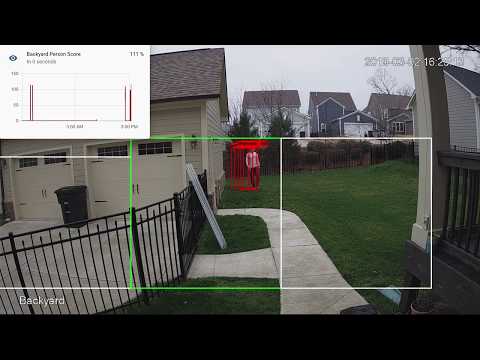](http://www.youtube.com/watch?v=nqHbCtyo4dY "Frigate")
|
||||||
|
|
||||||
## Donations
|
## Getting Started
|
||||||
|
Run the container with
|
||||||
|
```bash
|
||||||
|
docker run --rm \
|
||||||
|
-name frigate \
|
||||||
|
--privileged \
|
||||||
|
--shm-size=512m \ # should work for a 2-3 cameras
|
||||||
|
-v /dev/bus/usb:/dev/bus/usb \
|
||||||
|
-v <path_to_config_dir>:/config:ro \
|
||||||
|
-v /etc/localtime:/etc/localtime:ro \
|
||||||
|
-p 5000:5000 \
|
||||||
|
-e FRIGATE_RTSP_PASSWORD='password' \
|
||||||
|
blakeblackshear/frigate:stable
|
||||||
|
```
|
||||||
|
|
||||||
If you would like to make a donation to support development, please use [Github Sponsors](https://github.com/sponsors/blakeblackshear).
|
Example docker-compose:
|
||||||
|
```yaml
|
||||||
|
frigate:
|
||||||
|
container_name: frigate
|
||||||
|
restart: unless-stopped
|
||||||
|
privileged: true
|
||||||
|
shm_size: '1g' # should work for 5-7 cameras
|
||||||
|
image: blakeblackshear/frigate:stable
|
||||||
|
volumes:
|
||||||
|
- /dev/bus/usb:/dev/bus/usb
|
||||||
|
- /etc/localtime:/etc/localtime:ro
|
||||||
|
- <path_to_config>:/config
|
||||||
|
- <path_to_directory_for_clips>:/clips
|
||||||
|
ports:
|
||||||
|
- "5000:5000"
|
||||||
|
environment:
|
||||||
|
FRIGATE_RTSP_PASSWORD: "password"
|
||||||
|
```
|
||||||
|
|
||||||
## License
|
A `config.yml` file must exist in the `config` directory. See example [here](config/config.example.yml) and device specific info can be found [here](docs/DEVICES.md).
|
||||||
|
|
||||||
This project is licensed under the **MIT License**.
|
## Recommended Hardware
|
||||||
|
|Name|Inference Speed|Notes|
|
||||||
|
|----|---------------|-----|
|
||||||
|
|Atomic Pi|16ms|Best option for a dedicated low power board with a small number of cameras.|
|
||||||
|
|Intel NUC NUC7i3BNK|8-10ms|Best possible performance. Can handle 7+ cameras at 5fps depending on typical amounts of motion.|
|
||||||
|
|BMAX B2 Plus|10-12ms|Good balance of performance and cost. Also capable of running many other services at the same time as frigate.
|
||||||
|
|
||||||
- **Code:** The source code, configuration files, and documentation in this repository are available under the [MIT License](LICENSE). You are free to use, modify, and distribute the code as long as you include the original copyright notice.
|
ARM boards are not officially supported at the moment due to some python dependencies that require modification to work on ARM devices. The Raspberry Pi4 gets about 16ms inference speeds, but the hardware acceleration for ffmpeg does not work for converting yuv420 to rgb24. The Atomic Pi is x86 and much more efficient.
|
||||||
- **Trademarks:** The "Frigate" name, the "Frigate NVR" brand, and the Frigate logo are **trademarks of Frigate LLC** and are **not** covered by the MIT License.
|
|
||||||
|
|
||||||
Please see our [Trademark Policy](TRADEMARK.md) for details on acceptable use of our brand assets.
|
Users have reported varying success in getting frigate to run in a VM. In some cases, the virtualization layer introduces a significant delay in communication with the Coral. If running virtualized in Proxmox, pass the USB card/interface to the virtual machine not the USB ID for faster inference speed.
|
||||||
|
|
||||||
## Screenshots
|
## Integration with HomeAssistant
|
||||||
|
|
||||||
### Live dashboard
|
Setup a the camera, binary_sensor, sensor and optionally automation as shown for each camera you define in frigate. Replace <camera_name> with the camera name as defined in the frigate `config.yml` (The `frigate_coral_fps` and `frigate_coral_inference` sensors only need to be defined once)
|
||||||
|
|
||||||
<div>
|
```
|
||||||
<img width="800" alt="Live dashboard" src="https://github.com/blakeblackshear/frigate/assets/569905/5e713cb9-9db5-41dc-947a-6937c3bc376e">
|
camera:
|
||||||
</div>
|
- name: <camera_name> Last Person
|
||||||
|
platform: mqtt
|
||||||
|
topic: frigate/<camera_name>/person/snapshot
|
||||||
|
- name: <camera_name> Last Car
|
||||||
|
platform: mqtt
|
||||||
|
topic: frigate/<camera_name>/car/snapshot
|
||||||
|
|
||||||
### Streamlined review workflow
|
binary_sensor:
|
||||||
|
- name: <camera_name> Person
|
||||||
|
platform: mqtt
|
||||||
|
state_topic: "frigate/<camera_name>/person"
|
||||||
|
device_class: motion
|
||||||
|
availability_topic: "frigate/available"
|
||||||
|
|
||||||
<div>
|
sensor:
|
||||||
<img width="800" alt="Streamlined review workflow" src="https://github.com/blakeblackshear/frigate/assets/569905/6fed96e8-3b18-40e5-9ddc-31e6f3c9f2ff">
|
- platform: rest
|
||||||
</div>
|
name: Frigate Debug
|
||||||
|
resource: http://localhost:5000/debug/stats
|
||||||
|
scan_interval: 5
|
||||||
|
json_attributes:
|
||||||
|
- <camera_name>
|
||||||
|
- coral
|
||||||
|
value_template: 'OK'
|
||||||
|
- platform: template
|
||||||
|
sensors:
|
||||||
|
<camera_name>_fps:
|
||||||
|
value_template: '{{ states.sensor.frigate_debug.attributes["<camera_name>"]["fps"] }}'
|
||||||
|
unit_of_measurement: 'FPS'
|
||||||
|
<camera_name>_skipped_fps:
|
||||||
|
value_template: '{{ states.sensor.frigate_debug.attributes["<camera_name>"]["skipped_fps"] }}'
|
||||||
|
unit_of_measurement: 'FPS'
|
||||||
|
<camera_name>_detection_fps:
|
||||||
|
value_template: '{{ states.sensor.frigate_debug.attributes["<camera_name>"]["detection_fps"] }}'
|
||||||
|
unit_of_measurement: 'FPS'
|
||||||
|
frigate_coral_fps:
|
||||||
|
value_template: '{{ states.sensor.frigate_debug.attributes["coral"]["fps"] }}'
|
||||||
|
unit_of_measurement: 'FPS'
|
||||||
|
frigate_coral_inference:
|
||||||
|
value_template: '{{ states.sensor.frigate_debug.attributes["coral"]["inference_speed"] }}'
|
||||||
|
unit_of_measurement: 'ms'
|
||||||
|
|
||||||
### Multi-camera scrubbing
|
automation:
|
||||||
|
- alias: Alert me if a person is detected while armed away
|
||||||
|
trigger:
|
||||||
|
platform: state
|
||||||
|
entity_id: binary_sensor.camera_person
|
||||||
|
from: 'off'
|
||||||
|
to: 'on'
|
||||||
|
condition:
|
||||||
|
- condition: state
|
||||||
|
entity_id: alarm_control_panel.home_alarm
|
||||||
|
state: armed_away
|
||||||
|
action:
|
||||||
|
- service: notify.user_telegram
|
||||||
|
data:
|
||||||
|
message: "A person was detected."
|
||||||
|
data:
|
||||||
|
photo:
|
||||||
|
- url: http://<ip>:5000/<camera_name>/person/best.jpg
|
||||||
|
caption: A person was detected.
|
||||||
|
```
|
||||||
|
## HTTP Endpoints
|
||||||
|
A web server is available on port 5000 with the following endpoints.
|
||||||
|
|
||||||
<div>
|
### `/<camera_name>`
|
||||||
<img width="800" alt="Multi-camera scrubbing" src="https://github.com/blakeblackshear/frigate/assets/569905/d6788a15-0eeb-4427-a8d4-80b93cae3d74">
|
An mjpeg stream for debugging. Keep in mind the mjpeg endpoint is for debugging only and will put additional load on the system when in use.
|
||||||
</div>
|
|
||||||
|
|
||||||
### Built-in mask and zone editor
|
You can access a higher resolution mjpeg stream by appending `h=height-in-pixels` to the endpoint. For example `http://localhost:5000/back?h=1080`. You can also increase the FPS by appending `fps=frame-rate` to the URL such as `http://localhost:5000/back?fps=10` or both with `?fps=10&h=1000`
|
||||||
|
|
||||||
<div>
|
### `/<camera_name>/<object_name>/best.jpg`
|
||||||
<img width="800" alt="Multi-camera scrubbing" src="https://github.com/blakeblackshear/frigate/assets/569905/d7885fc3-bfe6-452f-b7d0-d957cb3e31f5">
|
The best snapshot for any object type. It is a full resolution image by default. You can change the size of the image by appending `h=height-in-pixels` to the endpoint.
|
||||||
</div>
|
|
||||||
|
|
||||||
## Translations
|
### `/<camera_name>/latest.jpg`
|
||||||
|
The most recent frame that frigate has finished processing. It is a full resolution image by default. You can change the size of the image by appending `h=height-in-pixels` to the endpoint.
|
||||||
|
|
||||||
We use [Weblate](https://hosted.weblate.org/projects/frigate-nvr/) to support language translations. Contributions are always welcome.
|
### `/debug/stats`
|
||||||
|
Contains some granular debug info that can be used for sensors in HomeAssistant.
|
||||||
|
|
||||||
<a href="https://hosted.weblate.org/engage/frigate-nvr/">
|
## MQTT Messages
|
||||||
<img src="https://hosted.weblate.org/widget/frigate-nvr/multi-auto.svg" alt="Translation status" />
|
These are the MQTT messages generated by Frigate. The default topic_prefix is `frigate`, but can be changed in the config file.
|
||||||
</a>
|
|
||||||
|
|
||||||
---
|
### frigate/available
|
||||||
|
Designed to be used as an availability topic with HomeAssistant. Possible message are:
|
||||||
|
"online": published when frigate is running (on startup)
|
||||||
|
"offline": published right before frigate stops
|
||||||
|
|
||||||
|
### frigate/<camera_name>/<object_name>
|
||||||
|
Publishes `ON` or `OFF` and is designed to be used a as a binary sensor in HomeAssistant for whether or not that object type is detected.
|
||||||
|
|
||||||
|
### frigate/<camera_name>/<object_name>/snapshot
|
||||||
|
Publishes a jpeg encoded frame of the detected object type. When the object is no longer detected, the highest confidence image is published or the original image
|
||||||
|
is published again.
|
||||||
|
|
||||||
|
### frigate/<camera_name>/events/start
|
||||||
|
Message published at the start of any tracked object. JSON looks as follows:
|
||||||
|
```json
|
||||||
|
{
|
||||||
|
"label": "person",
|
||||||
|
"score": 0.7890625,
|
||||||
|
"box": [
|
||||||
|
468,
|
||||||
|
446,
|
||||||
|
550,
|
||||||
|
592
|
||||||
|
],
|
||||||
|
"area": 11972,
|
||||||
|
"region": [
|
||||||
|
403,
|
||||||
|
395,
|
||||||
|
613,
|
||||||
|
605
|
||||||
|
],
|
||||||
|
"frame_time": 1594298020.819046,
|
||||||
|
"centroid": [
|
||||||
|
509,
|
||||||
|
519
|
||||||
|
],
|
||||||
|
"id": "1594298020.819046-0",
|
||||||
|
"start_time": 1594298020.819046,
|
||||||
|
"top_score": 0.7890625,
|
||||||
|
"history": [
|
||||||
|
{
|
||||||
|
"score": 0.7890625,
|
||||||
|
"box": [
|
||||||
|
468,
|
||||||
|
446,
|
||||||
|
550,
|
||||||
|
592
|
||||||
|
],
|
||||||
|
"region": [
|
||||||
|
403,
|
||||||
|
395,
|
||||||
|
613,
|
||||||
|
605
|
||||||
|
],
|
||||||
|
"centroid": [
|
||||||
|
509,
|
||||||
|
519
|
||||||
|
],
|
||||||
|
"frame_time": 1594298020.819046
|
||||||
|
}
|
||||||
|
]
|
||||||
|
}
|
||||||
|
```
|
||||||
|
|
||||||
|
### frigate/<camera_name>/events/end
|
||||||
|
Same as `frigate/<camera_name>/events/start`, but with an `end_time` property as well.
|
||||||
|
|
||||||
|
### frigate/<zone_name>/<object_name>
|
||||||
|
Publishes `ON` or `OFF` and is designed to be used a as a binary sensor in HomeAssistant for whether or not that object type is detected in the zone.
|
||||||
|
|
||||||
|
## Using a custom model or labels
|
||||||
|
Models for both CPU and EdgeTPU (Coral) are bundled in the image. You can use your own models with volume mounts:
|
||||||
|
- CPU Model: `/cpu_model.tflite`
|
||||||
|
- EdgeTPU Model: `/edgetpu_model.tflite`
|
||||||
|
- Labels: `/labelmap.txt`
|
||||||
|
|
||||||
|
### Customizing the Labelmap
|
||||||
|
The labelmap can be customized to your needs. A common reason to do this is to combine multiple object types that are easily confused when you don't need to be as granular such as car/truck. You must retain the same number of labels, but you can change the names. To change:
|
||||||
|
|
||||||
|
- Download the [COCO labelmap](https://dl.google.com/coral/canned_models/coco_labels.txt)
|
||||||
|
- Modify the label names as desired. For example, change `7 truck` to `7 car`
|
||||||
|
- Mount the new file at `/labelmap.txt` in the container with an additional volume
|
||||||
|
```
|
||||||
|
-v ./config/labelmap.txt:/labelmap.txt
|
||||||
|
```
|
||||||
|
|
||||||
|
## Masks and limiting detection to a certain area
|
||||||
|
You can create a *bitmap (bmp)* file the same aspect ratio as your camera feed to limit detection to certain areas. The mask works by looking at the bottom center of any bounding box (first image, red dot below) and comparing that to your mask. If that red dot falls on an area of your mask that is black, the detection (and motion) will be ignored. The mask in the second image would limit detection on this camera to only objects that are in the front yard and not the street.
|
||||||
|
|
||||||
|
<img src="docs/example-mask-check-point.png" height="300">
|
||||||
|
<img src="docs/example-mask.bmp" height="300">
|
||||||
|
<img src="docs/example-mask-overlay.png" height="300">
|
||||||
|
|
||||||
|
## Zones
|
||||||
|
Zones allow you to define a specific area of the frame and apply additional filters for object types so you can determine whether or not an object is within a particular area. Zones cannot have the same name as a camera. If desired, a single zone can include multiple cameras if you have multiple cameras covering the same area. See the sample config for details on how to configure.
|
||||||
|
|
||||||
|
During testing, `draw_zones` can be set in the config to tell frigate to draw the zone on the frames so you can adjust as needed. The zone line will increase in thickness when any object enters the zone.
|
||||||
|
|
||||||
|

|
||||||
|
|
||||||
|
## Tips
|
||||||
|
- Lower the framerate of the video feed on the camera to reduce the CPU usage for capturing the feed. Not as effective, but you can also modify the `take_frame` [configuration](config/config.example.yml) for each camera to only analyze every other frame, or every third frame, etc.
|
||||||
|
- Hard code the resolution of each camera in your config if you are having difficulty starting frigate or if the initial ffprobe for camerea resolution fails or returns incorrect info. Example:
|
||||||
|
```
|
||||||
|
cameras:
|
||||||
|
back:
|
||||||
|
ffmpeg:
|
||||||
|
input: rtsp://<camera>
|
||||||
|
height: 1080
|
||||||
|
width: 1920
|
||||||
|
```
|
||||||
|
- Additional logging is available in the docker container - You can view the logs by running `docker logs -t frigate`
|
||||||
|
- Object configuration - Tracked objects types, sizes and thresholds can be defined globally and/or on a per camera basis. The global and camera object configuration is *merged*. For example, if you defined tracking person, car, and truck globally but modified your backyard camera to only track person, the global config would merge making the effective list for the backyard camera still contain person, car and truck. If you want precise object tracking per camera, best practice to put a minimal list of objects at the global level and expand objects on a per camera basis. Object threshold and area configuration will be used first from the camera object config (if defined) and then from the global config. See the [example config](config/config.example.yml) for more information.
|
||||||
|
|
||||||
**Copyright © 2025 Frigate LLC.**
|
|
||||||
|
|||||||
89
README_CN.md
89
README_CN.md
@ -1,89 +0,0 @@
|
|||||||
<p align="center">
|
|
||||||
<img align="center" alt="logo" src="docs/static/img/branding/frigate.png">
|
|
||||||
</p>
|
|
||||||
|
|
||||||
# Frigate NVR™ - 一个具有实时目标检测的本地 NVR
|
|
||||||
|
|
||||||
[English](https://github.com/blakeblackshear/frigate) | \[简体中文\]
|
|
||||||
|
|
||||||
[](https://opensource.org/licenses/MIT)
|
|
||||||
|
|
||||||
<a href="https://hosted.weblate.org/engage/frigate-nvr/-/zh_Hans/">
|
|
||||||
<img src="https://hosted.weblate.org/widget/frigate-nvr/-/zh_Hans/svg-badge.svg" alt="翻译状态" />
|
|
||||||
</a>
|
|
||||||
|
|
||||||
一个完整的本地网络视频录像机(NVR),专为[Home Assistant](https://www.home-assistant.io)设计,具备 AI 目标/物体检测功能。使用 OpenCV 和 TensorFlow 在本地为 IP 摄像头执行实时物体检测。
|
|
||||||
|
|
||||||
强烈推荐使用 GPU 或者 AI 加速器(例如[Google Coral 加速器](https://coral.ai/products/) 或者 [Hailo](https://hailo.ai/)等)。它们的运行效率远远高于现在的顶级 CPU,并且功耗也极低。
|
|
||||||
|
|
||||||
- 通过[自定义组件](https://github.com/blakeblackshear/frigate-hass-integration)与 Home Assistant 紧密集成
|
|
||||||
- 设计上通过仅在必要时和必要地点寻找目标,最大限度地减少资源使用并最大化性能
|
|
||||||
- 大量利用多进程处理,强调实时性而非处理每一帧
|
|
||||||
- 使用非常低开销的画面变动检测(也叫运动检测)来确定运行目标检测的位置
|
|
||||||
- 使用 TensorFlow 进行目标检测,并运行在单独的进程中以达到最大 FPS
|
|
||||||
- 通过 MQTT 进行通信,便于集成到其他系统中
|
|
||||||
- 根据检测到的物体设置保留时间进行视频录制
|
|
||||||
- 24/7 全天候录制
|
|
||||||
- 通过 RTSP 重新流传输以减少摄像头的连接数
|
|
||||||
- 支持 WebRTC 和 MSE,实现低延迟的实时观看
|
|
||||||
|
|
||||||
## 社区中文翻译文档
|
|
||||||
|
|
||||||
你可以在这里查看文档 https://docs.frigate-cn.video
|
|
||||||
|
|
||||||
## 赞助
|
|
||||||
|
|
||||||
如果您想通过捐赠支持开发,请使用 [Github Sponsors](https://github.com/sponsors/blakeblackshear)。
|
|
||||||
|
|
||||||
## 协议
|
|
||||||
|
|
||||||
本项目采用 **MIT 许可证**授权。
|
|
||||||
**代码部分**:本代码库中的源代码、配置文件和文档均遵循 [MIT 许可证](LICENSE)。您可以自由使用、修改和分发这些代码,但必须保留原始版权声明。
|
|
||||||
|
|
||||||
**商标部分**:“Frigate”名称、“Frigate NVR”品牌以及 Frigate 的 Logo 为 **Frigate LLC 的商标**,**不在** MIT 许可证覆盖范围内。
|
|
||||||
有关品牌资产的规范使用详情,请参阅我们的[《商标政策》](TRADEMARK.md)。
|
|
||||||
|
|
||||||
## 截图
|
|
||||||
|
|
||||||
### 实时监控面板
|
|
||||||
|
|
||||||
<div>
|
|
||||||
<img width="800" alt="实时监控面板" src="https://github.com/blakeblackshear/frigate/assets/569905/5e713cb9-9db5-41dc-947a-6937c3bc376e">
|
|
||||||
</div>
|
|
||||||
|
|
||||||
### 简单的核查工作流程
|
|
||||||
|
|
||||||
<div>
|
|
||||||
<img width="800" alt="简单的审查工作流程" src="https://github.com/blakeblackshear/frigate/assets/569905/6fed96e8-3b18-40e5-9ddc-31e6f3c9f2ff">
|
|
||||||
</div>
|
|
||||||
|
|
||||||
### 多摄像头可按时间轴查看
|
|
||||||
|
|
||||||
<div>
|
|
||||||
<img width="800" alt="多摄像头可按时间轴查看" src="https://github.com/blakeblackshear/frigate/assets/569905/d6788a15-0eeb-4427-a8d4-80b93cae3d74">
|
|
||||||
</div>
|
|
||||||
|
|
||||||
### 内置遮罩和区域编辑器
|
|
||||||
|
|
||||||
<div>
|
|
||||||
<img width="800" alt="内置遮罩和区域编辑器" src="https://github.com/blakeblackshear/frigate/assets/569905/d7885fc3-bfe6-452f-b7d0-d957cb3e31f5">
|
|
||||||
</div>
|
|
||||||
|
|
||||||
## 翻译
|
|
||||||
|
|
||||||
我们使用 [Weblate](https://hosted.weblate.org/projects/frigate-nvr/) 平台提供翻译支持,欢迎参与进来一起完善。
|
|
||||||
|
|
||||||
## 非官方中文讨论社区
|
|
||||||
|
|
||||||
欢迎加入中文讨论 QQ 群:[1043861059](https://qm.qq.com/q/7vQKsTmSz)
|
|
||||||
|
|
||||||
Bilibili:https://space.bilibili.com/3546894915602564
|
|
||||||
|
|
||||||
## 中文社区赞助商
|
|
||||||
|
|
||||||
[](https://edgeone.ai/zh?from=github)
|
|
||||||
本项目 CDN 加速及安全防护由 Tencent EdgeOne 赞助
|
|
||||||
|
|
||||||
---
|
|
||||||
|
|
||||||
**Copyright © 2025 Frigate LLC.**
|
|
||||||
58
TRADEMARK.md
58
TRADEMARK.md
@ -1,58 +0,0 @@
|
|||||||
# Trademark Policy
|
|
||||||
|
|
||||||
**Last Updated:** November 2025
|
|
||||||
|
|
||||||
This document outlines the policy regarding the use of the trademarks associated with the Frigate NVR project.
|
|
||||||
|
|
||||||
## 1. Our Trademarks
|
|
||||||
|
|
||||||
The following terms and visual assets are trademarks (the "Marks") of **Frigate LLC**:
|
|
||||||
|
|
||||||
- **Frigate™**
|
|
||||||
- **Frigate NVR™**
|
|
||||||
- **Frigate+™**
|
|
||||||
- **The Frigate Logo**
|
|
||||||
|
|
||||||
**Note on Common Law Rights:**
|
|
||||||
Frigate LLC asserts all common law rights in these Marks. The absence of a federal registration symbol (®) does not constitute a waiver of our intellectual property rights.
|
|
||||||
|
|
||||||
## 2. Interaction with the MIT License
|
|
||||||
|
|
||||||
The software in this repository is licensed under the [MIT License](LICENSE).
|
|
||||||
|
|
||||||
**Crucial Distinction:**
|
|
||||||
|
|
||||||
- The **Code** is free to use, modify, and distribute under the MIT terms.
|
|
||||||
- The **Brand (Trademarks)** is **NOT** licensed under MIT.
|
|
||||||
|
|
||||||
You may not use the Marks in any way that is not explicitly permitted by this policy or by written agreement with Frigate LLC.
|
|
||||||
|
|
||||||
## 3. Acceptable Use
|
|
||||||
|
|
||||||
You may use the Marks without prior written permission in the following specific contexts:
|
|
||||||
|
|
||||||
- **Referential Use:** To truthfully refer to the software (e.g., _"I use Frigate NVR for my home security"_).
|
|
||||||
- **Compatibility:** To indicate that your product or project works with the software (e.g., _"MyPlugin for Frigate NVR"_ or _"Compatible with Frigate"_).
|
|
||||||
- **Commentary:** In news articles, blog posts, or tutorials discussing the software.
|
|
||||||
|
|
||||||
## 4. Prohibited Use
|
|
||||||
|
|
||||||
You may **NOT** use the Marks in the following ways:
|
|
||||||
|
|
||||||
- **Commercial Products:** You may not use "Frigate" in the name of a commercial product, service, or app (e.g., selling an app named _"Frigate Viewer"_ is prohibited).
|
|
||||||
- **Implying Affiliation:** You may not use the Marks in a way that suggests your project is official, sponsored by, or endorsed by Frigate LLC.
|
|
||||||
- **Confusing Forks:** If you fork this repository to create a derivative work, you **must** remove the Frigate logo and rename your project to avoid user confusion. You cannot distribute a modified version of the software under the name "Frigate".
|
|
||||||
- **Domain Names:** You may not register domain names containing "Frigate" that are likely to confuse users (e.g., `frigate-official-support.com`).
|
|
||||||
|
|
||||||
## 5. The Logo
|
|
||||||
|
|
||||||
The Frigate logo (the bird icon) is a visual trademark.
|
|
||||||
|
|
||||||
- You generally **cannot** use the logo on your own website or product packaging without permission.
|
|
||||||
- If you are building a dashboard or integration that interfaces with Frigate, you may use the logo only to represent the Frigate node/service, provided it does not imply you _are_ Frigate.
|
|
||||||
|
|
||||||
## 6. Questions & Permissions
|
|
||||||
|
|
||||||
If you are unsure if your intended use violates this policy, or if you wish to request a specific license to use the Marks (e.g., for a partnership), please contact us at:
|
|
||||||
|
|
||||||
**help@frigate.video**
|
|
||||||
@ -1,521 +0,0 @@
|
|||||||
speech
|
|
||||||
speech
|
|
||||||
speech
|
|
||||||
speech
|
|
||||||
babbling
|
|
||||||
speech
|
|
||||||
yell
|
|
||||||
bellow
|
|
||||||
whoop
|
|
||||||
yell
|
|
||||||
yell
|
|
||||||
yell
|
|
||||||
whispering
|
|
||||||
laughter
|
|
||||||
laughter
|
|
||||||
laughter
|
|
||||||
snicker
|
|
||||||
laughter
|
|
||||||
laughter
|
|
||||||
crying
|
|
||||||
crying
|
|
||||||
crying
|
|
||||||
yell
|
|
||||||
sigh
|
|
||||||
singing
|
|
||||||
choir
|
|
||||||
sodeling
|
|
||||||
chant
|
|
||||||
mantra
|
|
||||||
child_singing
|
|
||||||
synthetic_singing
|
|
||||||
rapping
|
|
||||||
humming
|
|
||||||
groan
|
|
||||||
grunt
|
|
||||||
whistling
|
|
||||||
breathing
|
|
||||||
wheeze
|
|
||||||
snoring
|
|
||||||
gasp
|
|
||||||
pant
|
|
||||||
snort
|
|
||||||
cough
|
|
||||||
throat_clearing
|
|
||||||
sneeze
|
|
||||||
sniff
|
|
||||||
run
|
|
||||||
shuffle
|
|
||||||
footsteps
|
|
||||||
chewing
|
|
||||||
biting
|
|
||||||
gargling
|
|
||||||
stomach_rumble
|
|
||||||
burping
|
|
||||||
hiccup
|
|
||||||
fart
|
|
||||||
hands
|
|
||||||
finger_snapping
|
|
||||||
clapping
|
|
||||||
heartbeat
|
|
||||||
heart_murmur
|
|
||||||
cheering
|
|
||||||
applause
|
|
||||||
chatter
|
|
||||||
crowd
|
|
||||||
speech
|
|
||||||
children_playing
|
|
||||||
animal
|
|
||||||
pets
|
|
||||||
dog
|
|
||||||
bark
|
|
||||||
yip
|
|
||||||
howl
|
|
||||||
bow-wow
|
|
||||||
growling
|
|
||||||
whimper_dog
|
|
||||||
cat
|
|
||||||
purr
|
|
||||||
meow
|
|
||||||
hiss
|
|
||||||
caterwaul
|
|
||||||
livestock
|
|
||||||
horse
|
|
||||||
clip-clop
|
|
||||||
neigh
|
|
||||||
cattle
|
|
||||||
moo
|
|
||||||
cowbell
|
|
||||||
pig
|
|
||||||
oink
|
|
||||||
goat
|
|
||||||
bleat
|
|
||||||
sheep
|
|
||||||
fowl
|
|
||||||
chicken
|
|
||||||
cluck
|
|
||||||
cock-a-doodle-doo
|
|
||||||
turkey
|
|
||||||
gobble
|
|
||||||
duck
|
|
||||||
quack
|
|
||||||
goose
|
|
||||||
honk
|
|
||||||
wild_animals
|
|
||||||
roaring_cats
|
|
||||||
roar
|
|
||||||
bird
|
|
||||||
chird
|
|
||||||
chirp
|
|
||||||
squawk
|
|
||||||
pigeon
|
|
||||||
coo
|
|
||||||
crow
|
|
||||||
caw
|
|
||||||
owl
|
|
||||||
hoot
|
|
||||||
flapping_wings
|
|
||||||
dogs
|
|
||||||
rats
|
|
||||||
mouse
|
|
||||||
patter
|
|
||||||
insect
|
|
||||||
cricket
|
|
||||||
mosquito
|
|
||||||
fly
|
|
||||||
buzz
|
|
||||||
buzz
|
|
||||||
frog
|
|
||||||
croak
|
|
||||||
snake
|
|
||||||
rattle
|
|
||||||
whale_vocalization
|
|
||||||
music
|
|
||||||
musical_instrument
|
|
||||||
plucked_string_instrument
|
|
||||||
guitar
|
|
||||||
electric_guitar
|
|
||||||
bass_guitar
|
|
||||||
acoustic_guitar
|
|
||||||
steel_guitar
|
|
||||||
tapping
|
|
||||||
strum
|
|
||||||
banjo
|
|
||||||
sitar
|
|
||||||
mandolin
|
|
||||||
zither
|
|
||||||
ukulele
|
|
||||||
keyboard
|
|
||||||
piano
|
|
||||||
electric_piano
|
|
||||||
organ
|
|
||||||
electronic_organ
|
|
||||||
hammond_organ
|
|
||||||
synthesizer
|
|
||||||
sampler
|
|
||||||
harpsichord
|
|
||||||
percussion
|
|
||||||
drum_kit
|
|
||||||
drum_machine
|
|
||||||
drum
|
|
||||||
snare_drum
|
|
||||||
rimshot
|
|
||||||
drum_roll
|
|
||||||
bass_drum
|
|
||||||
timpani
|
|
||||||
tabla
|
|
||||||
cymbal
|
|
||||||
hi-hat
|
|
||||||
wood_block
|
|
||||||
tambourine
|
|
||||||
rattle
|
|
||||||
maraca
|
|
||||||
gong
|
|
||||||
tubular_bells
|
|
||||||
mallet_percussion
|
|
||||||
marimba
|
|
||||||
glockenspiel
|
|
||||||
vibraphone
|
|
||||||
steelpan
|
|
||||||
orchestra
|
|
||||||
brass_instrument
|
|
||||||
french_horn
|
|
||||||
trumpet
|
|
||||||
trombone
|
|
||||||
bowed_string_instrument
|
|
||||||
string_section
|
|
||||||
violin
|
|
||||||
pizzicato
|
|
||||||
cello
|
|
||||||
double_bass
|
|
||||||
wind_instrument
|
|
||||||
flute
|
|
||||||
saxophone
|
|
||||||
clarinet
|
|
||||||
harp
|
|
||||||
bell
|
|
||||||
church_bell
|
|
||||||
jingle_bell
|
|
||||||
bicycle_bell
|
|
||||||
tuning_fork
|
|
||||||
chime
|
|
||||||
wind_chime
|
|
||||||
change_ringing
|
|
||||||
harmonica
|
|
||||||
accordion
|
|
||||||
bagpipes
|
|
||||||
didgeridoo
|
|
||||||
shofar
|
|
||||||
theremin
|
|
||||||
singing_bowl
|
|
||||||
scratching
|
|
||||||
pop_music
|
|
||||||
hip_hop_music
|
|
||||||
beatboxing
|
|
||||||
rock_music
|
|
||||||
heavy_metal
|
|
||||||
punk_rock
|
|
||||||
grunge
|
|
||||||
progressive_rock
|
|
||||||
rock_and_roll
|
|
||||||
psychedelic_rock
|
|
||||||
rhythm_and_blues
|
|
||||||
soul_music
|
|
||||||
reggae
|
|
||||||
country
|
|
||||||
swing_music
|
|
||||||
bluegrass
|
|
||||||
funk
|
|
||||||
folk_music
|
|
||||||
middle_eastern_music
|
|
||||||
jazz
|
|
||||||
disco
|
|
||||||
classical_music
|
|
||||||
opera
|
|
||||||
electronic_music
|
|
||||||
house_music
|
|
||||||
techno
|
|
||||||
dubstep
|
|
||||||
drum_and_bass
|
|
||||||
electronica
|
|
||||||
electronic_dance_music
|
|
||||||
ambient_music
|
|
||||||
trance_music
|
|
||||||
music_of_latin_america
|
|
||||||
salsa_music
|
|
||||||
flamenco
|
|
||||||
blues
|
|
||||||
music_for_children
|
|
||||||
new-age_music
|
|
||||||
vocal_music
|
|
||||||
a_capella
|
|
||||||
music_of_africa
|
|
||||||
afrobeat
|
|
||||||
christian_music
|
|
||||||
gospel_music
|
|
||||||
music_of_asia
|
|
||||||
carnatic_music
|
|
||||||
music_of_bollywood
|
|
||||||
ska
|
|
||||||
traditional_music
|
|
||||||
independent_music
|
|
||||||
song
|
|
||||||
background_music
|
|
||||||
theme_music
|
|
||||||
jingle
|
|
||||||
soundtrack_music
|
|
||||||
lullaby
|
|
||||||
video_game_music
|
|
||||||
christmas_music
|
|
||||||
dance_music
|
|
||||||
wedding_music
|
|
||||||
happy_music
|
|
||||||
sad_music
|
|
||||||
tender_music
|
|
||||||
exciting_music
|
|
||||||
angry_music
|
|
||||||
scary_music
|
|
||||||
wind
|
|
||||||
rustling_leaves
|
|
||||||
wind_noise
|
|
||||||
thunderstorm
|
|
||||||
thunder
|
|
||||||
water
|
|
||||||
rain
|
|
||||||
raindrop
|
|
||||||
rain_on_surface
|
|
||||||
stream
|
|
||||||
waterfall
|
|
||||||
ocean
|
|
||||||
waves
|
|
||||||
steam
|
|
||||||
gurgling
|
|
||||||
fire
|
|
||||||
crackle
|
|
||||||
vehicle
|
|
||||||
boat
|
|
||||||
sailboat
|
|
||||||
rowboat
|
|
||||||
motorboat
|
|
||||||
ship
|
|
||||||
motor_vehicle
|
|
||||||
car
|
|
||||||
honk
|
|
||||||
toot
|
|
||||||
car_alarm
|
|
||||||
power_windows
|
|
||||||
skidding
|
|
||||||
tire_squeal
|
|
||||||
car_passing_by
|
|
||||||
race_car
|
|
||||||
truck
|
|
||||||
air_brake
|
|
||||||
air_horn
|
|
||||||
reversing_beeps
|
|
||||||
ice_cream_truck
|
|
||||||
bus
|
|
||||||
emergency_vehicle
|
|
||||||
police_car
|
|
||||||
ambulance
|
|
||||||
fire_engine
|
|
||||||
motorcycle
|
|
||||||
traffic_noise
|
|
||||||
rail_transport
|
|
||||||
train
|
|
||||||
train_whistle
|
|
||||||
train_horn
|
|
||||||
railroad_car
|
|
||||||
train_wheels_squealing
|
|
||||||
subway
|
|
||||||
aircraft
|
|
||||||
aircraft_engine
|
|
||||||
jet_engine
|
|
||||||
propeller
|
|
||||||
helicopter
|
|
||||||
fixed-wing_aircraft
|
|
||||||
bicycle
|
|
||||||
skateboard
|
|
||||||
engine
|
|
||||||
light_engine
|
|
||||||
dental_drill's_drill
|
|
||||||
lawn_mower
|
|
||||||
chainsaw
|
|
||||||
medium_engine
|
|
||||||
heavy_engine
|
|
||||||
engine_knocking
|
|
||||||
engine_starting
|
|
||||||
idling
|
|
||||||
accelerating
|
|
||||||
door
|
|
||||||
doorbell
|
|
||||||
ding-dong
|
|
||||||
sliding_door
|
|
||||||
slam
|
|
||||||
knock
|
|
||||||
tap
|
|
||||||
squeak
|
|
||||||
cupboard_open_or_close
|
|
||||||
drawer_open_or_close
|
|
||||||
dishes
|
|
||||||
cutlery
|
|
||||||
chopping
|
|
||||||
frying
|
|
||||||
microwave_oven
|
|
||||||
blender
|
|
||||||
water_tap
|
|
||||||
sink
|
|
||||||
bathtub
|
|
||||||
hair_dryer
|
|
||||||
toilet_flush
|
|
||||||
toothbrush
|
|
||||||
electric_toothbrush
|
|
||||||
vacuum_cleaner
|
|
||||||
zipper
|
|
||||||
keys_jangling
|
|
||||||
coin
|
|
||||||
scissors
|
|
||||||
electric_shaver
|
|
||||||
shuffling_cards
|
|
||||||
typing
|
|
||||||
typewriter
|
|
||||||
computer_keyboard
|
|
||||||
writing
|
|
||||||
alarm
|
|
||||||
telephone
|
|
||||||
telephone_bell_ringing
|
|
||||||
ringtone
|
|
||||||
telephone_dialing
|
|
||||||
dial_tone
|
|
||||||
busy_signal
|
|
||||||
alarm_clock
|
|
||||||
siren
|
|
||||||
civil_defense_siren
|
|
||||||
buzzer
|
|
||||||
smoke_detector
|
|
||||||
fire_alarm
|
|
||||||
foghorn
|
|
||||||
whistle
|
|
||||||
steam_whistle
|
|
||||||
mechanisms
|
|
||||||
ratchet
|
|
||||||
clock
|
|
||||||
tick
|
|
||||||
tick-tock
|
|
||||||
gears
|
|
||||||
pulleys
|
|
||||||
sewing_machine
|
|
||||||
mechanical_fan
|
|
||||||
air_conditioning
|
|
||||||
cash_register
|
|
||||||
printer
|
|
||||||
camera
|
|
||||||
single-lens_reflex_camera
|
|
||||||
tools
|
|
||||||
hammer
|
|
||||||
jackhammer
|
|
||||||
sawing
|
|
||||||
filing
|
|
||||||
sanding
|
|
||||||
power_tool
|
|
||||||
drill
|
|
||||||
explosion
|
|
||||||
gunshot
|
|
||||||
machine_gun
|
|
||||||
fusillade
|
|
||||||
artillery_fire
|
|
||||||
cap_gun
|
|
||||||
fireworks
|
|
||||||
firecracker
|
|
||||||
burst
|
|
||||||
eruption
|
|
||||||
boom
|
|
||||||
wood
|
|
||||||
chop
|
|
||||||
splinter
|
|
||||||
crack
|
|
||||||
glass
|
|
||||||
chink
|
|
||||||
shatter
|
|
||||||
liquid
|
|
||||||
splash
|
|
||||||
slosh
|
|
||||||
squish
|
|
||||||
drip
|
|
||||||
pour
|
|
||||||
trickle
|
|
||||||
gush
|
|
||||||
fill
|
|
||||||
spray
|
|
||||||
pump
|
|
||||||
stir
|
|
||||||
boiling
|
|
||||||
sonar
|
|
||||||
arrow
|
|
||||||
whoosh
|
|
||||||
thump
|
|
||||||
thunk
|
|
||||||
electronic_tuner
|
|
||||||
effects_unit
|
|
||||||
chorus_effect
|
|
||||||
basketball_bounce
|
|
||||||
bang
|
|
||||||
slap
|
|
||||||
whack
|
|
||||||
smash
|
|
||||||
breaking
|
|
||||||
bouncing
|
|
||||||
whip
|
|
||||||
flap
|
|
||||||
scratch
|
|
||||||
scrape
|
|
||||||
rub
|
|
||||||
roll
|
|
||||||
crushing
|
|
||||||
crumpling
|
|
||||||
tearing
|
|
||||||
beep
|
|
||||||
ping
|
|
||||||
ding
|
|
||||||
clang
|
|
||||||
squeal
|
|
||||||
creak
|
|
||||||
rustle
|
|
||||||
whir
|
|
||||||
clatter
|
|
||||||
sizzle
|
|
||||||
clicking
|
|
||||||
clickety-clack
|
|
||||||
rumble
|
|
||||||
plop
|
|
||||||
jingle
|
|
||||||
hum
|
|
||||||
zing
|
|
||||||
boing
|
|
||||||
crunch
|
|
||||||
silence
|
|
||||||
sine_wave
|
|
||||||
harmonic
|
|
||||||
chirp_tone
|
|
||||||
sound_effect
|
|
||||||
pulse
|
|
||||||
inside
|
|
||||||
inside
|
|
||||||
inside
|
|
||||||
outside
|
|
||||||
outside
|
|
||||||
reverberation
|
|
||||||
echo
|
|
||||||
noise
|
|
||||||
environmental_noise
|
|
||||||
static
|
|
||||||
mains_hum
|
|
||||||
distortion
|
|
||||||
sidetone
|
|
||||||
cacophony
|
|
||||||
white_noise
|
|
||||||
pink_noise
|
|
||||||
throbbing
|
|
||||||
vibration
|
|
||||||
television
|
|
||||||
radio
|
|
||||||
field_recording
|
|
||||||
90
benchmark.py
90
benchmark.py
@ -1,24 +1,17 @@
|
|||||||
import datetime
|
import os
|
||||||
import multiprocessing as mp
|
|
||||||
from statistics import mean
|
from statistics import mean
|
||||||
|
import multiprocessing as mp
|
||||||
import numpy as np
|
import numpy as np
|
||||||
|
import datetime
|
||||||
|
from frigate.edgetpu import ObjectDetector, EdgeTPUProcess, RemoteObjectDetector, load_labels
|
||||||
|
|
||||||
from frigate.config import DetectorTypeEnum
|
my_frame = np.expand_dims(np.full((300,300,3), 1, np.uint8), axis=0)
|
||||||
from frigate.object_detection.base import (
|
labels = load_labels('/labelmap.txt')
|
||||||
ObjectDetectProcess,
|
|
||||||
RemoteObjectDetector,
|
|
||||||
load_labels,
|
|
||||||
)
|
|
||||||
from frigate.util.process import FrigateProcess
|
|
||||||
|
|
||||||
my_frame = np.expand_dims(np.full((300, 300, 3), 1, np.uint8), axis=0)
|
|
||||||
labels = load_labels("/labelmap.txt")
|
|
||||||
|
|
||||||
######
|
######
|
||||||
# Minimal same process runner
|
# Minimal same process runner
|
||||||
######
|
######
|
||||||
# object_detector = LocalObjectDetector()
|
# object_detector = ObjectDetector()
|
||||||
# tensor_input = np.expand_dims(np.full((300,300,3), 0, np.uint8), axis=0)
|
# tensor_input = np.expand_dims(np.full((300,300,3), 0, np.uint8), axis=0)
|
||||||
|
|
||||||
# start = datetime.datetime.now().timestamp()
|
# start = datetime.datetime.now().timestamp()
|
||||||
@ -44,66 +37,43 @@ labels = load_labels("/labelmap.txt")
|
|||||||
# print(f"Processed for {duration:.2f} seconds.")
|
# print(f"Processed for {duration:.2f} seconds.")
|
||||||
# print(f"Average frame processing time: {mean(frame_times)*1000:.2f}ms")
|
# print(f"Average frame processing time: {mean(frame_times)*1000:.2f}ms")
|
||||||
|
|
||||||
|
|
||||||
def start(id, num_detections, detection_queue, event):
|
|
||||||
object_detector = RemoteObjectDetector(
|
|
||||||
str(id), "/labelmap.txt", detection_queue, event
|
|
||||||
)
|
|
||||||
start = datetime.datetime.now().timestamp()
|
|
||||||
|
|
||||||
frame_times = []
|
|
||||||
for x in range(0, num_detections):
|
|
||||||
start_frame = datetime.datetime.now().timestamp()
|
|
||||||
object_detector.detect(my_frame)
|
|
||||||
frame_times.append(datetime.datetime.now().timestamp() - start_frame)
|
|
||||||
|
|
||||||
duration = datetime.datetime.now().timestamp() - start
|
|
||||||
object_detector.cleanup()
|
|
||||||
print(f"{id} - Processed for {duration:.2f} seconds.")
|
|
||||||
print(f"{id} - FPS: {object_detector.fps.eps():.2f}")
|
|
||||||
print(f"{id} - Average frame processing time: {mean(frame_times) * 1000:.2f}ms")
|
|
||||||
|
|
||||||
|
|
||||||
######
|
######
|
||||||
# Separate process runner
|
# Separate process runner
|
||||||
######
|
######
|
||||||
# event = mp.Event()
|
def start(id, num_detections, detection_queue):
|
||||||
# detection_queue = mp.Queue()
|
object_detector = RemoteObjectDetector(str(id), '/labelmap.txt', detection_queue)
|
||||||
# edgetpu_process = EdgeTPUProcess(detection_queue, {'1': event}, 'usb:0')
|
start = datetime.datetime.now().timestamp()
|
||||||
|
|
||||||
# start(1, 1000, edgetpu_process.detection_queue, event)
|
frame_times = []
|
||||||
# print(f"Average raw inference speed: {edgetpu_process.avg_inference_speed.value*1000:.2f}ms")
|
for x in range(0, num_detections):
|
||||||
|
start_frame = datetime.datetime.now().timestamp()
|
||||||
|
detections = object_detector.detect(my_frame)
|
||||||
|
frame_times.append(datetime.datetime.now().timestamp()-start_frame)
|
||||||
|
|
||||||
|
duration = datetime.datetime.now().timestamp()-start
|
||||||
|
print(f"{id} - Processed for {duration:.2f} seconds.")
|
||||||
|
print(f"{id} - Average frame processing time: {mean(frame_times)*1000:.2f}ms")
|
||||||
|
|
||||||
|
edgetpu_process = EdgeTPUProcess()
|
||||||
|
|
||||||
|
# start(1, 1000, edgetpu_process.detect_lock, edgetpu_process.detect_ready, edgetpu_process.frame_ready)
|
||||||
|
|
||||||
####
|
####
|
||||||
# Multiple camera processes
|
# Multiple camera processes
|
||||||
####
|
####
|
||||||
camera_processes = []
|
camera_processes = []
|
||||||
|
|
||||||
events = {}
|
|
||||||
for x in range(0, 10):
|
for x in range(0, 10):
|
||||||
events[str(x)] = mp.Event()
|
camera_process = mp.Process(target=start, args=(x, 100, edgetpu_process.detection_queue))
|
||||||
detection_queue = mp.Queue()
|
camera_process.daemon = True
|
||||||
edgetpu_process_1 = ObjectDetectProcess(
|
camera_processes.append(camera_process)
|
||||||
detection_queue, events, DetectorTypeEnum.edgetpu, "usb:0"
|
|
||||||
)
|
|
||||||
edgetpu_process_2 = ObjectDetectProcess(
|
|
||||||
detection_queue, events, DetectorTypeEnum.edgetpu, "usb:1"
|
|
||||||
)
|
|
||||||
|
|
||||||
for x in range(0, 10):
|
start = datetime.datetime.now().timestamp()
|
||||||
camera_process = FrigateProcess(
|
|
||||||
target=start, args=(x, 300, detection_queue, events[str(x)])
|
|
||||||
)
|
|
||||||
camera_process.daemon = True
|
|
||||||
camera_processes.append(camera_process)
|
|
||||||
|
|
||||||
start_time = datetime.datetime.now().timestamp()
|
|
||||||
|
|
||||||
for p in camera_processes:
|
for p in camera_processes:
|
||||||
p.start()
|
p.start()
|
||||||
|
|
||||||
for p in camera_processes:
|
for p in camera_processes:
|
||||||
p.join()
|
p.join()
|
||||||
|
|
||||||
duration = datetime.datetime.now().timestamp() - start_time
|
duration = datetime.datetime.now().timestamp()-start
|
||||||
print(f"Total - Processed for {duration:.2f} seconds.")
|
print(f"Total - Processed for {duration:.2f} seconds.")
|
||||||
@ -1,118 +0,0 @@
|
|||||||
import datetime
|
|
||||||
import multiprocessing as mp
|
|
||||||
import os
|
|
||||||
|
|
||||||
import cv2
|
|
||||||
import numpy as np
|
|
||||||
|
|
||||||
from frigate.config import MotionConfig
|
|
||||||
from frigate.motion.improved_motion import ImprovedMotionDetector
|
|
||||||
from frigate.util import create_mask
|
|
||||||
|
|
||||||
# get info on the video
|
|
||||||
# cap = cv2.VideoCapture("debug/front_cam_2023_05_23_08_41__2023_05_23_08_43.mp4")
|
|
||||||
# cap = cv2.VideoCapture("debug/motion_test_clips/rain_1.mp4")
|
|
||||||
cap = cv2.VideoCapture("debug/motion_test_clips/lawn_mower_night_1.mp4")
|
|
||||||
# cap = cv2.VideoCapture("airport.mp4")
|
|
||||||
width = int(cap.get(cv2.CAP_PROP_FRAME_WIDTH))
|
|
||||||
height = int(cap.get(cv2.CAP_PROP_FRAME_HEIGHT))
|
|
||||||
fps = cap.get(cv2.CAP_PROP_FPS)
|
|
||||||
frame_shape = (height, width, 3)
|
|
||||||
# Nick back:
|
|
||||||
# "1280,0,1280,316,1170,216,1146,126,1016,127,979,82,839,0",
|
|
||||||
# "310,350,300,402,224,405,241,354",
|
|
||||||
# "378,0,375,26,0,23,0,0",
|
|
||||||
# Front door:
|
|
||||||
# "1080,0,1080,339,1010,280,1020,169,777,163,452,170,318,299,191,365,186,417,139,470,108,516,40,530,0,514,0,0",
|
|
||||||
# "336,833,438,1024,346,1093,103,1052,24,814",
|
|
||||||
# Back
|
|
||||||
# "1855,0,1851,100,1289,96,1105,161,1045,119,890,121,890,0",
|
|
||||||
# "505,95,506,138,388,153,384,114",
|
|
||||||
# "689,72,689,122,549,134,547,89",
|
|
||||||
# "261,134,264,176,169,195,167,158",
|
|
||||||
# "145,159,146,202,70,220,65,183",
|
|
||||||
|
|
||||||
mask = create_mask(
|
|
||||||
(height, width),
|
|
||||||
[
|
|
||||||
"1080,0,1080,339,1010,280,1020,169,777,163,452,170,318,299,191,365,186,417,139,470,108,516,40,530,0,514,0,0",
|
|
||||||
"336,833,438,1024,346,1093,103,1052,24,814",
|
|
||||||
],
|
|
||||||
)
|
|
||||||
|
|
||||||
# create the motion config
|
|
||||||
motion_config_1 = MotionConfig()
|
|
||||||
motion_config_1.mask = np.zeros((height, width), np.uint8)
|
|
||||||
motion_config_1.mask[:] = mask
|
|
||||||
# motion_config_1.improve_contrast = 1
|
|
||||||
motion_config_1.frame_height = 150
|
|
||||||
# motion_config_1.frame_alpha = 0.02
|
|
||||||
# motion_config_1.threshold = 30
|
|
||||||
# motion_config_1.contour_area = 10
|
|
||||||
|
|
||||||
motion_config_2 = MotionConfig()
|
|
||||||
motion_config_2.mask = np.zeros((height, width), np.uint8)
|
|
||||||
motion_config_2.mask[:] = mask
|
|
||||||
# motion_config_2.improve_contrast = 1
|
|
||||||
motion_config_2.frame_height = 150
|
|
||||||
# motion_config_2.frame_alpha = 0.01
|
|
||||||
motion_config_2.threshold = 20
|
|
||||||
# motion_config.contour_area = 10
|
|
||||||
|
|
||||||
save_images = True
|
|
||||||
|
|
||||||
improved_motion_detector_1 = ImprovedMotionDetector(
|
|
||||||
frame_shape=frame_shape,
|
|
||||||
config=motion_config_1,
|
|
||||||
fps=fps,
|
|
||||||
improve_contrast=mp.Value("i", motion_config_1.improve_contrast),
|
|
||||||
threshold=mp.Value("i", motion_config_1.threshold),
|
|
||||||
contour_area=mp.Value("i", motion_config_1.contour_area),
|
|
||||||
name="default",
|
|
||||||
)
|
|
||||||
improved_motion_detector_1.save_images = save_images
|
|
||||||
|
|
||||||
improved_motion_detector_2 = ImprovedMotionDetector(
|
|
||||||
frame_shape=frame_shape,
|
|
||||||
config=motion_config_2,
|
|
||||||
fps=fps,
|
|
||||||
improve_contrast=mp.Value("i", motion_config_2.improve_contrast),
|
|
||||||
threshold=mp.Value("i", motion_config_2.threshold),
|
|
||||||
contour_area=mp.Value("i", motion_config_2.contour_area),
|
|
||||||
name="compare",
|
|
||||||
)
|
|
||||||
improved_motion_detector_2.save_images = save_images
|
|
||||||
|
|
||||||
# read and process frames
|
|
||||||
ret, frame = cap.read()
|
|
||||||
frame_counter = 1
|
|
||||||
while ret:
|
|
||||||
yuv_frame = cv2.cvtColor(frame, cv2.COLOR_BGR2YUV_I420)
|
|
||||||
|
|
||||||
start_frame = datetime.datetime.now().timestamp()
|
|
||||||
improved_motion_detector_1.detect(yuv_frame)
|
|
||||||
|
|
||||||
start_frame = datetime.datetime.now().timestamp()
|
|
||||||
improved_motion_detector_2.detect(yuv_frame)
|
|
||||||
|
|
||||||
default_frame = f"debug/frames/default-{frame_counter}.jpg"
|
|
||||||
compare_frame = f"debug/frames/compare-{frame_counter}.jpg"
|
|
||||||
if os.path.exists(default_frame) and os.path.exists(compare_frame):
|
|
||||||
images = [
|
|
||||||
cv2.imread(default_frame),
|
|
||||||
cv2.imread(compare_frame),
|
|
||||||
]
|
|
||||||
|
|
||||||
cv2.imwrite(
|
|
||||||
f"debug/frames/all-{frame_counter}.jpg",
|
|
||||||
cv2.vconcat(images)
|
|
||||||
if frame_shape[0] > frame_shape[1]
|
|
||||||
else cv2.hconcat(images),
|
|
||||||
)
|
|
||||||
os.unlink(default_frame)
|
|
||||||
os.unlink(compare_frame)
|
|
||||||
frame_counter += 1
|
|
||||||
|
|
||||||
ret, frame = cap.read()
|
|
||||||
|
|
||||||
cap.release()
|
|
||||||
BIN
config/back-mask.bmp
Normal file
BIN
config/back-mask.bmp
Normal file

Binary file not shown.
|
After Width: | Height: | Size: 1.8 MiB |
189
config/config.example.yml
Normal file
189
config/config.example.yml
Normal file
@ -0,0 +1,189 @@
|
|||||||
|
web_port: 5000
|
||||||
|
|
||||||
|
mqtt:
|
||||||
|
host: mqtt.server.com
|
||||||
|
topic_prefix: frigate
|
||||||
|
# client_id: frigate # Optional -- set to override default client id of 'frigate' if running multiple instances
|
||||||
|
# user: username # Optional
|
||||||
|
#################
|
||||||
|
## Environment variables that begin with 'FRIGATE_' may be referenced in {}.
|
||||||
|
## password: '{FRIGATE_MQTT_PASSWORD}'
|
||||||
|
#################
|
||||||
|
# password: password # Optional
|
||||||
|
|
||||||
|
#################
|
||||||
|
# Default ffmpeg args. Optional and can be overwritten per camera.
|
||||||
|
# Should work with most RTSP cameras that send h264 video
|
||||||
|
# Built from the properties below with:
|
||||||
|
# "ffmpeg" + global_args + input_args + "-i" + input + output_args
|
||||||
|
#################
|
||||||
|
# ffmpeg:
|
||||||
|
# global_args:
|
||||||
|
# - -hide_banner
|
||||||
|
# - -loglevel
|
||||||
|
# - panic
|
||||||
|
# hwaccel_args: []
|
||||||
|
# input_args:
|
||||||
|
# - -avoid_negative_ts
|
||||||
|
# - make_zero
|
||||||
|
# - -fflags
|
||||||
|
# - nobuffer
|
||||||
|
# - -flags
|
||||||
|
# - low_delay
|
||||||
|
# - -strict
|
||||||
|
# - experimental
|
||||||
|
# - -fflags
|
||||||
|
# - +genpts+discardcorrupt
|
||||||
|
# - -vsync
|
||||||
|
# - drop
|
||||||
|
# - -rtsp_transport
|
||||||
|
# - tcp
|
||||||
|
# - -stimeout
|
||||||
|
# - '5000000'
|
||||||
|
# - -use_wallclock_as_timestamps
|
||||||
|
# - '1'
|
||||||
|
# output_args:
|
||||||
|
# - -f
|
||||||
|
# - rawvideo
|
||||||
|
# - -pix_fmt
|
||||||
|
# - rgb24
|
||||||
|
|
||||||
|
####################
|
||||||
|
# Global object configuration. Applies to all cameras
|
||||||
|
# unless overridden at the camera levels.
|
||||||
|
# Keys must be valid labels. By default, the model uses coco (https://dl.google.com/coral/canned_models/coco_labels.txt).
|
||||||
|
# All labels from the model are reported over MQTT. These values are used to filter out false positives.
|
||||||
|
# min_area (optional): minimum width*height of the bounding box for the detected person
|
||||||
|
# max_area (optional): maximum width*height of the bounding box for the detected person
|
||||||
|
# threshold (optional): The minimum decimal percentage (50% hit = 0.5) for the confidence from tensorflow
|
||||||
|
####################
|
||||||
|
objects:
|
||||||
|
track:
|
||||||
|
- person
|
||||||
|
- car
|
||||||
|
- truck
|
||||||
|
filters:
|
||||||
|
person:
|
||||||
|
min_area: 5000
|
||||||
|
max_area: 100000
|
||||||
|
threshold: 0.8
|
||||||
|
|
||||||
|
zones:
|
||||||
|
#################
|
||||||
|
# Name of the zone
|
||||||
|
################
|
||||||
|
front_steps:
|
||||||
|
cameras:
|
||||||
|
front_door:
|
||||||
|
####################
|
||||||
|
# For each camera, a list of x,y coordinates to define the polygon of the zone. The top
|
||||||
|
# left corner is 0,0. Can also be a comma separated string of all x,y coordinates combined.
|
||||||
|
# The same zone can exist across multiple cameras if they have overlapping FOVs.
|
||||||
|
# An object is determined to be in the zone based on whether or not the bottom center
|
||||||
|
# of it's bounding box is within the polygon. The polygon must have at least 3 points.
|
||||||
|
# Coordinates can be generated at https://www.image-map.net/
|
||||||
|
####################
|
||||||
|
coordinates:
|
||||||
|
- 545,1077
|
||||||
|
- 747,939
|
||||||
|
- 788,805
|
||||||
|
################
|
||||||
|
# Zone level object filters. These are applied in addition to the global and camera filters
|
||||||
|
# and should be more restrictive than the global and camera filters. The global and camera
|
||||||
|
# filters are applied upstream.
|
||||||
|
################
|
||||||
|
filters:
|
||||||
|
person:
|
||||||
|
min_area: 5000
|
||||||
|
max_area: 100000
|
||||||
|
threshold: 0.8
|
||||||
|
driveway:
|
||||||
|
cameras:
|
||||||
|
front_door:
|
||||||
|
coordinates: 545,1077,747,939,788,805
|
||||||
|
yard:
|
||||||
|
|
||||||
|
cameras:
|
||||||
|
back:
|
||||||
|
ffmpeg:
|
||||||
|
################
|
||||||
|
# Source passed to ffmpeg after the -i parameter. Supports anything compatible with OpenCV and FFmpeg.
|
||||||
|
# Environment variables that begin with 'FRIGATE_' may be referenced in {}
|
||||||
|
################
|
||||||
|
input: rtsp://viewer:{FRIGATE_RTSP_PASSWORD}@10.0.10.10:554/cam/realmonitor?channel=1&subtype=2
|
||||||
|
#################
|
||||||
|
# These values will override default values for just this camera
|
||||||
|
#################
|
||||||
|
# global_args: []
|
||||||
|
# hwaccel_args: []
|
||||||
|
# input_args: []
|
||||||
|
# output_args: []
|
||||||
|
|
||||||
|
################
|
||||||
|
## Optionally specify the resolution of the video feed. Frigate will try to auto detect if not specified
|
||||||
|
################
|
||||||
|
# height: 1280
|
||||||
|
# width: 720
|
||||||
|
|
||||||
|
################
|
||||||
|
## Optional mask. Must be the same aspect ratio as your video feed. Value is either the
|
||||||
|
## name of a file in the config directory or a base64 encoded bmp image prefixed with
|
||||||
|
## 'base64,' eg. 'base64,asfasdfasdf....'.
|
||||||
|
##
|
||||||
|
## The mask works by looking at the bottom center of the bounding box for the detected
|
||||||
|
## person in the image. If that pixel in the mask is a black pixel, it ignores it as a
|
||||||
|
## false positive. In my mask, the grass and driveway visible from my backdoor camera
|
||||||
|
## are white. The garage doors, sky, and trees (anywhere it would be impossible for a
|
||||||
|
## person to stand) are black.
|
||||||
|
##
|
||||||
|
## Masked areas are also ignored for motion detection.
|
||||||
|
################
|
||||||
|
# mask: back-mask.bmp
|
||||||
|
|
||||||
|
################
|
||||||
|
# Allows you to limit the framerate within frigate for cameras that do not support
|
||||||
|
# custom framerates. A value of 1 tells frigate to look at every frame, 2 every 2nd frame,
|
||||||
|
# 3 every 3rd frame, etc.
|
||||||
|
################
|
||||||
|
take_frame: 1
|
||||||
|
|
||||||
|
################
|
||||||
|
# This will save a clip for each tracked object by frigate along with a json file that contains
|
||||||
|
# data related to the tracked object. This works by telling ffmpeg to write video segments to /cache
|
||||||
|
# from the video stream without re-encoding. Clips are then created by using ffmpeg to merge segments
|
||||||
|
# without re-encoding. The segments saved are unaltered from what frigate receives to avoid re-encoding.
|
||||||
|
# They do not contain bounding boxes. 30 seconds of video is added to the start of the clip. These are
|
||||||
|
# optimized to capture "false_positive" examples for improving frigate.
|
||||||
|
#
|
||||||
|
# NOTE: This will only work for camera feeds that can be copied into the mp4 container format without
|
||||||
|
# encoding such as h264. I do not expect this to work for mjpeg streams, and it may not work for many other
|
||||||
|
# types of streams.
|
||||||
|
#
|
||||||
|
# WARNING: Videos in /cache are retained until there are no ongoing events. If you are tracking cars or
|
||||||
|
# other objects for long periods of time, the cache will continue to grow indefinitely.
|
||||||
|
################
|
||||||
|
save_clips:
|
||||||
|
enabled: False
|
||||||
|
#########
|
||||||
|
# Number of seconds before the event to include in the clips
|
||||||
|
#########
|
||||||
|
pre_capture: 30
|
||||||
|
|
||||||
|
################
|
||||||
|
# Configuration for the snapshots in the debug view and mqtt
|
||||||
|
################
|
||||||
|
snapshots:
|
||||||
|
show_timestamp: True
|
||||||
|
draw_zones: False
|
||||||
|
|
||||||
|
################
|
||||||
|
# Camera level object config. This config is merged with the global config above.
|
||||||
|
################
|
||||||
|
objects:
|
||||||
|
track:
|
||||||
|
- person
|
||||||
|
filters:
|
||||||
|
person:
|
||||||
|
min_area: 5000
|
||||||
|
max_area: 100000
|
||||||
|
threshold: 0.8
|
||||||
@ -1,16 +0,0 @@
|
|||||||
mqtt:
|
|
||||||
host: mqtt
|
|
||||||
|
|
||||||
cameras:
|
|
||||||
test:
|
|
||||||
ffmpeg:
|
|
||||||
inputs:
|
|
||||||
- path: /media/frigate/car-stopping.mp4
|
|
||||||
input_args: -re -stream_loop -1 -fflags +genpts
|
|
||||||
roles:
|
|
||||||
- detect
|
|
||||||
- rtmp
|
|
||||||
detect:
|
|
||||||
height: 1080
|
|
||||||
width: 1920
|
|
||||||
fps: 5
|
|
||||||
22
cspell.json
22
cspell.json
@ -1,22 +0,0 @@
|
|||||||
{
|
|
||||||
"version": "0.2",
|
|
||||||
"ignorePaths": [
|
|
||||||
"Dockerfile",
|
|
||||||
"Dockerfile.*",
|
|
||||||
"CMakeLists.txt",
|
|
||||||
"*.db",
|
|
||||||
"node_modules",
|
|
||||||
"__pycache__",
|
|
||||||
"dist",
|
|
||||||
"/audio-labelmap.txt"
|
|
||||||
],
|
|
||||||
"language": "en",
|
|
||||||
"dictionaryDefinitions": [
|
|
||||||
{
|
|
||||||
"name": "frigate-dictionary",
|
|
||||||
"path": "./.cspell/frigate-dictionary.txt",
|
|
||||||
"addWords": true
|
|
||||||
}
|
|
||||||
],
|
|
||||||
"dictionaries": ["frigate-dictionary"]
|
|
||||||
}
|
|
||||||
436
detect_objects.py
Normal file
436
detect_objects.py
Normal file
@ -0,0 +1,436 @@
|
|||||||
|
import os
|
||||||
|
import signal
|
||||||
|
import sys
|
||||||
|
import traceback
|
||||||
|
import signal
|
||||||
|
import cv2
|
||||||
|
import time
|
||||||
|
import datetime
|
||||||
|
import queue
|
||||||
|
import yaml
|
||||||
|
import threading
|
||||||
|
import multiprocessing as mp
|
||||||
|
import subprocess as sp
|
||||||
|
import numpy as np
|
||||||
|
import logging
|
||||||
|
from flask import Flask, Response, make_response, jsonify, request
|
||||||
|
import paho.mqtt.client as mqtt
|
||||||
|
|
||||||
|
from frigate.video import track_camera, get_ffmpeg_input, get_frame_shape, CameraCapture, start_or_restart_ffmpeg
|
||||||
|
from frigate.object_processing import TrackedObjectProcessor
|
||||||
|
from frigate.events import EventProcessor
|
||||||
|
from frigate.util import EventsPerSecond
|
||||||
|
from frigate.edgetpu import EdgeTPUProcess
|
||||||
|
|
||||||
|
FRIGATE_VARS = {k: v for k, v in os.environ.items() if k.startswith('FRIGATE_')}
|
||||||
|
|
||||||
|
with open('/config/config.yml') as f:
|
||||||
|
CONFIG = yaml.safe_load(f)
|
||||||
|
|
||||||
|
MQTT_HOST = CONFIG['mqtt']['host']
|
||||||
|
MQTT_PORT = CONFIG.get('mqtt', {}).get('port', 1883)
|
||||||
|
MQTT_TOPIC_PREFIX = CONFIG.get('mqtt', {}).get('topic_prefix', 'frigate')
|
||||||
|
MQTT_USER = CONFIG.get('mqtt', {}).get('user')
|
||||||
|
MQTT_PASS = CONFIG.get('mqtt', {}).get('password')
|
||||||
|
if not MQTT_PASS is None:
|
||||||
|
MQTT_PASS = MQTT_PASS.format(**FRIGATE_VARS)
|
||||||
|
MQTT_CLIENT_ID = CONFIG.get('mqtt', {}).get('client_id', 'frigate')
|
||||||
|
|
||||||
|
# Set the default FFmpeg config
|
||||||
|
FFMPEG_CONFIG = CONFIG.get('ffmpeg', {})
|
||||||
|
FFMPEG_DEFAULT_CONFIG = {
|
||||||
|
'global_args': FFMPEG_CONFIG.get('global_args',
|
||||||
|
['-hide_banner','-loglevel','panic']),
|
||||||
|
'hwaccel_args': FFMPEG_CONFIG.get('hwaccel_args',
|
||||||
|
[]),
|
||||||
|
'input_args': FFMPEG_CONFIG.get('input_args',
|
||||||
|
['-avoid_negative_ts', 'make_zero',
|
||||||
|
'-fflags', 'nobuffer',
|
||||||
|
'-flags', 'low_delay',
|
||||||
|
'-strict', 'experimental',
|
||||||
|
'-fflags', '+genpts+discardcorrupt',
|
||||||
|
'-rtsp_transport', 'tcp',
|
||||||
|
'-stimeout', '5000000',
|
||||||
|
'-use_wallclock_as_timestamps', '1']),
|
||||||
|
'output_args': FFMPEG_CONFIG.get('output_args',
|
||||||
|
['-f', 'rawvideo',
|
||||||
|
'-pix_fmt', 'rgb24'])
|
||||||
|
}
|
||||||
|
|
||||||
|
GLOBAL_OBJECT_CONFIG = CONFIG.get('objects', {})
|
||||||
|
|
||||||
|
WEB_PORT = CONFIG.get('web_port', 5000)
|
||||||
|
DEBUG = (CONFIG.get('debug', '0') == '1')
|
||||||
|
|
||||||
|
def start_plasma_store():
|
||||||
|
plasma_cmd = ['plasma_store', '-m', '400000000', '-s', '/tmp/plasma']
|
||||||
|
plasma_process = sp.Popen(plasma_cmd, stdout=sp.DEVNULL, stderr=sp.DEVNULL)
|
||||||
|
time.sleep(1)
|
||||||
|
rc = plasma_process.poll()
|
||||||
|
if rc is not None:
|
||||||
|
return None
|
||||||
|
return plasma_process
|
||||||
|
|
||||||
|
class CameraWatchdog(threading.Thread):
|
||||||
|
def __init__(self, camera_processes, config, tflite_process, tracked_objects_queue, plasma_process, stop_event):
|
||||||
|
threading.Thread.__init__(self)
|
||||||
|
self.camera_processes = camera_processes
|
||||||
|
self.config = config
|
||||||
|
self.tflite_process = tflite_process
|
||||||
|
self.tracked_objects_queue = tracked_objects_queue
|
||||||
|
self.plasma_process = plasma_process
|
||||||
|
self.stop_event = stop_event
|
||||||
|
|
||||||
|
def run(self):
|
||||||
|
time.sleep(10)
|
||||||
|
while True:
|
||||||
|
# wait a bit before checking
|
||||||
|
time.sleep(10)
|
||||||
|
|
||||||
|
if self.stop_event.is_set():
|
||||||
|
print(f"Exiting watchdog...")
|
||||||
|
break
|
||||||
|
|
||||||
|
now = datetime.datetime.now().timestamp()
|
||||||
|
|
||||||
|
# check the plasma process
|
||||||
|
rc = self.plasma_process.poll()
|
||||||
|
if rc != None:
|
||||||
|
print(f"plasma_process exited unexpectedly with {rc}")
|
||||||
|
self.plasma_process = start_plasma_store()
|
||||||
|
|
||||||
|
# check the detection process
|
||||||
|
detection_start = self.tflite_process.detection_start.value
|
||||||
|
if (detection_start > 0.0 and
|
||||||
|
now - detection_start > 10):
|
||||||
|
print("Detection appears to be stuck. Restarting detection process")
|
||||||
|
self.tflite_process.start_or_restart()
|
||||||
|
elif not self.tflite_process.detect_process.is_alive():
|
||||||
|
print("Detection appears to have stopped. Restarting detection process")
|
||||||
|
self.tflite_process.start_or_restart()
|
||||||
|
|
||||||
|
# check the camera processes
|
||||||
|
for name, camera_process in self.camera_processes.items():
|
||||||
|
process = camera_process['process']
|
||||||
|
if not process.is_alive():
|
||||||
|
print(f"Track process for {name} is not alive. Starting again...")
|
||||||
|
camera_process['process_fps'].value = 0.0
|
||||||
|
camera_process['detection_fps'].value = 0.0
|
||||||
|
camera_process['read_start'].value = 0.0
|
||||||
|
process = mp.Process(target=track_camera, args=(name, self.config[name], GLOBAL_OBJECT_CONFIG, camera_process['frame_queue'],
|
||||||
|
camera_process['frame_shape'], self.tflite_process.detection_queue, self.tracked_objects_queue,
|
||||||
|
camera_process['process_fps'], camera_process['detection_fps'],
|
||||||
|
camera_process['read_start'], camera_process['detection_frame']))
|
||||||
|
process.daemon = True
|
||||||
|
camera_process['process'] = process
|
||||||
|
process.start()
|
||||||
|
print(f"Track process started for {name}: {process.pid}")
|
||||||
|
|
||||||
|
if not camera_process['capture_thread'].is_alive():
|
||||||
|
frame_shape = camera_process['frame_shape']
|
||||||
|
frame_size = frame_shape[0] * frame_shape[1] * frame_shape[2]
|
||||||
|
ffmpeg_process = start_or_restart_ffmpeg(camera_process['ffmpeg_cmd'], frame_size)
|
||||||
|
camera_capture = CameraCapture(name, ffmpeg_process, frame_shape, camera_process['frame_queue'],
|
||||||
|
camera_process['take_frame'], camera_process['camera_fps'], camera_process['detection_frame'], self.stop_event)
|
||||||
|
camera_capture.start()
|
||||||
|
camera_process['ffmpeg_process'] = ffmpeg_process
|
||||||
|
camera_process['capture_thread'] = camera_capture
|
||||||
|
elif now - camera_process['capture_thread'].current_frame > 5:
|
||||||
|
print(f"No frames received from {name} in 5 seconds. Exiting ffmpeg...")
|
||||||
|
ffmpeg_process = camera_process['ffmpeg_process']
|
||||||
|
ffmpeg_process.terminate()
|
||||||
|
try:
|
||||||
|
print("Waiting for ffmpeg to exit gracefully...")
|
||||||
|
ffmpeg_process.communicate(timeout=30)
|
||||||
|
except sp.TimeoutExpired:
|
||||||
|
print("FFmpeg didnt exit. Force killing...")
|
||||||
|
ffmpeg_process.kill()
|
||||||
|
ffmpeg_process.communicate()
|
||||||
|
|
||||||
|
def main():
|
||||||
|
stop_event = threading.Event()
|
||||||
|
# connect to mqtt and setup last will
|
||||||
|
def on_connect(client, userdata, flags, rc):
|
||||||
|
print("On connect called")
|
||||||
|
if rc != 0:
|
||||||
|
if rc == 3:
|
||||||
|
print ("MQTT Server unavailable")
|
||||||
|
elif rc == 4:
|
||||||
|
print ("MQTT Bad username or password")
|
||||||
|
elif rc == 5:
|
||||||
|
print ("MQTT Not authorized")
|
||||||
|
else:
|
||||||
|
print ("Unable to connect to MQTT: Connection refused. Error code: " + str(rc))
|
||||||
|
# publish a message to signal that the service is running
|
||||||
|
client.publish(MQTT_TOPIC_PREFIX+'/available', 'online', retain=True)
|
||||||
|
client = mqtt.Client(client_id=MQTT_CLIENT_ID)
|
||||||
|
client.on_connect = on_connect
|
||||||
|
client.will_set(MQTT_TOPIC_PREFIX+'/available', payload='offline', qos=1, retain=True)
|
||||||
|
if not MQTT_USER is None:
|
||||||
|
client.username_pw_set(MQTT_USER, password=MQTT_PASS)
|
||||||
|
client.connect(MQTT_HOST, MQTT_PORT, 60)
|
||||||
|
client.loop_start()
|
||||||
|
|
||||||
|
plasma_process = start_plasma_store()
|
||||||
|
|
||||||
|
##
|
||||||
|
# Setup config defaults for cameras
|
||||||
|
##
|
||||||
|
for name, config in CONFIG['cameras'].items():
|
||||||
|
config['snapshots'] = {
|
||||||
|
'show_timestamp': config.get('snapshots', {}).get('show_timestamp', True),
|
||||||
|
'draw_zones': config.get('snapshots', {}).get('draw_zones', False)
|
||||||
|
}
|
||||||
|
|
||||||
|
# Queue for cameras to push tracked objects to
|
||||||
|
tracked_objects_queue = mp.Queue()
|
||||||
|
|
||||||
|
# Queue for clip processing
|
||||||
|
event_queue = mp.Queue()
|
||||||
|
|
||||||
|
# Start the shared tflite process
|
||||||
|
tflite_process = EdgeTPUProcess()
|
||||||
|
|
||||||
|
# start the camera processes
|
||||||
|
camera_processes = {}
|
||||||
|
for name, config in CONFIG['cameras'].items():
|
||||||
|
# Merge the ffmpeg config with the global config
|
||||||
|
ffmpeg = config.get('ffmpeg', {})
|
||||||
|
ffmpeg_input = get_ffmpeg_input(ffmpeg['input'])
|
||||||
|
ffmpeg_global_args = ffmpeg.get('global_args', FFMPEG_DEFAULT_CONFIG['global_args'])
|
||||||
|
ffmpeg_hwaccel_args = ffmpeg.get('hwaccel_args', FFMPEG_DEFAULT_CONFIG['hwaccel_args'])
|
||||||
|
ffmpeg_input_args = ffmpeg.get('input_args', FFMPEG_DEFAULT_CONFIG['input_args'])
|
||||||
|
ffmpeg_output_args = ffmpeg.get('output_args', FFMPEG_DEFAULT_CONFIG['output_args'])
|
||||||
|
if config.get('save_clips', {}).get('enabled', False):
|
||||||
|
ffmpeg_output_args = [
|
||||||
|
"-f",
|
||||||
|
"segment",
|
||||||
|
"-segment_time",
|
||||||
|
"10",
|
||||||
|
"-segment_format",
|
||||||
|
"mp4",
|
||||||
|
"-reset_timestamps",
|
||||||
|
"1",
|
||||||
|
"-strftime",
|
||||||
|
"1",
|
||||||
|
"-c",
|
||||||
|
"copy",
|
||||||
|
"-an",
|
||||||
|
"-map",
|
||||||
|
"0",
|
||||||
|
f"/cache/{name}-%Y%m%d%H%M%S.mp4"
|
||||||
|
] + ffmpeg_output_args
|
||||||
|
ffmpeg_cmd = (['ffmpeg'] +
|
||||||
|
ffmpeg_global_args +
|
||||||
|
ffmpeg_hwaccel_args +
|
||||||
|
ffmpeg_input_args +
|
||||||
|
['-i', ffmpeg_input] +
|
||||||
|
ffmpeg_output_args +
|
||||||
|
['pipe:'])
|
||||||
|
|
||||||
|
if 'width' in config and 'height' in config:
|
||||||
|
frame_shape = (config['height'], config['width'], 3)
|
||||||
|
else:
|
||||||
|
frame_shape = get_frame_shape(ffmpeg_input)
|
||||||
|
|
||||||
|
frame_size = frame_shape[0] * frame_shape[1] * frame_shape[2]
|
||||||
|
take_frame = config.get('take_frame', 1)
|
||||||
|
|
||||||
|
detection_frame = mp.Value('d', 0.0)
|
||||||
|
|
||||||
|
ffmpeg_process = start_or_restart_ffmpeg(ffmpeg_cmd, frame_size)
|
||||||
|
frame_queue = mp.Queue()
|
||||||
|
camera_fps = EventsPerSecond()
|
||||||
|
camera_fps.start()
|
||||||
|
camera_capture = CameraCapture(name, ffmpeg_process, frame_shape, frame_queue, take_frame, camera_fps, detection_frame, stop_event)
|
||||||
|
camera_capture.start()
|
||||||
|
|
||||||
|
camera_processes[name] = {
|
||||||
|
'camera_fps': camera_fps,
|
||||||
|
'take_frame': take_frame,
|
||||||
|
'process_fps': mp.Value('d', 0.0),
|
||||||
|
'detection_fps': mp.Value('d', 0.0),
|
||||||
|
'detection_frame': detection_frame,
|
||||||
|
'read_start': mp.Value('d', 0.0),
|
||||||
|
'ffmpeg_process': ffmpeg_process,
|
||||||
|
'ffmpeg_cmd': ffmpeg_cmd,
|
||||||
|
'frame_queue': frame_queue,
|
||||||
|
'frame_shape': frame_shape,
|
||||||
|
'capture_thread': camera_capture
|
||||||
|
}
|
||||||
|
|
||||||
|
camera_process = mp.Process(target=track_camera, args=(name, config, GLOBAL_OBJECT_CONFIG, frame_queue, frame_shape,
|
||||||
|
tflite_process.detection_queue, tracked_objects_queue, camera_processes[name]['process_fps'],
|
||||||
|
camera_processes[name]['detection_fps'],
|
||||||
|
camera_processes[name]['read_start'], camera_processes[name]['detection_frame']))
|
||||||
|
camera_process.daemon = True
|
||||||
|
camera_processes[name]['process'] = camera_process
|
||||||
|
|
||||||
|
for name, camera_process in camera_processes.items():
|
||||||
|
camera_process['process'].start()
|
||||||
|
print(f"Camera_process started for {name}: {camera_process['process'].pid}")
|
||||||
|
|
||||||
|
event_processor = EventProcessor(CONFIG['cameras'], camera_processes, '/cache', '/clips', event_queue, stop_event)
|
||||||
|
event_processor.start()
|
||||||
|
|
||||||
|
object_processor = TrackedObjectProcessor(CONFIG['cameras'], CONFIG.get('zones', {}), client, MQTT_TOPIC_PREFIX, tracked_objects_queue, event_queue,stop_event)
|
||||||
|
object_processor.start()
|
||||||
|
|
||||||
|
camera_watchdog = CameraWatchdog(camera_processes, CONFIG['cameras'], tflite_process, tracked_objects_queue, plasma_process, stop_event)
|
||||||
|
camera_watchdog.start()
|
||||||
|
|
||||||
|
def receiveSignal(signalNumber, frame):
|
||||||
|
print('Received:', signalNumber)
|
||||||
|
stop_event.set()
|
||||||
|
event_processor.join()
|
||||||
|
object_processor.join()
|
||||||
|
camera_watchdog.join()
|
||||||
|
for name, camera_process in camera_processes.items():
|
||||||
|
camera_process['capture_thread'].join()
|
||||||
|
rc = camera_watchdog.plasma_process.poll()
|
||||||
|
if rc == None:
|
||||||
|
camera_watchdog.plasma_process.terminate()
|
||||||
|
sys.exit()
|
||||||
|
|
||||||
|
signal.signal(signal.SIGTERM, receiveSignal)
|
||||||
|
signal.signal(signal.SIGINT, receiveSignal)
|
||||||
|
|
||||||
|
# create a flask app that encodes frames a mjpeg on demand
|
||||||
|
app = Flask(__name__)
|
||||||
|
log = logging.getLogger('werkzeug')
|
||||||
|
log.setLevel(logging.ERROR)
|
||||||
|
|
||||||
|
@app.route('/')
|
||||||
|
def ishealthy():
|
||||||
|
# return a healh
|
||||||
|
return "Frigate is running. Alive and healthy!"
|
||||||
|
|
||||||
|
@app.route('/debug/stack')
|
||||||
|
def processor_stack():
|
||||||
|
frame = sys._current_frames().get(object_processor.ident, None)
|
||||||
|
if frame:
|
||||||
|
return "<br>".join(traceback.format_stack(frame)), 200
|
||||||
|
else:
|
||||||
|
return "no frame found", 200
|
||||||
|
|
||||||
|
@app.route('/debug/print_stack')
|
||||||
|
def print_stack():
|
||||||
|
pid = int(request.args.get('pid', 0))
|
||||||
|
if pid == 0:
|
||||||
|
return "missing pid", 200
|
||||||
|
else:
|
||||||
|
os.kill(pid, signal.SIGUSR1)
|
||||||
|
return "check logs", 200
|
||||||
|
|
||||||
|
@app.route('/debug/stats')
|
||||||
|
def stats():
|
||||||
|
stats = {}
|
||||||
|
|
||||||
|
total_detection_fps = 0
|
||||||
|
|
||||||
|
for name, camera_stats in camera_processes.items():
|
||||||
|
total_detection_fps += camera_stats['detection_fps'].value
|
||||||
|
capture_thread = camera_stats['capture_thread']
|
||||||
|
stats[name] = {
|
||||||
|
'camera_fps': round(capture_thread.fps.eps(), 2),
|
||||||
|
'process_fps': round(camera_stats['process_fps'].value, 2),
|
||||||
|
'skipped_fps': round(capture_thread.skipped_fps.eps(), 2),
|
||||||
|
'detection_fps': round(camera_stats['detection_fps'].value, 2),
|
||||||
|
'read_start': camera_stats['read_start'].value,
|
||||||
|
'pid': camera_stats['process'].pid,
|
||||||
|
'ffmpeg_pid': camera_stats['ffmpeg_process'].pid,
|
||||||
|
'frame_info': {
|
||||||
|
'read': capture_thread.current_frame,
|
||||||
|
'detect': camera_stats['detection_frame'].value,
|
||||||
|
'process': object_processor.camera_data[name]['current_frame_time']
|
||||||
|
}
|
||||||
|
}
|
||||||
|
|
||||||
|
stats['coral'] = {
|
||||||
|
'fps': round(total_detection_fps, 2),
|
||||||
|
'inference_speed': round(tflite_process.avg_inference_speed.value*1000, 2),
|
||||||
|
'detection_start': tflite_process.detection_start.value,
|
||||||
|
'pid': tflite_process.detect_process.pid
|
||||||
|
}
|
||||||
|
|
||||||
|
rc = camera_watchdog.plasma_process.poll()
|
||||||
|
stats['plasma_store_rc'] = rc
|
||||||
|
|
||||||
|
return jsonify(stats)
|
||||||
|
|
||||||
|
@app.route('/<camera_name>/<label>/best.jpg')
|
||||||
|
def best(camera_name, label):
|
||||||
|
if camera_name in CONFIG['cameras']:
|
||||||
|
best_frame = object_processor.get_best(camera_name, label)
|
||||||
|
if best_frame is None:
|
||||||
|
best_frame = np.zeros((720,1280,3), np.uint8)
|
||||||
|
|
||||||
|
height = int(request.args.get('h', str(best_frame.shape[0])))
|
||||||
|
width = int(height*best_frame.shape[1]/best_frame.shape[0])
|
||||||
|
|
||||||
|
best_frame = cv2.resize(best_frame, dsize=(width, height), interpolation=cv2.INTER_AREA)
|
||||||
|
best_frame = cv2.cvtColor(best_frame, cv2.COLOR_RGB2BGR)
|
||||||
|
ret, jpg = cv2.imencode('.jpg', best_frame)
|
||||||
|
response = make_response(jpg.tobytes())
|
||||||
|
response.headers['Content-Type'] = 'image/jpg'
|
||||||
|
return response
|
||||||
|
else:
|
||||||
|
return "Camera named {} not found".format(camera_name), 404
|
||||||
|
|
||||||
|
@app.route('/<camera_name>')
|
||||||
|
def mjpeg_feed(camera_name):
|
||||||
|
fps = int(request.args.get('fps', '3'))
|
||||||
|
height = int(request.args.get('h', '360'))
|
||||||
|
if camera_name in CONFIG['cameras']:
|
||||||
|
# return a multipart response
|
||||||
|
return Response(imagestream(camera_name, fps, height),
|
||||||
|
mimetype='multipart/x-mixed-replace; boundary=frame')
|
||||||
|
else:
|
||||||
|
return "Camera named {} not found".format(camera_name), 404
|
||||||
|
|
||||||
|
@app.route('/<camera_name>/latest.jpg')
|
||||||
|
def latest_frame(camera_name):
|
||||||
|
if camera_name in CONFIG['cameras']:
|
||||||
|
# max out at specified FPS
|
||||||
|
frame = object_processor.get_current_frame(camera_name)
|
||||||
|
if frame is None:
|
||||||
|
frame = np.zeros((720,1280,3), np.uint8)
|
||||||
|
|
||||||
|
height = int(request.args.get('h', str(frame.shape[0])))
|
||||||
|
width = int(height*frame.shape[1]/frame.shape[0])
|
||||||
|
|
||||||
|
frame = cv2.resize(frame, dsize=(width, height), interpolation=cv2.INTER_AREA)
|
||||||
|
frame = cv2.cvtColor(frame, cv2.COLOR_RGB2BGR)
|
||||||
|
|
||||||
|
ret, jpg = cv2.imencode('.jpg', frame)
|
||||||
|
response = make_response(jpg.tobytes())
|
||||||
|
response.headers['Content-Type'] = 'image/jpg'
|
||||||
|
return response
|
||||||
|
else:
|
||||||
|
return "Camera named {} not found".format(camera_name), 404
|
||||||
|
|
||||||
|
def imagestream(camera_name, fps, height):
|
||||||
|
while True:
|
||||||
|
# max out at specified FPS
|
||||||
|
time.sleep(1/fps)
|
||||||
|
frame = object_processor.get_current_frame(camera_name)
|
||||||
|
if frame is None:
|
||||||
|
frame = np.zeros((height,int(height*16/9),3), np.uint8)
|
||||||
|
|
||||||
|
width = int(height*frame.shape[1]/frame.shape[0])
|
||||||
|
|
||||||
|
frame = cv2.resize(frame, dsize=(width, height), interpolation=cv2.INTER_LINEAR)
|
||||||
|
frame = cv2.cvtColor(frame, cv2.COLOR_RGB2BGR)
|
||||||
|
|
||||||
|
ret, jpg = cv2.imencode('.jpg', frame)
|
||||||
|
yield (b'--frame\r\n'
|
||||||
|
b'Content-Type: image/jpeg\r\n\r\n' + jpg.tobytes() + b'\r\n\r\n')
|
||||||
|
|
||||||
|
app.run(host='0.0.0.0', port=WEB_PORT, debug=False)
|
||||||
|
|
||||||
|
object_processor.join()
|
||||||
|
|
||||||
|
plasma_process.terminate()
|
||||||
|
|
||||||
|
if __name__ == '__main__':
|
||||||
|
main()
|
||||||

|
Before Width: | Height: | Size: 132 KiB After Width: | Height: | Size: 132 KiB |
@ -1,42 +0,0 @@
|
|||||||
services:
|
|
||||||
devcontainer:
|
|
||||||
container_name: frigate-devcontainer
|
|
||||||
# Check host system's actual render/video/plugdev group IDs with 'getent group render', 'getent group video', and 'getent group plugdev'
|
|
||||||
# Must add these exact IDs in container's group_add section or OpenVINO GPU acceleration will fail
|
|
||||||
group_add:
|
|
||||||
- "109" # render
|
|
||||||
- "110" # render
|
|
||||||
- "44" # video
|
|
||||||
- "46" # plugdev
|
|
||||||
shm_size: "256mb"
|
|
||||||
build:
|
|
||||||
context: .
|
|
||||||
dockerfile: docker/main/Dockerfile
|
|
||||||
# Use target devcontainer-trt for TensorRT dev
|
|
||||||
target: devcontainer
|
|
||||||
## Uncomment this block for nvidia gpu support
|
|
||||||
# deploy:
|
|
||||||
# resources:
|
|
||||||
# reservations:
|
|
||||||
# devices:
|
|
||||||
# - driver: nvidia
|
|
||||||
# count: 1
|
|
||||||
# capabilities: [gpu]
|
|
||||||
environment:
|
|
||||||
YOLO_MODELS: ""
|
|
||||||
# devices:
|
|
||||||
# - /dev/bus/usb:/dev/bus/usb # Uncomment for Google Coral USB
|
|
||||||
# - /dev/dri:/dev/dri # for intel hwaccel, needs to be updated for your hardware
|
|
||||||
volumes:
|
|
||||||
- .:/workspace/frigate:cached
|
|
||||||
- ./web/dist:/opt/frigate/web:cached
|
|
||||||
- /etc/localtime:/etc/localtime:ro
|
|
||||||
- ./config:/config
|
|
||||||
- ./debug:/media/frigate
|
|
||||||
# - /dev/bus/usb:/dev/bus/usb # Uncomment for Google Coral USB
|
|
||||||
mqtt:
|
|
||||||
container_name: mqtt
|
|
||||||
image: eclipse-mosquitto:2.0
|
|
||||||
command: mosquitto -c /mosquitto-no-auth.conf # enable no-auth mode
|
|
||||||
ports:
|
|
||||||
- "1883:1883"
|
|
||||||
@ -1,49 +0,0 @@
|
|||||||
#!/bin/bash
|
|
||||||
|
|
||||||
# Update package list and install dependencies
|
|
||||||
sudo apt-get update
|
|
||||||
sudo apt-get install -y build-essential cmake git wget
|
|
||||||
|
|
||||||
hailo_version="4.21.0"
|
|
||||||
arch=$(uname -m)
|
|
||||||
|
|
||||||
if [[ $arch == "x86_64" ]]; then
|
|
||||||
sudo apt install -y linux-headers-$(uname -r);
|
|
||||||
else
|
|
||||||
sudo apt install -y linux-modules-extra-$(uname -r);
|
|
||||||
fi
|
|
||||||
|
|
||||||
# Clone the HailoRT driver repository
|
|
||||||
git clone --depth 1 --branch v${hailo_version} https://github.com/hailo-ai/hailort-drivers.git
|
|
||||||
|
|
||||||
# Build and install the HailoRT driver
|
|
||||||
cd hailort-drivers/linux/pcie
|
|
||||||
sudo make all
|
|
||||||
sudo make install
|
|
||||||
|
|
||||||
# Load the Hailo PCI driver
|
|
||||||
sudo modprobe hailo_pci
|
|
||||||
|
|
||||||
if [ $? -ne 0 ]; then
|
|
||||||
echo "Unable to load hailo_pci module, common reasons for this are:"
|
|
||||||
echo "- Key was rejected by service: Secure Boot is enabling disallowing install."
|
|
||||||
echo "- Permissions are not setup correctly."
|
|
||||||
exit 1
|
|
||||||
fi
|
|
||||||
|
|
||||||
# Download and install the firmware
|
|
||||||
cd ../../
|
|
||||||
./download_firmware.sh
|
|
||||||
|
|
||||||
# verify the firmware folder is present
|
|
||||||
if [ ! -d /lib/firmware/hailo ]; then
|
|
||||||
sudo mkdir /lib/firmware/hailo
|
|
||||||
fi
|
|
||||||
sudo mv hailo8_fw.*.bin /lib/firmware/hailo/hailo8_fw.bin
|
|
||||||
|
|
||||||
# Install udev rules
|
|
||||||
sudo cp ./linux/pcie/51-hailo-udev.rules /etc/udev/rules.d/
|
|
||||||
sudo udevadm control --reload-rules && sudo udevadm trigger
|
|
||||||
|
|
||||||
echo "HailoRT driver installation complete."
|
|
||||||
echo "reboot your system to load the firmware!"
|
|
||||||
@ -1,340 +0,0 @@
|
|||||||
# syntax=docker/dockerfile:1.6
|
|
||||||
|
|
||||||
# https://askubuntu.com/questions/972516/debian-frontend-environment-variable
|
|
||||||
ARG DEBIAN_FRONTEND=noninteractive
|
|
||||||
|
|
||||||
# Globally set pip break-system-packages option to avoid having to specify it every time
|
|
||||||
ARG PIP_BREAK_SYSTEM_PACKAGES=1
|
|
||||||
|
|
||||||
ARG BASE_IMAGE=debian:12
|
|
||||||
ARG SLIM_BASE=debian:12-slim
|
|
||||||
|
|
||||||
# A hook that allows us to inject commands right after the base images
|
|
||||||
ARG BASE_HOOK=
|
|
||||||
|
|
||||||
FROM ${BASE_IMAGE} AS base
|
|
||||||
ARG PIP_BREAK_SYSTEM_PACKAGES
|
|
||||||
ARG BASE_HOOK
|
|
||||||
|
|
||||||
RUN sh -c "$BASE_HOOK"
|
|
||||||
|
|
||||||
FROM --platform=${BUILDPLATFORM} debian:12 AS base_host
|
|
||||||
ARG PIP_BREAK_SYSTEM_PACKAGES
|
|
||||||
|
|
||||||
FROM ${SLIM_BASE} AS slim-base
|
|
||||||
ARG PIP_BREAK_SYSTEM_PACKAGES
|
|
||||||
ARG BASE_HOOK
|
|
||||||
|
|
||||||
RUN sh -c "$BASE_HOOK"
|
|
||||||
|
|
||||||
FROM slim-base AS wget
|
|
||||||
ARG DEBIAN_FRONTEND
|
|
||||||
RUN apt-get update \
|
|
||||||
&& apt-get install -y wget xz-utils \
|
|
||||||
&& rm -rf /var/lib/apt/lists/*
|
|
||||||
WORKDIR /rootfs
|
|
||||||
|
|
||||||
FROM base AS nginx
|
|
||||||
ARG DEBIAN_FRONTEND
|
|
||||||
ENV CCACHE_DIR /root/.ccache
|
|
||||||
ENV CCACHE_MAXSIZE 2G
|
|
||||||
|
|
||||||
RUN --mount=type=bind,source=docker/main/build_nginx.sh,target=/deps/build_nginx.sh \
|
|
||||||
/deps/build_nginx.sh
|
|
||||||
|
|
||||||
FROM wget AS sqlite-vec
|
|
||||||
ARG DEBIAN_FRONTEND
|
|
||||||
|
|
||||||
# Build sqlite_vec from source
|
|
||||||
COPY docker/main/build_sqlite_vec.sh /deps/build_sqlite_vec.sh
|
|
||||||
RUN --mount=type=tmpfs,target=/tmp --mount=type=tmpfs,target=/var/cache/apt \
|
|
||||||
--mount=type=bind,source=docker/main/build_sqlite_vec.sh,target=/deps/build_sqlite_vec.sh \
|
|
||||||
--mount=type=cache,target=/root/.ccache \
|
|
||||||
/deps/build_sqlite_vec.sh
|
|
||||||
|
|
||||||
FROM scratch AS go2rtc
|
|
||||||
ARG TARGETARCH
|
|
||||||
WORKDIR /rootfs/usr/local/go2rtc/bin
|
|
||||||
ADD --link --chmod=755 "https://github.com/AlexxIT/go2rtc/releases/download/v1.9.10/go2rtc_linux_${TARGETARCH}" go2rtc
|
|
||||||
|
|
||||||
FROM wget AS tempio
|
|
||||||
ARG TARGETARCH
|
|
||||||
RUN --mount=type=bind,source=docker/main/install_tempio.sh,target=/deps/install_tempio.sh \
|
|
||||||
/deps/install_tempio.sh
|
|
||||||
|
|
||||||
####
|
|
||||||
#
|
|
||||||
# OpenVino Support
|
|
||||||
#
|
|
||||||
# 1. Download and convert a model from Intel's Public Open Model Zoo
|
|
||||||
#
|
|
||||||
####
|
|
||||||
# Download and Convert OpenVino model
|
|
||||||
FROM base_host AS ov-converter
|
|
||||||
ARG DEBIAN_FRONTEND
|
|
||||||
|
|
||||||
# Install OpenVino Runtime and Dev library
|
|
||||||
COPY docker/main/requirements-ov.txt /requirements-ov.txt
|
|
||||||
RUN apt-get -qq update \
|
|
||||||
&& apt-get -qq install -y wget python3 python3-dev python3-distutils gcc pkg-config libhdf5-dev \
|
|
||||||
&& wget -q https://bootstrap.pypa.io/get-pip.py -O get-pip.py \
|
|
||||||
&& sed -i 's/args.append("setuptools")/args.append("setuptools==77.0.3")/' get-pip.py \
|
|
||||||
&& python3 get-pip.py "pip" \
|
|
||||||
&& pip3 install -r /requirements-ov.txt
|
|
||||||
|
|
||||||
# Get OpenVino Model
|
|
||||||
RUN --mount=type=bind,source=docker/main/build_ov_model.py,target=/build_ov_model.py \
|
|
||||||
mkdir /models && cd /models \
|
|
||||||
&& wget http://download.tensorflow.org/models/object_detection/ssdlite_mobilenet_v2_coco_2018_05_09.tar.gz \
|
|
||||||
&& tar -xvf ssdlite_mobilenet_v2_coco_2018_05_09.tar.gz \
|
|
||||||
&& python3 /build_ov_model.py
|
|
||||||
|
|
||||||
####
|
|
||||||
#
|
|
||||||
# Coral Compatibility
|
|
||||||
#
|
|
||||||
# Builds libusb without udev. Needed for synology and other devices with USB coral
|
|
||||||
####
|
|
||||||
# libUSB - No Udev
|
|
||||||
FROM wget as libusb-build
|
|
||||||
ARG TARGETARCH
|
|
||||||
ARG DEBIAN_FRONTEND
|
|
||||||
ENV CCACHE_DIR /root/.ccache
|
|
||||||
ENV CCACHE_MAXSIZE 2G
|
|
||||||
|
|
||||||
# Build libUSB without udev. Needed for Openvino NCS2 support
|
|
||||||
WORKDIR /opt
|
|
||||||
RUN apt-get update && apt-get install -y unzip build-essential automake libtool ccache pkg-config
|
|
||||||
RUN --mount=type=cache,target=/root/.ccache wget -q https://github.com/libusb/libusb/archive/v1.0.26.zip -O v1.0.26.zip && \
|
|
||||||
unzip v1.0.26.zip && cd libusb-1.0.26 && \
|
|
||||||
./bootstrap.sh && \
|
|
||||||
./configure CC='ccache gcc' CCX='ccache g++' --disable-udev --enable-shared && \
|
|
||||||
make -j $(nproc --all)
|
|
||||||
RUN apt-get update && \
|
|
||||||
apt-get install -y --no-install-recommends libusb-1.0-0-dev && \
|
|
||||||
rm -rf /var/lib/apt/lists/*
|
|
||||||
WORKDIR /opt/libusb-1.0.26/libusb
|
|
||||||
RUN /bin/mkdir -p '/usr/local/lib' && \
|
|
||||||
/bin/bash ../libtool --mode=install /usr/bin/install -c libusb-1.0.la '/usr/local/lib' && \
|
|
||||||
/bin/mkdir -p '/usr/local/include/libusb-1.0' && \
|
|
||||||
/usr/bin/install -c -m 644 libusb.h '/usr/local/include/libusb-1.0' && \
|
|
||||||
/bin/mkdir -p '/usr/local/lib/pkgconfig' && \
|
|
||||||
cd /opt/libusb-1.0.26/ && \
|
|
||||||
/usr/bin/install -c -m 644 libusb-1.0.pc '/usr/local/lib/pkgconfig' && \
|
|
||||||
ldconfig
|
|
||||||
|
|
||||||
FROM wget AS models
|
|
||||||
|
|
||||||
# Get model and labels
|
|
||||||
RUN wget -qO edgetpu_model.tflite https://github.com/google-coral/test_data/raw/release-frogfish/ssdlite_mobiledet_coco_qat_postprocess_edgetpu.tflite
|
|
||||||
RUN wget -qO cpu_model.tflite https://github.com/google-coral/test_data/raw/release-frogfish/ssdlite_mobiledet_coco_qat_postprocess.tflite
|
|
||||||
COPY labelmap.txt .
|
|
||||||
# Copy OpenVino model
|
|
||||||
COPY --from=ov-converter /models/ssdlite_mobilenet_v2.xml openvino-model/
|
|
||||||
COPY --from=ov-converter /models/ssdlite_mobilenet_v2.bin openvino-model/
|
|
||||||
RUN wget -q https://github.com/openvinotoolkit/open_model_zoo/raw/master/data/dataset_classes/coco_91cl_bkgr.txt -O openvino-model/coco_91cl_bkgr.txt && \
|
|
||||||
sed -i 's/truck/car/g' openvino-model/coco_91cl_bkgr.txt
|
|
||||||
# Get Audio Model and labels
|
|
||||||
RUN wget -qO - https://www.kaggle.com/api/v1/models/google/yamnet/tfLite/classification-tflite/1/download | tar xvz && mv 1.tflite cpu_audio_model.tflite
|
|
||||||
COPY audio-labelmap.txt .
|
|
||||||
|
|
||||||
|
|
||||||
FROM wget AS s6-overlay
|
|
||||||
ARG TARGETARCH
|
|
||||||
RUN --mount=type=bind,source=docker/main/install_s6_overlay.sh,target=/deps/install_s6_overlay.sh \
|
|
||||||
/deps/install_s6_overlay.sh
|
|
||||||
|
|
||||||
|
|
||||||
FROM base AS wheels
|
|
||||||
ARG DEBIAN_FRONTEND
|
|
||||||
ARG TARGETARCH
|
|
||||||
ARG DEBUG=false
|
|
||||||
|
|
||||||
# Use a separate container to build wheels to prevent build dependencies in final image
|
|
||||||
RUN apt-get -qq update \
|
|
||||||
&& apt-get -qq install -y \
|
|
||||||
apt-transport-https wget unzip \
|
|
||||||
&& apt-get -qq update \
|
|
||||||
&& apt-get -qq install -y \
|
|
||||||
python3.11 \
|
|
||||||
python3.11-dev \
|
|
||||||
# opencv dependencies
|
|
||||||
build-essential cmake git pkg-config libgtk-3-dev \
|
|
||||||
libavcodec-dev libavformat-dev libswscale-dev libv4l-dev \
|
|
||||||
libxvidcore-dev libx264-dev libjpeg-dev libpng-dev libtiff-dev \
|
|
||||||
gfortran openexr libatlas-base-dev libssl-dev\
|
|
||||||
libtbbmalloc2 libtbb-dev libdc1394-dev libopenexr-dev \
|
|
||||||
libgstreamer-plugins-base1.0-dev libgstreamer1.0-dev \
|
|
||||||
# sqlite3 dependencies
|
|
||||||
tclsh \
|
|
||||||
# scipy dependencies
|
|
||||||
gcc gfortran libopenblas-dev liblapack-dev && \
|
|
||||||
rm -rf /var/lib/apt/lists/*
|
|
||||||
|
|
||||||
RUN update-alternatives --install /usr/bin/python3 python3 /usr/bin/python3.11 1
|
|
||||||
|
|
||||||
RUN wget -q https://bootstrap.pypa.io/get-pip.py -O get-pip.py \
|
|
||||||
&& sed -i 's/args.append("setuptools")/args.append("setuptools==77.0.3")/' get-pip.py \
|
|
||||||
&& python3 get-pip.py "pip"
|
|
||||||
|
|
||||||
COPY docker/main/requirements.txt /requirements.txt
|
|
||||||
COPY docker/main/requirements-dev.txt /requirements-dev.txt
|
|
||||||
|
|
||||||
RUN pip3 install -r /requirements.txt
|
|
||||||
|
|
||||||
# Build pysqlite3 from source
|
|
||||||
COPY docker/main/build_pysqlite3.sh /build_pysqlite3.sh
|
|
||||||
RUN /build_pysqlite3.sh
|
|
||||||
|
|
||||||
COPY docker/main/requirements-wheels.txt /requirements-wheels.txt
|
|
||||||
RUN pip3 wheel --wheel-dir=/wheels -r /requirements-wheels.txt && \
|
|
||||||
if [ "$DEBUG" = "true" ]; then \
|
|
||||||
pip3 wheel --wheel-dir=/wheels -r /requirements-dev.txt; \
|
|
||||||
fi
|
|
||||||
|
|
||||||
# Install HailoRT & Wheels
|
|
||||||
RUN --mount=type=bind,source=docker/main/install_hailort.sh,target=/deps/install_hailort.sh \
|
|
||||||
/deps/install_hailort.sh
|
|
||||||
|
|
||||||
# Collect deps in a single layer
|
|
||||||
FROM scratch AS deps-rootfs
|
|
||||||
COPY --from=nginx /usr/local/nginx/ /usr/local/nginx/
|
|
||||||
COPY --from=sqlite-vec /usr/local/lib/ /usr/local/lib/
|
|
||||||
COPY --from=go2rtc /rootfs/ /
|
|
||||||
COPY --from=libusb-build /usr/local/lib /usr/local/lib
|
|
||||||
COPY --from=tempio /rootfs/ /
|
|
||||||
COPY --from=s6-overlay /rootfs/ /
|
|
||||||
COPY --from=models /rootfs/ /
|
|
||||||
COPY --from=wheels /rootfs/ /
|
|
||||||
COPY docker/main/rootfs/ /
|
|
||||||
|
|
||||||
|
|
||||||
# Frigate deps (ffmpeg, python, nginx, go2rtc, s6-overlay, etc)
|
|
||||||
FROM slim-base AS deps
|
|
||||||
ARG TARGETARCH
|
|
||||||
ARG BASE_IMAGE
|
|
||||||
|
|
||||||
ARG DEBIAN_FRONTEND
|
|
||||||
# http://stackoverflow.com/questions/48162574/ddg#49462622
|
|
||||||
ARG APT_KEY_DONT_WARN_ON_DANGEROUS_USAGE=DontWarn
|
|
||||||
|
|
||||||
# https://github.com/NVIDIA/nvidia-docker/wiki/Installation-(Native-GPU-Support)
|
|
||||||
ENV NVIDIA_VISIBLE_DEVICES=all
|
|
||||||
ENV NVIDIA_DRIVER_CAPABILITIES="compute,video,utility"
|
|
||||||
|
|
||||||
# Disable tokenizer parallelism warning
|
|
||||||
# https://stackoverflow.com/questions/62691279/how-to-disable-tokenizers-parallelism-true-false-warning/72926996#72926996
|
|
||||||
ENV TOKENIZERS_PARALLELISM=true
|
|
||||||
# https://github.com/huggingface/transformers/issues/27214
|
|
||||||
ENV TRANSFORMERS_NO_ADVISORY_WARNINGS=1
|
|
||||||
|
|
||||||
# Set OpenCV ffmpeg loglevel to fatal: https://ffmpeg.org/doxygen/trunk/log_8h.html
|
|
||||||
ENV OPENCV_FFMPEG_LOGLEVEL=8
|
|
||||||
|
|
||||||
# Set NumPy to ignore getlimits warning
|
|
||||||
ENV PYTHONWARNINGS="ignore:::numpy.core.getlimits"
|
|
||||||
|
|
||||||
# Set HailoRT to disable logging
|
|
||||||
ENV HAILORT_LOGGER_PATH=NONE
|
|
||||||
|
|
||||||
# TensorFlow error only
|
|
||||||
ENV TF_CPP_MIN_LOG_LEVEL=3
|
|
||||||
|
|
||||||
ENV PATH="/usr/local/go2rtc/bin:/usr/local/tempio/bin:/usr/local/nginx/sbin:${PATH}"
|
|
||||||
|
|
||||||
# Install dependencies
|
|
||||||
RUN --mount=type=bind,source=docker/main/install_deps.sh,target=/deps/install_deps.sh \
|
|
||||||
/deps/install_deps.sh
|
|
||||||
|
|
||||||
ENV DEFAULT_FFMPEG_VERSION="7.0"
|
|
||||||
ENV INCLUDED_FFMPEG_VERSIONS="${DEFAULT_FFMPEG_VERSION}:5.0"
|
|
||||||
|
|
||||||
RUN wget -q https://bootstrap.pypa.io/get-pip.py -O get-pip.py \
|
|
||||||
&& sed -i 's/args.append("setuptools")/args.append("setuptools==77.0.3")/' get-pip.py \
|
|
||||||
&& python3 get-pip.py "pip"
|
|
||||||
|
|
||||||
RUN --mount=type=bind,from=wheels,source=/wheels,target=/deps/wheels \
|
|
||||||
pip3 install -U /deps/wheels/*.whl
|
|
||||||
|
|
||||||
# Install MemryX runtime (requires libgomp (OpenMP) in the final docker image)
|
|
||||||
RUN --mount=type=bind,source=docker/main/install_memryx.sh,target=/deps/install_memryx.sh \
|
|
||||||
bash -c "bash /deps/install_memryx.sh"
|
|
||||||
|
|
||||||
COPY --from=deps-rootfs / /
|
|
||||||
|
|
||||||
RUN ldconfig
|
|
||||||
|
|
||||||
EXPOSE 5000
|
|
||||||
EXPOSE 8554
|
|
||||||
EXPOSE 8555/tcp 8555/udp
|
|
||||||
|
|
||||||
# Configure logging to prepend timestamps, log to stdout, keep 0 archives and rotate on 10MB
|
|
||||||
ENV S6_LOGGING_SCRIPT="T 1 n0 s10000000 T"
|
|
||||||
# Do not fail on long-running download scripts
|
|
||||||
ENV S6_CMD_WAIT_FOR_SERVICES_MAXTIME=0
|
|
||||||
|
|
||||||
ENTRYPOINT ["/init"]
|
|
||||||
CMD []
|
|
||||||
|
|
||||||
HEALTHCHECK --start-period=300s --start-interval=5s --interval=15s --timeout=5s --retries=3 \
|
|
||||||
CMD test -f /dev/shm/.frigate-is-stopping && exit 0; curl --fail --silent --show-error http://127.0.0.1:5000/api/version || exit 1
|
|
||||||
|
|
||||||
# Frigate deps with Node.js and NPM for devcontainer
|
|
||||||
FROM deps AS devcontainer
|
|
||||||
|
|
||||||
# Do not start the actual Frigate service on devcontainer as it will be started by VS Code
|
|
||||||
# But start a fake service for simulating the logs
|
|
||||||
COPY docker/main/fake_frigate_run /etc/s6-overlay/s6-rc.d/frigate/run
|
|
||||||
|
|
||||||
# Create symbolic link to the frigate source code, as go2rtc's create_config.sh uses it
|
|
||||||
RUN mkdir -p /opt/frigate \
|
|
||||||
&& ln -svf /workspace/frigate/frigate /opt/frigate/frigate
|
|
||||||
|
|
||||||
# Install Node 20
|
|
||||||
RUN curl -SLO https://deb.nodesource.com/nsolid_setup_deb.sh && \
|
|
||||||
chmod 500 nsolid_setup_deb.sh && \
|
|
||||||
./nsolid_setup_deb.sh 20 && \
|
|
||||||
apt-get install nodejs -y \
|
|
||||||
&& rm -rf /var/lib/apt/lists/* \
|
|
||||||
&& npm install -g npm@10
|
|
||||||
|
|
||||||
WORKDIR /workspace/frigate
|
|
||||||
|
|
||||||
RUN apt-get update \
|
|
||||||
&& apt-get install make -y \
|
|
||||||
&& rm -rf /var/lib/apt/lists/*
|
|
||||||
|
|
||||||
RUN --mount=type=bind,source=./docker/main/requirements-dev.txt,target=/workspace/frigate/requirements-dev.txt \
|
|
||||||
pip3 install -r requirements-dev.txt
|
|
||||||
|
|
||||||
HEALTHCHECK NONE
|
|
||||||
|
|
||||||
CMD ["sleep", "infinity"]
|
|
||||||
|
|
||||||
|
|
||||||
# Frigate web build
|
|
||||||
# This should be architecture agnostic, so speed up the build on multiarch by not using QEMU.
|
|
||||||
FROM --platform=$BUILDPLATFORM node:20 AS web-build
|
|
||||||
|
|
||||||
WORKDIR /work
|
|
||||||
COPY web/package.json web/package-lock.json ./
|
|
||||||
RUN npm install
|
|
||||||
|
|
||||||
COPY web/ ./
|
|
||||||
RUN npm run build \
|
|
||||||
&& mv dist/BASE_PATH/monacoeditorwork/* dist/assets/ \
|
|
||||||
&& rm -rf dist/BASE_PATH
|
|
||||||
|
|
||||||
# Collect final files in a single layer
|
|
||||||
FROM scratch AS rootfs
|
|
||||||
|
|
||||||
WORKDIR /opt/frigate/
|
|
||||||
COPY frigate frigate/
|
|
||||||
COPY migrations migrations/
|
|
||||||
COPY --from=web-build /work/dist/ web/
|
|
||||||
|
|
||||||
# Frigate final container
|
|
||||||
FROM deps AS frigate
|
|
||||||
|
|
||||||
WORKDIR /opt/frigate/
|
|
||||||
COPY --from=rootfs / /
|
|
||||||
@ -1,86 +0,0 @@
|
|||||||
#!/bin/bash
|
|
||||||
|
|
||||||
set -euxo pipefail
|
|
||||||
|
|
||||||
NGINX_VERSION="1.27.4"
|
|
||||||
VOD_MODULE_VERSION="1.31"
|
|
||||||
SECURE_TOKEN_MODULE_VERSION="1.5"
|
|
||||||
SET_MISC_MODULE_VERSION="v0.33"
|
|
||||||
NGX_DEVEL_KIT_VERSION="v0.3.3"
|
|
||||||
|
|
||||||
source /etc/os-release
|
|
||||||
|
|
||||||
if [[ "$VERSION_ID" == "12" ]]; then
|
|
||||||
sed -i '/^Types:/s/deb/& deb-src/' /etc/apt/sources.list.d/debian.sources
|
|
||||||
else
|
|
||||||
cp /etc/apt/sources.list /etc/apt/sources.list.d/sources-src.list
|
|
||||||
sed -i 's|deb http|deb-src http|g' /etc/apt/sources.list.d/sources-src.list
|
|
||||||
fi
|
|
||||||
|
|
||||||
apt-get update
|
|
||||||
apt-get -yqq build-dep nginx
|
|
||||||
|
|
||||||
apt-get -yqq install --no-install-recommends ca-certificates wget
|
|
||||||
update-ca-certificates -f
|
|
||||||
apt install -y ccache
|
|
||||||
|
|
||||||
export PATH="/usr/lib/ccache:$PATH"
|
|
||||||
|
|
||||||
mkdir /tmp/nginx
|
|
||||||
wget -nv https://nginx.org/download/nginx-${NGINX_VERSION}.tar.gz
|
|
||||||
tar -zxf nginx-${NGINX_VERSION}.tar.gz -C /tmp/nginx --strip-components=1
|
|
||||||
rm nginx-${NGINX_VERSION}.tar.gz
|
|
||||||
mkdir /tmp/nginx-vod-module
|
|
||||||
wget -nv https://github.com/kaltura/nginx-vod-module/archive/refs/tags/${VOD_MODULE_VERSION}.tar.gz
|
|
||||||
tar -zxf ${VOD_MODULE_VERSION}.tar.gz -C /tmp/nginx-vod-module --strip-components=1
|
|
||||||
rm ${VOD_MODULE_VERSION}.tar.gz
|
|
||||||
# Patch MAX_CLIPS to allow more clips to be added than the default 128
|
|
||||||
sed -i 's/MAX_CLIPS (128)/MAX_CLIPS (1080)/g' /tmp/nginx-vod-module/vod/media_set.h
|
|
||||||
patch -d /tmp/nginx-vod-module/ -p1 << 'EOF'
|
|
||||||
--- a/vod/avc_hevc_parser.c 2022-06-27 11:38:10.000000000 +0000
|
|
||||||
+++ b/vod/avc_hevc_parser.c 2023-01-16 11:25:10.900521298 +0000
|
|
||||||
@@ -3,6 +3,9 @@
|
|
||||||
bool_t
|
|
||||||
avc_hevc_parser_rbsp_trailing_bits(bit_reader_state_t* reader)
|
|
||||||
{
|
|
||||||
+ // https://github.com/blakeblackshear/frigate/issues/4572
|
|
||||||
+ return TRUE;
|
|
||||||
+
|
|
||||||
uint32_t one_bit;
|
|
||||||
|
|
||||||
if (reader->stream.eof_reached)
|
|
||||||
EOF
|
|
||||||
|
|
||||||
|
|
||||||
mkdir /tmp/nginx-secure-token-module
|
|
||||||
wget https://github.com/kaltura/nginx-secure-token-module/archive/refs/tags/${SECURE_TOKEN_MODULE_VERSION}.tar.gz
|
|
||||||
tar -zxf ${SECURE_TOKEN_MODULE_VERSION}.tar.gz -C /tmp/nginx-secure-token-module --strip-components=1
|
|
||||||
rm ${SECURE_TOKEN_MODULE_VERSION}.tar.gz
|
|
||||||
|
|
||||||
mkdir /tmp/ngx_devel_kit
|
|
||||||
wget https://github.com/vision5/ngx_devel_kit/archive/refs/tags/${NGX_DEVEL_KIT_VERSION}.tar.gz
|
|
||||||
tar -zxf ${NGX_DEVEL_KIT_VERSION}.tar.gz -C /tmp/ngx_devel_kit --strip-components=1
|
|
||||||
rm ${NGX_DEVEL_KIT_VERSION}.tar.gz
|
|
||||||
|
|
||||||
mkdir /tmp/nginx-set-misc-module
|
|
||||||
wget https://github.com/openresty/set-misc-nginx-module/archive/refs/tags/${SET_MISC_MODULE_VERSION}.tar.gz
|
|
||||||
tar -zxf ${SET_MISC_MODULE_VERSION}.tar.gz -C /tmp/nginx-set-misc-module --strip-components=1
|
|
||||||
rm ${SET_MISC_MODULE_VERSION}.tar.gz
|
|
||||||
|
|
||||||
cd /tmp/nginx
|
|
||||||
|
|
||||||
./configure --prefix=/usr/local/nginx \
|
|
||||||
--with-file-aio \
|
|
||||||
--with-http_sub_module \
|
|
||||||
--with-http_ssl_module \
|
|
||||||
--with-http_auth_request_module \
|
|
||||||
--with-http_realip_module \
|
|
||||||
--with-threads \
|
|
||||||
--add-module=../ngx_devel_kit \
|
|
||||||
--add-module=../nginx-set-misc-module \
|
|
||||||
--add-module=../nginx-vod-module \
|
|
||||||
--add-module=../nginx-secure-token-module \
|
|
||||||
--with-cc-opt="-O3 -Wno-error=implicit-fallthrough"
|
|
||||||
|
|
||||||
make CC="ccache gcc" -j$(nproc) && make install
|
|
||||||
rm -rf /usr/local/nginx/html /usr/local/nginx/conf/*.default
|
|
||||||
@ -1,11 +0,0 @@
|
|||||||
import openvino as ov
|
|
||||||
from openvino.tools import mo
|
|
||||||
|
|
||||||
ov_model = mo.convert_model(
|
|
||||||
"/models/ssdlite_mobilenet_v2_coco_2018_05_09/frozen_inference_graph.pb",
|
|
||||||
compress_to_fp16=True,
|
|
||||||
transformations_config="/usr/local/lib/python3.11/dist-packages/openvino/tools/mo/front/tf/ssd_v2_support.json",
|
|
||||||
tensorflow_object_detection_api_pipeline_config="/models/ssdlite_mobilenet_v2_coco_2018_05_09/pipeline.config",
|
|
||||||
reverse_input_channels=True,
|
|
||||||
)
|
|
||||||
ov.save_model(ov_model, "/models/ssdlite_mobilenet_v2.xml")
|
|
||||||
@ -1,48 +0,0 @@
|
|||||||
#!/bin/bash
|
|
||||||
|
|
||||||
set -euxo pipefail
|
|
||||||
|
|
||||||
SQLITE3_VERSION="3.46.1"
|
|
||||||
PYSQLITE3_VERSION="0.5.3"
|
|
||||||
|
|
||||||
# Install libsqlite3-dev if not present (needed for some base images like NVIDIA TensorRT)
|
|
||||||
if ! dpkg -l | grep -q libsqlite3-dev; then
|
|
||||||
echo "Installing libsqlite3-dev for compilation..."
|
|
||||||
apt-get update && apt-get install -y libsqlite3-dev && rm -rf /var/lib/apt/lists/*
|
|
||||||
fi
|
|
||||||
|
|
||||||
# Fetch the pre-built sqlite amalgamation instead of building from source
|
|
||||||
if [[ ! -d "sqlite" ]]; then
|
|
||||||
mkdir sqlite
|
|
||||||
cd sqlite
|
|
||||||
|
|
||||||
# Download the pre-built amalgamation from sqlite.org
|
|
||||||
# For SQLite 3.46.1, the amalgamation version is 3460100
|
|
||||||
SQLITE_AMALGAMATION_VERSION="3460100"
|
|
||||||
|
|
||||||
wget https://www.sqlite.org/2024/sqlite-amalgamation-${SQLITE_AMALGAMATION_VERSION}.zip -O sqlite-amalgamation.zip
|
|
||||||
unzip sqlite-amalgamation.zip
|
|
||||||
mv sqlite-amalgamation-${SQLITE_AMALGAMATION_VERSION}/* .
|
|
||||||
rmdir sqlite-amalgamation-${SQLITE_AMALGAMATION_VERSION}
|
|
||||||
rm sqlite-amalgamation.zip
|
|
||||||
|
|
||||||
cd ../
|
|
||||||
fi
|
|
||||||
|
|
||||||
# Grab the pysqlite3 source code.
|
|
||||||
if [[ ! -d "./pysqlite3" ]]; then
|
|
||||||
git clone https://github.com/coleifer/pysqlite3.git
|
|
||||||
fi
|
|
||||||
|
|
||||||
cd pysqlite3/
|
|
||||||
git checkout ${PYSQLITE3_VERSION}
|
|
||||||
|
|
||||||
# Copy the sqlite3 source amalgamation into the pysqlite3 directory so we can
|
|
||||||
# create a self-contained extension module.
|
|
||||||
cp "../sqlite/sqlite3.c" ./
|
|
||||||
cp "../sqlite/sqlite3.h" ./
|
|
||||||
|
|
||||||
# Create the wheel and put it in the /wheels dir.
|
|
||||||
sed -i "s|name='pysqlite3-binary'|name=PACKAGE_NAME|g" setup.py
|
|
||||||
python3 setup.py build_static
|
|
||||||
pip3 wheel . -w /wheels
|
|
||||||
@ -1,38 +0,0 @@
|
|||||||
#!/bin/bash
|
|
||||||
|
|
||||||
set -euxo pipefail
|
|
||||||
|
|
||||||
SQLITE_VEC_VERSION="0.1.3"
|
|
||||||
|
|
||||||
source /etc/os-release
|
|
||||||
|
|
||||||
if [[ "$VERSION_ID" == "12" ]]; then
|
|
||||||
sed -i '/^Types:/s/deb/& deb-src/' /etc/apt/sources.list.d/debian.sources
|
|
||||||
else
|
|
||||||
cp /etc/apt/sources.list /etc/apt/sources.list.d/sources-src.list
|
|
||||||
sed -i 's|deb http|deb-src http|g' /etc/apt/sources.list.d/sources-src.list
|
|
||||||
fi
|
|
||||||
|
|
||||||
apt-get update
|
|
||||||
apt-get -yqq build-dep sqlite3 gettext git
|
|
||||||
|
|
||||||
mkdir /tmp/sqlite_vec
|
|
||||||
# Grab the sqlite_vec source code.
|
|
||||||
wget -nv https://github.com/asg017/sqlite-vec/archive/refs/tags/v${SQLITE_VEC_VERSION}.tar.gz
|
|
||||||
tar -zxf v${SQLITE_VEC_VERSION}.tar.gz -C /tmp/sqlite_vec
|
|
||||||
|
|
||||||
cd /tmp/sqlite_vec/sqlite-vec-${SQLITE_VEC_VERSION}
|
|
||||||
|
|
||||||
mkdir -p vendor
|
|
||||||
wget -O sqlite-amalgamation.zip https://www.sqlite.org/2024/sqlite-amalgamation-3450300.zip
|
|
||||||
unzip sqlite-amalgamation.zip
|
|
||||||
mv sqlite-amalgamation-3450300/* vendor/
|
|
||||||
rmdir sqlite-amalgamation-3450300
|
|
||||||
rm sqlite-amalgamation.zip
|
|
||||||
|
|
||||||
# build loadable module
|
|
||||||
make loadable
|
|
||||||
|
|
||||||
# install it
|
|
||||||
cp dist/vec0.* /usr/local/lib
|
|
||||||
|
|
||||||
@ -1,13 +0,0 @@
|
|||||||
#!/command/with-contenv bash
|
|
||||||
# shellcheck shell=bash
|
|
||||||
# Start the fake Frigate service
|
|
||||||
|
|
||||||
set -o errexit -o nounset -o pipefail
|
|
||||||
|
|
||||||
# Tell S6-Overlay not to restart this service
|
|
||||||
s6-svc -O .
|
|
||||||
|
|
||||||
while true; do
|
|
||||||
echo "[INFO] The fake Frigate service is running..."
|
|
||||||
sleep 5s
|
|
||||||
done
|
|
||||||
@ -1,150 +0,0 @@
|
|||||||
#!/bin/bash
|
|
||||||
|
|
||||||
set -euxo pipefail
|
|
||||||
|
|
||||||
apt-get -qq update
|
|
||||||
|
|
||||||
apt-get -qq install --no-install-recommends -y \
|
|
||||||
apt-transport-https \
|
|
||||||
ca-certificates \
|
|
||||||
gnupg \
|
|
||||||
wget \
|
|
||||||
lbzip2 \
|
|
||||||
procps vainfo \
|
|
||||||
unzip locales tzdata libxml2 xz-utils \
|
|
||||||
python3.11 \
|
|
||||||
curl \
|
|
||||||
lsof \
|
|
||||||
jq \
|
|
||||||
nethogs \
|
|
||||||
libgl1 \
|
|
||||||
libglib2.0-0 \
|
|
||||||
libusb-1.0.0 \
|
|
||||||
python3-h2 \
|
|
||||||
libgomp1 # memryx detector
|
|
||||||
|
|
||||||
update-alternatives --install /usr/bin/python3 python3 /usr/bin/python3.11 1
|
|
||||||
|
|
||||||
mkdir -p -m 600 /root/.gnupg
|
|
||||||
|
|
||||||
# install coral runtime
|
|
||||||
wget -q -O /tmp/libedgetpu1-max.deb "https://github.com/feranick/libedgetpu/releases/download/16.0TF2.17.1-1/libedgetpu1-max_16.0tf2.17.1-1.bookworm_${TARGETARCH}.deb"
|
|
||||||
unset DEBIAN_FRONTEND
|
|
||||||
yes | dpkg -i /tmp/libedgetpu1-max.deb && export DEBIAN_FRONTEND=noninteractive
|
|
||||||
rm /tmp/libedgetpu1-max.deb
|
|
||||||
|
|
||||||
# install mesa-teflon-delegate from bookworm-backports
|
|
||||||
# Only available for arm64 at the moment
|
|
||||||
if [[ "${TARGETARCH}" == "arm64" ]]; then
|
|
||||||
if [[ "${BASE_IMAGE}" == *"nvcr.io/nvidia/tensorrt"* ]]; then
|
|
||||||
echo "Info: Skipping apt-get commands because BASE_IMAGE includes 'nvcr.io/nvidia/tensorrt' for arm64."
|
|
||||||
else
|
|
||||||
echo "deb http://deb.debian.org/debian bookworm-backports main" | tee /etc/apt/sources.list.d/bookworm-backbacks.list
|
|
||||||
apt-get -qq update
|
|
||||||
apt-get -qq install --no-install-recommends --no-install-suggests -y mesa-teflon-delegate/bookworm-backports
|
|
||||||
fi
|
|
||||||
fi
|
|
||||||
|
|
||||||
# ffmpeg -> amd64
|
|
||||||
if [[ "${TARGETARCH}" == "amd64" ]]; then
|
|
||||||
mkdir -p /usr/lib/ffmpeg/5.0
|
|
||||||
wget -qO ffmpeg.tar.xz "https://github.com/NickM-27/FFmpeg-Builds/releases/download/autobuild-2022-07-31-12-37/ffmpeg-n5.1-2-g915ef932a3-linux64-gpl-5.1.tar.xz"
|
|
||||||
tar -xf ffmpeg.tar.xz -C /usr/lib/ffmpeg/5.0 --strip-components 1 amd64/bin/ffmpeg amd64/bin/ffprobe
|
|
||||||
rm -rf ffmpeg.tar.xz
|
|
||||||
mkdir -p /usr/lib/ffmpeg/7.0
|
|
||||||
wget -qO ffmpeg.tar.xz "https://github.com/NickM-27/FFmpeg-Builds/releases/download/autobuild-2024-09-19-12-51/ffmpeg-n7.0.2-18-g3e6cec1286-linux64-gpl-7.0.tar.xz"
|
|
||||||
tar -xf ffmpeg.tar.xz -C /usr/lib/ffmpeg/7.0 --strip-components 1 amd64/bin/ffmpeg amd64/bin/ffprobe
|
|
||||||
rm -rf ffmpeg.tar.xz
|
|
||||||
fi
|
|
||||||
|
|
||||||
# ffmpeg -> arm64
|
|
||||||
if [[ "${TARGETARCH}" == "arm64" ]]; then
|
|
||||||
mkdir -p /usr/lib/ffmpeg/5.0
|
|
||||||
wget -qO ffmpeg.tar.xz "https://github.com/NickM-27/FFmpeg-Builds/releases/download/autobuild-2022-07-31-12-37/ffmpeg-n5.1-2-g915ef932a3-linuxarm64-gpl-5.1.tar.xz"
|
|
||||||
tar -xf ffmpeg.tar.xz -C /usr/lib/ffmpeg/5.0 --strip-components 1 arm64/bin/ffmpeg arm64/bin/ffprobe
|
|
||||||
rm -f ffmpeg.tar.xz
|
|
||||||
mkdir -p /usr/lib/ffmpeg/7.0
|
|
||||||
wget -qO ffmpeg.tar.xz "https://github.com/NickM-27/FFmpeg-Builds/releases/download/autobuild-2024-09-19-12-51/ffmpeg-n7.0.2-18-g3e6cec1286-linuxarm64-gpl-7.0.tar.xz"
|
|
||||||
tar -xf ffmpeg.tar.xz -C /usr/lib/ffmpeg/7.0 --strip-components 1 arm64/bin/ffmpeg arm64/bin/ffprobe
|
|
||||||
rm -f ffmpeg.tar.xz
|
|
||||||
fi
|
|
||||||
|
|
||||||
# arch specific packages
|
|
||||||
if [[ "${TARGETARCH}" == "amd64" ]]; then
|
|
||||||
# Install non-free version of i965 driver
|
|
||||||
sed -i -E "/^Components: main$/s/main/main contrib non-free non-free-firmware/" "/etc/apt/sources.list.d/debian.sources" \
|
|
||||||
&& apt-get -qq update \
|
|
||||||
&& apt-get install --no-install-recommends --no-install-suggests -y i965-va-driver-shaders \
|
|
||||||
&& sed -i -E "/^Components: main contrib non-free non-free-firmware$/s/main contrib non-free non-free-firmware/main/" "/etc/apt/sources.list.d/debian.sources" \
|
|
||||||
&& apt-get update
|
|
||||||
|
|
||||||
# install amd / intel-i965 driver packages
|
|
||||||
apt-get -qq install --no-install-recommends --no-install-suggests -y \
|
|
||||||
intel-gpu-tools onevpl-tools \
|
|
||||||
libva-drm2 \
|
|
||||||
mesa-va-drivers radeontop
|
|
||||||
|
|
||||||
# intel packages use zst compression so we need to update dpkg
|
|
||||||
apt-get install -y dpkg
|
|
||||||
|
|
||||||
# use intel apt intel packages
|
|
||||||
wget -qO - https://repositories.intel.com/gpu/intel-graphics.key | gpg --yes --dearmor --output /usr/share/keyrings/intel-graphics.gpg
|
|
||||||
echo "deb [arch=amd64 signed-by=/usr/share/keyrings/intel-graphics.gpg] https://repositories.intel.com/gpu/ubuntu jammy client" | tee /etc/apt/sources.list.d/intel-gpu-jammy.list
|
|
||||||
apt-get -qq update
|
|
||||||
apt-get -qq install --no-install-recommends --no-install-suggests -y \
|
|
||||||
intel-media-va-driver-non-free libmfx1 libmfxgen1 libvpl2
|
|
||||||
|
|
||||||
apt-get -qq install -y ocl-icd-libopencl1
|
|
||||||
|
|
||||||
# install libtbb12 for NPU support
|
|
||||||
apt-get -qq install -y libtbb12
|
|
||||||
|
|
||||||
rm -f /usr/share/keyrings/intel-graphics.gpg
|
|
||||||
rm -f /etc/apt/sources.list.d/intel-gpu-jammy.list
|
|
||||||
|
|
||||||
# install legacy and standard intel icd and level-zero-gpu
|
|
||||||
# see https://github.com/intel/compute-runtime/blob/master/LEGACY_PLATFORMS.md for more info
|
|
||||||
# needed core package
|
|
||||||
wget https://github.com/intel/compute-runtime/releases/download/24.52.32224.5/libigdgmm12_22.5.5_amd64.deb
|
|
||||||
dpkg -i libigdgmm12_22.5.5_amd64.deb
|
|
||||||
rm libigdgmm12_22.5.5_amd64.deb
|
|
||||||
|
|
||||||
# legacy packages
|
|
||||||
wget https://github.com/intel/compute-runtime/releases/download/24.35.30872.36/intel-opencl-icd-legacy1_24.35.30872.36_amd64.deb
|
|
||||||
wget https://github.com/intel/compute-runtime/releases/download/24.35.30872.36/intel-level-zero-gpu-legacy1_1.5.30872.36_amd64.deb
|
|
||||||
wget https://github.com/intel/intel-graphics-compiler/releases/download/igc-1.0.17537.24/intel-igc-opencl_1.0.17537.24_amd64.deb
|
|
||||||
wget https://github.com/intel/intel-graphics-compiler/releases/download/igc-1.0.17537.24/intel-igc-core_1.0.17537.24_amd64.deb
|
|
||||||
# standard packages
|
|
||||||
wget https://github.com/intel/compute-runtime/releases/download/24.52.32224.5/intel-opencl-icd_24.52.32224.5_amd64.deb
|
|
||||||
wget https://github.com/intel/compute-runtime/releases/download/24.52.32224.5/intel-level-zero-gpu_1.6.32224.5_amd64.deb
|
|
||||||
wget https://github.com/intel/intel-graphics-compiler/releases/download/v2.5.6/intel-igc-opencl-2_2.5.6+18417_amd64.deb
|
|
||||||
wget https://github.com/intel/intel-graphics-compiler/releases/download/v2.5.6/intel-igc-core-2_2.5.6+18417_amd64.deb
|
|
||||||
# npu packages
|
|
||||||
wget https://github.com/oneapi-src/level-zero/releases/download/v1.21.9/level-zero_1.21.9+u22.04_amd64.deb
|
|
||||||
wget https://github.com/intel/linux-npu-driver/releases/download/v1.17.0/intel-driver-compiler-npu_1.17.0.20250508-14912879441_ubuntu22.04_amd64.deb
|
|
||||||
wget https://github.com/intel/linux-npu-driver/releases/download/v1.17.0/intel-fw-npu_1.17.0.20250508-14912879441_ubuntu22.04_amd64.deb
|
|
||||||
wget https://github.com/intel/linux-npu-driver/releases/download/v1.17.0/intel-level-zero-npu_1.17.0.20250508-14912879441_ubuntu22.04_amd64.deb
|
|
||||||
|
|
||||||
dpkg -i *.deb
|
|
||||||
rm *.deb
|
|
||||||
fi
|
|
||||||
|
|
||||||
if [[ "${TARGETARCH}" == "arm64" ]]; then
|
|
||||||
apt-get -qq install --no-install-recommends --no-install-suggests -y \
|
|
||||||
libva-drm2 mesa-va-drivers radeontop
|
|
||||||
fi
|
|
||||||
|
|
||||||
# install vulkan
|
|
||||||
apt-get -qq install --no-install-recommends --no-install-suggests -y \
|
|
||||||
libvulkan1 mesa-vulkan-drivers
|
|
||||||
|
|
||||||
apt-get purge gnupg apt-transport-https xz-utils -y
|
|
||||||
apt-get clean autoclean -y
|
|
||||||
apt-get autoremove --purge -y
|
|
||||||
rm -rf /var/lib/apt/lists/*
|
|
||||||
|
|
||||||
# Install yq, for frigate-prepare and go2rtc echo source
|
|
||||||
curl -fsSL \
|
|
||||||
"https://github.com/mikefarah/yq/releases/download/v4.48.2/yq_linux_$(dpkg --print-architecture)" \
|
|
||||||
--output /usr/local/bin/yq
|
|
||||||
chmod +x /usr/local/bin/yq
|
|
||||||
@ -1,14 +0,0 @@
|
|||||||
#!/bin/bash
|
|
||||||
|
|
||||||
set -euxo pipefail
|
|
||||||
|
|
||||||
hailo_version="4.21.0"
|
|
||||||
|
|
||||||
if [[ "${TARGETARCH}" == "amd64" ]]; then
|
|
||||||
arch="x86_64"
|
|
||||||
elif [[ "${TARGETARCH}" == "arm64" ]]; then
|
|
||||||
arch="aarch64"
|
|
||||||
fi
|
|
||||||
|
|
||||||
wget -qO- "https://github.com/frigate-nvr/hailort/releases/download/v${hailo_version}/hailort-debian12-${TARGETARCH}.tar.gz" | tar -C / -xzf -
|
|
||||||
wget -P /wheels/ "https://github.com/frigate-nvr/hailort/releases/download/v${hailo_version}/hailort-${hailo_version}-cp311-cp311-linux_${arch}.whl"
|
|
||||||
@ -1,31 +0,0 @@
|
|||||||
#!/bin/bash
|
|
||||||
set -e
|
|
||||||
|
|
||||||
# Download the MxAccl for Frigate github release
|
|
||||||
wget https://github.com/memryx/mx_accl_frigate/archive/refs/tags/v2.1.0.zip -O /tmp/mxaccl.zip
|
|
||||||
unzip /tmp/mxaccl.zip -d /tmp
|
|
||||||
mv /tmp/mx_accl_frigate-2.1.0 /opt/mx_accl_frigate
|
|
||||||
rm /tmp/mxaccl.zip
|
|
||||||
|
|
||||||
# Install Python dependencies
|
|
||||||
pip3 install -r /opt/mx_accl_frigate/freeze
|
|
||||||
|
|
||||||
# Link the Python package dynamically
|
|
||||||
SITE_PACKAGES=$(python3 -c "import site; print(site.getsitepackages()[0])")
|
|
||||||
ln -s /opt/mx_accl_frigate/memryx "$SITE_PACKAGES/memryx"
|
|
||||||
|
|
||||||
# Copy architecture-specific shared libraries
|
|
||||||
ARCH=$(uname -m)
|
|
||||||
if [[ "$ARCH" == "x86_64" ]]; then
|
|
||||||
cp /opt/mx_accl_frigate/memryx/x86/libmemx.so* /usr/lib/x86_64-linux-gnu/
|
|
||||||
cp /opt/mx_accl_frigate/memryx/x86/libmx_accl.so* /usr/lib/x86_64-linux-gnu/
|
|
||||||
elif [[ "$ARCH" == "aarch64" ]]; then
|
|
||||||
cp /opt/mx_accl_frigate/memryx/arm/libmemx.so* /usr/lib/aarch64-linux-gnu/
|
|
||||||
cp /opt/mx_accl_frigate/memryx/arm/libmx_accl.so* /usr/lib/aarch64-linux-gnu/
|
|
||||||
else
|
|
||||||
echo "Unsupported architecture: $ARCH"
|
|
||||||
exit 1
|
|
||||||
fi
|
|
||||||
|
|
||||||
# Refresh linker cache
|
|
||||||
ldconfig
|
|
||||||
@ -1,19 +0,0 @@
|
|||||||
#!/bin/bash
|
|
||||||
|
|
||||||
set -euxo pipefail
|
|
||||||
|
|
||||||
s6_version="3.2.1.0"
|
|
||||||
|
|
||||||
if [[ "${TARGETARCH}" == "amd64" ]]; then
|
|
||||||
s6_arch="x86_64"
|
|
||||||
elif [[ "${TARGETARCH}" == "arm64" ]]; then
|
|
||||||
s6_arch="aarch64"
|
|
||||||
fi
|
|
||||||
|
|
||||||
mkdir -p /rootfs/
|
|
||||||
|
|
||||||
wget -qO- "https://github.com/just-containers/s6-overlay/releases/download/v${s6_version}/s6-overlay-noarch.tar.xz" |
|
|
||||||
tar -C /rootfs/ -Jxpf -
|
|
||||||
|
|
||||||
wget -qO- "https://github.com/just-containers/s6-overlay/releases/download/v${s6_version}/s6-overlay-${s6_arch}.tar.xz" |
|
|
||||||
tar -C /rootfs/ -Jxpf -
|
|
||||||
@ -1,16 +0,0 @@
|
|||||||
#!/bin/bash
|
|
||||||
|
|
||||||
set -euxo pipefail
|
|
||||||
|
|
||||||
tempio_version="2021.09.0"
|
|
||||||
|
|
||||||
if [[ "${TARGETARCH}" == "amd64" ]]; then
|
|
||||||
arch="amd64"
|
|
||||||
elif [[ "${TARGETARCH}" == "arm64" ]]; then
|
|
||||||
arch="aarch64"
|
|
||||||
fi
|
|
||||||
|
|
||||||
mkdir -p /rootfs/usr/local/tempio/bin
|
|
||||||
|
|
||||||
wget -q -O /rootfs/usr/local/tempio/bin/tempio "https://github.com/home-assistant/tempio/releases/download/${tempio_version}/tempio_${arch}"
|
|
||||||
chmod 755 /rootfs/usr/local/tempio/bin/tempio
|
|
||||||
@ -1,4 +0,0 @@
|
|||||||
ruff
|
|
||||||
|
|
||||||
# types
|
|
||||||
types-peewee == 3.17.*
|
|
||||||
@ -1,3 +0,0 @@
|
|||||||
numpy
|
|
||||||
tensorflow
|
|
||||||
openvino-dev>=2024.0.0
|
|
||||||
@ -1,85 +0,0 @@
|
|||||||
aiofiles == 24.1.*
|
|
||||||
click == 8.1.*
|
|
||||||
# FastAPI
|
|
||||||
aiohttp == 3.12.*
|
|
||||||
starlette == 0.47.*
|
|
||||||
starlette-context == 0.4.*
|
|
||||||
fastapi[standard-no-fastapi-cloud-cli] == 0.116.*
|
|
||||||
uvicorn == 0.35.*
|
|
||||||
slowapi == 0.1.*
|
|
||||||
joserfc == 1.2.*
|
|
||||||
cryptography == 44.0.*
|
|
||||||
pathvalidate == 3.3.*
|
|
||||||
markupsafe == 3.0.*
|
|
||||||
python-multipart == 0.0.20
|
|
||||||
# Classification Model Training
|
|
||||||
tensorflow == 2.19.* ; platform_machine == 'aarch64'
|
|
||||||
tensorflow-cpu == 2.19.* ; platform_machine == 'x86_64'
|
|
||||||
# General
|
|
||||||
mypy == 1.6.1
|
|
||||||
onvif-zeep-async == 4.0.*
|
|
||||||
paho-mqtt == 2.1.*
|
|
||||||
pandas == 2.2.*
|
|
||||||
peewee == 3.17.*
|
|
||||||
peewee_migrate == 1.13.*
|
|
||||||
psutil == 7.1.*
|
|
||||||
pydantic == 2.10.*
|
|
||||||
git+https://github.com/fbcotter/py3nvml#egg=py3nvml
|
|
||||||
pytz == 2025.*
|
|
||||||
pyzmq == 26.2.*
|
|
||||||
ruamel.yaml == 0.18.*
|
|
||||||
tzlocal == 5.2
|
|
||||||
requests == 2.32.*
|
|
||||||
types-requests == 2.32.*
|
|
||||||
norfair == 2.3.*
|
|
||||||
setproctitle == 1.3.*
|
|
||||||
ws4py == 0.5.*
|
|
||||||
unidecode == 1.3.*
|
|
||||||
titlecase == 2.4.*
|
|
||||||
# Image Manipulation
|
|
||||||
numpy == 1.26.*
|
|
||||||
opencv-python-headless == 4.11.0.*
|
|
||||||
opencv-contrib-python == 4.11.0.*
|
|
||||||
scipy == 1.16.*
|
|
||||||
# OpenVino & ONNX
|
|
||||||
openvino == 2025.3.*
|
|
||||||
onnxruntime == 1.22.*
|
|
||||||
# Embeddings
|
|
||||||
transformers == 4.45.*
|
|
||||||
# Generative AI
|
|
||||||
google-generativeai == 0.8.*
|
|
||||||
ollama == 0.5.*
|
|
||||||
openai == 1.65.*
|
|
||||||
# push notifications
|
|
||||||
py-vapid == 1.9.*
|
|
||||||
pywebpush == 2.0.*
|
|
||||||
# alpr
|
|
||||||
pyclipper == 1.3.*
|
|
||||||
shapely == 2.0.*
|
|
||||||
rapidfuzz==3.12.*
|
|
||||||
# HailoRT Wheels
|
|
||||||
appdirs==1.4.*
|
|
||||||
argcomplete==2.0.*
|
|
||||||
contextlib2==0.6.*
|
|
||||||
distlib==0.3.*
|
|
||||||
filelock==3.8.*
|
|
||||||
future==0.18.*
|
|
||||||
importlib-metadata==5.1.*
|
|
||||||
importlib-resources==5.1.*
|
|
||||||
netaddr==0.8.*
|
|
||||||
netifaces==0.10.*
|
|
||||||
verboselogs==1.7.*
|
|
||||||
virtualenv==20.17.*
|
|
||||||
prometheus-client == 0.21.*
|
|
||||||
# TFLite
|
|
||||||
tflite_runtime @ https://github.com/frigate-nvr/TFlite-builds/releases/download/v2.17.1/tflite_runtime-2.17.1-cp311-cp311-linux_x86_64.whl; platform_machine == 'x86_64'
|
|
||||||
tflite_runtime @ https://github.com/feranick/TFlite-builds/releases/download/v2.17.1/tflite_runtime-2.17.1-cp311-cp311-linux_aarch64.whl; platform_machine == 'aarch64'
|
|
||||||
# audio transcription
|
|
||||||
sherpa-onnx==1.12.*
|
|
||||||
faster-whisper==1.1.*
|
|
||||||
librosa==0.11.*
|
|
||||||
soundfile==0.13.*
|
|
||||||
# DeGirum detector
|
|
||||||
degirum == 0.16.*
|
|
||||||
# Memory profiling
|
|
||||||
memray == 1.15.*
|
|
||||||
@ -1 +0,0 @@
|
|||||||
scikit-build == 0.18.*
|
|
||||||
@ -1 +0,0 @@
|
|||||||
certsync
|
|
||||||
@ -1 +0,0 @@
|
|||||||
certsync-pipeline
|
|
||||||
@ -1,4 +0,0 @@
|
|||||||
#!/command/with-contenv bash
|
|
||||||
# shellcheck shell=bash
|
|
||||||
|
|
||||||
exec logutil-service /dev/shm/logs/certsync
|
|
||||||
@ -1 +0,0 @@
|
|||||||
longrun
|
|
||||||
@ -1,30 +0,0 @@
|
|||||||
#!/command/with-contenv bash
|
|
||||||
# shellcheck shell=bash
|
|
||||||
# Take down the S6 supervision tree when the service fails
|
|
||||||
|
|
||||||
set -o errexit -o nounset -o pipefail
|
|
||||||
|
|
||||||
# Logs should be sent to stdout so that s6 can collect them
|
|
||||||
|
|
||||||
declare exit_code_container
|
|
||||||
exit_code_container=$(cat /run/s6-linux-init-container-results/exitcode)
|
|
||||||
readonly exit_code_container
|
|
||||||
readonly exit_code_service="${1}"
|
|
||||||
readonly exit_code_signal="${2}"
|
|
||||||
readonly service="CERTSYNC"
|
|
||||||
|
|
||||||
echo "[INFO] Service ${service} exited with code ${exit_code_service} (by signal ${exit_code_signal})"
|
|
||||||
|
|
||||||
if [[ "${exit_code_service}" -eq 256 ]]; then
|
|
||||||
if [[ "${exit_code_container}" -eq 0 ]]; then
|
|
||||||
echo $((128 + exit_code_signal)) >/run/s6-linux-init-container-results/exitcode
|
|
||||||
fi
|
|
||||||
if [[ "${exit_code_signal}" -eq 15 ]]; then
|
|
||||||
exec /run/s6/basedir/bin/halt
|
|
||||||
fi
|
|
||||||
elif [[ "${exit_code_service}" -ne 0 ]]; then
|
|
||||||
if [[ "${exit_code_container}" -eq 0 ]]; then
|
|
||||||
echo "${exit_code_service}" >/run/s6-linux-init-container-results/exitcode
|
|
||||||
fi
|
|
||||||
exec /run/s6/basedir/bin/halt
|
|
||||||
fi
|
|
||||||
@ -1 +0,0 @@
|
|||||||
certsync-log
|
|
||||||
@ -1,58 +0,0 @@
|
|||||||
#!/command/with-contenv bash
|
|
||||||
# shellcheck shell=bash
|
|
||||||
# Start the CERTSYNC service
|
|
||||||
|
|
||||||
set -o errexit -o nounset -o pipefail
|
|
||||||
|
|
||||||
# Logs should be sent to stdout so that s6 can collect them
|
|
||||||
|
|
||||||
echo "[INFO] Starting certsync..."
|
|
||||||
|
|
||||||
lefile="/etc/letsencrypt/live/frigate/fullchain.pem"
|
|
||||||
|
|
||||||
tls_enabled=`python3 /usr/local/nginx/get_listen_settings.py | jq -r .tls.enabled`
|
|
||||||
|
|
||||||
while true
|
|
||||||
do
|
|
||||||
if [[ "$tls_enabled" == 'false' ]]; then
|
|
||||||
sleep 9999
|
|
||||||
continue
|
|
||||||
fi
|
|
||||||
|
|
||||||
if [ ! -e $lefile ]
|
|
||||||
then
|
|
||||||
echo "[ERROR] TLS certificate does not exist: $lefile"
|
|
||||||
fi
|
|
||||||
|
|
||||||
leprint=`openssl x509 -in $lefile -fingerprint -noout 2>&1 || echo 'failed'`
|
|
||||||
|
|
||||||
case "$leprint" in
|
|
||||||
*Fingerprint*)
|
|
||||||
;;
|
|
||||||
*)
|
|
||||||
echo "[ERROR] Missing fingerprint from $lefile"
|
|
||||||
;;
|
|
||||||
esac
|
|
||||||
|
|
||||||
liveprint=`echo | openssl s_client -showcerts -connect 127.0.0.1:8971 2>&1 | openssl x509 -fingerprint 2>&1 | grep -i fingerprint || echo 'failed'`
|
|
||||||
|
|
||||||
case "$liveprint" in
|
|
||||||
*Fingerprint*)
|
|
||||||
;;
|
|
||||||
*)
|
|
||||||
echo "[ERROR] Missing fingerprint from current nginx TLS cert"
|
|
||||||
;;
|
|
||||||
esac
|
|
||||||
|
|
||||||
if [[ "$leprint" != "failed" && "$liveprint" != "failed" && "$leprint" != "$liveprint" ]]
|
|
||||||
then
|
|
||||||
echo "[INFO] Reloading nginx to refresh TLS certificate"
|
|
||||||
echo "$lefile: $leprint"
|
|
||||||
/usr/local/nginx/sbin/nginx -s reload
|
|
||||||
fi
|
|
||||||
|
|
||||||
sleep 60
|
|
||||||
|
|
||||||
done
|
|
||||||
|
|
||||||
exit 0
|
|
||||||
@ -1 +0,0 @@
|
|||||||
30000
|
|
||||||
@ -1 +0,0 @@
|
|||||||
longrun
|
|
||||||
@ -1 +0,0 @@
|
|||||||
frigate
|
|
||||||
@ -1 +0,0 @@
|
|||||||
frigate-pipeline
|
|
||||||
@ -1,4 +0,0 @@
|
|||||||
#!/command/with-contenv bash
|
|
||||||
# shellcheck shell=bash
|
|
||||||
|
|
||||||
exec logutil-service /dev/shm/logs/frigate
|
|
||||||
@ -1 +0,0 @@
|
|||||||
longrun
|
|
||||||
@ -1,28 +0,0 @@
|
|||||||
#!/command/with-contenv bash
|
|
||||||
# shellcheck shell=bash
|
|
||||||
# Take down the S6 supervision tree when the service exits
|
|
||||||
|
|
||||||
set -o errexit -o nounset -o pipefail
|
|
||||||
|
|
||||||
# Logs should be sent to stdout so that s6 can collect them
|
|
||||||
|
|
||||||
declare exit_code_container
|
|
||||||
exit_code_container=$(cat /run/s6-linux-init-container-results/exitcode)
|
|
||||||
readonly exit_code_container
|
|
||||||
readonly exit_code_service="${1}"
|
|
||||||
readonly exit_code_signal="${2}"
|
|
||||||
readonly service="Frigate"
|
|
||||||
|
|
||||||
echo "[INFO] Service ${service} exited with code ${exit_code_service} (by signal ${exit_code_signal})"
|
|
||||||
|
|
||||||
if [[ "${exit_code_service}" -eq 256 ]]; then
|
|
||||||
if [[ "${exit_code_container}" -eq 0 ]]; then
|
|
||||||
echo $((128 + exit_code_signal)) >/run/s6-linux-init-container-results/exitcode
|
|
||||||
fi
|
|
||||||
elif [[ "${exit_code_service}" -ne 0 ]]; then
|
|
||||||
if [[ "${exit_code_container}" -eq 0 ]]; then
|
|
||||||
echo "${exit_code_service}" >/run/s6-linux-init-container-results/exitcode
|
|
||||||
fi
|
|
||||||
fi
|
|
||||||
|
|
||||||
exec /run/s6/basedir/bin/halt
|
|
||||||
@ -1 +0,0 @@
|
|||||||
frigate-log
|
|
||||||
@ -1,33 +0,0 @@
|
|||||||
#!/command/with-contenv bash
|
|
||||||
# shellcheck shell=bash
|
|
||||||
# Start the Frigate service
|
|
||||||
|
|
||||||
set -o errexit -o nounset -o pipefail
|
|
||||||
|
|
||||||
# opt out of openvino telemetry
|
|
||||||
if [ -e /usr/local/bin/opt_in_out ]; then
|
|
||||||
/usr/local/bin/opt_in_out --opt_out > /dev/null 2>&1
|
|
||||||
fi
|
|
||||||
|
|
||||||
# Logs should be sent to stdout so that s6 can collect them
|
|
||||||
|
|
||||||
# Tell S6-Overlay not to restart this service
|
|
||||||
s6-svc -O .
|
|
||||||
|
|
||||||
function set_libva_version() {
|
|
||||||
local ffmpeg_path
|
|
||||||
ffmpeg_path=$(python3 /usr/local/ffmpeg/get_ffmpeg_path.py)
|
|
||||||
LIBAVFORMAT_VERSION_MAJOR=$("$ffmpeg_path" -version | grep -Po "libavformat\W+\K\d+")
|
|
||||||
export LIBAVFORMAT_VERSION_MAJOR
|
|
||||||
}
|
|
||||||
|
|
||||||
echo "[INFO] Preparing Frigate..."
|
|
||||||
set_libva_version
|
|
||||||
|
|
||||||
echo "[INFO] Starting Frigate..."
|
|
||||||
|
|
||||||
cd /opt/frigate || echo "[ERROR] Failed to change working directory to /opt/frigate"
|
|
||||||
|
|
||||||
# Replace the bash process with the Frigate process, redirecting stderr to stdout
|
|
||||||
exec 2>&1
|
|
||||||
exec python3 -u -m frigate
|
|
||||||
@ -1 +0,0 @@
|
|||||||
120000
|
|
||||||
@ -1 +0,0 @@
|
|||||||
longrun
|
|
||||||
@ -1,12 +0,0 @@
|
|||||||
#!/command/with-contenv bash
|
|
||||||
# shellcheck shell=bash
|
|
||||||
|
|
||||||
set -o errexit -o nounset -o pipefail
|
|
||||||
|
|
||||||
# Logs should be sent to stdout so that s6 can collect them
|
|
||||||
|
|
||||||
readonly exit_code_service="${1}"
|
|
||||||
readonly exit_code_signal="${2}"
|
|
||||||
readonly service="go2rtc-healthcheck"
|
|
||||||
|
|
||||||
echo "[INFO] The ${service} service exited with code ${exit_code_service} (by signal ${exit_code_signal})"
|
|
||||||
@ -1 +0,0 @@
|
|||||||
go2rtc-log
|
|
||||||
@ -1,22 +0,0 @@
|
|||||||
#!/command/with-contenv bash
|
|
||||||
# shellcheck shell=bash
|
|
||||||
# Start the go2rtc-healthcheck service
|
|
||||||
|
|
||||||
set -o errexit -o nounset -o pipefail
|
|
||||||
|
|
||||||
# Logs should be sent to stdout so that s6 can collect them
|
|
||||||
|
|
||||||
# Give some additional time for go2rtc to start before start pinging
|
|
||||||
sleep 10s
|
|
||||||
echo "[INFO] Starting go2rtc healthcheck service..."
|
|
||||||
|
|
||||||
while sleep 30s; do
|
|
||||||
# Check if the service is running
|
|
||||||
if ! curl --connect-timeout 10 --fail --silent --show-error --output /dev/null http://127.0.0.1:1984/api/streams 2>&1; then
|
|
||||||
echo "[ERROR] The go2rtc service is not responding to ping, restarting..."
|
|
||||||
# We can also use -r instead of -t to send kill signal rather than term
|
|
||||||
s6-svc -t /var/run/service/go2rtc 2>&1
|
|
||||||
# Give some additional time to go2rtc to restart before start pinging again
|
|
||||||
sleep 10s
|
|
||||||
fi
|
|
||||||
done
|
|
||||||
@ -1 +0,0 @@
|
|||||||
5000
|
|
||||||
@ -1 +0,0 @@
|
|||||||
longrun
|
|
||||||
@ -1,2 +0,0 @@
|
|||||||
go2rtc
|
|
||||||
go2rtc-healthcheck
|
|
||||||
@ -1 +0,0 @@
|
|||||||
go2rtc-pipeline
|
|
||||||
@ -1,4 +0,0 @@
|
|||||||
#!/command/with-contenv bash
|
|
||||||
# shellcheck shell=bash
|
|
||||||
|
|
||||||
exec logutil-service /dev/shm/logs/go2rtc
|
|
||||||
@ -1 +0,0 @@
|
|||||||
longrun
|
|
||||||
@ -1,12 +0,0 @@
|
|||||||
#!/command/with-contenv bash
|
|
||||||
# shellcheck shell=bash
|
|
||||||
|
|
||||||
set -o errexit -o nounset -o pipefail
|
|
||||||
|
|
||||||
# Logs should be sent to stdout so that s6 can collect them
|
|
||||||
|
|
||||||
readonly exit_code_service="${1}"
|
|
||||||
readonly exit_code_signal="${2}"
|
|
||||||
readonly service="go2rtc"
|
|
||||||
|
|
||||||
echo "[INFO] The ${service} service exited with code ${exit_code_service} (by signal ${exit_code_signal})"
|
|
||||||
@ -1 +0,0 @@
|
|||||||
go2rtc-log
|
|
||||||
@ -1,124 +0,0 @@
|
|||||||
#!/command/with-contenv bash
|
|
||||||
# shellcheck shell=bash
|
|
||||||
# Start the go2rtc service
|
|
||||||
|
|
||||||
set -o errexit -o nounset -o pipefail
|
|
||||||
|
|
||||||
# Logs should be sent to stdout so that s6 can collect them
|
|
||||||
|
|
||||||
function get_ip_and_port_from_supervisor() {
|
|
||||||
local ip_address
|
|
||||||
# Example: 192.168.1.10/24
|
|
||||||
local ip_regex='^([0-9]{1,3}\.[0-9]{1,3}\.[0-9]{1,3}\.[0-9]{1,3})/[0-9]{1,2}$'
|
|
||||||
if ip_address=$(
|
|
||||||
curl -fsSL \
|
|
||||||
-H "Authorization: Bearer ${SUPERVISOR_TOKEN}" \
|
|
||||||
-H "Content-Type: application/json" \
|
|
||||||
http://supervisor/network/interface/default/info |
|
|
||||||
jq --exit-status --raw-output '.data.ipv4.address[0]'
|
|
||||||
) && [[ "${ip_address}" =~ ${ip_regex} ]]; then
|
|
||||||
ip_address="${BASH_REMATCH[1]}"
|
|
||||||
echo "[INFO] Got IP address from supervisor: ${ip_address}"
|
|
||||||
else
|
|
||||||
echo "[WARN] Failed to get IP address from supervisor"
|
|
||||||
return 0
|
|
||||||
fi
|
|
||||||
|
|
||||||
local webrtc_port
|
|
||||||
local port_regex='^([0-9]{1,5})$'
|
|
||||||
if webrtc_port=$(
|
|
||||||
curl -fsSL \
|
|
||||||
-H "Authorization: Bearer ${SUPERVISOR_TOKEN}" \
|
|
||||||
-H "Content-Type: application/json" \
|
|
||||||
http://supervisor/addons/self/info |
|
|
||||||
jq --exit-status --raw-output '.data.network["8555/tcp"]'
|
|
||||||
) && [[ "${webrtc_port}" =~ ${port_regex} ]]; then
|
|
||||||
webrtc_port="${BASH_REMATCH[1]}"
|
|
||||||
echo "[INFO] Got WebRTC port from supervisor: ${webrtc_port}"
|
|
||||||
else
|
|
||||||
echo "[WARN] Failed to get WebRTC port from supervisor"
|
|
||||||
return 0
|
|
||||||
fi
|
|
||||||
|
|
||||||
export FRIGATE_GO2RTC_WEBRTC_CANDIDATE_INTERNAL="${ip_address}:${webrtc_port}"
|
|
||||||
}
|
|
||||||
|
|
||||||
function set_libva_version() {
|
|
||||||
local ffmpeg_path
|
|
||||||
ffmpeg_path=$(python3 /usr/local/ffmpeg/get_ffmpeg_path.py)
|
|
||||||
LIBAVFORMAT_VERSION_MAJOR=$("$ffmpeg_path" -version | grep -Po "libavformat\W+\K\d+")
|
|
||||||
export LIBAVFORMAT_VERSION_MAJOR
|
|
||||||
}
|
|
||||||
|
|
||||||
function setup_homekit_config() {
|
|
||||||
local config_path="$1"
|
|
||||||
|
|
||||||
if [[ ! -f "${config_path}" ]]; then
|
|
||||||
echo "[INFO] Creating empty HomeKit config file..."
|
|
||||||
echo '{}' > "${config_path}"
|
|
||||||
fi
|
|
||||||
|
|
||||||
# Convert YAML to JSON for jq processing
|
|
||||||
local temp_json="/tmp/cache/homekit_config.json"
|
|
||||||
yq eval -o=json "${config_path}" > "${temp_json}" 2>/dev/null || {
|
|
||||||
echo "[WARNING] Failed to convert HomeKit config to JSON, skipping cleanup"
|
|
||||||
return 0
|
|
||||||
}
|
|
||||||
|
|
||||||
# Use jq to filter and keep only the homekit section
|
|
||||||
local cleaned_json="/tmp/cache/homekit_cleaned.json"
|
|
||||||
jq '
|
|
||||||
# Keep only the homekit section if it exists, otherwise empty object
|
|
||||||
if has("homekit") then {homekit: .homekit} else {homekit: {}} end
|
|
||||||
' "${temp_json}" > "${cleaned_json}" 2>/dev/null || echo '{"homekit": {}}' > "${cleaned_json}"
|
|
||||||
|
|
||||||
# Convert back to YAML and write to the config file
|
|
||||||
yq eval -P "${cleaned_json}" > "${config_path}" 2>/dev/null || {
|
|
||||||
echo "[WARNING] Failed to convert cleaned config to YAML, creating minimal config"
|
|
||||||
echo '{"homekit": {}}' > "${config_path}"
|
|
||||||
}
|
|
||||||
|
|
||||||
# Clean up temp files
|
|
||||||
rm -f "${temp_json}" "${cleaned_json}"
|
|
||||||
}
|
|
||||||
|
|
||||||
set_libva_version
|
|
||||||
|
|
||||||
if [[ -f "/dev/shm/go2rtc.yaml" ]]; then
|
|
||||||
echo "[INFO] Removing stale config from last run..."
|
|
||||||
rm /dev/shm/go2rtc.yaml
|
|
||||||
fi
|
|
||||||
|
|
||||||
if [[ ! -f "/dev/shm/go2rtc.yaml" ]]; then
|
|
||||||
echo "[INFO] Preparing new go2rtc config..."
|
|
||||||
|
|
||||||
if [[ -n "${SUPERVISOR_TOKEN:-}" ]]; then
|
|
||||||
# Running as a Home Assistant Add-on, infer the IP address and port
|
|
||||||
get_ip_and_port_from_supervisor
|
|
||||||
fi
|
|
||||||
|
|
||||||
python3 /usr/local/go2rtc/create_config.py
|
|
||||||
else
|
|
||||||
echo "[WARNING] Unable to remove existing go2rtc config. Changes made to your frigate config file may not be recognized. Please remove the /dev/shm/go2rtc.yaml from your docker host manually."
|
|
||||||
fi
|
|
||||||
|
|
||||||
# HomeKit configuration persistence setup
|
|
||||||
readonly homekit_config_path="/config/go2rtc_homekit.yml"
|
|
||||||
setup_homekit_config "${homekit_config_path}"
|
|
||||||
|
|
||||||
readonly config_path="/config"
|
|
||||||
|
|
||||||
if [[ -x "${config_path}/go2rtc" ]]; then
|
|
||||||
readonly binary_path="${config_path}/go2rtc"
|
|
||||||
echo "[WARN] Using go2rtc binary from '${binary_path}' instead of the embedded one"
|
|
||||||
else
|
|
||||||
readonly binary_path="/usr/local/go2rtc/bin/go2rtc"
|
|
||||||
fi
|
|
||||||
|
|
||||||
echo "[INFO] Starting go2rtc..."
|
|
||||||
|
|
||||||
# Replace the bash process with the go2rtc process, redirecting stderr to stdout
|
|
||||||
# Use HomeKit config as the primary config so writebacks go there
|
|
||||||
# The main config from Frigate will be loaded as a secondary config
|
|
||||||
exec 2>&1
|
|
||||||
exec "${binary_path}" -config="${homekit_config_path}" -config=/dev/shm/go2rtc.yaml
|
|
||||||
@ -1 +0,0 @@
|
|||||||
30000
|
|
||||||
Some files were not shown because too many files have changed in this diff Show More
Loading…
Reference in New Issue
Block a user